
Overview
Allen-Bradley 1734-IB4 Migration-Ready Digital Input Module: Legacy System Retrofit and Compatibility Upgrade
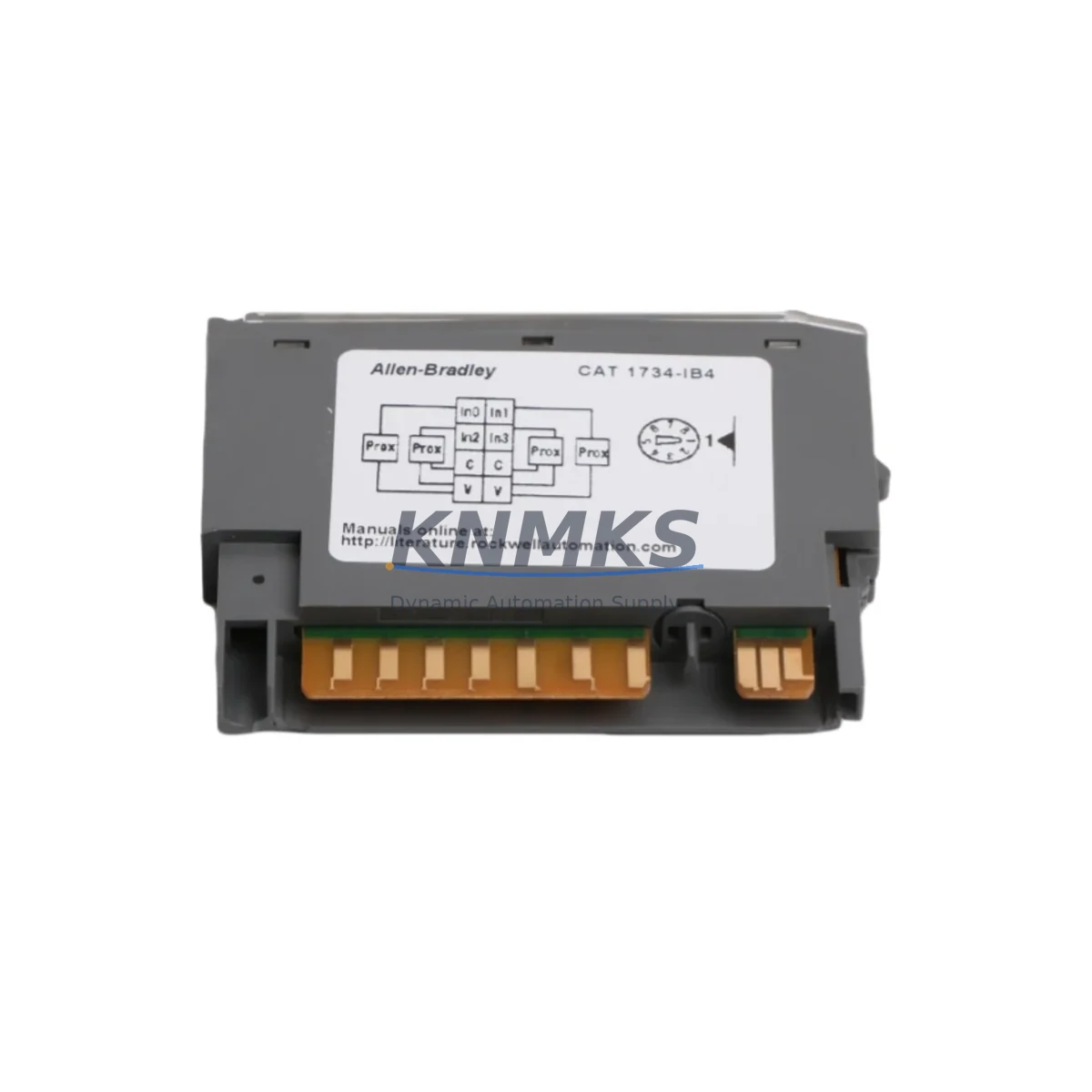
The Allen-Bradley 1734-IB4 is a 4-point, 24VDC sinking digital input module designed for the POINT I/O platform — one of the most widely deployed distributed I/O architectures in industrial automation. As legacy control systems approach end-of-life and spare parts become increasingly difficult to source, the 1734-IB4 serves as a critical migration-ready component for engineers tasked with modernizing aging production lines, upgrading control cabinets, and extending the operational lifespan of existing PLC-based systems without full system replacement.
Whether you are replacing a failed module in a running line, consolidating I/O racks during a phased retrofit, or migrating from an older SLC 500 or PLC-5 architecture to a ControlLogix or CompactLogix platform, the 1734-IB4 provides a reliable, field-proven digital input solution that integrates directly into existing POINT I/O backplane assemblies. Its compact DIN-rail form factor and standard 24VDC sinking input configuration make it compatible with a broad range of field sensors, proximity switches, and discrete signal sources already installed in legacy control cabinets.
Migration Compatibility Table
| Parameter | Specification / Retrofit Note |
|---|---|
| Module Type | 4-point 24VDC Sinking Digital Input |
| Platform Compatibility | Allen-Bradley POINT I/O (1734 series); compatible with ControlLogix, CompactLogix, and SoftLogix via 1734-AENT / 1734-AENTR adapter |
| Backplane Interface | POINT I/O backplane; direct plug-in replacement for existing 1734-IB4 positions — no backplane modification required |
| Terminal Wiring | Removable terminal block (RTB); field wiring retained on RTB during module swap — minimizes rewiring time |
| Communication Compatibility | EtherNet/IP via 1734-AENT adapter; DeviceNet via 1734-ADN; ControlNet via 1734-ACN — protocol determined by adapter, not module |
| Module Address / Slot | Auto-addressed by POINT I/O adapter; verify slot assignment in RSLogix 5000 / Studio 5000 I/O tree after replacement |
| Program Compatibility | Tag-based addressing in Studio 5000; confirm input tag mapping in ladder logic after module swap |
| Installation Space | Standard POINT I/O module width; no additional DIN-rail space required for direct replacement |
| Firmware | No firmware update required for the input module itself; verify 1734-AENT adapter firmware compatibility with controller revision |
| Commissioning | Power cycle adapter after module insertion; verify input status via controller I/O diagnostics or RSLinx Classic |
| Replacement Recommendation | Direct drop-in replacement for existing 1734-IB4; also suitable as upgrade path from older 1734-IB4 revisions |
| Support terms | support terms confirmed by quotation — covers manufacturing defects; each unit ships after functional verification |
Retrofit Planning for Existing Automation Systems
Successful integration of the 1734-IB4 into a retrofit project requires careful pre-planning across several interdependent system layers. Before removing the failed or obsolete module, engineers should document the current I/O configuration in Studio 5000 or RSLogix 5000, noting the slot number, input tag names, and any force conditions active on the affected points. This baseline documentation protects program logic integrity during the physical swap and accelerates post-installation verification.
The 1734-IB4 connects to the POINT I/O backplane through the 1734-AENT or 1734-AENTR EtherNet/IP adapter, which manages all upstream communication to the ControlLogix or CompactLogix controller. If the retrofit involves upgrading the communication adapter — for example, replacing an older 1734-ADN DeviceNet adapter with a 1734-AENT for EtherNet/IP migration — the protocol change must be reflected in the controller’s I/O configuration and the network topology updated accordingly. In multi-adapter installations, each 1734-AENT manages its own node address and subnet, so IP address conflicts must be resolved before commissioning.
Power capacity is a critical checkpoint in any POINT I/O retrofit. The 1734-EP24DC power supply module provides 24VDC backplane power for the I/O segment; engineers must verify that the total current draw of all modules in the segment — including the 1734-IB4 and any co-located 1734-OB4E output modules, 1734-IE4C analog input modules, or 1734-IB8 8-point input modules — does not exceed the power supply’s rated output. Adding modules to an existing segment without recalculating the power budget is a common cause of intermittent faults during commissioning.
For installations migrating from SLC 500 or PLC-5 platforms, the 1734-IB4 is typically deployed as part of a broader I/O modernization effort alongside a 1734-AENT adapter and a new ControlLogix L7x or CompactLogix L3x controller. In these scenarios, the HMI screens built on PanelView or PanelView Plus terminals must be updated to reflect the new tag structure, as SLC 500 file-based addressing (e.g., I:1/0) does not map directly to Studio 5000 tag-based addressing. Signal isolation requirements should also be reviewed — in high-noise environments, a signal isolator or barrier may be required between field devices and the 1734-IB4 input terminals to prevent false triggering.
Programming cable access is another practical consideration during retrofit. A 1784-U2DHP USB-to-DH+ adapter or a standard Ethernet programming connection via RSLinx Classic is required to go online with the controller during commissioning. Ensure the programming laptop has the correct version of Studio 5000 or RSLogix 5000 installed and that the controller firmware revision is compatible with the project file before attempting to download any program changes.
Downtime Control During System Migration
Minimizing unplanned downtime is the primary operational constraint in any live-system retrofit. For the 1734-IB4, the removable terminal block (RTB) design is the single most important feature for downtime reduction: field wiring remains attached to the RTB while the module body is swapped, eliminating the need to rewire individual terminals and reducing physical replacement time to under five minutes in most installations.
Before initiating the swap, place the affected input points in a known safe state using the controller’s I/O force function in Studio 5000. Forcing inputs to a defined state prevents unexpected machine responses during the brief period when the module is physically absent from the backplane. Document all active forces and remove them systematically after the new module is confirmed online and input status is verified against field conditions.
After inserting the replacement 1734-IB4, power cycle the POINT I/O adapter to trigger module recognition. The controller will automatically detect the new module if the I/O configuration in the project matches the installed hardware. If a configuration mismatch fault appears — typically caused by a revision difference between the original and replacement module — inhibit the module in the I/O tree, update the module properties to match the installed revision, and download the updated configuration. This process can be completed online without a full controller download, preserving the running program and minimizing control interruption.
For planned maintenance windows, pre-staging the replacement 1734-IB4 with a bench test using a 1734-AENT adapter and a laptop running RSLinx Classic allows engineers to verify module functionality before the maintenance window begins. This pre-verification step eliminates the risk of discovering a second faulty module during the live replacement and is strongly recommended for critical production lines where extended downtime carries significant cost.
Retrofit Support FAQ
Q: Is the 1734-IB4 a direct replacement for an existing 1734-IB4 in my POINT I/O segment?
A: Yes. The 1734-IB4 is a direct drop-in replacement for any existing 1734-IB4 module in a POINT I/O backplane. The removable terminal block retains field wiring during the swap. After insertion, verify the module is recognized in the Studio 5000 I/O tree and confirm input status against field conditions before releasing the system to production.
Q: Do I need to update my PLC program after replacing the 1734-IB4?
A: In most cases, no program changes are required for a like-for-like module replacement. However, if the replacement module has a different hardware revision than the original, you may need to update the module properties in Studio 5000 to match the installed revision. Always verify input tag mapping and remove any I/O forces applied during the swap before returning the system to automatic operation.
Q: What commissioning steps are required after installing the replacement module?
A: Power cycle the 1734-AENT or 1734-AENTR adapter after module insertion to trigger recognition. Go online with the controller via RSLinx Classic or Studio 5000 and verify the module status in the I/O diagnostics tree. Confirm each input point responds correctly to field signals, remove all I/O forces, and document the completed replacement in your maintenance log.
Q: What support terms and pre-shipment testing does this unit include?
A: Each 1734-IB4 unit is functionally verified before shipment and covered by a support terms confirmed by quotation against manufacturing defects. In-stock units are available for immediate dispatch to support urgent replacement and unplanned downtime scenarios. Contact our team for lead time confirmation and bulk order availability.
© 2026 KNMKS. All rights reserved.
Original Source: https://knmks.com
Contact: admin@knmks.com | +86 18359268345
Product Identification
- Brand / Ecosystem
-
Allen-Bradley
Allen-Bradley - Model / Series
- 1734-IB4
- Product Family
- PLCs & Controllers
- Availability Status
- Available on request after model and quantity confirmation
- Inquiry Type
- B2B RFQ, replacement inquiry and project spare-part request
- Pre-Quote Check
- Exact SKU, brand, series, quantity, nameplate photos and destination country are checked before quotation
System Path
Where this product fits in the KNMKS automation structure.
Specification & Inquiry Focus
- Control platform
- PLC, PAC and modular controllers
- Common needs
- CPU, rack, power and I/O expansion
- Project support
- Replacement, cabinet build and maintenance
Buyer Confirmation
Information KNMKS checks before replying.
- Exact model
- 1734-IB4
- Brand / ecosystem
- Allen-Bradley
- Product family
- PLCs & Controllers
- Application note
- Replacement, maintenance, project build or spare-part list
- Useful photos
- Nameplate, installed unit, cabinet layout or connector side
- Delivery details
- Quantity, destination country and target schedule
Document Support
Files and notes can be confirmed during quotation.
- Product photos or nameplate confirmation when available
- Packing and delivery notes before quotation confirmation
- Support scope and delivery terms confirmed per inquiry
- Export document coordination for qualified B2B requests
Inquiry Support
- Model cross-checking before quotation
- CPU, power, rack and expansion module matching
- Support for replacement and project inquiry
What to Send Us
- Brand and exact model number: Allen-Bradley 1734-IB4
- Quantity and required delivery time
- Application, replacement requirement or nameplate photo
- Destination country and shipping preference
RFQ Preparation
This is a product inquiry page built for RFQ communication.
Fast Model Check
Send this model to KNMKS for confirmation.
Include quantity, destination country and photos if this is a maintenance replacement. The inquiry will be saved with a reference number after submission.
Brand & Compatibility Note
KNMKS displays automation product information for well-known industrial brand ecosystems and compatible replacement references. Brand names are used for product identification and compatibility reference only; final availability and commercial terms are confirmed per quotation.
 Manufacturing
 Machine Tools
 Packaging
 Energy & Power



 HMI & Displays
 Servo Systems
 Variable Frequency Drives
 Sensors