
Overview
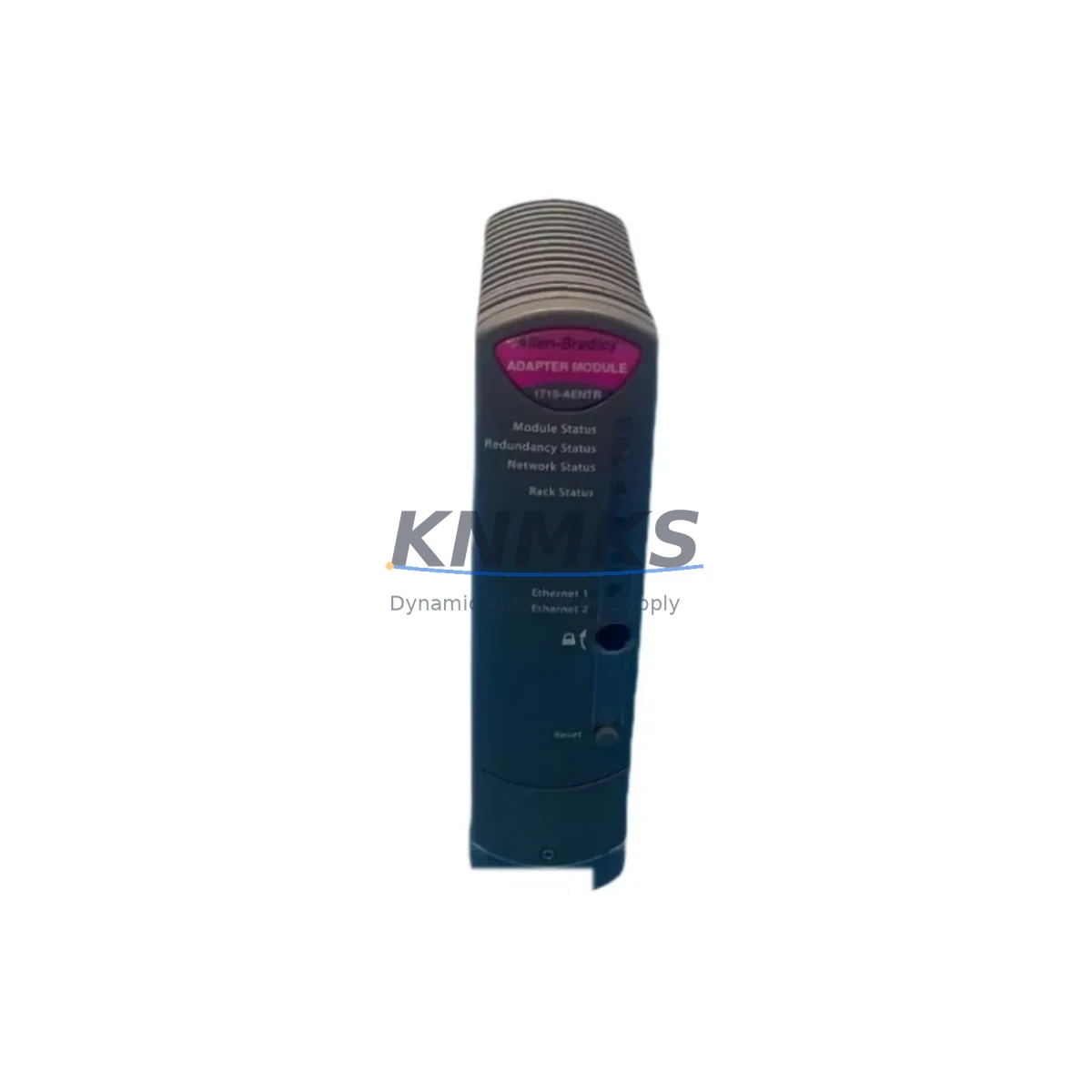
Allen-Bradley 1715-AENTR Migration-Ready EtherNet/IP Adapter for Legacy Control Systems
The Allen-Bradley 1715-AENTR is a dual-port EtherNet/IP adapter module designed for the 1715 Redundant I/O system — one of Rockwell Automation’s most widely deployed redundancy platforms in process-critical environments. As legacy 1715 infrastructure ages and original adapter modules reach end-of-life or become increasingly difficult to source, the 1715-AENTR serves as the verified migration-ready replacement that preserves existing I/O architecture, backplane addressing, and EtherNet/IP communication topology without requiring a full system redesign.
For maintenance engineers managing aging ControlLogix or CompactLogix-based control systems, the 1715-AENTR provides a direct upgrade path that eliminates the need to re-engineer the entire redundant I/O cabinet. The module slots into the existing 1715-A2 or 1715-A4 chassis, retains the original backplane slot addressing, and reconnects to the EtherNet/IP network using the same Device Level Ring (DLR) or linear topology already in place. This means the associated 1756-L7x or 1756-L8x ControlLogix controller does not require a new I/O tree configuration — only a firmware-level verification step is needed before returning the system to service.
Migration Compatibility Table
| Parameter | Details |
|---|---|
| Replacement Target | Allen-Bradley 1715-AENTR (same SKU, updated firmware revision) |
| Compatible Chassis | 1715-A2 (2-slot), 1715-A4 (4-slot) Redundant I/O Chassis |
| Communication Protocol | EtherNet/IP (DLR and Linear topology supported) |
| Backplane Interface | 1715 proprietary redundant backplane; slot addressing preserved |
| Controller Compatibility | ControlLogix 1756-L7x, 1756-L8x; CompactLogix with EtherNet/IP bridge |
| Firmware Requirement | Verify Studio 5000 / RSLogix 5000 project firmware revision before swap |
| Installation Space | Single slot in 1715 chassis; no additional rail or DIN space required |
| Terminal Wiring | No field wiring changes required; I/O modules remain in place |
| Commissioning | IP address reassignment via BootP/DHCP or RSLinx Classic; verify DLR ring health |
| Support terms | support terms confirmed by quotation | Tested before shipment | Global stock available |
Retrofit Planning for Existing Automation Systems
A successful 1715-AENTR retrofit begins well before the module arrives on site. The first step is a full audit of the existing 1715 Redundant I/O cabinet: confirm the chassis type (1715-A2 or 1715-A4), document the current slot assignments for all installed I/O modules such as the 1715-IB16D digital input module or the 1715-OB8DE digital output module, and record the IP address, subnet mask, and gateway currently assigned to the adapter being replaced.
Next, verify the EtherNet/IP network topology. If the system uses a Device Level Ring configuration, the 1715-AENTR must be re-integrated into the ring using both PORT 1 and PORT 2 connections. Confirm that the managed switches — often 1783-BMS series Stratix switches — are configured to support DLR supervisor or ring node roles as required by the updated adapter. If the network runs a linear topology, only PORT 1 is required, but both ports should be documented for future redundancy planning.
On the controller side, open the Studio 5000 Logix Designer project and locate the 1715 Redundant I/O tree under the EtherNet/IP bridge or directly under the ControlLogix backplane if using a 1756-EN2T or 1756-EN3TR Ethernet communication module. Confirm that the I/O module tags, UDTs, and produced/consumed tag mappings remain intact. No re-download of the controller program should be required if the replacement adapter is configured with the same IP address and the chassis slot assignments are unchanged.
For systems that also include a 1715-PSCA2 power supply or a 1715-PSCA4 chassis power supply, verify that the power budget accommodates the replacement adapter’s current draw. The 1715-AENTR draws from the chassis backplane power rail; confirm that the total I/O module load does not exceed the power supply’s rated output. If the cabinet also houses a 1756-RM2 redundancy module for controller-level redundancy, ensure that the I/O adapter replacement does not interrupt the redundancy synchronization cycle — plan the swap during a scheduled maintenance window and coordinate with the DCS or SCADA operator to place the affected I/O in manual mode before proceeding.
Downtime Control During System Migration
Minimizing unplanned downtime during a 1715-AENTR replacement requires a structured pre-swap checklist and a clear rollback plan. Before removing the existing adapter, export the current RSLinx Classic or Studio 5000 network configuration, capture a screenshot of the I/O tree with all module statuses showing “Running,” and record the adapter’s current firmware revision using the module properties dialog.
Place the affected 1715 I/O chassis in a known safe state: coordinate with the control room operator to switch the associated control loops to manual mode in the DCS or SCADA system — whether that is a Honeywell Experion PKS, Emerson DeltaV, or a Rockwell FactoryTalk View SE HMI screen. This ensures that field devices connected to the 1715 I/O modules — including analog input signals from transmitters, digital outputs to solenoid valves, and interlock signals — remain in a safe, predictable state during the adapter swap.
The physical replacement takes less than five minutes: power down the chassis using the 1715-PSCA2 or 1715-PSCA4 power supply switch, remove the existing adapter from its slot, insert the 1715-AENTR replacement, and restore power. Assign the original IP address using BootP/DHCP Utility or RSLinx Classic, verify that the module status indicators show the correct RUN and NET status, and confirm DLR ring health in the Stratix switch management interface. Once the adapter is online, return the control loops to automatic mode and verify that all I/O module tags are updating correctly in the Studio 5000 online monitor. Total controlled downtime for a prepared team is typically under 30 minutes.
Retrofit Support FAQ
Q1: Is the 1715-AENTR a direct drop-in replacement for an existing 1715 EtherNet/IP adapter?
Yes. The 1715-AENTR is designed as a slot-compatible replacement for the 1715 Redundant I/O chassis. No field wiring changes are required. The replacement module must be configured with the same IP address as the original adapter, and the Studio 5000 project does not require modification if slot assignments are unchanged. A firmware revision check is recommended before commissioning.
Q2: What commissioning steps are required after installing the replacement adapter?
After physical installation, assign the original IP address via BootP/DHCP Utility or RSLinx Classic. Verify DLR ring health if applicable. Confirm that all I/O modules in the 1715 chassis show a healthy status in Studio 5000 online mode. Check that produced and consumed tags are updating correctly in the controller tag database. No program download is required if the IP address and slot configuration match the original.
Q3: How do I verify terminal wiring and I/O module compatibility before the swap?
All field wiring connects to the I/O modules (e.g., 1715-IB16D, 1715-OB8DE) installed in the chassis slots — not to the adapter module itself. The 1715-AENTR only interfaces with the backplane and the EtherNet/IP network. No terminal block changes are required. Verify that the I/O modules remain seated and undisturbed during the adapter replacement procedure.
Q4: What support terms and pre-shipment testing does KNMKS provide for the 1715-AENTR?
Every 1715-AENTR unit shipped by KNMKS is function-tested prior to dispatch and covered by a support terms confirmed by quotation against manufacturing defects and operational failure. Global stock is maintained to support urgent replacement requirements with short lead times. Contact admin@knmks.com or +86 18359268345 for availability confirmation and expedited shipping options.
© 2026 KNMKS. All rights reserved.
Original Source: https://knmks.com
Contact: admin@knmks.com | +86 18359268345
Product Identification
- Brand / Ecosystem
-
Allen-Bradley
Allen-Bradley - Model / Series
- 1715-AENTR
- Product Family
- PLCs & Controllers
- Availability Status
- Available on request after model and quantity confirmation
- Inquiry Type
- B2B RFQ, replacement inquiry and project spare-part request
- Pre-Quote Check
- Exact SKU, brand, series, quantity, nameplate photos and destination country are checked before quotation
System Path
Where this product fits in the KNMKS automation structure.
Specification & Inquiry Focus
- Control platform
- PLC, PAC and modular controllers
- Common needs
- CPU, rack, power and I/O expansion
- Project support
- Replacement, cabinet build and maintenance
Buyer Confirmation
Information KNMKS checks before replying.
- Exact model
- 1715-AENTR
- Brand / ecosystem
- Allen-Bradley
- Product family
- PLCs & Controllers
- Application note
- Replacement, maintenance, project build or spare-part list
- Useful photos
- Nameplate, installed unit, cabinet layout or connector side
- Delivery details
- Quantity, destination country and target schedule
Document Support
Files and notes can be confirmed during quotation.
- Product photos or nameplate confirmation when available
- Packing and delivery notes before quotation confirmation
- Support scope and delivery terms confirmed per inquiry
- Export document coordination for qualified B2B requests
Inquiry Support
- Model cross-checking before quotation
- CPU, power, rack and expansion module matching
- Support for replacement and project inquiry
What to Send Us
- Brand and exact model number: Allen-Bradley 1715-AENTR
- Quantity and required delivery time
- Application, replacement requirement or nameplate photo
- Destination country and shipping preference
RFQ Preparation
This is a product inquiry page built for RFQ communication.
Fast Model Check
Send this model to KNMKS for confirmation.
Include quantity, destination country and photos if this is a maintenance replacement. The inquiry will be saved with a reference number after submission.
Brand & Compatibility Note
KNMKS displays automation product information for well-known industrial brand ecosystems and compatible replacement references. Brand names are used for product identification and compatibility reference only; final availability and commercial terms are confirmed per quotation.
 Manufacturing
 Machine Tools
 Packaging
 Energy & Power



 HMI & Displays
 Servo Systems
 Variable Frequency Drives
 Sensors