
Overview
Allen-Bradley 150-F60NBRD Migration-Ready SMC Flex Controller: Legacy System Retrofit and Compatibility Upgrade
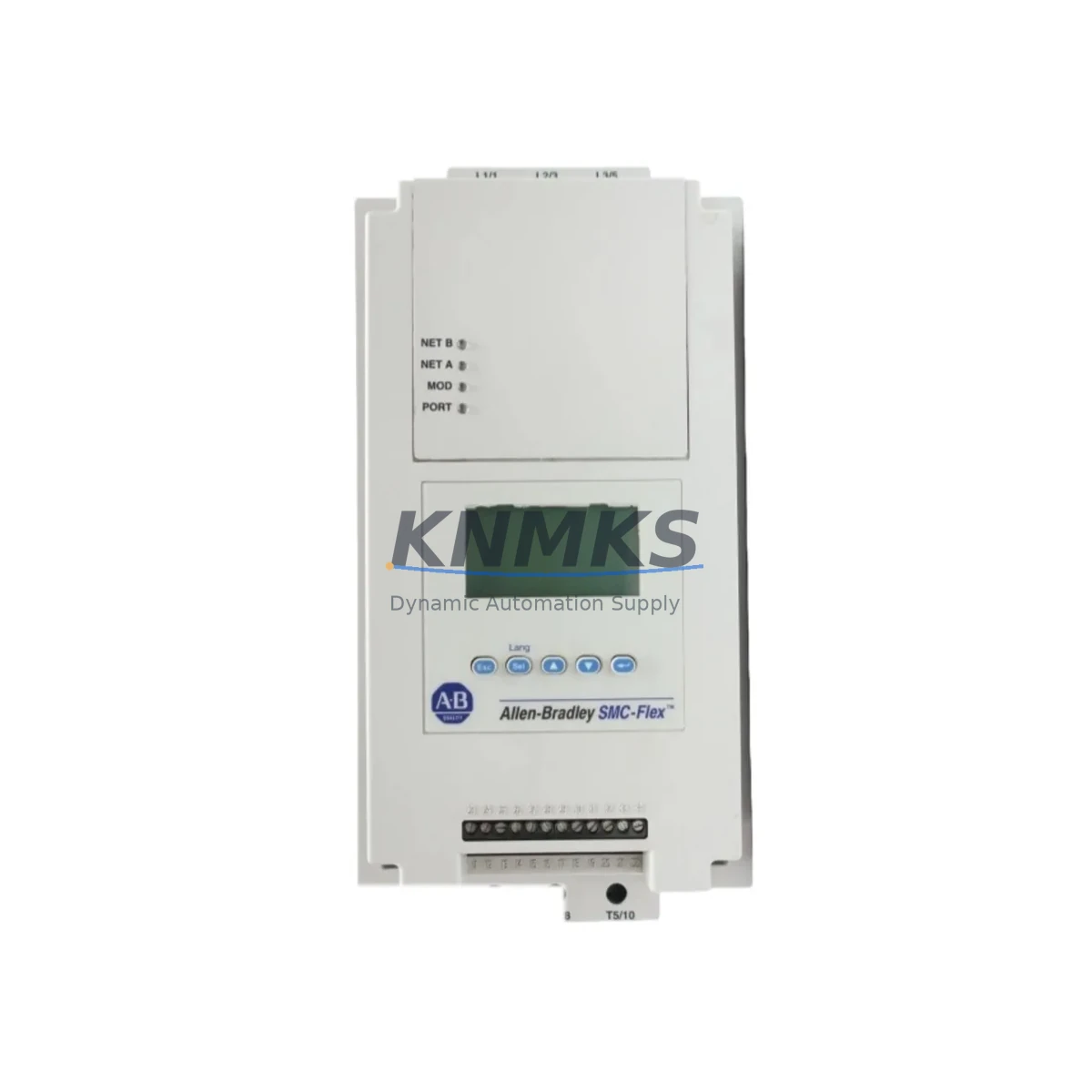
The Allen-Bradley 150-F60NBRD is a 60-ampere SMC Flex Smart Motor Controller designed for direct-on-line and soft-start motor control applications in industrial automation environments. As legacy SMC Dialog Plus controllers reach end-of-life and spare parts become increasingly difficult to source, the 150-F60NBRD serves as the primary migration-ready replacement for facilities operating aging motor control centers, control cabinets, and distributed drive panels. This unit supports DeviceNet communication, enabling seamless integration into existing ControlLogix and CompactLogix PLC architectures without requiring full network redesign.
For maintenance engineers managing retrofit projects, the 150-F60NBRD addresses the most critical pain points in legacy motor controller replacement: power capacity verification, terminal wiring compatibility, backplane interface alignment, and firmware version matching. The unit is rated for 200–600V AC, three-phase operation, and accepts standard IEC and NEMA motor wiring configurations. Before installation, engineers should confirm that the existing control cabinet provides adequate clearance for the SMC Flex housing dimensions and that the DeviceNet node address is correctly configured to match the original controller’s network mapping in the PLC program.
Migration Compatibility Table
| Parameter | Legacy SMC Dialog Plus | 150-F60NBRD (SMC Flex) | Retrofit Notes |
|---|---|---|---|
| Current Rating | Up to 60A | 60A | Direct ampere match; no derating required |
| Voltage Range | 200–600V AC | 200–600V AC | Compatible with existing supply |
| Communication | DH-485 / Remote I/O | DeviceNet (1203-GU6 adapter optional) | Protocol migration required; update PLC scanner table |
| Terminal Wiring | Screw terminal, top/bottom entry | Screw terminal, top/bottom entry | Verify wire gauge; re-torque to spec |
| Mounting | Panel/DIN rail | Panel/DIN rail | Confirm cabinet depth ≥ 200mm |
| HMI Interface | SMC Dialog keypad | SMC Flex LCD module (optional) | Update PanelView screen tags if applicable |
| Bypass Contactor | External required | Internal bypass available | Review contactor wiring diagram |
| Firmware | N/A (fixed) | Field-upgradeable | Confirm firmware rev before commissioning |
| Support terms | EOL — no support | support terms confirmed by quotation | Covered from date of shipment |
Retrofit Planning for Existing Automation Systems
A successful retrofit of the 150-F60NBRD into an existing motor control center begins with a thorough audit of the control cabinet. Engineers should document the existing wiring schedule, confirm the power supply module output capacity, and verify that the DeviceNet trunk cable and drop cable lengths comply with network segment specifications. In many legacy installations, the SMC Dialog Plus was connected via Remote I/O to a SLC 500 or PLC-5 controller. Migrating to the SMC Flex on DeviceNet typically requires adding a 1203-GU6 DeviceNet communication module and updating the ControlLogix or CompactLogix scanner configuration to recognize the new node address.
During the planning phase, the I/O mapping between the old controller and the new unit must be carefully reconciled. The 150-F60NBRD provides digital input terminals for run forward, run reverse, and fault reset functions, which must be mapped to the corresponding output coils in the PLC ladder logic program. If the facility uses a PanelView Plus HMI for motor status monitoring, the tag database should be updated to reflect the new controller’s data table addresses before the cutover. Signal isolators may be required if the existing 4–20mA analog feedback circuits are not directly compatible with the SMC Flex’s analog input card.
For facilities running multiple motor starters in a common control cabinet, the retrofit sequence should be planned to minimize cross-interference. The 1492-IFM series interface modules are commonly used alongside SMC Flex installations to provide clean terminal breakout for control wiring. Where the original installation included a 1203-SM1 serial module for parameter backup, engineers should export the motor parameter file before decommissioning the legacy unit and re-import compatible parameters into the 150-F60NBRD using RSNetWorx for DeviceNet. The 20-HIM-A6 Human Interface Module can be temporarily connected during commissioning to verify parameter settings before the permanent HMI connection is restored.
Downtime Control During System Migration
Minimizing production downtime during a motor controller replacement requires a structured pre-commissioning checklist and a clearly defined rollback procedure. Before the scheduled maintenance window, the replacement 150-F60NBRD should be bench-tested with a known-good motor load to verify that the soft-start ramp time, current limit, and fault trip thresholds are correctly configured. The original PLC program logic should be backed up to a laptop running Studio 5000 or RSLogix 5000, and the DeviceNet network should be scanned offline to confirm node address availability.
During the cutover, the control power to the affected motor starter should be isolated using the cabinet’s control power disconnect, while the main power bus remains energized for other circuits. The legacy SMC Dialog Plus terminals should be photographed and labeled before disconnection. After the 150-F60NBRD is installed and wired, a point-to-point continuity check should be performed before re-energizing. The DeviceNet node should be brought online incrementally, with the PLC placed in remote program mode to prevent unintended motor starts during the commissioning sequence. Once the controller passes the no-load test, the motor can be reconnected and a loaded soft-start test performed under supervision. This approach typically limits the controlled shutdown window to two to four hours for a single motor starter replacement, preserving the continuity of adjacent control loops and minimizing the risk of cascading faults in the broader automation system.
Retrofit Support FAQ
Q: Is the 150-F60NBRD a direct drop-in replacement for the SMC Dialog Plus 150-A60NBD?
A: The 150-F60NBRD matches the 60A current rating and voltage range of the SMC Dialog Plus, but it uses DeviceNet communication rather than Remote I/O or DH-485. A direct wiring replacement is feasible for the power terminals, but the control network configuration and PLC scanner table must be updated. A 1203-GU6 adapter may be required depending on the existing network topology.
Q: What commissioning steps are required after installation?
A: After mechanical installation and terminal wiring, configure the DeviceNet node address using the onboard rotary switches. Connect to RSNetWorx for DeviceNet to add the device to the network scan list. Verify motor nameplate data entry (FLA, service factor, overload class) via the SMC Flex parameter menu or HMI module. Perform a no-load soft-start test before connecting the motor load. Confirm fault reset behavior and check that the PLC I/O status bits reflect the correct controller state.
Q: Does KNMKS provide pre-shipment testing for the 150-F60NBRD?
A: Yes. Each unit undergoes functional verification prior to shipment, including power-on self-test, communication port check, and parameter default confirmation. Units are shipped with original or equivalent packaging to prevent transit damage. The support terms confirmed by quotation cover manufacturing defects and covers the unit from the date of shipment.
Q: What is the typical lead time and stock availability?
A: KNMKS maintains inventory of the 150-F60NBRD to support urgent retrofit and emergency replacement requirements. Standard orders ship within 1–3 business days. For large-quantity or project-based procurement, contact our sales team to confirm allocation and delivery schedule.
© 2026 KNMKS. All rights reserved.
Original Source: https://knmks.com
Contact: admin@knmks.com | +86 18359268345
Product Identification
- Brand / Ecosystem
-
Allen-Bradley
Allen-Bradley - Model / Series
- 150-F60NBRD
- Product Family
- PLCs & Controllers
- Availability Status
- Available on request after model and quantity confirmation
- Inquiry Type
- B2B RFQ, replacement inquiry and project spare-part request
- Pre-Quote Check
- Exact SKU, brand, series, quantity, nameplate photos and destination country are checked before quotation
System Path
Where this product fits in the KNMKS automation structure.
Specification & Inquiry Focus
- Control platform
- PLC, PAC and modular controllers
- Common needs
- CPU, rack, power and I/O expansion
- Project support
- Replacement, cabinet build and maintenance
Buyer Confirmation
Information KNMKS checks before replying.
- Exact model
- 150-F60NBRD
- Brand / ecosystem
- Allen-Bradley
- Product family
- PLCs & Controllers
- Application note
- Replacement, maintenance, project build or spare-part list
- Useful photos
- Nameplate, installed unit, cabinet layout or connector side
- Delivery details
- Quantity, destination country and target schedule
Document Support
Files and notes can be confirmed during quotation.
- Product photos or nameplate confirmation when available
- Packing and delivery notes before quotation confirmation
- Support scope and delivery terms confirmed per inquiry
- Export document coordination for qualified B2B requests
Inquiry Support
- Model cross-checking before quotation
- CPU, power, rack and expansion module matching
- Support for replacement and project inquiry
What to Send Us
- Brand and exact model number: Allen-Bradley 150-F60NBRD
- Quantity and required delivery time
- Application, replacement requirement or nameplate photo
- Destination country and shipping preference
RFQ Preparation
This is a product inquiry page built for RFQ communication.
Fast Model Check
Send this model to KNMKS for confirmation.
Include quantity, destination country and photos if this is a maintenance replacement. The inquiry will be saved with a reference number after submission.
Brand & Compatibility Note
KNMKS displays automation product information for well-known industrial brand ecosystems and compatible replacement references. Brand names are used for product identification and compatibility reference only; final availability and commercial terms are confirmed per quotation.
 Manufacturing
 Machine Tools
 Packaging
 Energy & Power



 HMI & Displays
 Servo Systems
 Variable Frequency Drives
 Sensors