
Overview
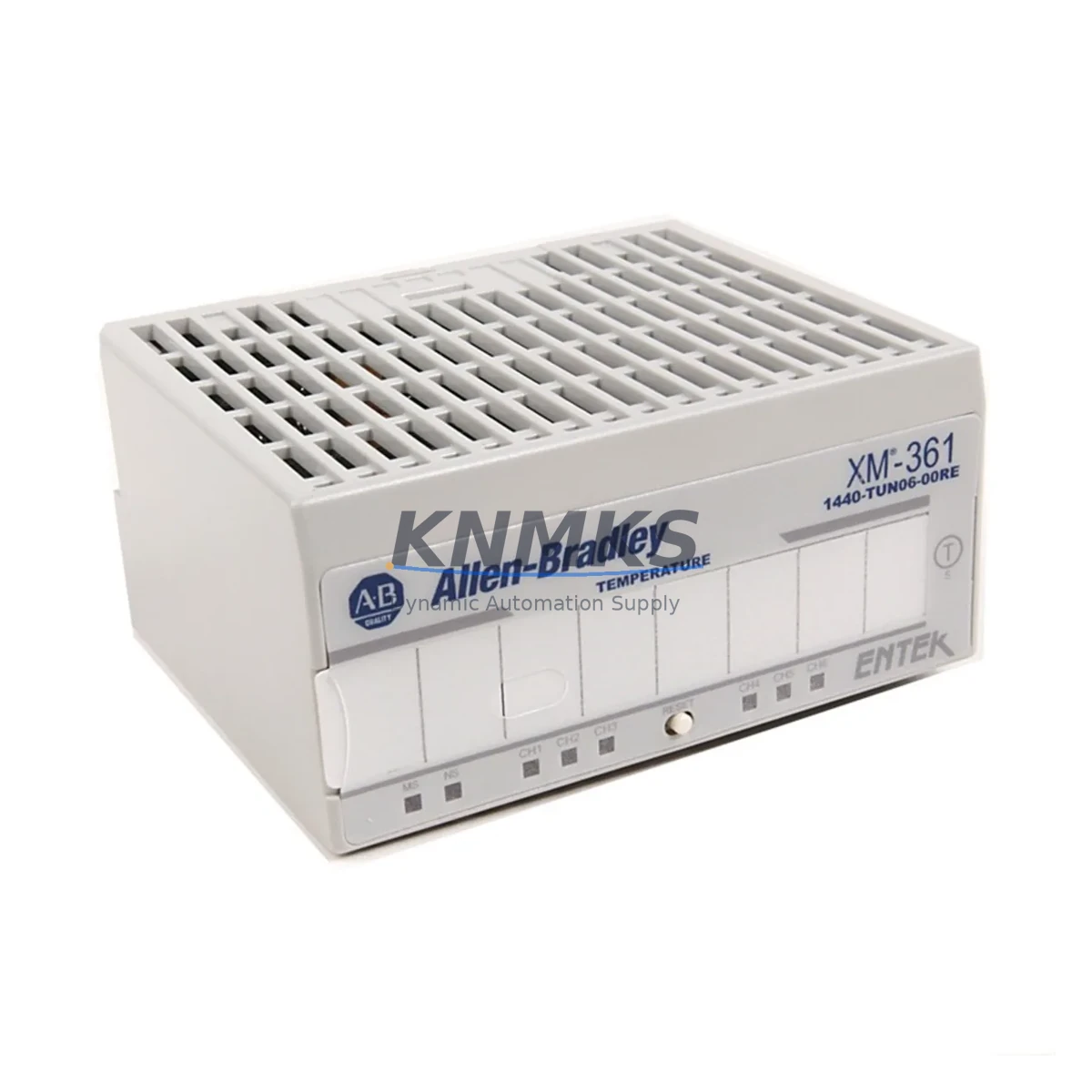
Allen-Bradley 1440-TUN06-00RE Maintenance-Proven Spare Part for Factory Uptime
The Allen-Bradley 1440-TUN06-00RE is a 6-channel thermocouple input module from the ArmorBlock MaXum series, engineered for harsh industrial environments where IP67-rated field-level I/O is essential. Designed for direct mounting on or near machinery without a control cabinet, this module delivers reliable temperature signal acquisition in continuous process, automotive assembly, food & beverage, and heavy manufacturing applications. Maintaining a verified spare of the 1440-TUN06-00RE in your site inventory is a proven strategy for minimizing unplanned downtime and protecting production continuity.
Spare Maintenance Table
| Parameter | Specification |
|---|---|
| Part Number / SKU | 1440-TUN06-00RE |
| Brand / Manufacturer | Allen-Bradley (Rockwell Automation) |
| Series | ArmorBlock MaXum |
| Product Type | Thermocouple Input Module |
| Number of Channels | 6 Channels (Thermocouple) |
| Input Type | Thermocouple (J, K, T, E, R, S, B, N types supported) |
| Protection Rating | IP67 (dust-tight, water-immersion resistant) |
| Communication Interface | DeviceNet (via ArmorBlock MaXum backplane/network) |
| Operating Voltage | 24V DC (nominal, via DeviceNet power) |
| Operating Temperature | -20°C to +60°C |
| Mounting | Field-mount, DIN rail or panel (IP67 enclosure) |
| Origin | USA |
| Compatibility | Allen-Bradley ArmorBlock MaXum DeviceNet systems; Rockwell Automation ControlLogix, CompactLogix, SLC 500 via DeviceNet scanner |
| Maintenance Recommendation | Inspect thermocouple wiring and connector seals annually; verify channel calibration during scheduled shutdowns |
| Support terms | 12 Months from date of shipment |
Maintenance Planning for Continuous Operation
When the 1440-TUN06-00RE is flagged during a routine control cabinet inspection or a predictive maintenance audit, experienced maintenance engineers know that replacing the thermocouple input module alone is rarely sufficient to fully restore system integrity. A thorough site replacement procedure should encompass the entire measurement and control loop.
Begin by verifying the DeviceNet trunk cable and drop cable assemblies connected to the ArmorBlock MaXum node. Damaged or corroded M12 connectors are a leading cause of intermittent channel faults that are often misdiagnosed as module failure. Inspect the DeviceNet power tap and confirm that the 24V DC supply voltage at the node is within the ±1% tolerance specified for ArmorBlock MaXum devices — a marginal power supply is frequently the root cause of erratic thermocouple readings.
Next, evaluate the 1440-ACNR DeviceNet scanner or equivalent network adapter in the control rack. If the scanner’s node table shows repeated communication errors on the 1440-TUN06-00RE node address, the issue may originate upstream in the network rather than in the module itself. Check the DeviceNet network termination resistors (121 Ω at each end of the trunk) and measure bus voltage under load before condemning the thermocouple module.
For sites running ControlLogix or CompactLogix PLCs, review the 1756-DNB or 1769-SDN DeviceNet scanner module configuration in RSLogix 5000 or Studio 5000. Confirm that the electronic data sheet (EDS) file for the 1440-TUN06-00RE is correctly installed and that the I/O connection path is mapped to the correct controller tag. A misconfigured scanner will prevent the replacement module from coming online even when the hardware is fully functional.
Thermocouple input modules in high-vibration or high-humidity environments should be paired with a periodic inspection of thermocouple extension wire and cold-junction compensation integrity. Oxidized or broken extension wire introduces significant measurement error that can mask genuine process deviations. Where signal integrity is critical, consider adding signal isolators or signal conditioners between the thermocouple and the 1440-TUN06-00RE input terminals to suppress common-mode noise from adjacent VFD or motor starter circuits.
Finally, review the ArmorBlock MaXum system power budget. Adding a replacement 1440-TUN06-00RE to a node that is already near its DeviceNet current draw limit can cause intermittent resets across the entire node cluster. Confirm available current margin before commissioning the replacement module, and update your site’s spare parts inventory to include at least one additional 1440-TUN06-00RE alongside compatible M12 field-wiring connectors and DeviceNet drop cables to support rapid future replacements.
Site Replacement Workflow
Step 1 — Isolate and document: Place the affected DeviceNet node in inhibit mode via the scanner configuration software. Record the existing node address, baud rate (typically 125 kbps, 250 kbps, or 500 kbps), and I/O connection parameters before disconnecting the module.
Step 2 — Physical removal: Disconnect the M12 DeviceNet trunk and drop connectors and the thermocouple field-wiring connectors. Note the connector positions and cable labels. Remove the 1440-TUN06-00RE from its mounting position, taking care not to damage the IP67 gasket seating surfaces on adjacent modules.
Step 3 — Inspect and prepare replacement: Verify the replacement 1440-TUN06-00RE part number and firmware revision. Confirm the node address rotary switch setting matches the original module. Inspect all M12 connector O-rings and replace if compressed or cracked to maintain IP67 integrity.
Step 4 — Install and commission: Mount the replacement module, reconnect all field-wiring and DeviceNet connectors to the specified torque (typically 0.5–0.8 N·m for M12 connectors). Re-enable the node in the scanner configuration and verify that all 6 thermocouple channels report valid process values within expected engineering unit ranges.
Step 5 — Functional verification: Compare live channel readings against a calibrated reference thermometer or thermocouple simulator. Document the replacement in the site maintenance log and update the spare parts inventory record. Retain the removed module for depot-level evaluation or return-to-vendor assessment.
This workflow is designed to minimize mean time to repair (MTTR) and restore production within a single maintenance shift, reducing the financial impact of unplanned downtime on high-throughput production lines.
Spare Parts Support FAQ
Q1: Is the 1440-TUN06-00RE still available as a new original spare, and what is the lead time?
A: Yes. We stock the 1440-TUN06-00RE as a new original Allen-Bradley spare part. Standard orders ship within 1–3 business days from verified inventory. For urgent downtime recovery, contact admin@knmks.com or call +86 18359268345 to confirm same-day dispatch availability.
Q2: What is the support terms coverage, and does it cover field installation failures?
A: Every 1440-TUN06-00RE shipped by KNMKS carries a support terms confirmed by quotation from the date of shipment, covering manufacturing defects and functional failures under normal operating conditions. Each unit undergoes pre-shipment functional testing. Support requests are supported with direct technical assistance to minimize site disruption.
Q3: Can the 1440-TUN06-00RE replace older ArmorBlock MaXum thermocouple modules with different suffix codes?
A: Compatibility depends on the specific suffix variant and the DeviceNet scanner firmware version in your system. The -00RE suffix denotes a specific hardware revision. We recommend verifying the EDS file version and scanner compatibility before ordering a cross-revision replacement. Our technical team can assist with compatibility confirmation based on your system’s scanner model and Studio 5000 / RSLogix 5000 project file details.
Q4: How should the 1440-TUN06-00RE be stored as a long-term spare in a site inventory?
A: Store in the original anti-static packaging in a dry, temperature-controlled environment (10°C–40°C, <85% RH non-condensing). Avoid storage near strong magnetic fields or high-vibration areas. Inspect connector O-rings and protective caps annually. For long-term storage exceeding 24 months, request a pre-deployment functional test from our technical support team before installation.
© 2026 KNMKS. All rights reserved.
Original Source: https://knmks.com
Contact: admin@knmks.com | +86 18359268345
Product Identification
- Brand / Ecosystem
-
Allen-Bradley
Allen-Bradley - Model / Series
- 1440-TUN06-00RE
- Product Family
- PLCs & Controllers
- Availability Status
- Available on request after model and quantity confirmation
- Inquiry Type
- B2B RFQ, replacement inquiry and project spare-part request
- Pre-Quote Check
- Exact SKU, brand, series, quantity, nameplate photos and destination country are checked before quotation
System Path
Where this product fits in the KNMKS automation structure.
Specification & Inquiry Focus
- Control platform
- PLC, PAC and modular controllers
- Common needs
- CPU, rack, power and I/O expansion
- Project support
- Replacement, cabinet build and maintenance
Buyer Confirmation
Information KNMKS checks before replying.
- Exact model
- 1440-TUN06-00RE
- Brand / ecosystem
- Allen-Bradley
- Product family
- PLCs & Controllers
- Application note
- Replacement, maintenance, project build or spare-part list
- Useful photos
- Nameplate, installed unit, cabinet layout or connector side
- Delivery details
- Quantity, destination country and target schedule
Document Support
Files and notes can be confirmed during quotation.
- Product photos or nameplate confirmation when available
- Packing and delivery notes before quotation confirmation
- Support scope and delivery terms confirmed per inquiry
- Export document coordination for qualified B2B requests
Inquiry Support
- Model cross-checking before quotation
- CPU, power, rack and expansion module matching
- Support for replacement and project inquiry
What to Send Us
- Brand and exact model number: Allen-Bradley 1440-TUN06-00RE
- Quantity and required delivery time
- Application, replacement requirement or nameplate photo
- Destination country and shipping preference
RFQ Preparation
This is a product inquiry page built for RFQ communication.
Fast Model Check
Send this model to KNMKS for confirmation.
Include quantity, destination country and photos if this is a maintenance replacement. The inquiry will be saved with a reference number after submission.
Brand & Compatibility Note
KNMKS displays automation product information for well-known industrial brand ecosystems and compatible replacement references. Brand names are used for product identification and compatibility reference only; final availability and commercial terms are confirmed per quotation.
 Manufacturing
 Machine Tools
 Packaging
 Energy & Power



 HMI & Displays
 Servo Systems
 Variable Frequency Drives
 Sensors