
Overview
Allen-Bradley 1440-TBS-J Maintenance-Proven Spare Part for Factory Uptime
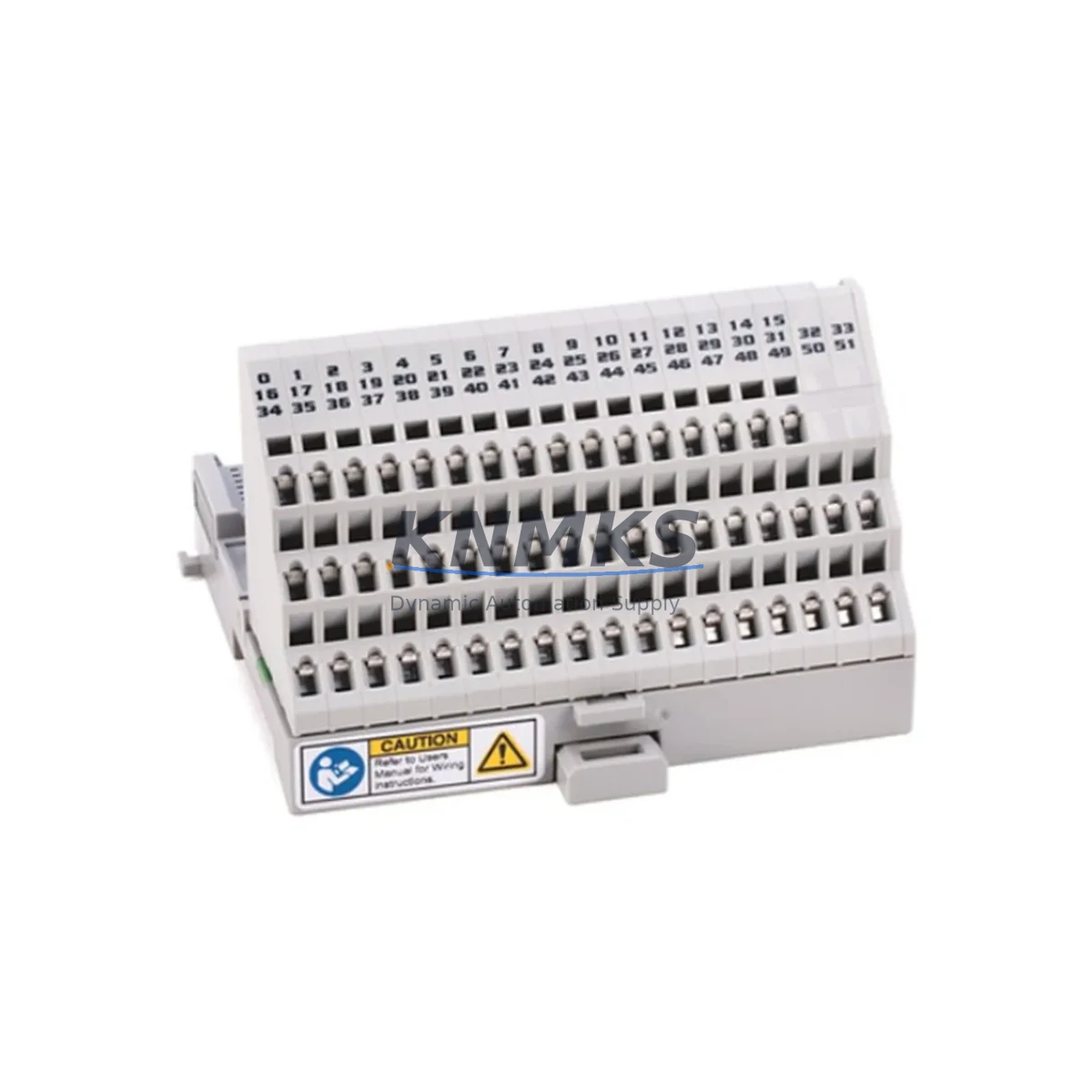
The Allen-Bradley 1440-TBS-J is an ArmorBlock MaXum terminal base designed for use within Rockwell Automation’s 1440 series condition monitoring platform. As a critical interface component between field-mounted sensors and the MaXum monitoring module, this terminal base plays a foundational role in plant-floor vibration monitoring, predictive maintenance programs, and continuous machine health surveillance. Sourced as an original spare and tested prior to dispatch, the 1440-TBS-J is stocked to support emergency replacement, scheduled overhaul, and long-term spare parts inventory strategies across process and discrete manufacturing environments.
For maintenance engineers managing aging condition monitoring infrastructure, the 1440-TBS-J provides a reliable, drop-in replacement that preserves system compatibility without requiring rewiring or reconfiguration. Its DIN-rail mounting form factor and screw-terminal field connections make site installation straightforward, reducing mean time to repair (MTTR) during unplanned downtime events. Procurement engineers sourcing this part for MRO inventory will benefit from our support terms confirmed by quotation coverage, pre-shipment functional verification, and consistent long-term supply availability.
Spare Maintenance Table
| Parameter | Specification |
|---|---|
| Part Number | 1440-TBS-J |
| Brand | Allen-Bradley / Rockwell Automation |
| Series | ArmorBlock MaXum (1440 Series) |
| Product Type | Terminal Base |
| Mounting | DIN Rail (35 mm) |
| Field Wiring | Screw-terminal, removable connector |
| Compatibility | 1440 Series ArmorBlock MaXum Monitoring Modules |
| Application | Vibration monitoring, condition monitoring, predictive maintenance |
| Environment | Industrial panel and field enclosure installation |
| Origin | United States |
| Weight | 280 g |
| Condition | Original spare, tested before shipment |
| Support terms | 12 months from date of shipment |
| Lead Time | availability confirmed by RFQ — ships within 1–3 business days |
Maintenance Planning for Continuous Operation
When replacing or inspecting the 1440-TBS-J terminal base during scheduled maintenance or emergency fault isolation, a thorough review of the surrounding system components is essential to ensure full restoration of the condition monitoring loop and prevent repeat failures.
Begin by verifying the integrity of the 1440-VAC02-01RA ArmorBlock MaXum vibration monitoring module seated on this terminal base. Terminal base faults are frequently caused by upstream issues in the monitoring module itself — connector wear, firmware faults, or internal channel failures. Inspect the module’s LED diagnostics and confirm channel status via RSLogix or Studio 5000 before declaring the terminal base as the root cause.
Check the 24 VDC power supply rail feeding the MaXum system. Voltage sags or ripple on the DC bus can cause intermittent terminal base communication errors that mimic hardware failure. A dedicated 1606-XLP power supply or equivalent Rockwell-rated 24 VDC source should be verified for output stability under load. Inspect fuse holders and circuit protection devices within the control cabinet for signs of thermal stress or nuisance tripping.
Examine the sensor cabling and field wiring connected to the terminal base. Accelerometer cables, proximity probe leads, and tachometer signal wires routed to the 1440-TBS-J are subject to mechanical fatigue, connector corrosion, and EMI-induced noise — particularly in high-vibration or high-temperature machine environments. Verify cable shielding continuity and terminal torque values per the installation manual.
If the 1440 system is integrated into a broader ControlLogix or CompactLogix PLC backplane, confirm that the 1756 or 1769 communication modules responsible for transmitting condition monitoring data to the controller are operating without fault codes. A 1756-EN2T EtherNet/IP communication module or equivalent should be checked for network connectivity and I/O tree integrity in the controller project.
For sites running multiple MaXum nodes, inspect adjacent terminal bases and their associated modules as part of the same maintenance window. Proactively stocking one or two spare 1440-TBS-J units alongside compatible monitoring modules reduces exposure to extended lead times and supports a robust spare parts strategy for condition monitoring infrastructure.
Site Replacement Workflow
Step 1 — Isolate and de-energize: Follow site LOTO (Lockout/Tagout) procedures. Remove power from the MaXum monitoring system before disconnecting any field wiring or removing the terminal base from the DIN rail.
Step 2 — Document existing wiring: Photograph or record all field terminal connections on the existing 1440-TBS-J before removal. The removable screw-terminal connector block simplifies rewiring, but documentation prevents errors during reinstallation.
Step 3 — Remove the monitoring module: Disengage the ArmorBlock MaXum monitoring module from the terminal base before unclipping the base from the DIN rail. Handle the module carefully to avoid damage to the backplane connector pins.
Step 4 — Install the replacement 1440-TBS-J: Clip the new terminal base onto the DIN rail, reconnect field wiring per the documented configuration, and reseat the monitoring module. Verify mechanical engagement and connector seating.
Step 5 — Restore power and verify: Re-energize the system and confirm channel status, LED indicators, and data transmission to the PLC or SCADA system. Use RSLogix Diagnostics or FactoryTalk View to validate that all monitoring channels are active and within expected ranges before returning the machine to production.
This workflow supports a target MTTR of under 60 minutes for experienced maintenance teams, minimizing production impact during unplanned downtime events.
Spare Parts Support FAQ
Q1: Is the 1440-TBS-J compatible with all ArmorBlock MaXum monitoring modules?
The 1440-TBS-J is designed for use with the 1440 series ArmorBlock MaXum platform. Compatibility should be verified against the specific monitoring module catalog number in your system. Contact our technical team with your module part number for confirmation before ordering.
Q2: How is the 1440-TBS-J tested before shipment?
Each unit undergoes visual inspection and functional verification prior to dispatch. We confirm connector integrity, terminal condition, and physical completeness. A support terms confirmed by quotation is provided from the date of shipment, covering defects in materials and workmanship.
Q3: Can this terminal base replace an older or discontinued 1440 series base?
The 1440-TBS-J is the current catalog designation for this terminal base variant. If you are replacing an older unit with a different suffix, verify the wiring configuration and module compatibility. Our team can assist with cross-reference validation based on your existing installation documentation.
Q4: What is your lead time and long-term supply availability?
The 1440-TBS-J is maintained availability confirmed by RFQ for immediate dispatch within 1–3 business days. For customers requiring ongoing MRO supply or blanket orders to support multi-site maintenance programs, we offer long-term supply agreements. Contact admin@knmks.com to discuss volume pricing and scheduled delivery arrangements.
© 2026 KNMKS. All rights reserved.
Original Source: https://knmks.com
Contact: admin@knmks.com | +86 18359268345
Product Identification
- Brand / Ecosystem
-
Allen-Bradley
Allen-Bradley - Model / Series
- 1440-TBS-J
- Product Family
- PLCs & Controllers
- Availability Status
- Available on request after model and quantity confirmation
- Inquiry Type
- B2B RFQ, replacement inquiry and project spare-part request
- Pre-Quote Check
- Exact SKU, brand, series, quantity, nameplate photos and destination country are checked before quotation
System Path
Where this product fits in the KNMKS automation structure.
Specification & Inquiry Focus
- Control platform
- PLC, PAC and modular controllers
- Common needs
- CPU, rack, power and I/O expansion
- Project support
- Replacement, cabinet build and maintenance
Buyer Confirmation
Information KNMKS checks before replying.
- Exact model
- 1440-TBS-J
- Brand / ecosystem
- Allen-Bradley
- Product family
- PLCs & Controllers
- Application note
- Replacement, maintenance, project build or spare-part list
- Useful photos
- Nameplate, installed unit, cabinet layout or connector side
- Delivery details
- Quantity, destination country and target schedule
Document Support
Files and notes can be confirmed during quotation.
- Product photos or nameplate confirmation when available
- Packing and delivery notes before quotation confirmation
- Support scope and delivery terms confirmed per inquiry
- Export document coordination for qualified B2B requests
Inquiry Support
- Model cross-checking before quotation
- CPU, power, rack and expansion module matching
- Support for replacement and project inquiry
What to Send Us
- Brand and exact model number: Allen-Bradley 1440-TBS-J
- Quantity and required delivery time
- Application, replacement requirement or nameplate photo
- Destination country and shipping preference
RFQ Preparation
This is a product inquiry page built for RFQ communication.
Fast Model Check
Send this model to KNMKS for confirmation.
Include quantity, destination country and photos if this is a maintenance replacement. The inquiry will be saved with a reference number after submission.
Brand & Compatibility Note
KNMKS displays automation product information for well-known industrial brand ecosystems and compatible replacement references. Brand names are used for product identification and compatibility reference only; final availability and commercial terms are confirmed per quotation.
 Manufacturing
 Machine Tools
 Packaging
 Energy & Power



 HMI & Displays
 Servo Systems
 Variable Frequency Drives
 Sensors