
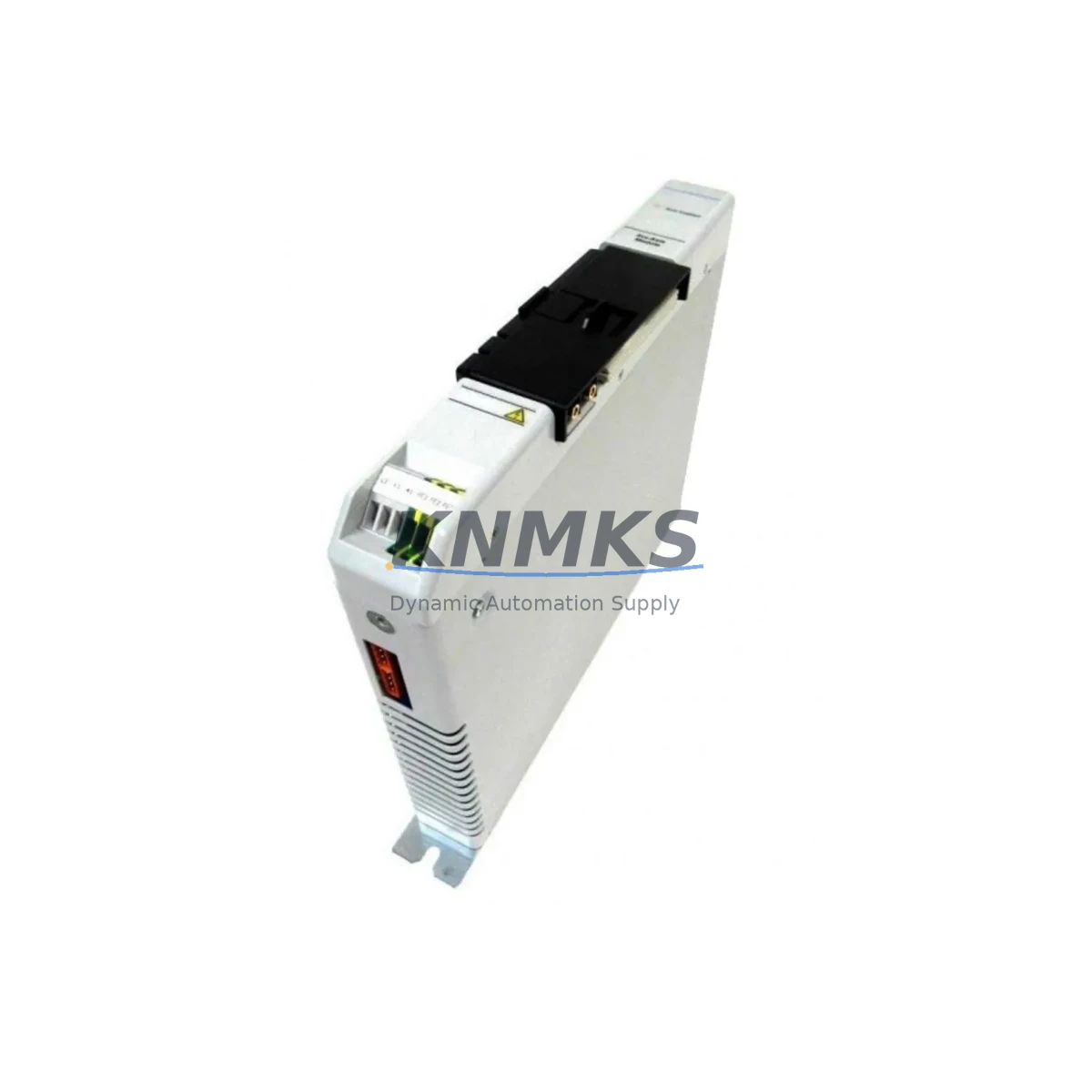
Overview
Allen-Bradley 1394C-AM07 Migration-Ready Servo Axis Module for Legacy Control Systems
The Allen-Bradley 1394C-AM07 is a servo axis module designed for the 1394 Series Multi-Axis Motion Control System — a platform widely deployed across discrete manufacturing, packaging lines, and material handling systems throughout the 1990s and 2000s. As Rockwell Automation has progressively discontinued support for the 1394 Series, many facilities operating legacy servo infrastructure now face urgent decisions around spare parts availability, system reliability, and migration planning. The 1394C-AM07 remains a critical component in these environments, providing axis-level servo drive functionality within the 1394 chassis architecture.
At KNMKS, we supply the 1394C-AM07 as a verified, tested replacement module for facilities that need to extend the operational life of their existing 1394-based motion systems or execute a controlled migration to current-generation platforms. Each unit is inspected, function-tested, and shipped with a support terms confirmed by quotation, giving maintenance engineers and procurement teams confidence in both availability and reliability.
Migration Compatibility Table
| Parameter | Details |
|---|---|
| SKU / Part Number | 1394C-AM07 |
| Series | Allen-Bradley 1394 Multi-Axis Motion Control |
| Module Type | Servo Axis Module |
| Chassis Compatibility | 1394 Series chassis (2-axis, 4-axis configurations) |
| Communication Interface | Backplane interface via 1394 system bus |
| Replacement Compatibility | Direct replacement for 1394C-AM07 in existing 1394 installations |
| Motor Feedback | Compatible with resolver and encoder feedback types per 1394 Series specification |
| Programming Environment | RSLogix 5, RSLogix 500, RSLogix 5000 (via 1394 GMC interface) |
| Installation Space | Standard 1394 chassis slot — no mechanical modification required |
| Firmware Compatibility | Verify firmware revision against existing axis module before installation |
| Wiring / Terminal Adaptation | Existing motor power and feedback cabling reusable; verify pinout against 1394C-AM07 wiring diagram |
| Support terms | 12 months from date of shipment |
Retrofit Planning for Existing Automation Systems
Replacing a 1394C-AM07 in a live production environment requires careful pre-migration planning to avoid unplanned downtime and protect existing program logic. Before pulling the module, engineers should document the current axis configuration parameters stored in the 1394 GMC (General Motion Controller) — including axis scaling, velocity limits, torque limits, homing sequences, and fault response settings. These parameters are typically managed through RSLogix 5000 or the legacy RSLogix 500 environment depending on the controller platform in use.
The 1394 Series chassis houses the GMC controller alongside individual axis modules. When replacing the 1394C-AM07, the adjacent axis modules — such as the 1394C-AM03 or 1394C-AM05 — remain in place and continue operating, provided the chassis backplane and system power supply are not interrupted. The 1394 system power supply module (commonly the 1394-SR9.0 or equivalent) should be verified for adequate capacity before adding a replacement axis module, particularly in systems where power budgets were originally calculated at maximum load.
For facilities migrating from the 1394 platform toward current Kinetix servo systems, the 1394C-AM07 replacement can serve as a bridge strategy — maintaining production continuity while the broader migration to Kinetix 5700 or Kinetix 6500 servo drives is planned and staged. In these scenarios, the existing servo motors, feedback cables, and motor power wiring may be reused during the interim period, reducing the scope of immediate field work. Signal isolation between legacy and new-generation I/O — particularly for analog command signals and digital enable inputs — may require signal isolators or interface modules to ensure clean handoff between control layers.
HMI screens tied to axis status, fault codes, and motion state should be reviewed during any axis module swap. If the facility uses a PanelView or PanelView Plus terminal connected to the ControlLogix or SLC 500 platform managing the 1394 GMC, verify that axis tag mappings and alarm displays remain consistent after the module replacement. Communication links between the PLC and the 1394 GMC — typically via Remote I/O (RIO) or DH+ — should be confirmed active before and after the swap to ensure no communication faults are introduced during the changeover.
Downtime Control During System Migration
Minimizing downtime during a 1394C-AM07 replacement begins with preparation. Before the maintenance window, obtain and review the 1394C-AM07 installation manual and the site-specific wiring diagram for the affected axis. Confirm that the replacement module’s firmware revision matches or is compatible with the existing GMC firmware — mismatched firmware revisions are a common source of post-replacement faults that extend downtime unnecessarily.
During the swap, power down the 1394 chassis in the correct sequence: disable the servo enable signal from the PLC first, then remove AC power from the system power supply, and finally remove DC bus power before extracting the axis module. This sequence protects both the replacement module and the existing motor from transient damage. After installing the 1394C-AM07, restore power in reverse order and monitor the GMC status indicators before re-enabling servo operation.
If the axis module replacement is part of a broader control cabinet upgrade — for example, transitioning from an SLC 500 platform to a CompactLogix or ControlLogix system — plan the migration in phases. Keep the 1394 GMC operational on its existing communication link while the new PLC platform is commissioned in parallel. This approach allows the original program logic to remain active and the production line to continue running until the new control architecture is fully validated. Only after successful parallel testing should the cutover to the new platform be executed, reducing the risk of extended unplanned outages.
Retrofit Support FAQ
Q: Is the 1394C-AM07 a direct drop-in replacement for an existing failed axis module in my 1394 chassis?
A: Yes, in most cases. The 1394C-AM07 is designed for the 1394 Series chassis and uses the standard backplane interface. Verify the firmware revision of the replacement module against your existing GMC firmware before installation to ensure compatibility. No mechanical modification to the chassis is required.
Q: What wiring changes are needed when replacing the 1394C-AM07?
A: Existing motor power cables and feedback cables (resolver or encoder) connect directly to the replacement module using the same terminal and connector layout as the original. Review the 1394C-AM07 wiring diagram to confirm pinout before reconnecting. No rewiring is typically required for a like-for-like replacement.
Q: How do you test the 1394C-AM07 before shipment?
A: Each unit undergoes functional testing prior to shipment, including power-on verification and interface checks. Units are inspected for physical condition and confirmed against the part number. A support terms confirmed by quotation is included from the date of shipment, covering defects in materials and workmanship.
Q: What is the lead time and stock availability for the 1394C-AM07?
A: KNMKS maintains inventory of the 1394C-AM07 to support urgent replacement and planned maintenance requirements. Contact our team at admin@knmks.com or +86 18359268345 to confirm current stock levels and lead time for your order.
© 2026 KNMKS. All rights reserved.
Original Source: https://knmks.com
Contact: admin@knmks.com | +86 18359268345
Product Identification
- Brand / Ecosystem
-
Allen-Bradley
Allen-Bradley - Model / Series
- 1394C-AM07
- Product Family
- PLCs & Controllers
- Availability Status
- Available on request after model and quantity confirmation
- Inquiry Type
- B2B RFQ, replacement inquiry and project spare-part request
- Pre-Quote Check
- Exact SKU, brand, series, quantity, nameplate photos and destination country are checked before quotation
System Path
Where this product fits in the KNMKS automation structure.
Specification & Inquiry Focus
- Control platform
- PLC, PAC and modular controllers
- Common needs
- CPU, rack, power and I/O expansion
- Project support
- Replacement, cabinet build and maintenance
Buyer Confirmation
Information KNMKS checks before replying.
- Exact model
- 1394C-AM07
- Brand / ecosystem
- Allen-Bradley
- Product family
- PLCs & Controllers
- Application note
- Replacement, maintenance, project build or spare-part list
- Useful photos
- Nameplate, installed unit, cabinet layout or connector side
- Delivery details
- Quantity, destination country and target schedule
Document Support
Files and notes can be confirmed during quotation.
- Product photos or nameplate confirmation when available
- Packing and delivery notes before quotation confirmation
- Support scope and delivery terms confirmed per inquiry
- Export document coordination for qualified B2B requests
Inquiry Support
- Model cross-checking before quotation
- CPU, power, rack and expansion module matching
- Support for replacement and project inquiry
What to Send Us
- Brand and exact model number: Allen-Bradley 1394C-AM07
- Quantity and required delivery time
- Application, replacement requirement or nameplate photo
- Destination country and shipping preference
RFQ Preparation
This is a product inquiry page built for RFQ communication.
Fast Model Check
Send this model to KNMKS for confirmation.
Include quantity, destination country and photos if this is a maintenance replacement. The inquiry will be saved with a reference number after submission.
Brand & Compatibility Note
KNMKS displays automation product information for well-known industrial brand ecosystems and compatible replacement references. Brand names are used for product identification and compatibility reference only; final availability and commercial terms are confirmed per quotation.
 Manufacturing
 Machine Tools
 Packaging
 Energy & Power



 HMI & Displays
 Servo Systems
 Variable Frequency Drives
 Sensors