
Overview
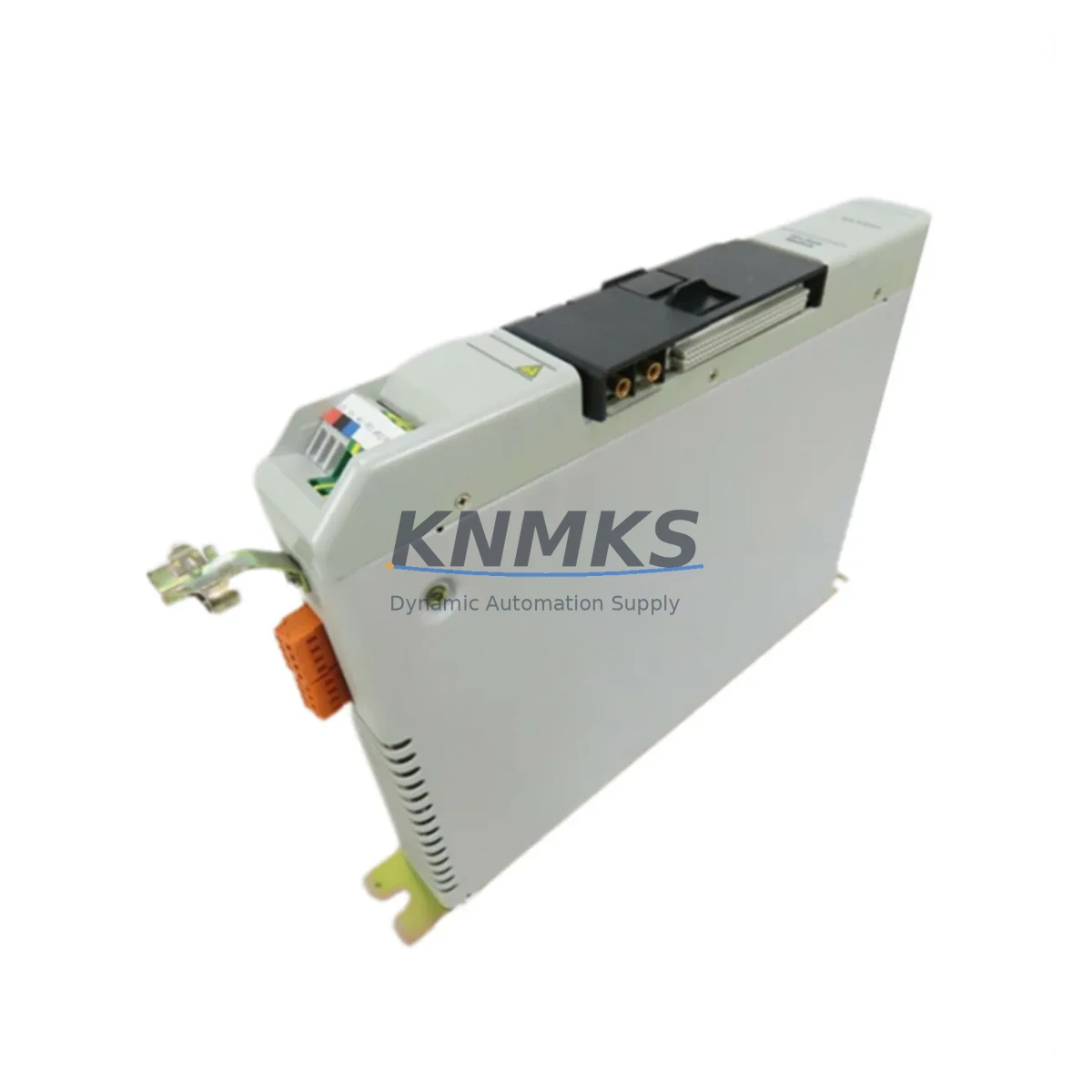
Allen-Bradley 1394-AM07 Maintenance-Proven Spare for Factory Uptime
The Allen-Bradley 1394-AM07 is a 5 kW Servo Axis Module designed for the 1394 GMC Flex multi-axis servo drive system. As a critical motion control component in continuous manufacturing environments, this module governs axis-level torque, velocity, and position feedback for servo-driven machinery. Maintaining a verified spare of the 1394-AM07 in your parts inventory is a proven strategy for minimizing unplanned downtime and protecting production throughput in facilities running Rockwell Automation servo systems.
For maintenance engineers managing aging 1394 GMC Flex installations, the 1394-AM07 represents one of the highest-priority line replaceable units (LRUs) on the spare parts checklist. Axis module failures are among the most disruptive faults in servo-based production lines — they halt motion immediately, trigger E-stop conditions, and require precise module-level replacement to restore operation. Having a tested, original-specification 1394-AM07 on the shelf reduces mean time to repair (MTTR) from days to hours.
Each unit supplied by KNMKS is sourced from verified industrial channels, functionally tested prior to shipment, and backed by a support terms confirmed by quotation. We support long-term supply continuity for procurement engineers managing lifecycle risk on legacy Rockwell platforms.
Spare Maintenance Table
| Part Number | 1394-AM07 |
| Brand / Manufacturer | Allen-Bradley (Rockwell Automation) |
| Series | 1394 GMC Flex Multi-Axis Servo System |
| Module Type | Servo Axis Module |
| Continuous Power Rating | 5 kW |
| System Compatibility | 1394 GMC Flex (C, D, E frame configurations) |
| Feedback Interface | Compatible with 1394 system encoder/resolver feedback wiring |
| Installation Type | Plug-in axis module slot (1394 chassis backplane) |
| Operating Environment | Industrial panel / control cabinet, 0–55°C ambient |
| Origin | USA |
| Condition | Original / Surplus New / Refurbished (tested) |
| Pre-Shipment Test | Yes — functional verification before dispatch |
| Support terms | 12 Months |
| Lead Time | In-stock: ships within 1–3 business days |
| Contact | admin@knmks.com | +86 18359268345 |
Maintenance Planning for Continuous Operation
When a 1394-AM07 axis module is flagged during routine control cabinet inspection or fails during production, the replacement process should be treated as a system-level maintenance event — not an isolated component swap. Maintenance engineers should use the opportunity to audit the full 1394 GMC Flex drive assembly for signs of wear, thermal stress, or impending failure in adjacent components.
Start with the 1394-SJT05-A system power module (or equivalent frame-matched power module in your 1394 chassis): verify DC bus voltage stability, check for capacitor bulge or discoloration, and confirm that the power module’s fault history is clear. A degraded power module will stress replacement axis modules and shorten their service life. Next, inspect the 1394C-SJT05-A or 1394D-SJT05-A chassis backplane for connector pin integrity and backplane bus continuity — a damaged backplane slot can cause intermittent axis faults that are difficult to diagnose without physical inspection.
Check all servo motor feedback cables connected to the axis module slot. Damaged or improperly shielded encoder cables are a leading cause of axis module faults in high-cycle applications. Inspect cable routing, strain relief, and connector seating at both the motor and the 1394 axis module interface. If the system uses resolver feedback, verify resolver excitation voltage and signal integrity with a multimeter or oscilloscope before installing the replacement 1394-AM07.
For facilities running multiple servo axes, also inspect the 1394-AM03 or 1394-AM50 axis modules in adjacent slots — shared bus faults can cascade across axis modules in the same chassis. Review the 1756-M02AE or 1756-M08SE motion control module (if integrated with a ControlLogix system) for any motion task errors logged in the controller fault log. Additionally, confirm that 1492-CABLE series wiring harnesses and terminal block connections at the I/O interface are secure and within specification. Loose or corroded terminal connections at the axis command interface are a common source of nuisance faults after module replacement.
For annual maintenance cycles, include the 1394-AM07 and its associated power module in your predictive replacement schedule. Servo axis modules in high-duty-cycle applications — packaging lines, press feeders, CNC transfer systems — should be evaluated every 3–5 years regardless of fault history. Stocking one verified spare per production line is the minimum recommended inventory posture for facilities where servo axis downtime carries significant production cost.
Site Replacement Workflow
Step 1 — Isolate and de-energize: Follow your site LOTO procedure. Confirm DC bus discharge on the 1394 power module before touching any axis module. The 1394 GMC Flex system retains bus voltage for several minutes after power removal — verify with a calibrated meter before proceeding.
Step 2 — Document axis configuration: Before removing the failed 1394-AM07, record the axis number assignment, motor catalog number, and any axis-specific tuning parameters stored in the RSLogix 5000 or DriveExplorer project file. Configuration data is stored in the controller, not the axis module, but confirming the mapping prevents commissioning errors after replacement.
Step 3 — Module removal and inspection: Remove the 1394-AM07 from its chassis slot. Inspect the backplane connector on both the module and the chassis for bent pins, debris, or corrosion. Clean with contact cleaner if necessary before installing the replacement unit.
Step 4 — Install replacement 1394-AM07: Seat the replacement module firmly into the correct axis slot. Reconnect all motor power and feedback cables. Verify cable shield grounding at the axis module end.
Step 5 — Power-up and verify: Restore power and monitor the 1394 system status indicators. Clear any latched faults via the controller. Perform a low-speed jog test on the affected axis before returning the machine to production. Confirm encoder feedback counts and velocity response match pre-failure baseline values.
Step 6 — Update maintenance records: Log the replacement date, module serial number, and any observations from the inspection. Update your spare parts inventory and initiate a reorder for the consumed 1394-AM07 spare to maintain your minimum stock level.
Spare Parts Support FAQ
Q1: Is the 1394-AM07 still available as a new original part, or only as surplus?
Rockwell Automation has discontinued active production of the 1394 GMC Flex series. The 1394-AM07 is available through authorized surplus and industrial aftermarket channels. KNMKS sources units from verified industrial inventories and performs functional testing prior to shipment. Each unit is supplied with a support terms confirmed by quotation covering operational defects.
Q2: How do I confirm compatibility between the 1394-AM07 and my existing 1394 chassis?
The 1394-AM07 (5 kW) is compatible with 1394 GMC Flex C, D, and E frame chassis configurations. Verify your chassis catalog number and confirm that the axis slot power rating matches the 1394-AM07’s 5 kW specification. If your application requires a different power rating, the 1394-AM03 (3 kW) or 1394-AM50 (50 kW) may be applicable. Contact admin@knmks.com with your chassis catalog number for compatibility confirmation before ordering.
Q3: What testing is performed before shipment, and what does the support terms confirmed by quotation cover?
Each 1394-AM07 unit undergoes functional verification testing prior to dispatch, including power-up, communication interface check, and output stage verification. The support terms confirmed by quotation cover manufacturing and operational defects under normal industrial use conditions. It does not cover damage resulting from incorrect installation, overvoltage events, or physical mishandling. Support requests are supported directly by KNMKS — contact admin@knmks.com to initiate a claim.
Q4: Can KNMKS support long-term supply of the 1394-AM07 for multi-year maintenance contracts?
Yes. KNMKS maintains ongoing sourcing relationships for legacy Rockwell Automation components including the 1394 GMC Flex series. For procurement engineers managing multi-year maintenance contracts or plant-wide spare parts standardization programs, we can provide volume pricing, reserved inventory allocation, and scheduled delivery agreements. Contact our sales team to discuss your long-term supply requirements.
© 2026 KNMKS. All rights reserved.
Original Source: https://knmks.com
Contact: admin@knmks.com | +86 18359268345
Product Identification
- Brand / Ecosystem
-
Allen-Bradley
Allen-Bradley - Model / Series
- 1394-AM07
- Product Family
- PLCs & Controllers
- Availability Status
- Available on request after model and quantity confirmation
- Inquiry Type
- B2B RFQ, replacement inquiry and project spare-part request
- Pre-Quote Check
- Exact SKU, brand, series, quantity, nameplate photos and destination country are checked before quotation
System Path
Where this product fits in the KNMKS automation structure.
Specification & Inquiry Focus
- Control platform
- PLC, PAC and modular controllers
- Common needs
- CPU, rack, power and I/O expansion
- Project support
- Replacement, cabinet build and maintenance
Buyer Confirmation
Information KNMKS checks before replying.
- Exact model
- 1394-AM07
- Brand / ecosystem
- Allen-Bradley
- Product family
- PLCs & Controllers
- Application note
- Replacement, maintenance, project build or spare-part list
- Useful photos
- Nameplate, installed unit, cabinet layout or connector side
- Delivery details
- Quantity, destination country and target schedule
Document Support
Files and notes can be confirmed during quotation.
- Product photos or nameplate confirmation when available
- Packing and delivery notes before quotation confirmation
- Support scope and delivery terms confirmed per inquiry
- Export document coordination for qualified B2B requests
Inquiry Support
- Model cross-checking before quotation
- CPU, power, rack and expansion module matching
- Support for replacement and project inquiry
What to Send Us
- Brand and exact model number: Allen-Bradley 1394-AM07
- Quantity and required delivery time
- Application, replacement requirement or nameplate photo
- Destination country and shipping preference
RFQ Preparation
This is a product inquiry page built for RFQ communication.
Fast Model Check
Send this model to KNMKS for confirmation.
Include quantity, destination country and photos if this is a maintenance replacement. The inquiry will be saved with a reference number after submission.
Brand & Compatibility Note
KNMKS displays automation product information for well-known industrial brand ecosystems and compatible replacement references. Brand names are used for product identification and compatibility reference only; final availability and commercial terms are confirmed per quotation.
 Manufacturing
 Machine Tools
 Packaging
 Energy & Power



 HMI & Displays
 Servo Systems
 Variable Frequency Drives
 Sensors