
Overview
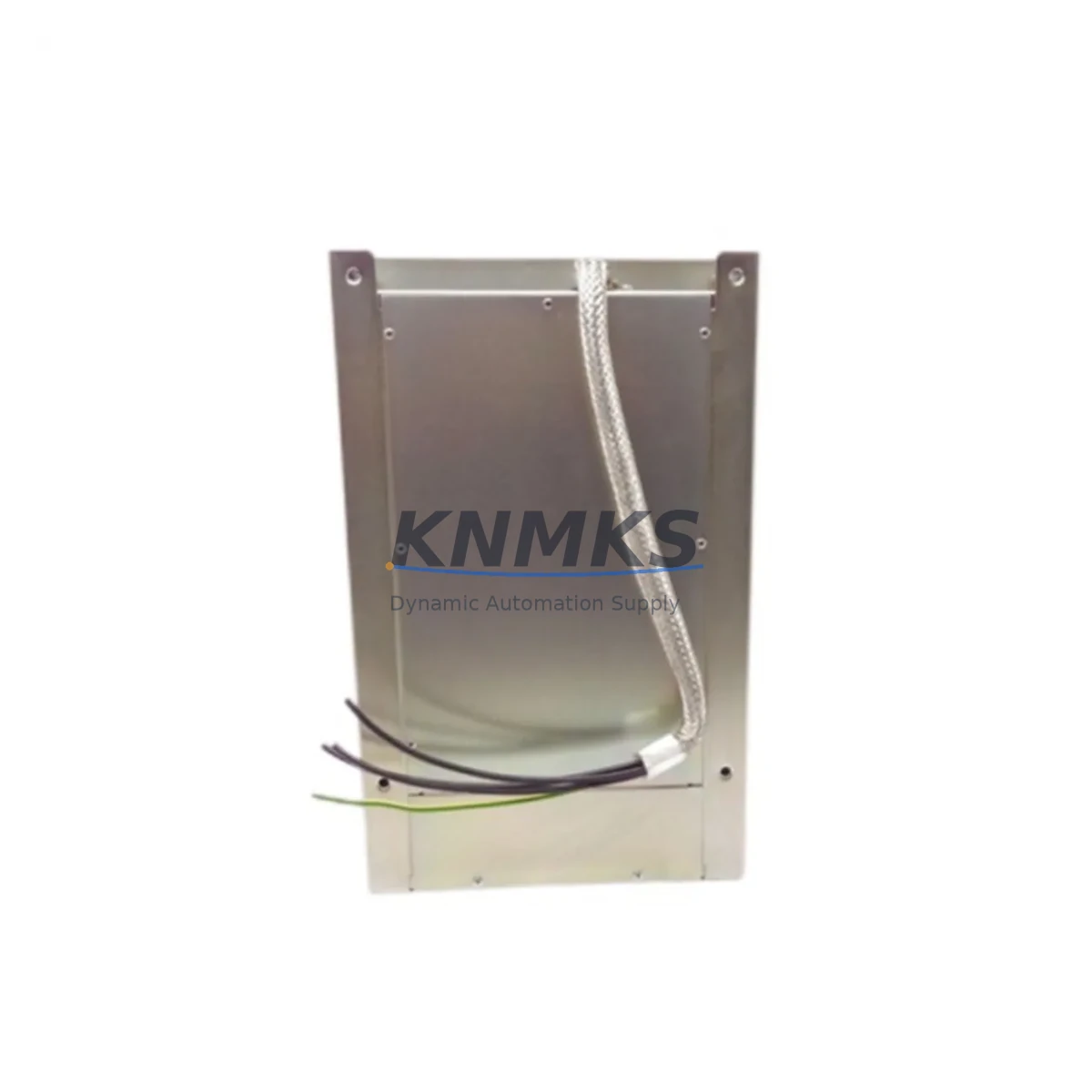
Allen-Bradley 1336-RFB-30-A-4 Migration-Ready RFI Filter for Legacy Control Systems
The Allen-Bradley 1336-RFB-30-A-4 is a 30A input RFI (Radio Frequency Interference) filter engineered for use with the 1336 PLUS and 1336 PLUS II series AC variable frequency drives. As legacy 1336-series drive systems approach end-of-life and spare parts become increasingly scarce, the 1336-RFB-30-A-4 remains a critical component for facilities committed to extending the operational life of their existing control infrastructure. Whether you are managing a phased retrofit, replacing a failed filter in an active production line, or preparing a control cabinet for a protocol migration, this module provides the EMC compliance and electrical isolation required to maintain drive performance and protect upstream power distribution equipment.
Facilities running legacy 1336 PLUS drives frequently encounter conducted emissions issues when the original input filter degrades or fails. The 1336-RFB-30-A-4 is designed to suppress high-frequency noise generated by the drive’s PWM switching, preventing interference with adjacent PLCs, HMI panels, and communication networks. In environments where a Rockwell Automation ControlLogix or CompactLogix controller shares a common power bus with multiple VFD units, an unfiltered drive can introduce noise that disrupts EtherNet/IP or DeviceNet communication links — making the RFI filter an essential element of system stability, not merely a regulatory checkbox.
Migration Compatibility Table
| Parameter | 1336-RFB-30-A-4 Specification | Retrofit / Migration Notes |
|---|---|---|
| Compatible Drive Series | 1336 PLUS, 1336 PLUS II | Verify drive catalog number before installation; not rated for 1336 IMPACT or 1336 FORCE without engineering review |
| Rated Current | 30A | Confirm motor FLA and drive input current rating; do not undersize filter during retrofit |
| Voltage Range | 200–240V / 380–480V AC (3-phase) | Match to site supply voltage; confirm tap settings on transformer if voltage conversion is involved |
| Mounting | Panel / DIN-rail compatible | Verify cabinet depth and clearance; original 1336 enclosures may require bracket adaptation |
| Terminal Wiring | Line-side (L1/L2/L3) and load-side (T1/T2/T3) screw terminals | Re-use existing cable if conductor gauge matches; inspect insulation condition during retrofit |
| Communication Impact | Passive EMI suppression; no protocol dependency | No firmware or network configuration required; transparent to DeviceNet, DH+, or EtherNet/IP topology |
| Replacement Scenario | Direct drop-in for original 1336-RFB-30-A-4 | No parameter changes required in drive; re-commission with standard 1336 PLUS startup procedure |
| Support terms | support terms confirmed by quotation | Covered from date of shipment; includes functional verification and pre-shipment testing |
Retrofit Planning for Existing Automation Systems
A successful retrofit involving the 1336-RFB-30-A-4 requires more than a direct component swap. Engineers and maintenance teams should approach the replacement as part of a broader control cabinet audit. Begin by confirming the power supply capacity feeding the drive circuit — the 1336 PLUS series draws significant inrush current at startup, and an aging 1336-PA-A or 1336-PB-A power supply module may need evaluation alongside the filter replacement. If the cabinet also houses a 1336-MOD-L2E communication adapter for legacy DH+ or Remote I/O bridging, verify that the adapter firmware is compatible with the current PLC program revision before powering down the system.
For facilities migrating from Remote I/O to EtherNet/IP, the filter replacement window is an ideal time to install a 1203-USB or 1203-SSS serial converter to back up existing drive parameters before any configuration is lost. Drive parameter files should be archived using DriveExplorer or Studio 5000 Logix Designer prior to disconnecting power. If the control system includes a PanelView 600 or PanelView Plus HMI displaying drive status, confirm that the HMI screen tags referencing drive fault codes and output frequency remain valid after the retrofit — particularly if the drive firmware is being updated as part of the same maintenance window.
On the I/O side, check whether any 1746-IB16 or 1746-OB16 digital I/O modules in an adjacent SLC 500 rack are wired to the drive’s digital input terminals for run/stop or speed reference commands. These wiring connections must be documented and verified before and after the filter swap to ensure control continuity. If the installation includes a 1492-IFM interface module for terminal block wiring, inspect the terminal block condition and re-torque all connections to specification during the retrofit. Signal isolation between the drive’s analog speed reference and the PLC analog output module should also be confirmed, especially in environments with high common-mode noise.
Downtime Control During System Migration
Minimizing unplanned downtime is the primary concern for any maintenance team replacing components in an active production environment. For the 1336-RFB-30-A-4, the replacement procedure is straightforward, but the surrounding system context requires careful management. Before isolating the drive, coordinate with the control room to place the affected axis in manual or bypass mode if a bypass contactor is installed. Document the current drive parameter set — particularly acceleration/deceleration ramps, current limit settings, and fault response configurations — so that post-replacement commissioning can restore the drive to its pre-outage operating profile without trial-and-error tuning.
Where possible, pre-stage the replacement filter in the cabinet before the scheduled outage window. Verify terminal labeling on both the incoming line side and the drive input side, and prepare the torque wrench and insulated tools in advance. If the cabinet layout requires partial disassembly to access the filter mounting position, plan the mechanical work separately from the electrical reconnection to compress the live-work window. After reconnection, perform an insulation resistance check on the line conductors before re-energizing, and confirm that the drive’s input voltage reading matches the expected supply before issuing a run command. A controlled test run at reduced speed — with the PLC in program mode and the HMI monitored for fault codes — allows the team to verify filter installation quality before returning the axis to full automatic operation. This structured approach consistently reduces retrofit-related downtime to under two hours for a single drive replacement, protecting production schedules and reducing the risk of secondary faults caused by rushed reconnection.
Retrofit Support FAQ
Q1: Is the 1336-RFB-30-A-4 a direct replacement for the original Allen-Bradley filter, or are there wiring differences?
The 1336-RFB-30-A-4 is a direct form-fit-function replacement for the original Allen-Bradley catalog number. Terminal designations (L1/L2/L3 input, T1/T2/T3 output, PE ground) are identical. No wiring modifications are required when replacing a like-for-like unit. If the original filter was a different amperage rating, verify that the 30A rating matches the drive’s input current specification before installation.
Q2: Does replacing the RFI filter require any drive parameter changes or re-commissioning?
No drive parameter changes are required. The 1336-RFB-30-A-4 is a passive EMI suppression device with no programmable elements. After physical replacement and reconnection, the drive can be restarted using its existing parameter set. A standard functional test — verifying run/stop response, speed reference tracking, and fault-free operation at rated load — is recommended before returning the system to production.
Q3: What is the lead time and support terms coverage for this unit?
Units are available from in-stock inventory and are subject to pre-shipment functional verification. Each unit ships with a support terms confirmed by quotation covering manufacturing defects and functional performance. Expedited shipping is available for urgent maintenance requirements. Contact admin@knmks.com or +86 18359268345 to confirm current stock and lead time.
Q4: Can this filter be used with drives other than the 1336 PLUS series?
The 1336-RFB-30-A-4 is rated and tested for use with the Allen-Bradley 1336 PLUS and 1336 PLUS II drive families. Use with other drive series — including the 1336 IMPACT, 1336 FORCE, or PowerFlex 400/700 — requires engineering review to confirm current rating, voltage compatibility, and physical fit. For cross-series migration projects, our technical team can assist with compatibility assessment and alternative filter selection.
© 2026 KNMKS. All rights reserved.
Original Source: https://knmks.com
Contact: admin@knmks.com | +86 18359268345
Product Identification
- Brand / Ecosystem
-
Allen-Bradley
Allen-Bradley - Model / Series
- 1336-RFB-30-A-4
- Product Family
- PLCs & Controllers
- Availability Status
- Available on request after model and quantity confirmation
- Inquiry Type
- B2B RFQ, replacement inquiry and project spare-part request
- Pre-Quote Check
- Exact SKU, brand, series, quantity, nameplate photos and destination country are checked before quotation
System Path
Where this product fits in the KNMKS automation structure.
Specification & Inquiry Focus
- Control platform
- PLC, PAC and modular controllers
- Common needs
- CPU, rack, power and I/O expansion
- Project support
- Replacement, cabinet build and maintenance
Buyer Confirmation
Information KNMKS checks before replying.
- Exact model
- 1336-RFB-30-A-4
- Brand / ecosystem
- Allen-Bradley
- Product family
- PLCs & Controllers
- Application note
- Replacement, maintenance, project build or spare-part list
- Useful photos
- Nameplate, installed unit, cabinet layout or connector side
- Delivery details
- Quantity, destination country and target schedule
Document Support
Files and notes can be confirmed during quotation.
- Product photos or nameplate confirmation when available
- Packing and delivery notes before quotation confirmation
- Support scope and delivery terms confirmed per inquiry
- Export document coordination for qualified B2B requests
Inquiry Support
- Model cross-checking before quotation
- CPU, power, rack and expansion module matching
- Support for replacement and project inquiry
What to Send Us
- Brand and exact model number: Allen-Bradley 1336-RFB-30-A-4
- Quantity and required delivery time
- Application, replacement requirement or nameplate photo
- Destination country and shipping preference
RFQ Preparation
This is a product inquiry page built for RFQ communication.
Fast Model Check
Send this model to KNMKS for confirmation.
Include quantity, destination country and photos if this is a maintenance replacement. The inquiry will be saved with a reference number after submission.
Brand & Compatibility Note
KNMKS displays automation product information for well-known industrial brand ecosystems and compatible replacement references. Brand names are used for product identification and compatibility reference only; final availability and commercial terms are confirmed per quotation.
 Manufacturing
 Machine Tools
 Packaging
 Energy & Power



 HMI & Displays
 Servo Systems
 Variable Frequency Drives
 Sensors