
Overview
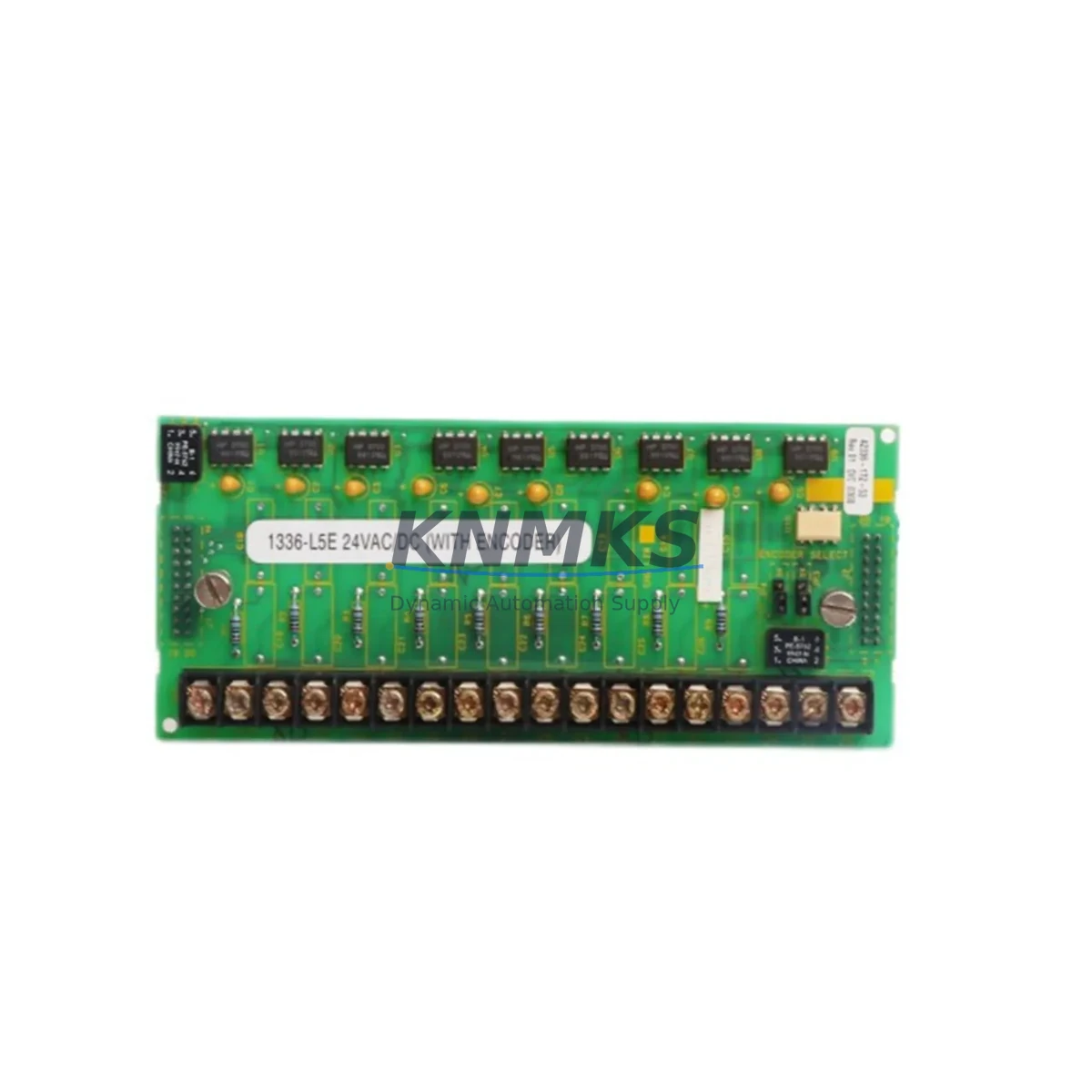
Allen-Bradley 1336-L5E Migration-Ready Digital Input for Legacy AC Drives
The Allen-Bradley 1336-L5E (part numbers 42336-172-53 and 42336-173-53) is a digital input option board engineered for the 1336 PLUS and 1336 PLUS II family of AC variable-frequency drives. As Rockwell Automation has progressively phased out the 1336 PLUS platform, facilities running legacy motor control centers, conveyor systems, pump stations, and HVAC control panels face increasing pressure to source verified replacement boards before production continuity is compromised. The 1336-L5E addresses this need directly — providing a tested, shelf-ready solution for engineers managing end-of-life drive retrofits and spare-parts lifecycle extension programs.
Before installing the 1336-L5E into an existing 1336 PLUS or PLUS II chassis, engineers should confirm several critical parameters: the drive’s firmware revision, the available option board slot (typically Slot A or Slot B on the main control board), the 24 VDC logic supply capacity, and the terminal wiring assignments for digital input signals. The 1336-L5E accepts standard 24 VDC discrete inputs and interfaces directly with the drive’s internal communication bus — no external signal conditioner is required in most standard retrofit scenarios. However, if the existing field wiring uses 120 VAC discrete signals, an interposing relay or signal isolator must be inserted upstream to protect the board’s input circuitry.
In multi-axis control cabinets where the 1336 PLUS II drives are networked via DeviceNet or Remote I/O (RIO), the addition of the 1336-L5E must be coordinated with the network node address map. Engineers should verify that the drive’s 1336-GM1 or 1336-GM6 communication module settings remain undisturbed during the option board swap, and that the PLC program — typically running on a ControlLogix or SLC 500 platform — does not require remapping of I/O tags following the hardware change. Where HMI screens built on PanelView terminals reference drive status bits sourced from digital input states, those display elements should be validated post-installation to confirm correct signal reflection.
For facilities upgrading from older 1336 IMPACT or 1336 FORCE drives to the 1336 PLUS II platform as an intermediate modernization step, the 1336-L5E provides a consistent digital input interface that simplifies the transition. The board’s pinout and logic behavior are compatible with standard Rockwell Automation drive programming conventions, reducing the need for custom ladder logic modifications in the host PLC. Where the retrofit involves replacing a 1336-BDB or 1336-BDC brake control option board alongside the digital input board, installation sequencing and torque specifications for the option board connector should be followed precisely to avoid intermittent contact faults during commissioning.
Migration Compatibility Table
| Parameter | Detail |
|---|---|
| Compatible Drive Families | 1336 PLUS, 1336 PLUS II |
| Part Numbers | 1336-L5E / 42336-172-53 / 42336-173-53 |
| Input Signal Type | 24 VDC Discrete Digital Inputs |
| Option Board Slot | Slot A / Slot B (drive-dependent) |
| Communication Interface | Internal drive option bus |
| Firmware Compatibility | Verify drive firmware revision prior to installation |
| Replaces / Supersedes | Legacy 1336 PLUS digital input configurations |
| Installation Space | Standard 1336 PLUS option board form factor |
| Commissioning Requirement | Node address verification, I/O tag validation, HMI screen check |
| Support terms | 12 Months from date of shipment |
Retrofit Planning for Existing Automation Systems
A successful 1336-L5E retrofit begins with a thorough audit of the existing control cabinet. Engineers should document the current wiring of all digital input terminals, photograph the existing option board slot configuration, and record the drive’s parameter settings using DriveExplorer or Studio 5000 Logix Designer before removing any hardware. Where the drive is networked via a 1336-GM1 DeviceNet communication module, the network scan list in the host ControlLogix or CompactLogix controller should be exported and saved as a baseline reference.
In systems where the 1336 PLUS II drives share a common DC bus with a 1336 PLUS regenerative unit, power sequencing during the option board replacement must be carefully managed. The DC bus capacitors retain charge after the main disconnect is opened — always follow Rockwell Automation’s lockout/tagout and capacitor discharge procedures before handling internal drive components. The 1336-L5E board itself should be handled with appropriate ESD precautions, as the input circuitry is sensitive to electrostatic discharge in low-humidity environments.
For facilities that also need to address aging 1336-MOD-L2 or 1336-MOD-L3 I/O expansion modules in the same retrofit cycle, coordinating the replacement of both the digital input option board and the I/O expansion hardware in a single planned outage window minimizes total downtime. Similarly, if the control system includes a 1336-PB or 1336-PBD dynamic braking module, its wiring and parameter settings should be verified as part of the same commissioning checklist to avoid unplanned trips after restart.
Downtime Control During System Migration
Minimizing production downtime during a 1336-L5E swap requires advance preparation. Before the maintenance window opens, the replacement board should be bench-tested against a known-good drive of the same firmware revision to confirm correct input recognition and parameter response. All drive parameters should be uploaded and saved to a laptop running DriveExplorer or a USB parameter backup device so that the configuration can be restored in minutes rather than hours if a reset is required during commissioning.
On the day of the swap, a structured commissioning checklist should cover: (1) visual inspection of the new board for shipping damage, (2) correct seating of the option board connector with torque verification, (3) power-up sequence with drive in local control mode before returning to remote/PLC control, (4) digital input signal verification using the drive’s diagnostic display or HIM module, (5) confirmation of correct I/O tag states in the PLC program, and (6) HMI screen validation for any drive status indicators sourced from digital input feedback. Following this sequence, the drive can be returned to automatic operation with confidence that the retrofit has been completed correctly and that the original control logic remains intact.
Where the facility operates on a continuous production schedule with limited planned outage windows, pre-staging the 1336-L5E alongside a pre-configured spare 1336 PLUS II drive chassis allows for a complete drive swap rather than an in-situ board replacement — further compressing the outage duration to under 30 minutes in most cases.
Retrofit Support FAQ
Q: Is the 1336-L5E a direct drop-in replacement for the original digital input option board in my 1336 PLUS drive?
A: Yes. The 1336-L5E (42336-172-53 / 42336-173-53) is designed as a direct replacement for the digital input option board in 1336 PLUS and 1336 PLUS II drives. No wiring modifications are required in standard installations. Firmware revision compatibility should be confirmed before installation.
Q: How is the 1336-L5E tested before shipment?
A: Each unit undergoes functional testing prior to shipment, including digital input signal verification and option bus communication checks. A test report is available upon request. All units are shipped with support terms confirmed by quotation coverage from the date of shipment.
Q: What should I verify regarding terminal wiring before installing the 1336-L5E?
A: Confirm that field wiring uses 24 VDC discrete signals compatible with the board’s input specifications. If existing wiring uses 120 VAC signals, install appropriate interposing relays or signal isolators upstream. Document all terminal assignments before disconnecting existing wiring.
Q: Do you maintain stock of the 1336-L5E for urgent replacement needs?
A: Yes. We maintain inventory of the 1336-L5E to support urgent retrofit and emergency replacement requirements. Contact our team for current stock availability and lead time. Express shipping options are available for critical production situations.
© 2026 KNMKS. All rights reserved.
Original Source: https://knmks.com
Contact: admin@knmks.com | +86 18359268345
Product Identification
- Brand / Ecosystem
-
Allen-Bradley
Allen-Bradley - Model / Series
- 1336-L5E 42336-172-53 42336-173-53
- Product Family
- PLCs & Controllers
- Availability Status
- Available on request after model and quantity confirmation
- Inquiry Type
- B2B RFQ, replacement inquiry and project spare-part request
- Pre-Quote Check
- Exact SKU, brand, series, quantity, nameplate photos and destination country are checked before quotation
System Path
Where this product fits in the KNMKS automation structure.
Specification & Inquiry Focus
- Control platform
- PLC, PAC and modular controllers
- Common needs
- CPU, rack, power and I/O expansion
- Project support
- Replacement, cabinet build and maintenance
Buyer Confirmation
Information KNMKS checks before replying.
- Exact model
- 1336-L5E 42336-172-53 42336-173-53
- Brand / ecosystem
- Allen-Bradley
- Product family
- PLCs & Controllers
- Application note
- Replacement, maintenance, project build or spare-part list
- Useful photos
- Nameplate, installed unit, cabinet layout or connector side
- Delivery details
- Quantity, destination country and target schedule
Document Support
Files and notes can be confirmed during quotation.
- Product photos or nameplate confirmation when available
- Packing and delivery notes before quotation confirmation
- Support scope and delivery terms confirmed per inquiry
- Export document coordination for qualified B2B requests
Inquiry Support
- Model cross-checking before quotation
- CPU, power, rack and expansion module matching
- Support for replacement and project inquiry
What to Send Us
- Brand and exact model number: Allen-Bradley 1336-L5E 42336-172-53 42336-173-53
- Quantity and required delivery time
- Application, replacement requirement or nameplate photo
- Destination country and shipping preference
RFQ Preparation
This is a product inquiry page built for RFQ communication.
Fast Model Check
Send this model to KNMKS for confirmation.
Include quantity, destination country and photos if this is a maintenance replacement. The inquiry will be saved with a reference number after submission.
Brand & Compatibility Note
KNMKS displays automation product information for well-known industrial brand ecosystems and compatible replacement references. Brand names are used for product identification and compatibility reference only; final availability and commercial terms are confirmed per quotation.
 Manufacturing
 Machine Tools
 Packaging
 Energy & Power



 HMI & Displays
 Servo Systems
 Variable Frequency Drives
 Sensors