
Overview
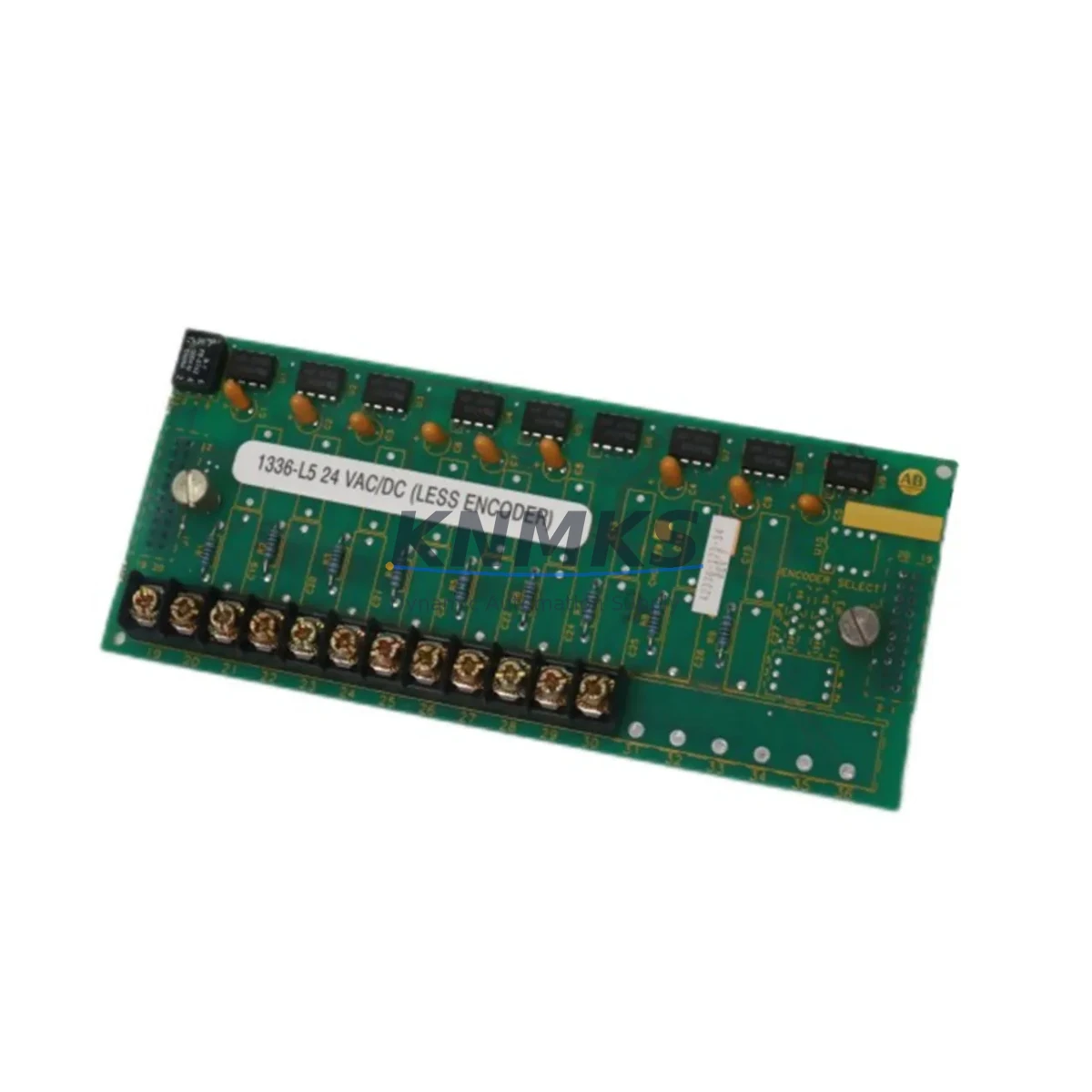
Allen-Bradley 1336-L5 42336-173-54 Migration-Ready HIM for Legacy Control Systems
The Allen-Bradley 1336-L5 42336-173-54 is a Human Interface Module (HIM) designed for the 1336 PLUS series AC variable frequency drives. As legacy 1336 PLUS installations age and OEM support diminishes, sourcing a verified, migration-ready replacement HIM becomes a critical step in any retrofit or system life-extension project. This unit provides direct drop-in compatibility with existing 1336 PLUS drive hardware, preserving your original parameter structure, keypad navigation logic, and display functionality without requiring firmware re-flashing or drive reconfiguration in most standard retrofit scenarios.
For facilities operating aging 1336 PLUS drives in pump control, conveyor systems, HVAC, or process automation panels, the 1336-L5 42336-173-54 HIM is the preferred replacement path before committing to a full drive platform migration to PowerFlex 400, PowerFlex 525, or PowerFlex 755 series. Retaining the existing drive hardware while replacing only the HIM significantly reduces downtime, eliminates the need for full motor circuit rewiring, and avoids the cost of new drive commissioning and PLC program adaptation.
Migration Compatibility Table
| Parameter | Detail |
|---|---|
| SKU / Part Number | 1336-L5 42336-173-54 |
| Brand | Allen-Bradley (Rockwell Automation) |
| Series | 1336 PLUS |
| Module Type | Human Interface Module (HIM) |
| Compatible Drive Platform | 1336 PLUS, 1336 PLUS II (verify firmware revision) |
| Interface Connection | DPI / SCANport peripheral port on 1336 PLUS drive |
| Mounting | Panel door mount or drive-face mount via SCANport cable |
| Communication Protocol | SCANport (proprietary Allen-Bradley peripheral bus) |
| Replacement Recommendation | Direct drop-in for failed or damaged 1336-L5 HIM units |
| Commissioning Notes | Verify drive firmware revision; upload/download parameter file before swap if available |
| Installation Space | Standard 1336 PLUS HIM cutout; confirm panel door thickness for flush-mount kits |
| Support terms | 12 Months from shipment date |
| Origin | China (Xiamen) |
| Lead Time | availability confirmed by RFQ — contact for availability confirmation |
Retrofit Planning for Existing Automation Systems
A successful HIM retrofit on a 1336 PLUS drive begins well before the replacement unit arrives on site. Engineers should first retrieve the existing drive parameter file using a 1203-GU6 DriveExplorer USB adapter or equivalent SCANport programming cable, saving a full parameter backup to a laptop running RSLogix 5000 or DriveExplorer software. This backup is essential: if the replacement 1336-L5 42336-173-54 HIM is installed into a drive that has lost its parameter set due to a failed HIM or battery-backed RAM fault, the saved file allows full parameter restoration without manual re-entry of hundreds of drive parameters.
In multi-drive control cabinets, the HIM is often shared across several 1336 PLUS drives via a 1336-GM1 remote HIM mounting kit and SCANport splitter cable. Before removing the existing HIM, confirm which drive is currently selected on the HIM’s drive selection menu, and document all active fault codes. If the control cabinet also houses a 1336-BDB series dynamic braking module or a 1336-PB power bridge, verify that the HIM replacement does not interrupt the drive’s run permissive signal during the swap — particularly in applications where the drive receives a run command from a MicroLogix 1100 or SLC 500 controller via hardwired I/O rather than a network command.
For systems where the 1336 PLUS drive communicates upstream to a ControlLogix L6x or L7x controller via a 1203-EN1 EtherNet/IP adapter or 1203-SSS SCANport-to-DeviceNet bridge, the HIM replacement has no impact on the network communication path — the HIM operates as a local peripheral only. However, if the HIM is used as the primary parameter access point for field technicians, confirm that the replacement unit’s firmware revision matches the drive’s expected HIM version to avoid display anomalies or parameter list truncation.
In retrofit projects where the 1336 PLUS is being retained alongside newer PowerFlex 40 or PowerFlex 70 drives in the same panel, the HIM replacement allows the legacy drive to remain in service while the broader system is gradually migrated. This phased approach is common in water treatment, mining conveyor, and paper mill applications where full drive replacement during a single planned outage is not feasible.
Downtime Control During System Migration
Minimizing unplanned downtime during a HIM replacement on a live 1336 PLUS drive requires a structured pre-swap checklist. The following sequence is recommended for field engineers:
1. Pre-Swap Preparation: Back up all drive parameters via SCANport programming cable before the maintenance window. Confirm the replacement 1336-L5 42336-173-54 unit has been bench-tested and powers up correctly. Prepare a printed parameter summary for the most critical settings: motor nameplate data (P031–P036), speed reference source (P038), accel/decel ramps (P039–P042), and any application-specific fault response parameters.
2. Safe Drive Isolation: Issue a controlled stop command via the PLC or DCS before disconnecting the HIM. Do not remove the HIM while the drive is in a Run state. Confirm the drive is in a Stopped/Faulted state and the DC bus voltage has discharged below 50V before opening the panel door.
3. HIM Swap and Reconnection: Disconnect the SCANport cable from the existing HIM. Install the replacement 1336-L5 42336-173-54 HIM and reconnect the SCANport cable. Power up the drive and confirm the HIM displays the drive’s firmware version and parameter set correctly. If parameters have been lost, restore from the saved backup file.
4. Functional Verification: Issue a test run command at minimum speed (5–10 Hz) and confirm the HIM displays correct output frequency, output current, and DC bus voltage. Verify that all fault history entries are accessible and that the HIM responds correctly to parameter navigation. Confirm remote run/stop commands from the upstream PLC are functioning normally before returning the drive to full production speed.
This structured approach typically allows a 1336 PLUS HIM replacement to be completed within a 30–60 minute planned maintenance window, significantly reducing the risk of extended unplanned downtime in critical process applications.
Retrofit Support FAQ
Q1: Is the 1336-L5 42336-173-54 a direct replacement for all 1336 PLUS HIM variants?
The 1336-L5 42336-173-54 is the standard full-numeric HIM for the 1336 PLUS platform. It is compatible with the majority of 1336 PLUS and 1336 PLUS II drives. However, some early-revision drives may require a specific HIM firmware version. Always verify the drive’s catalog number and firmware revision before ordering. Our technical team can assist with compatibility confirmation prior to shipment.
Q2: Will I lose my drive parameters when I replace the HIM?
In most cases, drive parameters are stored in the drive’s internal non-volatile memory, not in the HIM itself. Replacing the HIM should not erase drive parameters. However, if the drive has experienced a RAM fault or the existing HIM was the only means of parameter access, we strongly recommend backing up parameters via a SCANport programming cable before performing the swap.
Q3: What is included with the shipment, and how is the unit tested before dispatch?
Each 1336-L5 42336-173-54 unit is inspected and powered-on tested prior to shipment. The unit ships with standard accessories as applicable. A support terms confirmed by quotation is provided from the date of shipment. For orders requiring additional factory test reports or serialization documentation, please contact admin@knmks.com prior to order placement.
Q4: What is the typical lead time and do you maintain stock?
We maintain inventory of the 1336-L5 42336-173-54 at our Xiamen facility. Standard orders ship within 3–7 business days. For urgent requirements or large-quantity orders, contact us directly at admin@knmks.com or +86 18359268345 to confirm real-time stock availability and expedited shipping options.
© 2026 KNMKS. All rights reserved.
Original Source: https://knmks.com
Contact: admin@knmks.com | +86 18359268345
Product Identification
- Brand / Ecosystem
-
Allen-Bradley
Allen-Bradley - Model / Series
- 1336-L5 42336-173-54
- Product Family
- PLCs & Controllers
- Availability Status
- Available on request after model and quantity confirmation
- Inquiry Type
- B2B RFQ, replacement inquiry and project spare-part request
- Pre-Quote Check
- Exact SKU, brand, series, quantity, nameplate photos and destination country are checked before quotation
System Path
Where this product fits in the KNMKS automation structure.
Specification & Inquiry Focus
- Control platform
- PLC, PAC and modular controllers
- Common needs
- CPU, rack, power and I/O expansion
- Project support
- Replacement, cabinet build and maintenance
Buyer Confirmation
Information KNMKS checks before replying.
- Exact model
- 1336-L5 42336-173-54
- Brand / ecosystem
- Allen-Bradley
- Product family
- PLCs & Controllers
- Application note
- Replacement, maintenance, project build or spare-part list
- Useful photos
- Nameplate, installed unit, cabinet layout or connector side
- Delivery details
- Quantity, destination country and target schedule
Document Support
Files and notes can be confirmed during quotation.
- Product photos or nameplate confirmation when available
- Packing and delivery notes before quotation confirmation
- Support scope and delivery terms confirmed per inquiry
- Export document coordination for qualified B2B requests
Inquiry Support
- Model cross-checking before quotation
- CPU, power, rack and expansion module matching
- Support for replacement and project inquiry
What to Send Us
- Brand and exact model number: Allen-Bradley 1336-L5 42336-173-54
- Quantity and required delivery time
- Application, replacement requirement or nameplate photo
- Destination country and shipping preference
RFQ Preparation
This is a product inquiry page built for RFQ communication.
Fast Model Check
Send this model to KNMKS for confirmation.
Include quantity, destination country and photos if this is a maintenance replacement. The inquiry will be saved with a reference number after submission.
Brand & Compatibility Note
KNMKS displays automation product information for well-known industrial brand ecosystems and compatible replacement references. Brand names are used for product identification and compatibility reference only; final availability and commercial terms are confirmed per quotation.
 Manufacturing
 Machine Tools
 Packaging
 Energy & Power



 HMI & Displays
 Servo Systems
 Variable Frequency Drives
 Sensors