
Overview
Allen-Bradley 1336-BDB-SP5C Maintenance-Proven Spare Part for Factory Uptime
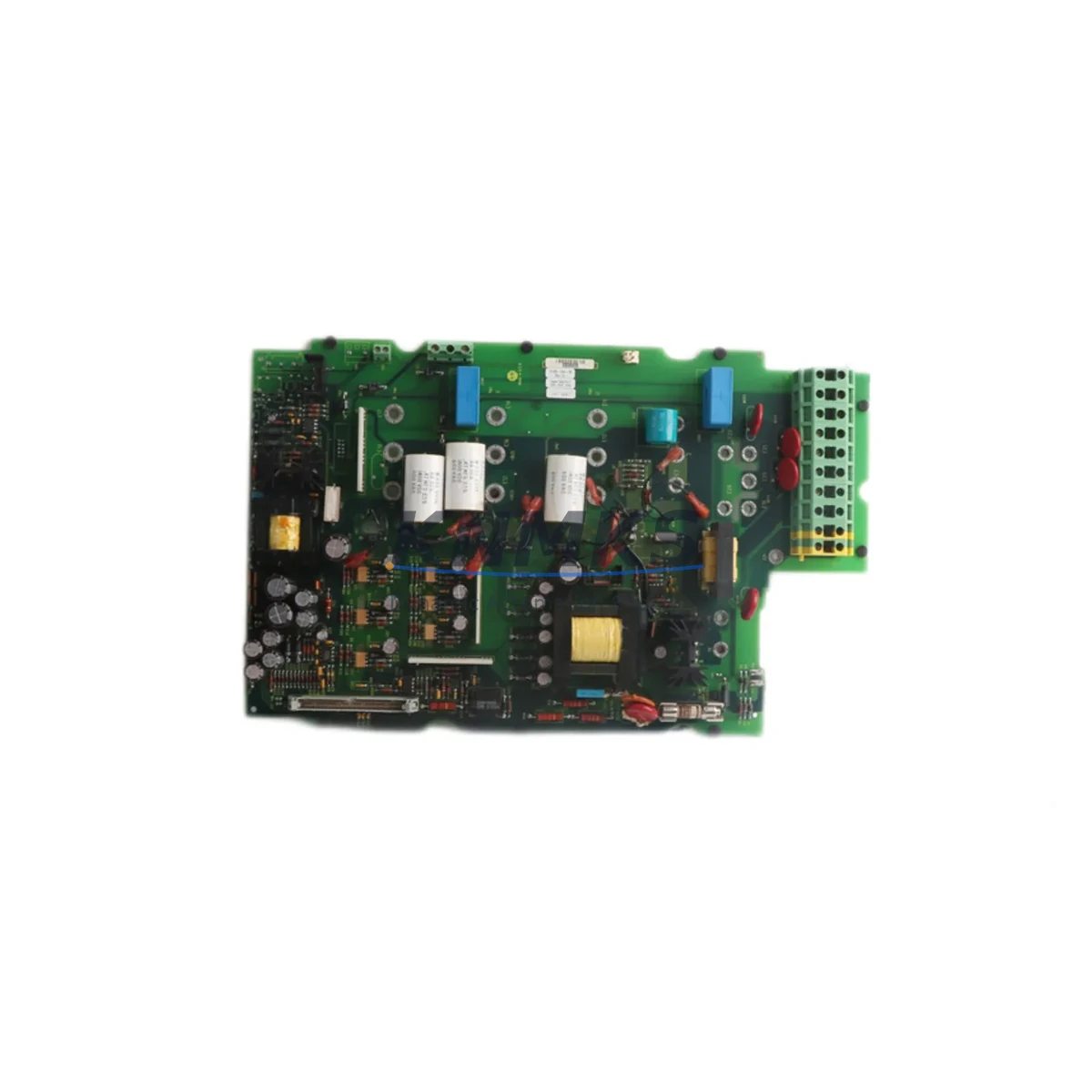
The Allen-Bradley 1336-BDB-SP5C is an original spare control board designed for the 1336 PLUS series AC variable frequency drives manufactured by Rockwell Automation. In industrial facilities where continuous production is non-negotiable, maintaining a verified stock of this board is a frontline strategy against unplanned downtime. Whether you are a maintenance engineer responding to a drive fault alarm or a procurement engineer building a critical spare parts inventory, the 1336-BDB-SP5C represents a high-priority line item in any 1336 PLUS-based control system.
The 1336 PLUS drive series has been widely deployed across manufacturing, material handling, HVAC, water treatment, and process automation environments. As these drives age into their extended service lifecycle, sourcing reliable replacement control boards becomes increasingly critical. The 1336-BDB-SP5C serves as the primary interface board governing drive logic, fault diagnostics, parameter storage, and communication handshake with upstream PLC or DCS controllers. A failed or degraded board typically manifests as persistent fault codes, erratic speed control, loss of communication, or complete drive shutdown — all of which halt production lines.
Spare Maintenance Table
| Parameter | Specification / Detail |
|---|---|
| Part Number | 1336-BDB-SP5C |
| Brand | Allen-Bradley / Rockwell Automation |
| Compatible Series | 1336 PLUS AC Variable Frequency Drive |
| Component Type | Drive Control Board (Main Control PCB) |
| Voltage Compatibility | Per 1336 PLUS drive frame rating (200–600V AC) |
| Communication Interface | Compatible with 1336 PLUS communication adapter slots |
| Installation Method | Direct board replacement; no firmware re-flash required for matched firmware revision |
| Application Environment | Industrial automation, process control, HVAC, material handling |
| Condition | Original spare; tested before shipment |
| Support terms | 12 Months |
| Country of Origin | United States |
| Weight | 1,520 g |
| Maintenance Recommendation | Inspect annually; replace immediately upon persistent F-series fault codes or communication loss |
Maintenance Planning for Continuous Operation
When a 1336 PLUS drive enters a fault state traced to the control board, the replacement of the 1336-BDB-SP5C alone is rarely sufficient for a complete and durable restoration. Experienced maintenance engineers treat a control board failure as a trigger for a broader cabinet inspection. Before returning the drive to service, the following associated components should be evaluated:
Power Supply Module: The internal 24VDC logic power supply feeding the control board should be measured under load. A marginal power supply can cause intermittent board resets and corrupt parameter memory, leading to repeat failures after a new board is installed. Verify ripple voltage and output stability before commissioning the replacement 1336-BDB-SP5C.
Communication Adapter (1336-GM1 / 1336-GM6 series): If the drive communicates via DeviceNet, ControlNet, or Remote I/O, the communication adapter module seated in the drive’s option slot should be inspected for corrosion, loose seating, and firmware compatibility with the replacement board revision. A mismatched adapter can prevent the PLC from re-establishing network communication after board swap.
I/O Terminal Strip and Wiring: Inspect the analog and digital I/O terminal blocks for loose terminations, oxidized contacts, and insulation degradation. Faulty wiring at the speed reference input (terminals 1–5) or the enable/run circuit can cause the new control board to register faults immediately upon startup, masking the true wiring root cause.
Precharge and Gate Driver Board: In 1336 PLUS drives, the gate driver board interfaces directly with the control board. If the original fault was accompanied by overcurrent or ground fault codes, the gate driver board and IGBT modules should be tested before the replacement control board is energized, to avoid damaging the new spare.
Fuses and MOV Protection: Line-side fuses and metal oxide varistors (MOVs) in the input section should be checked for continuity and physical integrity. A blown MOV or open fuse that caused the original board failure will repeat the failure cycle if not replaced concurrently.
HMI / Operator Interface (1201-HA2 or compatible): If the facility uses a panel-mounted operator interface connected to the 1336 PLUS drive, verify that the HMI communication cable and port are intact after the board replacement. Parameter re-entry via the HMI should be validated against the site’s drive parameter backup record before returning the drive to automatic control.
Procurement engineers sourcing the 1336-BDB-SP5C for stock should consider maintaining a minimum of one board per critical drive in the facility, particularly for drives controlling pumps, compressors, conveyors, or other single-point-of-failure assets. Long-term supply availability for legacy 1336 PLUS components is a known procurement risk, and forward stocking eliminates emergency sourcing delays during production shutdowns.
Site Replacement Workflow
Step 1 — Fault Verification: Before ordering or installing a replacement 1336-BDB-SP5C, confirm the fault is board-related by reviewing the drive’s fault queue (accessible via the HMI or DriveExplorer software). Fault codes F2, F12, F48, or persistent communication loss with no wiring fault are strong indicators of control board failure.
Step 2 — Parameter Backup: If the drive is still partially functional, upload all drive parameters to a laptop via DriveExplorer or RSLogix before removing the board. This eliminates manual re-entry of dozens of application-specific parameters after replacement and reduces recommissioning time from hours to minutes.
Step 3 — Safe Isolation: De-energize the drive, lock out / tag out (LOTO) per site safety procedures, and wait the full DC bus discharge period (minimum 5 minutes, verify with a calibrated meter) before opening the drive enclosure.
Step 4 — Board Swap: Remove the faulty control board by disconnecting all ribbon cables and connectors in sequence. Install the 1336-BDB-SP5C replacement, ensuring all connectors are fully seated. Verify firmware revision compatibility between the replacement board and the installed communication adapter.
Step 5 — Parameter Restore and Commissioning: Re-energize the drive and download the saved parameter file. Run the drive in local manual mode at low speed before returning to automatic PLC control. Confirm speed reference tracking, fault-free operation, and communication status on the network.
Step 6 — Documentation: Record the replacement date, board serial number, and post-commissioning test results in the facility’s maintenance management system (CMMS). Schedule the next inspection interval per the site’s preventive maintenance plan.
Spare Parts Support FAQ
Q1: Is the 1336-BDB-SP5C compatible with all 1336 PLUS drive frame sizes?
The 1336-BDB-SP5C is designed for specific frame configurations within the 1336 PLUS series. Compatibility depends on the drive’s catalog number suffix and firmware revision. Please provide your full drive catalog number when ordering to confirm fitment. Our technical team verifies compatibility before shipment.
Q2: How is the 1336-BDB-SP5C tested before shipment?
Each unit undergoes functional bench testing to verify board logic, communication interface integrity, and parameter memory operation. A test report is available upon request. All units ship with a support terms confirmed by quotation covering manufacturing defects and functional failure under normal operating conditions.
Q3: What is the lead time and long-term supply availability?
In-stock units ship within 1–3 business days. For facilities requiring forward stocking agreements or multi-unit procurement for fleet maintenance programs, we support scheduled delivery and reserved inventory arrangements. Contact our sales team to discuss long-term supply contracts for legacy 1336 PLUS spare parts.
Q4: Can I return the drive to service without re-entering all parameters after board replacement?
Yes, provided you backed up the drive parameters before the board failure using DriveExplorer or a compatible programming tool. If no backup exists, our technical team can assist with standard parameter templates for common 1336 PLUS applications to minimize recommissioning time.
© 2026 KNMKS. All rights reserved.
Original Source: https://knmks.com
Contact: admin@knmks.com | +86 18359268345
Product Identification
- Brand / Ecosystem
-
Allen-Bradley
Allen-Bradley - Model / Series
- 1336-BDB-SP5C
- Product Family
- PLCs & Controllers
- Availability Status
- Available on request after model and quantity confirmation
- Inquiry Type
- B2B RFQ, replacement inquiry and project spare-part request
- Pre-Quote Check
- Exact SKU, brand, series, quantity, nameplate photos and destination country are checked before quotation
System Path
Where this product fits in the KNMKS automation structure.
Specification & Inquiry Focus
- Control platform
- PLC, PAC and modular controllers
- Common needs
- CPU, rack, power and I/O expansion
- Project support
- Replacement, cabinet build and maintenance
Buyer Confirmation
Information KNMKS checks before replying.
- Exact model
- 1336-BDB-SP5C
- Brand / ecosystem
- Allen-Bradley
- Product family
- PLCs & Controllers
- Application note
- Replacement, maintenance, project build or spare-part list
- Useful photos
- Nameplate, installed unit, cabinet layout or connector side
- Delivery details
- Quantity, destination country and target schedule
Document Support
Files and notes can be confirmed during quotation.
- Product photos or nameplate confirmation when available
- Packing and delivery notes before quotation confirmation
- Support scope and delivery terms confirmed per inquiry
- Export document coordination for qualified B2B requests
Inquiry Support
- Model cross-checking before quotation
- CPU, power, rack and expansion module matching
- Support for replacement and project inquiry
What to Send Us
- Brand and exact model number: Allen-Bradley 1336-BDB-SP5C
- Quantity and required delivery time
- Application, replacement requirement or nameplate photo
- Destination country and shipping preference
RFQ Preparation
This is a product inquiry page built for RFQ communication.
Fast Model Check
Send this model to KNMKS for confirmation.
Include quantity, destination country and photos if this is a maintenance replacement. The inquiry will be saved with a reference number after submission.
Brand & Compatibility Note
KNMKS displays automation product information for well-known industrial brand ecosystems and compatible replacement references. Brand names are used for product identification and compatibility reference only; final availability and commercial terms are confirmed per quotation.
 Manufacturing
 Machine Tools
 Packaging
 Energy & Power



 HMI & Displays
 Servo Systems
 Variable Frequency Drives
 Sensors