
Overview
Allen-Bradley 1336-BDB-SP38A Migration-Ready Base Drive Board for Legacy Control Systems
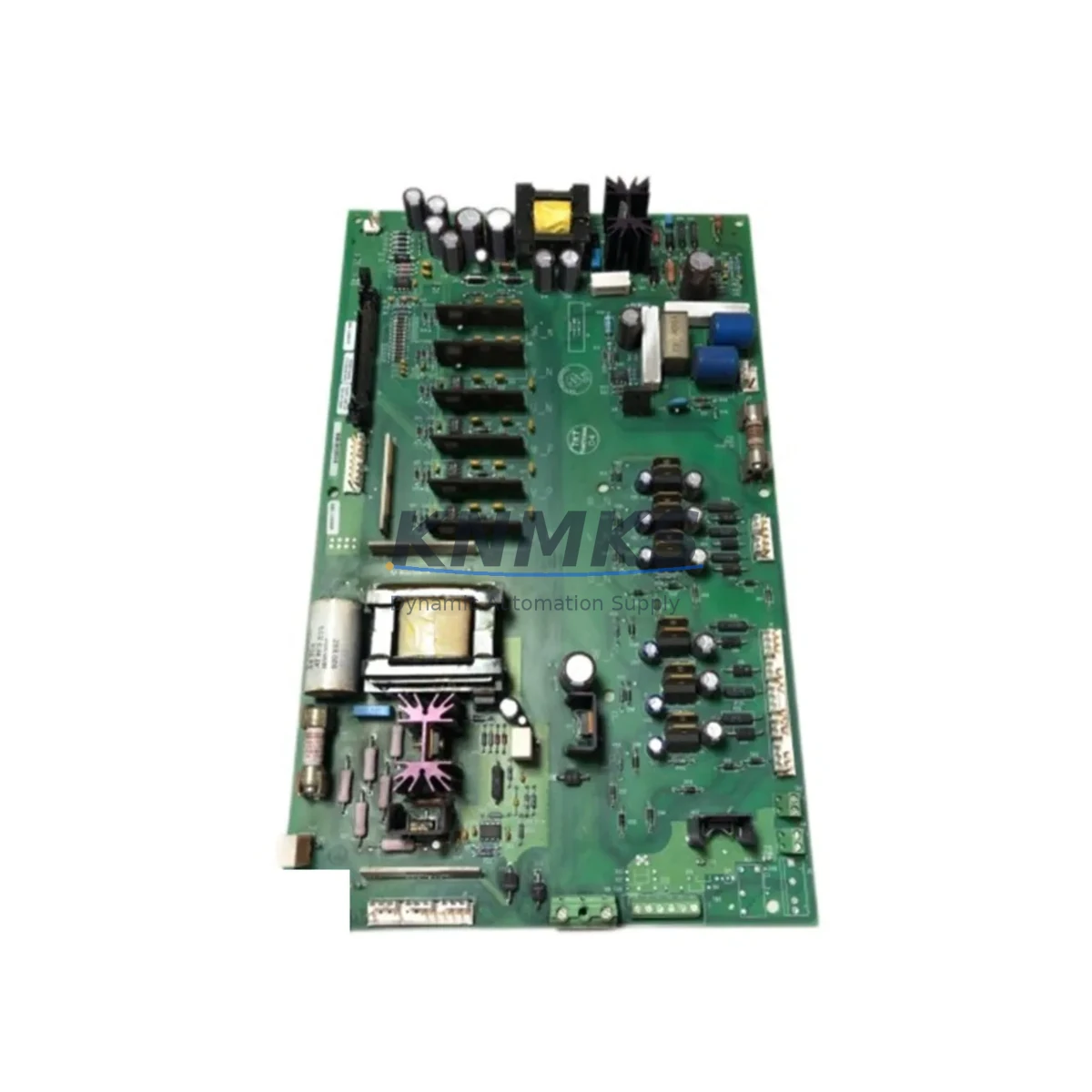
The Allen-Bradley 1336-BDB-SP38A is a base drive board designed for the 1336 PLUS and 1336 PLUS II series AC variable frequency drives. As Rockwell Automation has progressively phased out the 1336 PLUS product family, facilities running legacy production lines, packaging systems, HVAC control panels, and material handling conveyors face increasing pressure to source verified replacement boards before their installed base reaches end-of-life. The 1336-BDB-SP38A addresses this need directly — providing a migration-ready, compatibility-verified solution that allows engineers to restore drive functionality without committing to a full drive replacement or a costly control system redesign.
Before installing the 1336-BDB-SP38A, retrofit engineers should confirm several critical parameters: the drive’s DC bus voltage rating, the gate firing circuit compatibility with the existing IGBT or transistor power structure, and the firmware revision currently loaded on the 1336 PLUS main control board. In many retrofit scenarios, the base drive board interfaces directly with the 1336-MOD-HA2 or 1336-MOD-HA3 option modules, and any mismatch in hardware revision between the base board and the option module can result in fault codes at startup. Verifying the drive catalog number suffix and the manufacturing date code on the existing board is strongly recommended before ordering a replacement.
Terminal wiring on the 1336-BDB-SP38A follows the standard 1336 PLUS power terminal layout. Engineers migrating from a failed board should document the existing U, V, W output terminal torque values and confirm that the DC bus capacitor bank — typically housed on the 1336-BDB-SP37A or adjacent power structure — has been discharged fully before handling. The base drive board connects to the main control board via a ribbon cable interface; inspect the connector for pin damage or oxidation, particularly in high-humidity or coastal industrial environments.
Migration Compatibility Table
| Parameter | Details |
|---|---|
| Compatible Drive Series | Allen-Bradley 1336 PLUS, 1336 PLUS II |
| Board Function | Base Drive Board (gate drive, power interface) |
| Installation Type | Direct board-level replacement; no chassis modification required |
| Interface Connector | Ribbon cable to 1336 PLUS main control board |
| Communication Compatibility | Compatible with DH+, Remote I/O, DeviceNet via existing option modules (e.g., 1336-GM-DP1, 1336-GM-RIO) |
| Firmware Dependency | Verify main control board firmware revision before replacement |
| Replacement Recommendation | Confirm drive catalog suffix and hardware revision match before installation |
| Commissioning Notes | Re-run drive autotune after board swap; verify fault history cleared |
| Support terms | support terms confirmed by quotation — covers manufacturing defects and functional failure |
Retrofit Planning for Existing Automation Systems
A successful 1336-BDB-SP38A retrofit requires a structured approach that accounts for the full drive assembly, not just the failed board. In most 1336 PLUS installations, the base drive board operates alongside the 1336 PLUS main control board, which carries the drive’s parameter memory and I/O configuration. Before removing the failed board, engineers should upload the existing parameter file using DriveExplorer or Studio 5000 Logix Designer if the control board remains functional — this preserves motor nameplate data, accel/decel ramp settings, and PID tuning values that would otherwise require re-entry during commissioning.
In control cabinet environments where the 1336 PLUS drive is integrated with a ControlLogix or SLC 500 controller via Remote I/O or DH+ backplane communication, the retrofit window must be coordinated with the PLC program logic. The 1336-GM-RIO communication module, if installed, should be inspected for node address conflicts before the replacement board is powered. Similarly, if the system uses a 1336-GM-DP1 DeviceNet module, verify that the GSD file version in the DeviceNet scanner matches the drive’s firmware level.
For facilities upgrading from older 1336 PLUS frames to the PowerFlex 700 or PowerFlex 40 platform, the 1336-BDB-SP38A serves as a critical bridge component — keeping the legacy drive operational while the broader migration plan is staged across multiple production shutdowns. This approach avoids the risk of a full-line cutover and allows engineering teams to validate new PLC logic, HMI screen updates, and network topology changes in parallel with ongoing production.
Additional components commonly required during a 1336 PLUS retrofit include the 1336-BDB-SP37A power structure board, 1336-MOD-HA2 option module, 1336-L11E main control board, and in some installations, the 1747-SN Remote I/O Scanner for SLC 500 integration. Signal isolation between the drive’s analog reference input and the PLC analog output module should also be verified — particularly in older installations where 4–20 mA loops share a common ground with the drive’s control circuit.
Downtime Control During System Migration
Minimizing unplanned downtime during a base drive board replacement requires pre-staging the replacement 1336-BDB-SP38A before the maintenance window begins. Confirm that the replacement board’s hardware revision matches the failed unit, and prepare a printed copy of the drive’s parameter list as a backup reference. In facilities where the 1336 PLUS drive controls a critical process — such as a pump, compressor, or conveyor — coordinate with operations to schedule the swap during a planned production break rather than responding reactively to a drive fault.
During the swap, follow the 1336 PLUS service manual procedure for DC bus discharge verification (minimum 5-minute wait after power-down, confirmed with a calibrated voltmeter). Reconnect the ribbon cable interface carefully, ensuring the locking tab is fully seated. After power-up, clear the drive fault log, verify the Ready status LED, and run a no-load motor test before returning the drive to automatic control from the PLC. If the drive was previously configured for process PID control, verify the feedback signal from the field transmitter before enabling closed-loop mode.
For sites with no spare drive available, KNMKS maintains in-stock inventory of the 1336-BDB-SP38A with same-day shipping capability for urgent orders. Each unit undergoes functional testing prior to shipment, and all boards are shipped with ESD-protective packaging to prevent transit damage. The support terms confirmed by quotation cover functional failure under normal operating conditions and provides a clear escalation path if commissioning issues arise post-installation.
Retrofit Support FAQ
Q: Is the 1336-BDB-SP38A a direct drop-in replacement for all 1336 PLUS base drive boards?
A: The 1336-BDB-SP38A is compatible with specific 1336 PLUS and 1336 PLUS II drive frames. Compatibility depends on the drive’s catalog number suffix and hardware revision. Please provide your full drive catalog number when ordering to confirm fitment before shipment.
Q: Do I need to re-enter drive parameters after replacing the base drive board?
A: In most cases, drive parameters are stored on the main control board, not the base drive board. If the main control board remains intact, parameters should be preserved. However, we recommend uploading a parameter backup before any board-level service as a precaution.
Q: What commissioning steps are required after installing the 1336-BDB-SP38A?
A: After installation, clear the drive fault log, verify all terminal connections, run a no-load motor test, and confirm communication with the PLC via the existing network module. If the drive uses autotune, re-run the autotune routine to verify motor model accuracy.
Q: What does the support terms confirmed by quotation cover, and how is it handled?
A: The support terms confirmed by quotation cover manufacturing defects and functional failure under normal operating conditions. If a support terms issue arises, contact KNMKS at admin@knmks.com with the order number and a description of the fault. Replacement or repair will be arranged promptly to minimize your downtime.
© 2026 KNMKS. All rights reserved.
Original Source: https://knmks.com
Contact: admin@knmks.com | +86 18359268345
Product Identification
- Brand / Ecosystem
-
Allen-Bradley
Allen-Bradley - Model / Series
- 1336-BDB-SP38A
- Product Family
- PLCs & Controllers
- Availability Status
- Available on request after model and quantity confirmation
- Inquiry Type
- B2B RFQ, replacement inquiry and project spare-part request
- Pre-Quote Check
- Exact SKU, brand, series, quantity, nameplate photos and destination country are checked before quotation
System Path
Where this product fits in the KNMKS automation structure.
Specification & Inquiry Focus
- Control platform
- PLC, PAC and modular controllers
- Common needs
- CPU, rack, power and I/O expansion
- Project support
- Replacement, cabinet build and maintenance
Buyer Confirmation
Information KNMKS checks before replying.
- Exact model
- 1336-BDB-SP38A
- Brand / ecosystem
- Allen-Bradley
- Product family
- PLCs & Controllers
- Application note
- Replacement, maintenance, project build or spare-part list
- Useful photos
- Nameplate, installed unit, cabinet layout or connector side
- Delivery details
- Quantity, destination country and target schedule
Document Support
Files and notes can be confirmed during quotation.
- Product photos or nameplate confirmation when available
- Packing and delivery notes before quotation confirmation
- Support scope and delivery terms confirmed per inquiry
- Export document coordination for qualified B2B requests
Inquiry Support
- Model cross-checking before quotation
- CPU, power, rack and expansion module matching
- Support for replacement and project inquiry
What to Send Us
- Brand and exact model number: Allen-Bradley 1336-BDB-SP38A
- Quantity and required delivery time
- Application, replacement requirement or nameplate photo
- Destination country and shipping preference
RFQ Preparation
This is a product inquiry page built for RFQ communication.
Fast Model Check
Send this model to KNMKS for confirmation.
Include quantity, destination country and photos if this is a maintenance replacement. The inquiry will be saved with a reference number after submission.
Brand & Compatibility Note
KNMKS displays automation product information for well-known industrial brand ecosystems and compatible replacement references. Brand names are used for product identification and compatibility reference only; final availability and commercial terms are confirmed per quotation.
 Manufacturing
 Machine Tools
 Packaging
 Energy & Power



 HMI & Displays
 Servo Systems
 Variable Frequency Drives
 Sensors