
Overview
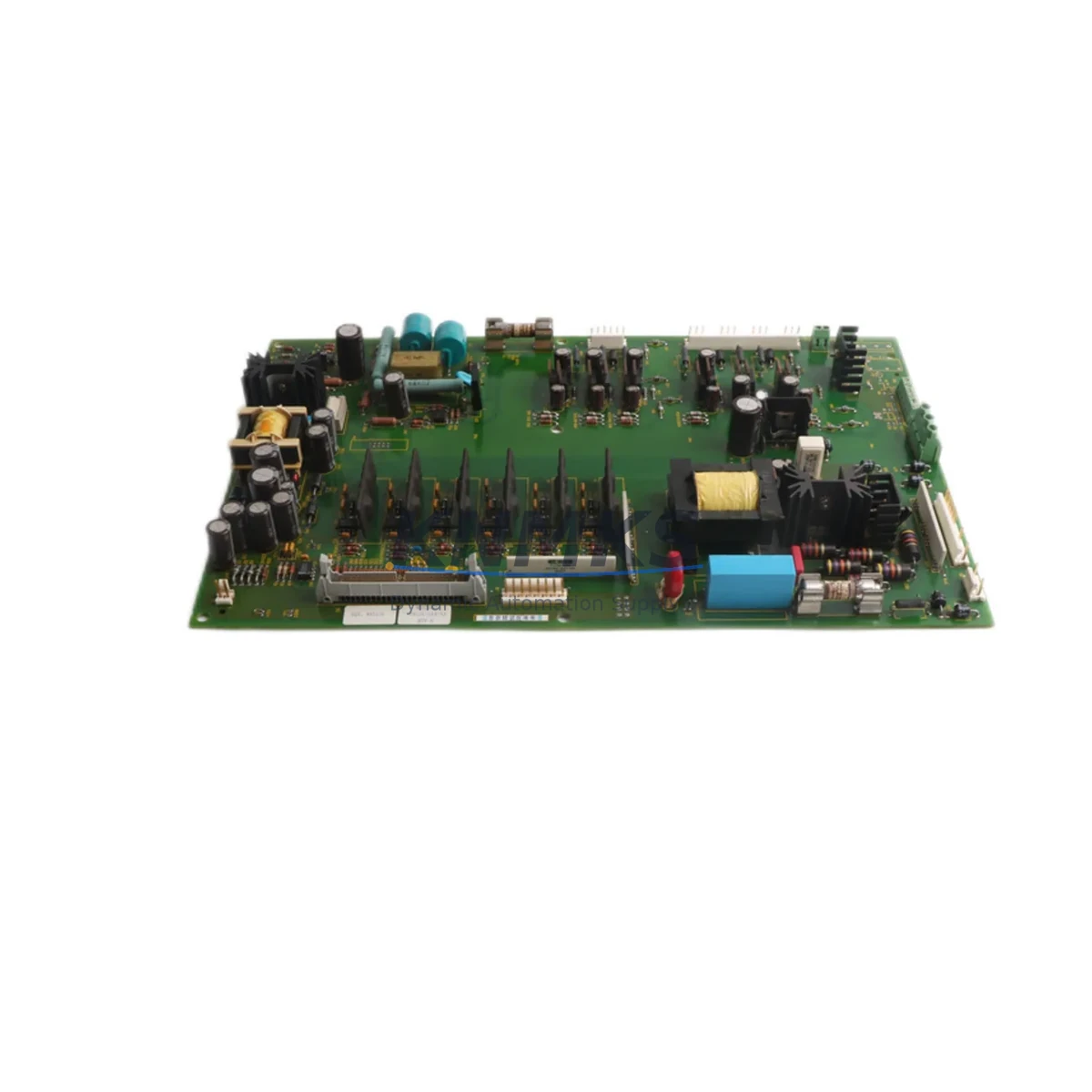
Allen-Bradley 1336-BDB-SP29A Migration-Ready Drive Board for Legacy Control Systems
The Allen-Bradley 1336-BDB-SP29A is a drive control board engineered for the 1336 PLUS series AC variable frequency drives, widely deployed across legacy manufacturing lines, process control systems, and aging automation infrastructure. As the 1336 PLUS platform approaches end-of-life and original spare parts become increasingly scarce, the 1336-BDB-SP29A serves as a critical migration component — enabling engineers to restore drive functionality, extend system service life, and defer costly full-drive replacements.
This board is a direct retrofit solution for facilities managing discontinued Allen-Bradley 1336 PLUS drives. It addresses the most common failure modes in aging VFD installations: gate driver faults, IGBT firing circuit degradation, and control logic board failures caused by capacitor aging or thermal stress. Before installation, engineers should verify the existing drive’s firmware revision, confirm the backplane connector pinout matches the 74101-169-53 board revision, and review the drive’s parameter file backup to ensure program logic can be restored post-swap without re-commissioning from scratch.
Each 1336-BDB-SP29A unit shipped by KNMKS is function-tested prior to dispatch, covering gate signal integrity, power supply rail stability, and communication handshake with the drive’s operator interface. Units are supplied with a support terms confirmed by quotation covering manufacturing defects and functional failures under normal operating conditions.
Migration Compatibility Table
| Parameter | Details |
|---|---|
| Compatible Drive Series | Allen-Bradley 1336 PLUS, 1336 PLUS II (verify firmware) |
| Board Part Number | 1336-BDB-SP29A / 74101-169-53 |
| Backplane Interface | Standard 1336 PLUS drive backplane connector |
| Power Supply Input | Internal drive bus — no external supply required |
| Communication Compatibility | DH-485, Remote I/O (RIO) via existing drive comm module |
| Installation Requirement | ESD precautions; drive must be fully de-energized and locked out |
| Replacement Type | Direct drop-in; no mechanical modification required |
| Firmware Consideration | Retain existing drive firmware; re-flash only if version mismatch detected |
| Commissioning Focus | Parameter restore, motor nameplate data re-entry, fault log clear |
| Support terms | 12 months from shipment date |
Retrofit Planning for Existing Automation Systems
Successful integration of the 1336-BDB-SP29A into a legacy control cabinet requires a structured pre-retrofit assessment. Engineers should begin by auditing the full drive enclosure: confirm that the 1336 PLUS power structure, including the precharge circuit and DC bus capacitor bank, is still serviceable. A failing capacitor bank will cause recurring faults even after a board replacement, so capacitor ESR testing is recommended before committing to a board-only swap.
Terminal wiring on the 1336 PLUS uses a fixed I/O terminal strip for analog and digital signals. When replacing the drive board, verify that all field wiring — including speed reference inputs, enable signals, fault relay outputs, and motor thermistor connections — remains correctly mapped. If the existing installation uses a 1336-GM1 or 1336-GM3 communication module for Remote I/O or DH-485 connectivity back to a ControlLogix or SLC 500 controller, confirm the module seating and address switch settings are preserved during the board swap.
For facilities running coordinated multi-drive systems, the 1336-BDB-SP29A replacement should be sequenced carefully. If the drive is part of a line shaft or tension control application managed by a 1336 PLUS with a 1336-L3 or 1336-L4 option board, those option boards must be carefully reseated and their parameter settings verified post-installation. HMI screens built on PanelView terminals referencing drive parameters via DH-485 should be tested for correct tag mapping after the board swap to confirm no address offsets have shifted.
Where the retrofit is part of a broader control system modernization — migrating from SLC 500 to CompactLogix, or from legacy RIO networks to EtherNet/IP — the 1336-BDB-SP29A can serve as a bridge component, keeping the existing drive operational while the controller migration is completed in phases. This approach minimizes production disruption and avoids the need to replace the entire drive before the control platform migration is finalized.
Downtime Control During System Migration
Minimizing unplanned downtime is the primary concern when replacing a drive board in a live production environment. KNMKS recommends a planned maintenance window approach: back up all drive parameters using DriveExplorer or DriveExecutive software before removing the existing board, and store the parameter file with the machine’s maintenance records. This ensures that if the replacement board requires parameter re-entry, the process is fast and accurate.
During the physical swap, follow Allen-Bradley’s lockout/tagout procedure for the 1336 PLUS enclosure. Allow the DC bus to fully discharge — typically 5 minutes after power removal — before opening the drive. Handle the 1336-BDB-SP29A with ESD protection at all times. Reseat the board firmly onto the backplane connector, ensuring all locking tabs engage before restoring power.
On power-up, clear the fault log, restore the parameter file, and run a no-load motor test before reconnecting the driven equipment. Verify that all I/O signals are responding correctly and that the communication link to the host controller — whether SLC 500, ControlLogix, or a standalone operator panel — is re-established without errors. A controlled ramp-up test under partial load should precede full production restart to confirm drive stability and protect the connected motor and mechanical load.
For critical applications where zero unplanned downtime is required, KNMKS recommends maintaining a pre-tested 1336-BDB-SP29A as a cold standby spare. Our inventory is stocked and available for same-day or next-business-day dispatch, supporting emergency maintenance scenarios with minimal lead time.
Retrofit Support FAQ
Q: Is the 1336-BDB-SP29A a direct replacement for the original Allen-Bradley board in my 1336 PLUS drive?
A: Yes. The 1336-BDB-SP29A (74101-169-53) is designed as a direct drop-in replacement for the original drive control board in compatible 1336 PLUS drives. No mechanical modification is required. Verify your drive’s catalog number and existing board revision before ordering to confirm compatibility with your specific drive frame size and firmware version.
Q: Do I need to re-enter all drive parameters after replacing the board?
A: If you have a parameter backup file from DriveExplorer or DriveExecutive, parameters can be restored quickly via the programming port. If no backup exists, parameters must be re-entered manually from the machine’s commissioning records. KNMKS recommends always maintaining a current parameter backup as part of your preventive maintenance program.
Q: What pre-shipment testing does KNMKS perform on the 1336-BDB-SP29A?
A: Each unit undergoes functional testing covering gate drive signal output, internal power supply rail verification, and communication interface handshake testing. Units that do not pass all test criteria are not shipped. A support terms confirmed by quotation is provided from the shipment date, covering manufacturing defects and functional failures under normal operating conditions.
Q: Can this board be used in a 1336 PLUS II drive, or only the original 1336 PLUS?
A: The 1336-BDB-SP29A is primarily specified for the 1336 PLUS series. Compatibility with 1336 PLUS II variants depends on the specific drive catalog number and firmware revision. Contact KNMKS with your full drive catalog number for a compatibility confirmation before ordering.
© 2026 KNMKS. All rights reserved.
Original Source: https://knmks.com
Contact: admin@knmks.com | +86 18359268345
Product Identification
- Brand / Ecosystem
-
Allen-Bradley
Allen-Bradley - Model / Series
- 1336-BDB-SP29A 74101-169-53
- Product Family
- PLCs & Controllers
- Availability Status
- Available on request after model and quantity confirmation
- Inquiry Type
- B2B RFQ, replacement inquiry and project spare-part request
- Pre-Quote Check
- Exact SKU, brand, series, quantity, nameplate photos and destination country are checked before quotation
System Path
Where this product fits in the KNMKS automation structure.
Specification & Inquiry Focus
- Control platform
- PLC, PAC and modular controllers
- Common needs
- CPU, rack, power and I/O expansion
- Project support
- Replacement, cabinet build and maintenance
Buyer Confirmation
Information KNMKS checks before replying.
- Exact model
- 1336-BDB-SP29A 74101-169-53
- Brand / ecosystem
- Allen-Bradley
- Product family
- PLCs & Controllers
- Application note
- Replacement, maintenance, project build or spare-part list
- Useful photos
- Nameplate, installed unit, cabinet layout or connector side
- Delivery details
- Quantity, destination country and target schedule
Document Support
Files and notes can be confirmed during quotation.
- Product photos or nameplate confirmation when available
- Packing and delivery notes before quotation confirmation
- Support scope and delivery terms confirmed per inquiry
- Export document coordination for qualified B2B requests
Inquiry Support
- Model cross-checking before quotation
- CPU, power, rack and expansion module matching
- Support for replacement and project inquiry
What to Send Us
- Brand and exact model number: Allen-Bradley 1336-BDB-SP29A 74101-169-53
- Quantity and required delivery time
- Application, replacement requirement or nameplate photo
- Destination country and shipping preference
RFQ Preparation
This is a product inquiry page built for RFQ communication.
Fast Model Check
Send this model to KNMKS for confirmation.
Include quantity, destination country and photos if this is a maintenance replacement. The inquiry will be saved with a reference number after submission.
Brand & Compatibility Note
KNMKS displays automation product information for well-known industrial brand ecosystems and compatible replacement references. Brand names are used for product identification and compatibility reference only; final availability and commercial terms are confirmed per quotation.
 Manufacturing
 Machine Tools
 Packaging
 Energy & Power



 HMI & Displays
 Servo Systems
 Variable Frequency Drives
 Sensors