
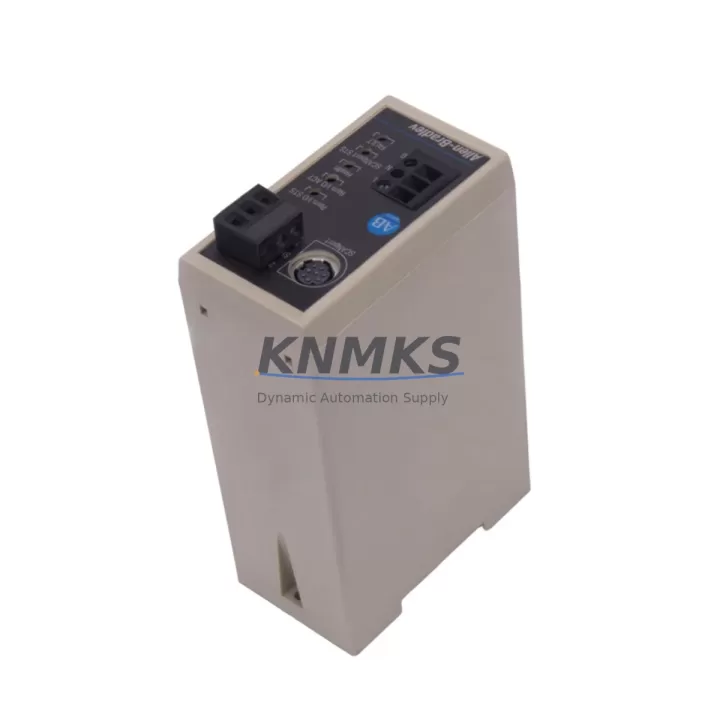
Overview
Allen-Bradley 1203-GD1 Maintenance-Proven Spare Part for Factory Uptime
The Allen-Bradley 1203-GD1 is a Remote I/O Communications Module from the 1203 Series, engineered to maintain seamless communication between PLC-5 and SLC 500 control systems and remote I/O racks. In industrial environments where production continuity is non-negotiable, holding a verified original spare of the 1203-GD1 in your maintenance inventory is a fundamental risk-reduction strategy. Whether you are managing a high-throughput automotive assembly line, a continuous-process chemical plant, or a discrete manufacturing cell, the 1203-GD1 serves as a critical link in your remote I/O architecture. A failed communications module can isolate entire I/O racks from the controller, triggering unplanned shutdowns that cascade across dependent processes. Sourcing a pre-tested, original replacement unit before failure occurs is the most cost-effective approach to protecting factory uptime.
Spare Maintenance Table
| SKU / Part Number | 1203-GD1 |
| Brand | Allen-Bradley (Rockwell Automation) |
| Series | 1203 Series |
| Product Type | Remote I/O Communications Module |
| Compatible Controllers | PLC-5, SLC 500 Series |
| Communication Protocol | Remote I/O (RIO) |
| Mounting | DIN Rail / Panel Mount (1203 Series adapter) |
| Operating Temperature | 0°C to 60°C (32°F to 140°F) |
| Storage Temperature | -40°C to 85°C |
| Power Supply Requirement | 24V DC (via drive or external supply) |
| Application Environment | Industrial automation, discrete & process manufacturing |
| Origin | USA |
| Condition | Original, tested before shipment |
| Support terms | 12 Months |
| Maintenance Recommendation | Inspect connector pins and cable seating every 6 months; replace if communication faults recur after firmware reset |
Maintenance Planning for Continuous Operation
When a 1203-GD1 Remote I/O Communications Module is flagged for replacement during a fault investigation or scheduled outage, experienced maintenance engineers know that the module rarely fails in isolation. A thorough site inspection should extend to the surrounding electrical environment to prevent repeat failures and ensure a clean return to service.
Begin by verifying the integrity of the 1203-Series adapter cable connecting the 1203-GD1 to the drive or controller backplane — damaged or corroded connectors are a leading cause of intermittent RIO communication faults that are often misdiagnosed as module failure. Inspect the 24V DC power supply feeding the communications module; voltage sags or ripple outside specification can corrupt RIO data packets and trigger nuisance faults. If the 1203-GD1 is installed in a drive-mounted configuration, check the host drive’s internal power rail and confirm the 1336 PLUS or PowerFlex drive firmware is compatible with the module revision in use.
At the remote I/O rack level, inspect the 1771 I/O chassis backplane and verify that all I/O modules — including digital input cards, analog output cards, and relay output modules — are firmly seated and free of corrosion on their edge connectors. A loose I/O module can generate RIO scanner errors that appear identical to a failed communications adapter. Review the RIO scanner configuration in the PLC-5 or SLC 500 processor to confirm rack address, starting quarter, and I/O size settings match the physical installation after any module swap.
For facilities running legacy SLC 500 systems, it is advisable to maintain a parallel spare inventory that includes the 1747-SN Remote I/O Scanner and associated 1747-C13 or 1747-C20 cables, as these components share the same communication bus and age at comparable rates. In PLC-5 environments, the 1771-ASB Remote I/O Adapter at the remote rack should be inspected for firmware version compatibility whenever the 1203-GD1 is replaced. Finally, confirm that all termination resistors on the RIO coaxial trunk cable are correctly installed and within specification — an open or missing terminator is a common root cause of RIO network instability that persists even after a module replacement.
Site Replacement Workflow
Replacing the Allen-Bradley 1203-GD1 on-site is a structured process that, when executed correctly, minimizes controller downtime and eliminates the risk of configuration errors during restart.
Step 1 — Pre-Replacement Verification: Before removing the existing module, document the current RIO rack address, baud rate setting (57.6K, 115.2K, or 230.4K), and I/O size configuration from the host controller program. Photograph or record the cable routing and connector orientation on the 1203-GD1 to ensure identical reinstallation of the replacement unit.
Step 2 — Safe Isolation: Follow your site’s lockout/tagout (LOTO) procedure. De-energize the drive or control panel housing the 1203-GD1. Confirm zero-energy state with a calibrated voltage tester before touching any wiring or module connectors.
Step 3 — Module Removal and Inspection: Disconnect the RIO cable and power connector from the 1203-GD1. Inspect the connector pins on both the module and the mating cable for bent pins, corrosion, or debris. Clean with contact cleaner if necessary before installing the replacement.
Step 4 — Replacement Installation: Install the new 1203-GD1, ensuring the adapter is fully seated and the locking tab is engaged. Reconnect the RIO cable and power connector. Verify that the baud rate and address switches on the replacement module match the documented settings from Step 1.
Step 5 — System Restart and Verification: Re-energize the system and monitor the RIO status indicators on the 1203-GD1 and the host controller. Confirm that all remote I/O racks are recognized by the scanner and that no fault codes are present. Run a functional test of all I/O points served by the remote rack before returning the system to production.
This workflow is compatible with both direct replacement of a failed 1203-GD1 and planned preventive replacement during scheduled maintenance windows, making it equally applicable to emergency recovery and annual shutdown scenarios.
Spare Parts Support FAQ
Q1: Is the 1203-GD1 still available as a new original part, or only as a refurbished unit?
The 1203-GD1 is available as an original spare part sourced from authorized distribution channels and verified factory stock. Each unit undergoes functional testing prior to shipment to confirm communication integrity and electrical performance. We do not supply uncertified refurbished units without disclosure.
Q2: How do I confirm compatibility between the 1203-GD1 and my existing PLC-5 or SLC 500 system?
Compatibility is determined by the host controller’s RIO scanner firmware revision and the drive or adapter the 1203-GD1 is mounted to. Provide your controller catalog number, firmware version, and drive model when placing your order, and our technical team will verify compatibility before shipment. We recommend cross-referencing Rockwell Automation publication 1203-5.2 for detailed compatibility matrices.
Q3: What is your lead time and shipping process for the 1203-GD1?
In-stock units are tested and dispatched within 1–3 business days. Each shipment includes a test report and packing list. For urgent downtime recovery orders, expedited shipping options are available. Contact admin@knmks.com or call +86 18359268345 to confirm current stock and arrange priority dispatch.
Q4: What does the support terms confirmed by quotation cover for the 1203-GD1?
The support terms confirmed by quotation cover manufacturing defects and functional failures under normal operating conditions as specified in the product datasheet. It does not cover damage resulting from incorrect installation, overvoltage events, or physical mishandling. Support requests are processed with a replacement unit dispatched after fault verification, minimizing your downtime exposure during the claims process.
© 2026 KNMKS. All rights reserved.
Original Source: https://knmks.com
Contact: admin@knmks.com | +86 18359268345
Product Identification
- Brand / Ecosystem
-
Allen-Bradley
Allen-Bradley - Model / Series
-
1203-GD1
Assorted Series - Product Family
- PLCs & Controllers
- Availability Status
- Available on request after model and quantity confirmation
- Inquiry Type
- B2B RFQ, replacement inquiry and project spare-part request
- Pre-Quote Check
- Exact SKU, brand, series, quantity, nameplate photos and destination country are checked before quotation
System Path
Where this product fits in the KNMKS automation structure.
Specification & Inquiry Focus
- Control platform
- PLC, PAC and modular controllers
- Common needs
- CPU, rack, power and I/O expansion
- Project support
- Replacement, cabinet build and maintenance
Buyer Confirmation
Information KNMKS checks before replying.
- Exact model
- 1203-GD1
- Brand / ecosystem
- Allen-Bradley
- Product family
- PLCs & Controllers
- Application note
- Replacement, maintenance, project build or spare-part list
- Useful photos
- Nameplate, installed unit, cabinet layout or connector side
- Delivery details
- Quantity, destination country and target schedule
Document Support
Files and notes can be confirmed during quotation.
- Product photos or nameplate confirmation when available
- Packing and delivery notes before quotation confirmation
- Support scope and delivery terms confirmed per inquiry
- Export document coordination for qualified B2B requests
Inquiry Support
- Model cross-checking before quotation
- CPU, power, rack and expansion module matching
- Support for replacement and project inquiry
What to Send Us
- Brand and exact model number: Allen-Bradley 1203-GD1
- Quantity and required delivery time
- Application, replacement requirement or nameplate photo
- Destination country and shipping preference
RFQ Preparation
This is a product inquiry page built for RFQ communication.
Fast Model Check
Send this model to KNMKS for confirmation.
Include quantity, destination country and photos if this is a maintenance replacement. The inquiry will be saved with a reference number after submission.
Brand & Compatibility Note
KNMKS displays automation product information for well-known industrial brand ecosystems and compatible replacement references. Brand names are used for product identification and compatibility reference only; final availability and commercial terms are confirmed per quotation.
 Manufacturing
 Machine Tools
 Packaging
 Energy & Power



 HMI & Displays
 Servo Systems
 Variable Frequency Drives
 Sensors