
Overview
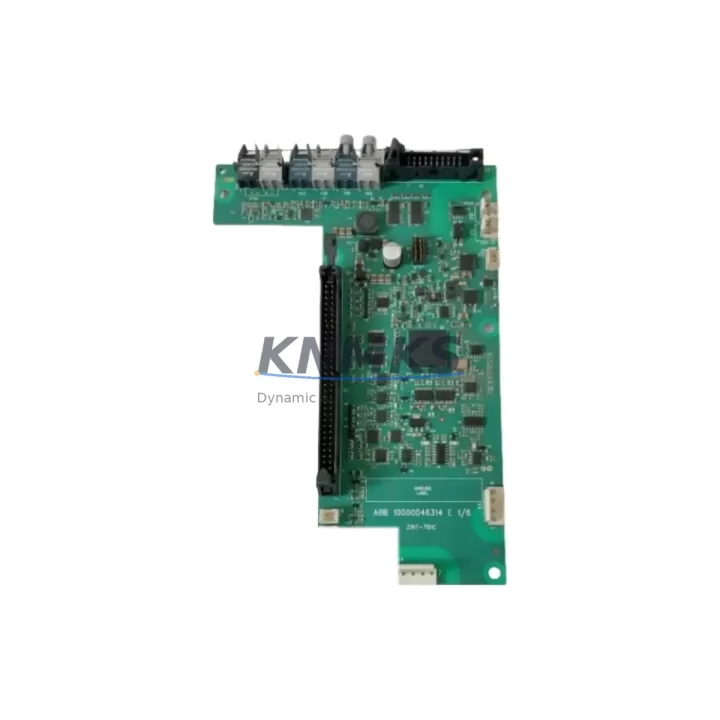
ABB ZINT-7B1C Maintenance-Proven Spare Part for Factory Uptime
The ABB ZINT-7B1C (alternate part number 3AUA0000119630) is an original output extension module designed for the ABB ACS800 series variable frequency drive platform. In industrial environments where drive-controlled motors underpin continuous production — from paper mills and cement plants to water treatment facilities and steel rolling lines — the ZINT-7B1C plays a critical role in expanding the I/O capacity of the ACS800 drive, enabling additional digital and analog output channels without requiring a full drive replacement or control architecture redesign.
For maintenance engineers managing aging ACS800 installations, sourcing a verified, tested ZINT-7B1C spare is often the fastest path to restoring drive functionality after an unexpected module failure. Rather than waiting weeks for OEM lead times, stocking a pre-tested ZINT-7B1C unit in your spare parts cabinet ensures that when a fault code points to the output extension module, your team can execute a same-shift swap and return the line to production.
Spare Maintenance Table
| Part Number | ZINT-7B1C |
| Alternate / Reference | 3AUA0000119630 |
| Brand | ABB |
| Series Compatibility | ACS800 Single Drive & Multidrive |
| Module Type | Drive I/O Output Extension Module |
| Output Channels | Digital outputs (DO) + Analog outputs (AO) extension |
| Mounting Interface | ACS800 control board slot / option module bay |
| Supply Voltage | Derived from ACS800 internal bus (no external supply required) |
| Communication Interface | Internal drive bus (DDCS / RDCO compatible ecosystem) |
| Origin | Finland |
| Operating Temperature | -10°C to +55°C (storage: -40°C to +70°C) |
| Application Environment | Industrial automation, process control, motor drive systems |
| Installation | Plug-in module; follow ACS800 Hardware Manual for slot assignment |
| Maintenance Recommendation | Inspect connector pins and seating annually; replace if output signal drift detected |
| Support terms | 12 Months from date of shipment |
| Pre-shipment Testing | Functional test performed before dispatch |
| Condition | Original spare / surplus stock |
Maintenance Planning for Continuous Operation
When a ZINT-7B1C output extension module is flagged during a drive diagnostic or routine control cabinet inspection, experienced maintenance engineers know that the module rarely fails in isolation. A thorough site assessment should accompany any ZINT-7B1C replacement to prevent repeat faults and ensure the ACS800 drive returns to stable, long-term operation.
Begin by verifying the integrity of the RMIO-11C or RMIO-02C main control board — the ZINT-7B1C interfaces directly with the ACS800 control board, and a degraded control board can cause false output faults or damage a newly installed extension module. Simultaneously, inspect the APOW-01C auxiliary power supply module, which provides regulated internal voltages to the drive’s option slots; a failing APOW unit is a common root cause of intermittent I/O module errors.
Check all terminal block wiring and field cable connections on the output side. Loose or corroded terminals on the DO and AO circuits connected to the ZINT-7B1C can generate fault signals that mimic module failure. If the drive communicates over a fieldbus network, inspect the RDCO-04C or RDCO-02C DDCS fiber optic communication module — a degraded fiber link can corrupt I/O status reporting and trigger spurious extension module alarms.
For drives operating in dusty or humid environments, the ACS800 cooling fan assembly and internal air filters should be cleaned or replaced during the same maintenance window. Overheating is a leading cause of premature option module degradation. Additionally, review the AINT-02C or AINT-14C inverter control interface board if the drive is part of a multidrive cabinet — these boards coordinate signal routing between the main inverter and extension modules.
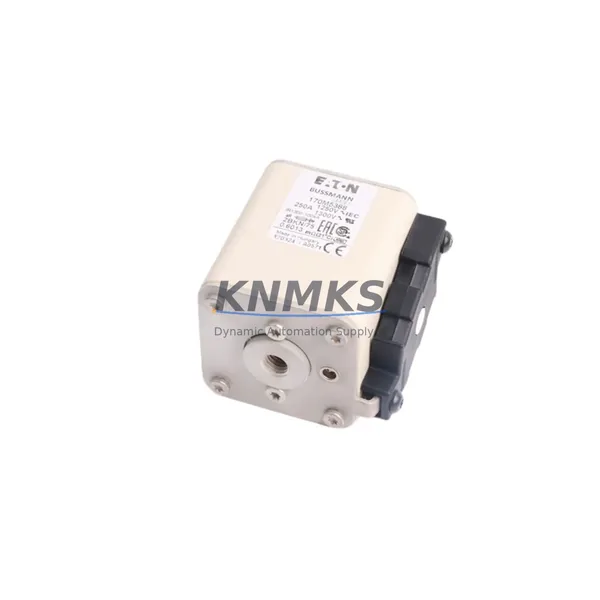
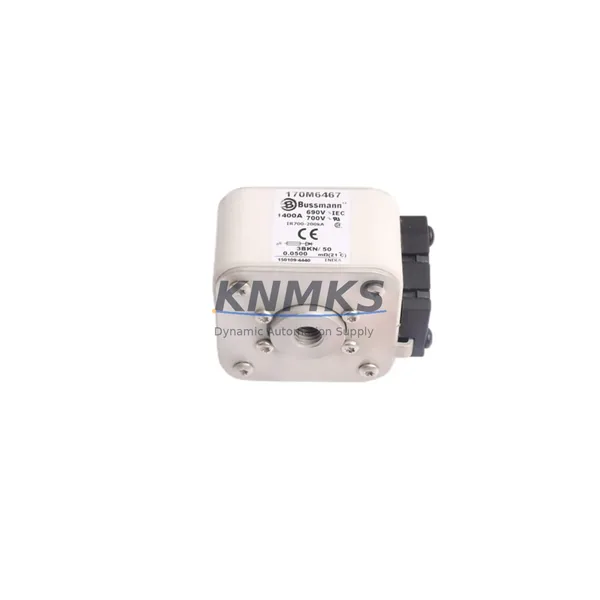
Procurement engineers building a resilient spare parts inventory for ACS800-based systems should consider stocking the ZINT-7B1C alongside the RMIO control board, APOW auxiliary power module, and at least one set of drive-rated input fuses and DC bus fuses appropriate for the drive’s power rating. This combination covers the most common failure modes that result in unplanned production stops and ensures your maintenance team can resolve the majority of ACS800 drive faults within a single shift.
Site Replacement Workflow
Step 1 — Fault Confirmation: Before ordering or installing a replacement ZINT-7B1C, retrieve the active fault log from the ACS800 panel (CDP or DriveWindow). Confirm that fault codes reference the output extension module (e.g., Output Extension Module Fault or I/O Configuration Mismatch). Document the drive’s parameter set using DriveWindow or a CDP panel backup to preserve configuration data.
Step 2 — Safe Isolation: Follow your site’s lockout/tagout (LOTO) procedure. Isolate the ACS800 drive from the main supply and allow the DC bus to fully discharge (minimum 5 minutes after power-off, verify with a calibrated DC voltmeter). Do not handle option modules while DC bus voltage is present.
Step 3 — Module Removal: Open the drive’s control section access panel. Carefully disconnect the ZINT-7B1C from its slot connector, noting the slot position (typically Option Slot 1 or 2 per the ACS800 Hardware Manual). Inspect the slot connector on the control board for bent pins or contamination before installing the replacement unit.
Step 4 — Installation & Parameter Restore: Seat the replacement ZINT-7B1C firmly into the correct option slot. Restore the drive parameter set from backup. On first power-up, navigate to the I/O configuration parameters (Group 14 / Group 15 in standard ACS800 firmware) to verify that the extension module outputs are correctly mapped to the application’s control logic.
Step 5 — Functional Verification: Run the drive in local control mode and verify that all digital and analog outputs on the ZINT-7B1C respond correctly to commanded signals before returning the drive to automatic/remote control. Log the replacement in your maintenance management system (CMMS) with the new module’s serial number and installation date.
This workflow minimizes downtime, preserves system compatibility, and provides a clear audit trail for future maintenance planning — critical for facilities operating under ISO 55001 asset management or similar frameworks.
Spare Parts Support FAQ
Q1: Is the ZINT-7B1C compatible with all ACS800 drive variants?
The ZINT-7B1C is designed for the ACS800 single drive and multidrive platform. Compatibility depends on the specific ACS800 hardware revision and firmware version. Always cross-reference the drive’s Hardware Manual (document code 3AFE64527592 or equivalent) and confirm the option slot assignment before installation. Our team can assist with compatibility verification prior to shipment.
Q2: What testing is performed before the ZINT-7B1C is shipped?
Each ZINT-7B1C unit undergoes a functional test prior to dispatch to verify connector integrity, signal channel operation, and absence of physical damage. Units that do not pass inspection are not offered for sale. A support terms confirmed by quotation from the date of shipment covers defects in materials and workmanship under normal operating conditions.
Q3: How should I manage ZINT-7B1C inventory for a multi-drive facility?
For facilities operating three or more ACS800 drives, we recommend maintaining at least one ZINT-7B1C spare on-site. Drives in critical process roles (e.g., main line drives, compressor drives) warrant a dedicated spare. Coordinate with your procurement team to establish a blanket stock agreement that replenishes the spare automatically after each use, eliminating the risk of a zero-stock situation during an emergency.
Q4: Can you support long-term supply of the ZINT-7B1C for multi-year maintenance contracts?
Yes. We maintain regional warehouse stock and can support scheduled delivery programs aligned to annual maintenance cycles or multi-year service contracts. Contact our team to discuss volume pricing, reserved stock arrangements, and documentation packages (test reports, country of origin certificates) required for your procurement process.
© 2026 KNMKS. All rights reserved.
Original Source: https://knmks.com
Contact: admin@knmks.com | +86 18359268345
Product Identification
- Brand / Ecosystem
-
ABB
ABB - Model / Series
-
ZINT-7B1C-3AUA0000119630
S800 Series - Product Family
- Variable Frequency Drives
- Availability Status
- Available on request after model and quantity confirmation
- Inquiry Type
- B2B RFQ, replacement inquiry and project spare-part request
- Pre-Quote Check
- Exact SKU, brand, series, quantity, nameplate photos and destination country are checked before quotation
System Path
Where this product fits in the KNMKS automation structure.
Specification & Inquiry Focus
- Drive range
- AC drives, VFDs and accessories
- Common needs
- Voltage, kW/HP and load type
- Project support
- Motor control, energy saving and spares
Buyer Confirmation
Information KNMKS checks before replying.
- Exact model
- ZINT-7B1C-3AUA0000119630
- Brand / ecosystem
- ABB
- Product family
- Variable Frequency Drives
- Application note
- Replacement, maintenance, project build or spare-part list
- Useful photos
- Nameplate, installed unit, cabinet layout or connector side
- Delivery details
- Quantity, destination country and target schedule
Document Support
Files and notes can be confirmed during quotation.
- Product photos or nameplate confirmation when available
- Packing and delivery notes before quotation confirmation
- Support scope and delivery terms confirmed per inquiry
- Export document coordination for qualified B2B requests
Inquiry Support
- Input/output voltage and kW/HP confirmation
- Energy-saving motor control inquiry
- Accessory and spare-unit support
What to Send Us
- Brand and exact model number: ABB ZINT-7B1C-3AUA0000119630
- Quantity and required delivery time
- Application, replacement requirement or nameplate photo
- Destination country and shipping preference
RFQ Preparation
This is a product inquiry page built for RFQ communication.
Fast Model Check
Send this model to KNMKS for confirmation.
Include quantity, destination country and photos if this is a maintenance replacement. The inquiry will be saved with a reference number after submission.
Brand & Compatibility Note
KNMKS displays automation product information for well-known industrial brand ecosystems and compatible replacement references. Brand names are used for product identification and compatibility reference only; final availability and commercial terms are confirmed per quotation.
 Manufacturing
 Machine Tools
 Packaging
 Energy & Power
 PLCs & Controllers
 HMI & Displays
 Servo Systems
 Sensors