
Overview
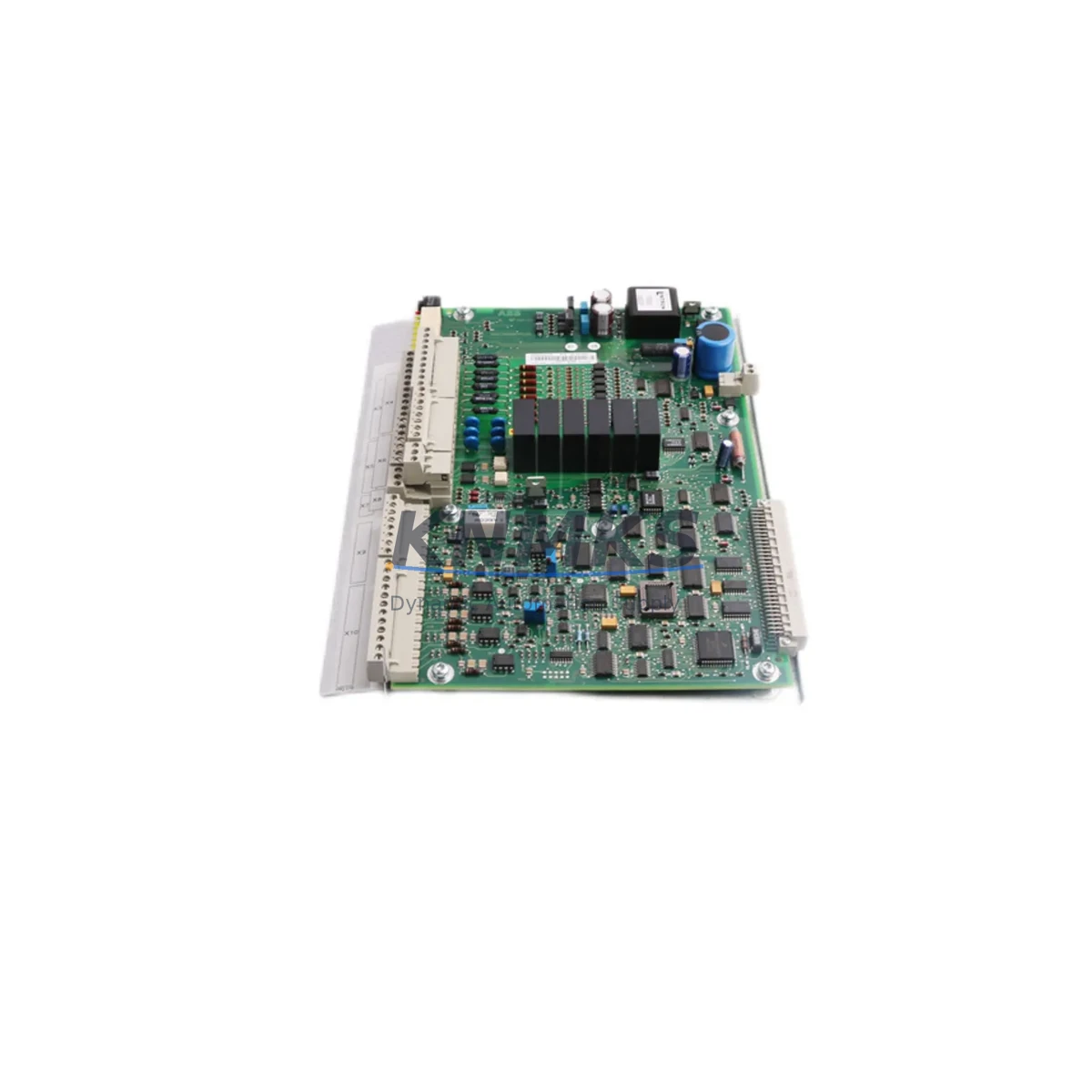
ABB YPQ110A 3ASD573001A5 Migration-Ready I/O Module for Legacy Control Systems
The ABB YPQ110A (Part No. 3ASD573001A5) is a PLC I/O module engineered for the ULMA automation platform, widely deployed in packaging machinery, industrial production lines, and process control cabinets across manufacturing facilities. As legacy ULMA systems approach end-of-life and OEM support windows close, the YPQ110A has become a critical retrofit component for maintenance engineers managing aging control infrastructure. Whether you are executing a planned system upgrade, replacing a failed module in an emergency shutdown scenario, or building a strategic spare parts inventory to extend the operational life of existing equipment, the YPQ110A delivers verified compatibility and reliable performance in demanding industrial environments.
At KNMKS, every YPQ110A unit is sourced from authorized supply channels, individually inspected, and functionally tested prior to shipment. Our support terms confirmed by quotation cover all shipped units, giving procurement engineers and plant managers confidence in long-term supply continuity and post-sale support.
Migration Compatibility Table
| Parameter | Specification / Recommendation |
|---|---|
| Part Number | YPQ110A / 3ASD573001A5 |
| Manufacturer | ABB |
| Platform | ULMA Control System |
| Module Type | PLC I/O Module |
| Country of Origin | Germany |
| Weight | 1,140 g |
| Interface Compatibility | ULMA backplane bus; verify slot addressing before installation |
| Installation Requirement | Confirm rack slot dimensions and backplane connector alignment |
| Communication Compatibility | Native ULMA communication protocol; confirm firmware revision match |
| Replacement Guidance | Direct drop-in for same-series ULMA I/O slots; address mapping must be verified in PLC program |
| Commissioning Focus | I/O channel mapping, terminal wiring polarity, module address assignment, HMI tag binding |
| Support terms | 12 Months from shipment date |
| Pre-Shipment Test | Functional test performed on every unit |
| Delivery | Global shipping available; expedited options on request |
Retrofit Planning for Existing Automation Systems
Replacing the YPQ110A within a live ULMA control cabinet requires a structured approach to avoid cascading faults and unplanned downtime. Before removing the failed or end-of-life module, maintenance engineers should document the existing terminal wiring layout and photograph all I/O connections. The ULMA backplane typically hosts multiple I/O modules in adjacent slots — neighboring modules such as digital output cards and analog signal conditioning modules should be inspected for signs of thermal stress or connector wear during the same maintenance window.
Power supply capacity is a critical pre-check. The ULMA rack power supply unit must be verified to support the full load of all installed modules after the YPQ110A is reinstalled. If the existing power supply is aging or operating near rated capacity, this is an appropriate time to evaluate a replacement or supplementary 24 VDC rail supply. Fuse protection on the I/O supply rail should also be inspected — blown or degraded fuses are a common secondary fault in I/O module failures and are frequently overlooked during emergency replacements.
Communication continuity is another key concern. In ULMA systems, the I/O module communicates with the central controller via the backplane bus. After installing the YPQ110A, engineers should confirm that the module address matches the original configuration in the PLC program. If the control program uses symbolic addressing tied to physical slot positions, no reprogramming may be required — but if the system uses absolute I/O addressing, the program logic must be reviewed before restarting the line. Where a programming cable or handheld programmer is used to access the ULMA controller for address verification, ensure the cable driver version is compatible with the installed firmware.
HMI screens bound to I/O tags from the replaced module should be tested after restart to confirm that all process values are displaying correctly. Signal isolators installed between field sensors and the YPQ110A input channels should be checked for correct output range and calibration. Terminal blocks on the I/O wiring side should be inspected for loose connections, corrosion, or insulation damage — particularly in high-vibration or high-humidity environments. Relay output modules in the same control cabinet that interact with the I/O signals from the YPQ110A should also be tested for correct switching behavior after the replacement is complete.
Downtime Control During System Migration
Minimizing production downtime during a ULMA I/O module replacement depends on preparation, parts availability, and a clear commissioning sequence. The most effective strategy is to have a tested YPQ110A unit on-site before the maintenance window begins. Emergency procurement of I/O modules during an active line stoppage significantly extends downtime and increases operational risk — particularly for facilities running 24/7 production schedules.
For planned retrofits, the recommended approach is to pre-configure and bench-test the replacement YPQ110A against the existing PLC program offline before the scheduled maintenance window. This allows engineers to confirm address compatibility, verify I/O channel behavior, and identify any firmware version conflicts without time pressure. Where the ULMA system supports hot-swap or partial rack isolation, the replacement can sometimes be performed with adjacent modules remaining powered — but this must be confirmed against the specific ULMA platform documentation before attempting.
Protecting the original program logic is essential. Before any hardware change, a full backup of the PLC program, including I/O configuration tables, should be saved to an offline storage device. If the ULMA controller supports online program backup via the programming interface, this should be performed immediately before the module swap. Retaining the original program backup ensures that any addressing errors introduced during the replacement can be quickly reversed without requiring a full system re-commission.
Post-replacement, a structured I/O test sequence — cycling each input and output channel individually before restarting the production line — is the most reliable method for confirming correct installation. This process typically takes 15–30 minutes for a standard I/O module and is far less costly than discovering a wiring error after the line has restarted under full load.
Retrofit Support FAQ
Q1: Is the ABB YPQ110A 3ASD573001A5 a direct replacement for the original ULMA I/O module?
Yes. The YPQ110A is designed for the ULMA control platform and is a direct slot-compatible replacement for the same module type. Before installation, verify that the module address, backplane slot position, and firmware revision match the original configuration to ensure seamless program compatibility.
Q2: How is the YPQ110A tested before shipment?
Every unit shipped by KNMKS undergoes a functional pre-shipment test to verify I/O channel operation, backplane interface integrity, and basic communication response. A test report is available on request. All units are covered by a support terms confirmed by quotation from the date of shipment.
Q3: Can KNMKS supply the YPQ110A for long-term inventory stocking?
Yes. KNMKS maintains stock of critical ULMA platform components and can support blanket orders, scheduled releases, and emergency procurement. For facilities managing aging ULMA systems, we recommend holding at least one spare YPQ110A on-site to eliminate lead-time risk during unplanned failures.
Q4: What should I verify before installing the YPQ110A in an existing ULMA rack?
Key pre-installation checks include: rack slot dimensions and backplane connector condition, power supply capacity on the 24 VDC rail, module address assignment in the PLC program, terminal wiring documentation, and firmware version compatibility. If the system has been in service for more than five years, inspect the backplane connector pins for oxidation or mechanical wear before seating the new module.
© 2026 KNMKS. All rights reserved.
Original Source: https://knmks.com
Contact: admin@knmks.com | +86 18359268345
Product Identification
- Brand / Ecosystem
-
ABB
ABB - Model / Series
- YPQ110A 3ASD573001A5
- Product Family
- PLCs & Controllers
- Availability Status
- Available on request after model and quantity confirmation
- Inquiry Type
- B2B RFQ, replacement inquiry and project spare-part request
- Pre-Quote Check
- Exact SKU, brand, series, quantity, nameplate photos and destination country are checked before quotation
System Path
Where this product fits in the KNMKS automation structure.
Specification & Inquiry Focus
- Control platform
- PLC, PAC and modular controllers
- Common needs
- CPU, rack, power and I/O expansion
- Project support
- Replacement, cabinet build and maintenance
Buyer Confirmation
Information KNMKS checks before replying.
- Exact model
- YPQ110A 3ASD573001A5
- Brand / ecosystem
- ABB
- Product family
- PLCs & Controllers
- Application note
- Replacement, maintenance, project build or spare-part list
- Useful photos
- Nameplate, installed unit, cabinet layout or connector side
- Delivery details
- Quantity, destination country and target schedule
Document Support
Files and notes can be confirmed during quotation.
- Product photos or nameplate confirmation when available
- Packing and delivery notes before quotation confirmation
- Support scope and delivery terms confirmed per inquiry
- Export document coordination for qualified B2B requests
Inquiry Support
- Model cross-checking before quotation
- CPU, power, rack and expansion module matching
- Support for replacement and project inquiry
What to Send Us
- Brand and exact model number: ABB YPQ110A 3ASD573001A5
- Quantity and required delivery time
- Application, replacement requirement or nameplate photo
- Destination country and shipping preference
RFQ Preparation
This is a product inquiry page built for RFQ communication.
Fast Model Check
Send this model to KNMKS for confirmation.
Include quantity, destination country and photos if this is a maintenance replacement. The inquiry will be saved with a reference number after submission.
Brand & Compatibility Note
KNMKS displays automation product information for well-known industrial brand ecosystems and compatible replacement references. Brand names are used for product identification and compatibility reference only; final availability and commercial terms are confirmed per quotation.
 Manufacturing
 Machine Tools
 Packaging
 Energy & Power



 HMI & Displays
 Servo Systems
 Variable Frequency Drives
 Sensors