
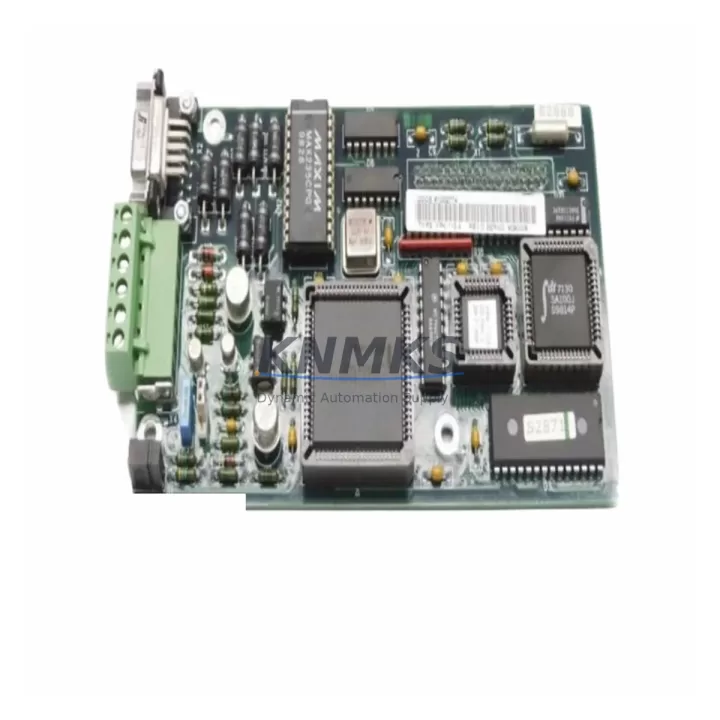
Overview
ABB YPK113A 61002774 Maintenance-Proven Spare Part for Factory Uptime
The ABB YPK113A (61002774) is an original communication module designed for the ABB AC500 PLC platform — one of the most widely deployed programmable logic controller families in process automation, power distribution, and discrete manufacturing. Maintenance engineers and spare parts procurement teams managing AC500-based control systems rely on this module to sustain fieldbus communication integrity, minimize unplanned downtime, and extend the operational life of legacy control cabinets without requiring full system migration.
Whether you are responding to a communication fault alarm, executing a scheduled annual overhaul, or building a proactive spare parts inventory for a critical production line, the YPK113A 61002774 is a direct-fit replacement that restores system communication without firmware reconfiguration or hardware adaptation. Each unit supplied by KNMKS is sourced from verified channels, pre-tested before shipment, and backed by a support terms confirmed by quotation — giving procurement engineers the confidence to stock and deploy with minimal lead-time risk.
For facilities running ABB AC500 CPUs such as the PM573, PM583, or PM595, communication module availability is a tier-one maintenance priority. A failed or degraded YPK113A can interrupt PROFIBUS DP, Modbus, or other fieldbus segments, cascading into I/O loss across remote stations and triggering safety shutdowns. Stocking a verified replacement eliminates the most common cause of extended downtime in AC500 installations: waiting for a long-lead communication module from the OEM supply chain.
Spare Maintenance Table
| Parameter | Specification |
|---|---|
| SKU / Part Number | YPK113A / 61002774 |
| Brand | ABB |
| Series | AC500 |
| Module Type | PLC Communication Module |
| Fieldbus Compatibility | PROFIBUS DP / Modbus (series-dependent configuration) |
| Compatible CPUs | ABB AC500 PM573, PM583, PM595 and compatible variants |
| Mounting | Direct backplane insertion — AC500 terminal base |
| Operating Temperature | 0°C to +60°C (standard industrial range) |
| Country of Origin | Germany |
| Weight | 140 g |
| Pre-Shipment Testing | Yes — functional verification before dispatch |
| Support terms | 12 Months |
| Condition | Original / New-equivalent verified spare |
| Dispatch | Global — multi-region stock available |
Maintenance Planning for Continuous Operation
When replacing the YPK113A 61002774 during a corrective or preventive maintenance event, a thorough inspection of the surrounding control cabinet components is essential to confirm root cause and prevent repeat failures. Maintenance engineers should begin by verifying the AC500 CPU module — typically a PM573 or PM583 — for firmware version compatibility and active fault logs before inserting the replacement communication module. A mismatch between CPU firmware and communication module firmware is a common source of post-replacement instability.
The 24 VDC power supply feeding the AC500 rack should be load-tested and output voltage verified within ±1% tolerance. Undersized or aging power supplies — particularly units from the ABB CP range or equivalent third-party DIN-rail PSUs — are a frequent contributor to intermittent communication faults that are misdiagnosed as module failures. Replacing the YPK113A without addressing a marginal power supply will result in repeat faults within weeks.
Inspect the terminal base and backplane connector for oxidation, mechanical damage, or contamination. The AC500 terminal base (TB511, TB521, or equivalent) should be cleaned and connector pins verified for seating integrity before the new module is installed. Loose backplane connections account for a significant proportion of communication module replacements that are later found to be unnecessary.
For systems using PROFIBUS DP segments, verify the bus termination resistors at both ends of the segment and check the PROFIBUS cable shielding continuity. A degraded bus termination or broken shield is often the actual fault source when a YPK113A appears to have failed. Additionally, inspect any signal isolators or PROFIBUS repeaters in the segment — these components age independently and can introduce noise that destabilizes communication even after a module replacement.
If the AC500 system includes digital or analog I/O modules (such as the DC532 or DA501 series), verify that I/O module status LEDs are normal after communication is restored. Fuse holders and miniature circuit breakers protecting individual I/O circuits should be inspected for continuity. For installations with remote I/O via fieldbus, confirm that all slave addresses are correctly recognized by the CPU after the YPK113A replacement is complete.
Finally, if the control cabinet includes an HMI panel — such as an ABB CP600 series or equivalent operator panel — verify that the HMI communication link to the CPU is re-established after the module swap. HMI communication timeouts are a common post-maintenance alarm that can be resolved by a simple PLC restart or communication parameter refresh.
Site Replacement Workflow
Step 1 — Isolate and document: Before removing the YPK113A 61002774, record the current communication configuration using the AC500 engineering tool (Automation Builder or PS501 Control Builder). Export the project file and note the module slot position, fieldbus address, and baud rate settings. This documentation eliminates configuration errors during reinstallation.
Step 2 — Power down safely: De-energize the AC500 rack following site lockout/tagout (LOTO) procedures. Confirm that the 24 VDC supply to the communication module is isolated before extraction. Do not hot-swap the YPK113A unless the system documentation explicitly confirms hot-swap support for this slot configuration.
Step 3 — Extract and inspect: Remove the faulty module and inspect the terminal base connector for damage. Clean the connector with appropriate contact cleaner if contamination is present. Retain the original module for failure analysis if root cause investigation is required.
Step 4 — Install the replacement: Insert the KNMKS-supplied YPK113A 61002774 into the correct slot. Confirm the module is fully seated on the terminal base. Restore power and observe the module status LEDs — a solid green RUN indicator confirms successful initialization.
Step 5 — Verify communication: Use Automation Builder or the AC500 diagnostic interface to confirm that the communication module is recognized by the CPU and that all fieldbus slaves are online. Check for any residual fault codes and clear them after verification. Document the replacement in the site maintenance log with the KNMKS part number, serial reference, and date of installation.
This workflow is applicable to both emergency corrective replacements and planned preventive maintenance swaps, and is compatible with AC500 installations across power generation, water treatment, chemical processing, and discrete manufacturing environments.
Spare Parts Support FAQ
Q1: Is the KNMKS YPK113A 61002774 compatible with all AC500 CPU variants?
The YPK113A is designed for the ABB AC500 platform and is compatible with the PM573, PM583, and PM595 CPU families when used in the correct terminal base configuration. Compatibility with specific firmware versions should be verified against the ABB AC500 system manual. KNMKS recommends confirming the CPU firmware version before ordering to ensure seamless integration.
Q2: What pre-shipment testing does KNMKS perform on the YPK113A 61002774?
Each unit undergoes functional verification prior to dispatch, including power-on initialization testing and communication interface checks. Units that do not pass functional verification are not shipped. A support terms confirmed by quotation is provided from the date of shipment, covering manufacturing defects and functional failures under normal operating conditions.
Q3: Can KNMKS support long-term or blanket purchase orders for the YPK113A?
Yes. KNMKS maintains multi-region stock of the YPK113A 61002774 to support both emergency single-unit replacements and scheduled bulk procurement for annual maintenance programs. Long-term supply agreements are available for facilities requiring guaranteed stock reservation. Contact admin@knmks.com to discuss volume pricing and lead-time commitments.
Q4: What is the recommended spare parts strategy for AC500 communication modules?
For critical production lines, KNMKS recommends maintaining a minimum of one YPK113A per AC500 rack in on-site inventory, with a secondary stock held at the regional warehouse or with a trusted distributor. Communication module failures are typically unplanned and time-critical — a pre-positioned spare eliminates the 2–6 week OEM lead time that is the primary driver of extended downtime in AC500 installations. Annual inspection of installed modules and rotation of long-stored spares is also recommended to maintain readiness.
© 2026 KNMKS. All rights reserved.
Original Source: https://knmks.com
Contact: admin@knmks.com | +86 18359268345
Product Identification
- Brand / Ecosystem
-
ABB
ABB - Model / Series
-
YPK113A 61002774
AC500 Series - Product Family
- PLCs & Controllers
- Availability Status
- Available on request after model and quantity confirmation
- Inquiry Type
- B2B RFQ, replacement inquiry and project spare-part request
- Pre-Quote Check
- Exact SKU, brand, series, quantity, nameplate photos and destination country are checked before quotation
System Path
Where this product fits in the KNMKS automation structure.
Specification & Inquiry Focus
- Control platform
- PLC, PAC and modular controllers
- Common needs
- CPU, rack, power and I/O expansion
- Project support
- Replacement, cabinet build and maintenance
Buyer Confirmation
Information KNMKS checks before replying.
- Exact model
- YPK113A 61002774
- Brand / ecosystem
- ABB
- Product family
- PLCs & Controllers
- Application note
- Replacement, maintenance, project build or spare-part list
- Useful photos
- Nameplate, installed unit, cabinet layout or connector side
- Delivery details
- Quantity, destination country and target schedule
Document Support
Files and notes can be confirmed during quotation.
- Product photos or nameplate confirmation when available
- Packing and delivery notes before quotation confirmation
- Support scope and delivery terms confirmed per inquiry
- Export document coordination for qualified B2B requests
Inquiry Support
- Model cross-checking before quotation
- CPU, power, rack and expansion module matching
- Support for replacement and project inquiry
What to Send Us
- Brand and exact model number: ABB YPK113A 61002774
- Quantity and required delivery time
- Application, replacement requirement or nameplate photo
- Destination country and shipping preference
RFQ Preparation
This is a product inquiry page built for RFQ communication.
Fast Model Check
Send this model to KNMKS for confirmation.
Include quantity, destination country and photos if this is a maintenance replacement. The inquiry will be saved with a reference number after submission.
Brand & Compatibility Note
KNMKS displays automation product information for well-known industrial brand ecosystems and compatible replacement references. Brand names are used for product identification and compatibility reference only; final availability and commercial terms are confirmed per quotation.
 Manufacturing
 Machine Tools
 Packaging
 Energy & Power



 HMI & Displays
 Servo Systems
 Variable Frequency Drives
 Sensors