
Overview
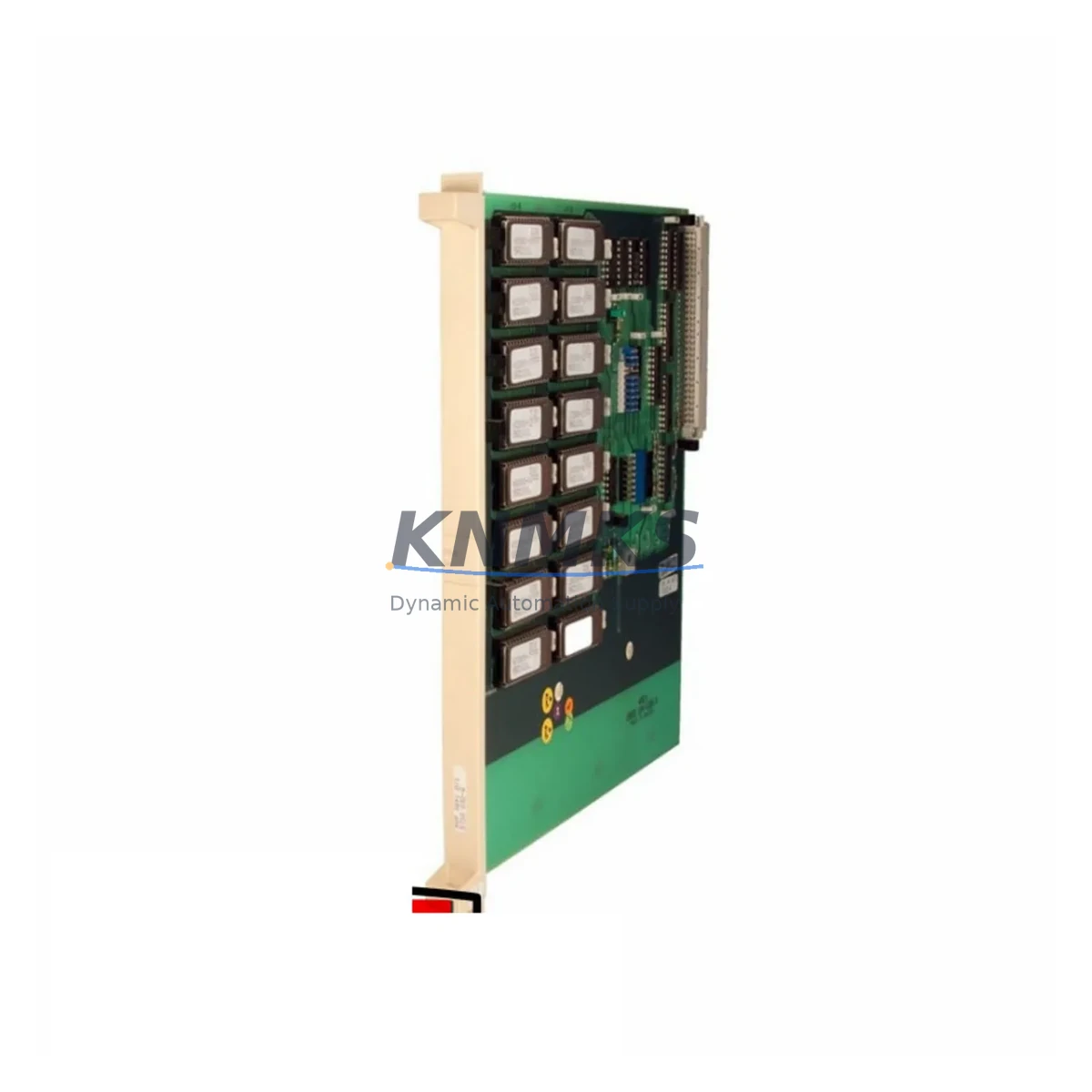
ABB YPK107E YT204001-FY Maintenance-Proven Spare Part for Factory Uptime
The ABB YPK107E (YT204001-FY) is a digital input card designed for ABB’s INSUM Intelligent Motor Control system — a distributed MCC (Motor Control Center) architecture widely deployed in process industries including oil & gas, water treatment, mining, and chemical plants. As a critical interface between field devices and the INSUM communication network, this card handles discrete input signals from motor starters, protection relays, and field sensors, feeding real-time status data into the control loop.
When this card fails or degrades, the consequences extend beyond a single motor circuit. Loss of input visibility can trigger nuisance trips, mask fault conditions, or disable remote control from the DCS or SCADA layer — all of which translate directly into unplanned downtime. Maintaining a verified spare of the YPK107E YT204001-FY in your critical spares inventory is a standard practice for any site running INSUM-based MCCs.
This unit is sourced as an original ABB component, individually inspected and pre-shipment tested before dispatch. A support terms confirmed by quotation is included, covering functional performance under normal industrial operating conditions. Stock is maintained for rapid fulfillment to minimize lead time risk during emergency replacement scenarios.
Spare Maintenance Table
| Part Number | YPK107E |
| Reference / Revision | YT204001-FY |
| Manufacturer | ABB |
| Series / Platform | INSUM Intelligent Motor Control System |
| Function | Digital Input Card — discrete signal acquisition for MCC modules |
| Compatible Systems | ABB INSUM MCC, MNS iS, MNS 3.0 motor control centers |
| Signal Type | Digital (discrete) inputs from field devices, protection relays, auxiliary contacts |
| Communication Interface | INSUM internal bus (proprietary ABB MCC backplane protocol) |
| Mounting | Direct plug-in to INSUM module slot; no external wiring adapter required |
| Operating Temperature | 0°C to +55°C (standard industrial enclosure environment) |
| Origin | Germany (ABB manufacturing) |
| Condition | Original spare — new or fully refurbished to OEM specification |
| Pre-Shipment Testing | Yes — functional verification prior to dispatch |
| Support terms | 12 Months |
| Dispatch | Global — express freight available for emergency orders |
Maintenance Planning for Continuous Operation
Replacing the YPK107E YT204001-FY in the field is rarely an isolated task. The INSUM system integrates tightly across the MCC cabinet, and a thorough maintenance window should include inspection of all components that interact with this digital input card.
Begin with the INSUM communication module (typically the YPK110A or equivalent gateway card) — if the input card has been reporting intermittent faults, the communication layer should be verified before assuming the input card alone is at fault. Check the INSUM backplane connector for oxidation, bent pins, or mechanical damage, as poor backplane contact is a common root cause of input card read errors in aging MCC installations.
Inspect the 24 VDC auxiliary power supply feeding the INSUM module rack. Voltage sag or ripple on the auxiliary rail can cause false input readings or card resets without triggering a hard fault. Use a calibrated multimeter or power quality analyzer to confirm supply stability under load. The YPK100E power supply card (or equivalent INSUM rack PSU) should be part of your annual inspection checklist alongside the input card.
Review the field wiring terminations at the input card’s terminal block. Loose or corroded connections on discrete input circuits — particularly those from motor protection relays such as the ABB M102-M or EKIP series — are a frequent source of spurious input signals. Verify continuity and insulation resistance on all input channels before commissioning the replacement card.
If the MCC cabinet includes signal isolators between field devices and the INSUM input card, inspect these for drift or failure — degraded isolation can introduce ground loops that corrupt digital input states. Similarly, check any intermediate terminal blocks or marshalling panels for loose ferrules or thermal damage.
For sites running ABB’s MNS iS or MNS 3.0 intelligent MCC platforms alongside INSUM, confirm that the replacement YPK107E firmware revision is compatible with the installed INSUM software version. Mismatched firmware between the input card and the INSUM master module can prevent proper initialization after card swap.
Finally, document the replacement in your CMMS and update the spare parts register. Sites with multiple INSUM MCCs should consider holding at least one YPK107E YT204001-FY per cabinet cluster as a minimum stock position, given the lead time risk associated with legacy ABB INSUM components.
Site Replacement Workflow
Step 1 — Isolation and permit: Coordinate with operations to isolate the affected MCC section. Follow your site’s LOTO (Lockout/Tagout) procedure for the motor control center. Confirm that the INSUM system has logged the fault and that the affected motor circuit is in a safe state before opening the MCC door.
Step 2 — Record current configuration: Before removing the YPK107E, note the slot position, any DIP switch or jumper settings visible on the card, and the current input channel assignments from the INSUM configuration tool or engineering documentation. Photograph the card in situ if possible.
Step 3 — Card removal: Disconnect the field wiring terminal block from the card (if removable) or label and disconnect individual wires. Release the card retention mechanism and extract the YPK107E from the backplane slot. Handle by edges to avoid ESD damage.
Step 4 — Replacement card preparation: Verify the replacement YPK107E YT204001-FY matches the part number and revision of the removed card. Confirm DIP switch or jumper settings match the recorded configuration. If firmware update is required, perform this before installation using the ABB INSUM configuration software.
Step 5 — Installation and reconnection: Seat the replacement card firmly into the backplane slot. Reconnect the field wiring terminal block. Restore auxiliary power to the INSUM rack and observe the card’s status LEDs for normal initialization sequence.
Step 6 — Functional verification: From the INSUM configuration tool or DCS/SCADA interface, verify that all input channels are reading correctly. Simulate or confirm field device states (motor running, tripped, ready) and validate that the INSUM system reflects the correct status. Log the replacement in your maintenance records.
Spare Parts Support FAQ
Q: Is the YPK107E YT204001-FY compatible with all INSUM MCC generations?
A: The YPK107E is designed for ABB INSUM-based motor control centers. Compatibility depends on the INSUM software version and backplane generation installed at your site. We recommend confirming the revision suffix (YT204001-FY) against your existing installed card before ordering. Our technical team can assist with compatibility verification if you provide your INSUM system version and cabinet type.
Q: What does pre-shipment testing cover for this card?
A: Each YPK107E YT204001-FY unit undergoes functional verification prior to dispatch, including power-on initialization, input channel continuity checks, and communication bus response testing where applicable. This reduces the risk of receiving a non-functional card during an emergency replacement scenario.
Q: How many units should we hold as critical spares?
A: For sites with a single INSUM MCC, a minimum of one YPK107E is recommended. Sites with multiple INSUM cabinets or high-criticality motor circuits (e.g., cooling water pumps, compressors, or safety-instrumented systems) should consider holding two units per site. Given the legacy status of INSUM components, procurement lead times from OEM channels can be extended — maintaining local stock is the most reliable downtime mitigation strategy.
Q: What is the support terms coverage and what does it include?
A: A support terms confirmed by quotation is provided from the date of shipment. This covers functional failure under normal industrial operating conditions. It does not cover damage resulting from incorrect installation, overvoltage events, or physical mishandling. Support requests are supported with direct technical assistance and replacement dispatch where applicable.
© 2026 KNMKS. All rights reserved.
Original Source: https://knmks.com
Contact: admin@knmks.com | +86 18359268345
Product Identification
- Brand / Ecosystem
-
ABB
ABB - Model / Series
- YPK107E YT204001-FY
- Product Family
- PLCs & Controllers
- Availability Status
- Available on request after model and quantity confirmation
- Inquiry Type
- B2B RFQ, replacement inquiry and project spare-part request
- Pre-Quote Check
- Exact SKU, brand, series, quantity, nameplate photos and destination country are checked before quotation
System Path
Where this product fits in the KNMKS automation structure.
Specification & Inquiry Focus
- Control platform
- PLC, PAC and modular controllers
- Common needs
- CPU, rack, power and I/O expansion
- Project support
- Replacement, cabinet build and maintenance
Buyer Confirmation
Information KNMKS checks before replying.
- Exact model
- YPK107E YT204001-FY
- Brand / ecosystem
- ABB
- Product family
- PLCs & Controllers
- Application note
- Replacement, maintenance, project build or spare-part list
- Useful photos
- Nameplate, installed unit, cabinet layout or connector side
- Delivery details
- Quantity, destination country and target schedule
Document Support
Files and notes can be confirmed during quotation.
- Product photos or nameplate confirmation when available
- Packing and delivery notes before quotation confirmation
- Support scope and delivery terms confirmed per inquiry
- Export document coordination for qualified B2B requests
Inquiry Support
- Model cross-checking before quotation
- CPU, power, rack and expansion module matching
- Support for replacement and project inquiry
What to Send Us
- Brand and exact model number: ABB YPK107E YT204001-FY
- Quantity and required delivery time
- Application, replacement requirement or nameplate photo
- Destination country and shipping preference
RFQ Preparation
This is a product inquiry page built for RFQ communication.
Fast Model Check
Send this model to KNMKS for confirmation.
Include quantity, destination country and photos if this is a maintenance replacement. The inquiry will be saved with a reference number after submission.
Brand & Compatibility Note
KNMKS displays automation product information for well-known industrial brand ecosystems and compatible replacement references. Brand names are used for product identification and compatibility reference only; final availability and commercial terms are confirmed per quotation.
 Manufacturing
 Machine Tools
 Packaging
 Energy & Power



 HMI & Displays
 Servo Systems
 Variable Frequency Drives
 Sensors