
Overview
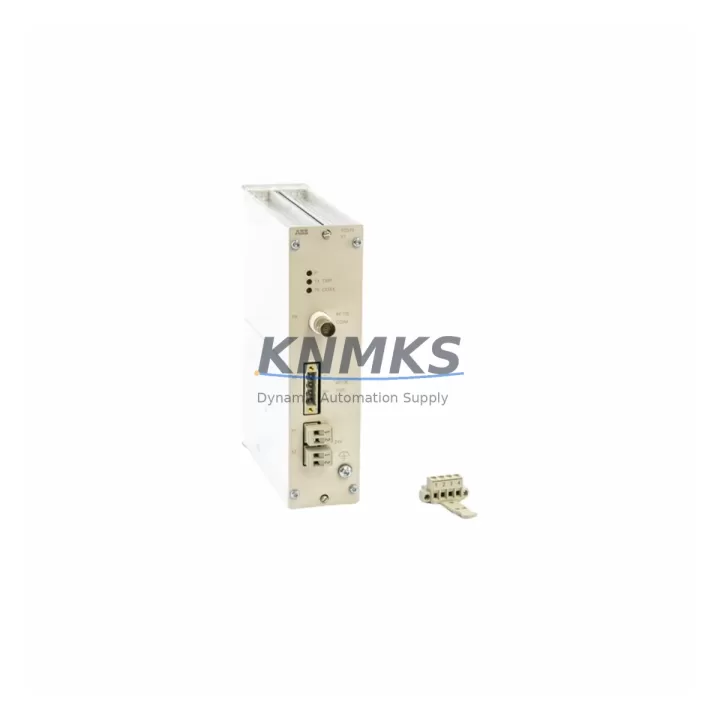
ABB TC513V1 3BSE018405R1 Migration-Ready Servo Control for Legacy Control Systems
The ABB TC513V1 (3BSE018405R1) is a migration-ready servo control module engineered for direct replacement and retrofit integration within ABB AC500 PLC platforms and legacy automation architectures. As industrial facilities accelerate the phase-out of end-of-life servo and motion control hardware, the TC513V1 provides a verified drop-in upgrade path that preserves existing wiring infrastructure, PROFIBUS DP communication topology, and control cabinet footprint. Pre-tested prior to shipment and backed by a support terms confirmed by quotation, this module is stocked for immediate global dispatch to support both emergency replacements and scheduled outage windows.
Migration Compatibility Table
| Parameter | TC513V1 3BSE018405R1 Specification |
|---|---|
| Compatible Platform | ABB AC500 PLC Series (PM571, PM581, PM591, PM595) |
| Communication Protocol | PROFIBUS DP (up to 12 Mbit/s) |
| Backplane Interface | AC500 S500 I/O bus — direct slot insertion |
| Power Supply Requirement | 24 VDC nominal; verify cabinet PSU capacity before installation |
| Terminal Wiring | Compatible with existing AC500 terminal block layouts; no rewiring required for standard configurations |
| Module Address Setting | Rotary switch / software-configurable via Automation Builder |
| Firmware Compatibility | Verify AC500 CPU firmware version ≥ 2.x for full feature support |
| Installation Space | Standard AC500 S500 module width; confirm rack slot availability |
| Replacement Recommendation | Direct replacement for TC513V1 variants; verify 3BSE018405R1 revision level |
| Commissioning Focus | Module address, PROFIBUS node ID, servo axis parameterization in Automation Builder |
| Pre-Shipment Testing | Full functional test completed before dispatch |
| Support terms | 12 months from date of shipment |
Retrofit Planning for Existing Automation Systems
Successful integration of the TC513V1 3BSE018405R1 into a legacy control system requires a structured retrofit assessment before the maintenance window begins. Engineers should start by auditing the existing AC500 rack configuration — confirming available backplane slots, verifying that the TB511-ETH or TB521-ETH communication interface module is present and correctly addressed, and checking that the PM571 or PM581 CPU module firmware is at a compatible revision level. In many legacy installations, the servo axis configuration resides in Automation Builder project files that must be backed up and validated against the replacement module’s parameter set before go-live.
Power budget verification is a critical pre-installation step. The control cabinet’s 24 VDC power supply module — often an ABB CP502 or CP504 — must have sufficient residual capacity to support the TC513V1 alongside existing I/O modules such as the DC532 digital I/O module and AX522 analog I/O module already installed in the rack. Overloading the PSU rail is a common cause of intermittent faults during post-replacement commissioning.
For systems that include PROFIBUS DP field devices — variable frequency drives, remote I/O stations, or third-party servo amplifiers — the TC513V1’s PROFIBUS node address must be set to match the original module’s GSD file configuration. Failure to replicate the node address will cause the CPU to report a bus fault on startup, extending downtime unnecessarily. Where the legacy installation uses an older DP/PA coupler or segment coupler, confirm that the coupler firmware supports the TC513V1’s GSD revision. In parallel, HMI screens linked to servo axis status tags should be reviewed in the SCADA or Panel Builder project to ensure tag names and data types remain consistent after the module swap.
For facilities managing a broader AC500 modernization program, the TC513V1 retrofit is frequently executed alongside replacement of the CI590-CS31-HA CS31 communication interface module, upgrade of the DC505-FBP fieldbus plug-in module, or expansion of the rack using an additional TA526 terminal adapter. Coordinating these replacements within a single planned outage minimizes cumulative downtime across the modernization project.
Downtime Control During System Migration
Minimizing unplanned downtime during a TC513V1 replacement begins with pre-staging the module at the facility before the maintenance window opens. With the replacement unit on-site and pre-tested, the physical swap can typically be completed within 15–30 minutes. The greater time investment lies in post-swap commissioning: restoring the Automation Builder project to the CPU, verifying servo axis parameters, confirming PROFIBUS DP communication status, and running a controlled test cycle before returning the line to production.
To protect the original program logic, always export and archive the full Automation Builder project — including all POU source files, hardware configuration, and variable tables — before removing the legacy module. If the existing CPU holds the only copy of the program, upload it to the engineering workstation first. This step is non-negotiable in critical process environments where program loss would require a full re-engineering effort.
For continuous-process facilities where even brief interruptions carry significant cost, a cold-standby strategy is recommended: keep a pre-configured TC513V1 3BSE018405R1 in the spare parts cabinet, addressed and parameterized to match the production unit. This approach reduces mean time to repair (MTTR) to the physical swap duration alone, eliminating the commissioning phase from the critical path. KNMKS maintains multi-region stock of the TC513V1 to support same-week dispatch for emergency replacement scenarios globally.
Retrofit Support FAQ
Q1: Is the TC513V1 3BSE018405R1 a direct drop-in replacement for the original TC513V1?
Yes. The TC513V1 3BSE018405R1 is the standard production revision of the TC513V1 servo control module for the ABB AC500 platform. It installs into the same S500 backplane slot, uses the same terminal wiring, and is configured through the same Automation Builder hardware configuration tool. Confirm the revision suffix on your existing module label before ordering if your installation uses an early-production variant.
Q2: What commissioning steps are required after installing the replacement module?
After physical installation, restore the Automation Builder project to the CPU, verify the PROFIBUS DP node address on the TC513V1 matches the original GSD configuration, confirm servo axis parameters (encoder type, speed limits, torque limits) are correctly loaded, and perform a supervised test cycle at reduced speed before returning to full production. Document all parameter values before and after the swap for your maintenance records.
Q3: How do I verify wiring compatibility before the maintenance window?
Review the existing terminal block wiring against the TC513V1 3BSE018405R1 wiring diagram (ABB document 3BSE018405R1). In standard AC500 S500 installations, the terminal layout is consistent across module revisions. If your cabinet uses a custom terminal adapter or marshalling panel, verify pin assignments against the replacement module’s I/O specification before the outage begins.
Q4: What support terms and pre-shipment testing does KNMKS provide?
Every TC513V1 3BSE018405R1 unit shipped by KNMKS undergoes full functional testing prior to dispatch. All units are covered by a support terms confirmed by quotation from the date of shipment. In-stock units are available for same-week global dispatch. Contact admin@knmks.com or +86 18359268345 for lead time confirmation and volume pricing.
© 2026 KNMKS. All rights reserved.
Original Source: https://knmks.com
Contact: admin@knmks.com | +86 18359268345
Product Identification
- Brand / Ecosystem
-
ABB
ABB - Model / Series
-
TC513V1 3BSE018405R1
AC500 Series - Product Family
- PLCs & Controllers
- Availability Status
- Available on request after model and quantity confirmation
- Inquiry Type
- B2B RFQ, replacement inquiry and project spare-part request
- Pre-Quote Check
- Exact SKU, brand, series, quantity, nameplate photos and destination country are checked before quotation
System Path
Where this product fits in the KNMKS automation structure.
Specification & Inquiry Focus
- Control platform
- PLC, PAC and modular controllers
- Common needs
- CPU, rack, power and I/O expansion
- Project support
- Replacement, cabinet build and maintenance
Buyer Confirmation
Information KNMKS checks before replying.
- Exact model
- TC513V1 3BSE018405R1
- Brand / ecosystem
- ABB
- Product family
- PLCs & Controllers
- Application note
- Replacement, maintenance, project build or spare-part list
- Useful photos
- Nameplate, installed unit, cabinet layout or connector side
- Delivery details
- Quantity, destination country and target schedule
Document Support
Files and notes can be confirmed during quotation.
- Product photos or nameplate confirmation when available
- Packing and delivery notes before quotation confirmation
- Support scope and delivery terms confirmed per inquiry
- Export document coordination for qualified B2B requests
Inquiry Support
- Model cross-checking before quotation
- CPU, power, rack and expansion module matching
- Support for replacement and project inquiry
What to Send Us
- Brand and exact model number: ABB TC513V1 3BSE018405R1
- Quantity and required delivery time
- Application, replacement requirement or nameplate photo
- Destination country and shipping preference
RFQ Preparation
This is a product inquiry page built for RFQ communication.
Fast Model Check
Send this model to KNMKS for confirmation.
Include quantity, destination country and photos if this is a maintenance replacement. The inquiry will be saved with a reference number after submission.
Brand & Compatibility Note
KNMKS displays automation product information for well-known industrial brand ecosystems and compatible replacement references. Brand names are used for product identification and compatibility reference only; final availability and commercial terms are confirmed per quotation.
 Manufacturing
 Machine Tools
 Packaging
 Energy & Power



 HMI & Displays
 Servo Systems
 Variable Frequency Drives
 Sensors