
Overview
ABB SPTPS02 Maintenance-Proven Spare Part for Factory Uptime
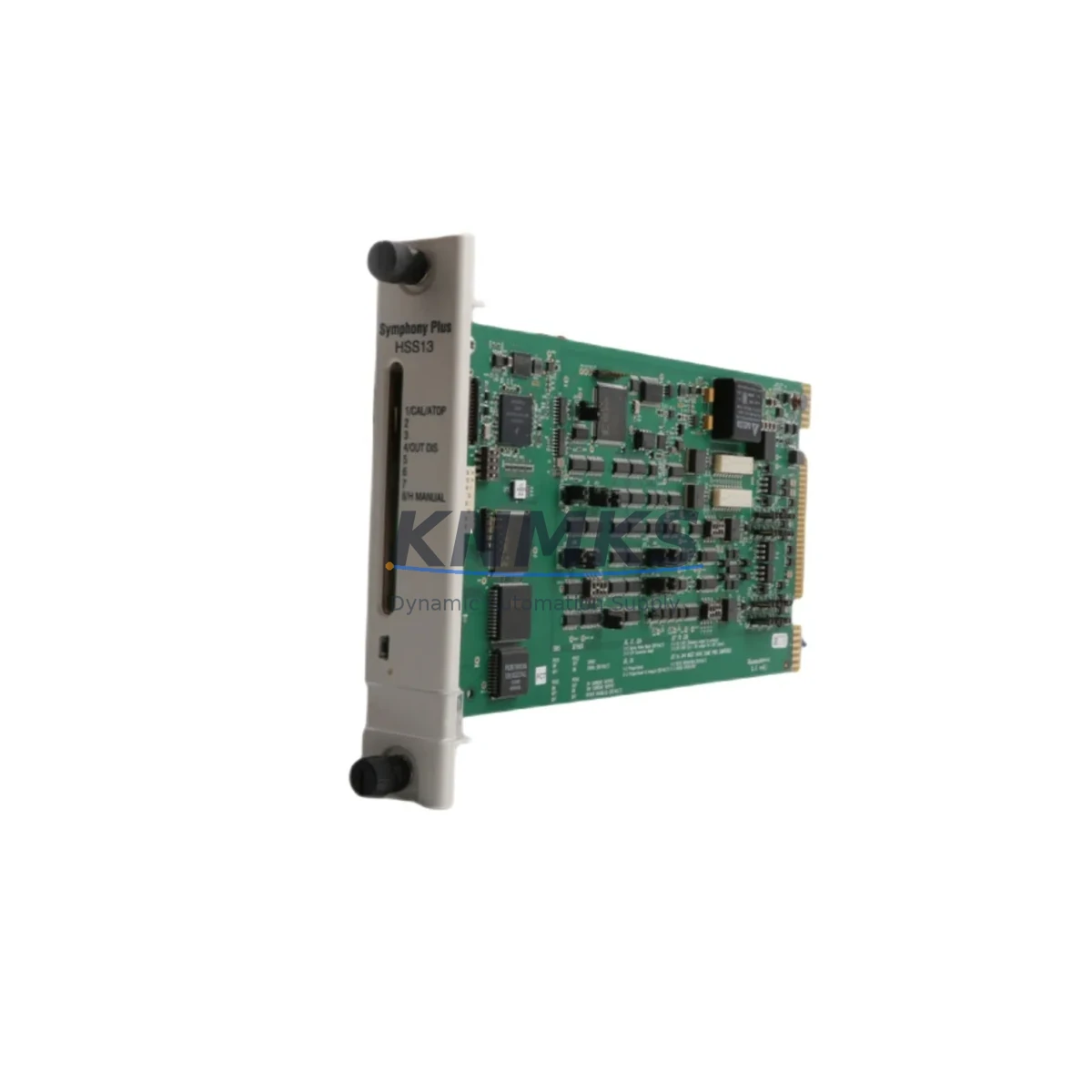
The ABB SPTPS02 is a turbine protection slave module within ABB’s SPT Series — a purpose-built platform for turbine governor and protection systems deployed across power generation, oil & gas, and heavy process industries. Designed for continuous operation in demanding environments, the SPTPS02 functions as a distributed slave node within the SPT protection architecture, receiving and processing critical turbine signals to support overspeed protection, vibration monitoring, and emergency shutdown logic.
For maintenance engineers managing aging turbine control cabinets, the SPTPS02 represents a high-priority spare. Its failure can directly trigger unplanned turbine trips, extended downtime, and costly production losses. Stocking a verified replacement unit — pre-tested and ready for immediate installation — is the most effective strategy to minimize mean time to repair (MTTR) and maintain plant availability targets above 99%.
Procurement engineers sourcing this module should verify that the unit is original ABB manufacture, not a counterfeit or refurbished substitute. KNMKS supplies only genuine ABB SPTPS02 modules, each subject to pre-shipment functional testing and shipped with a support terms confirmed by quotation covering manufacturing defects and operational failures under normal service conditions.
Spare Maintenance Table
| Parameter | Specification |
|---|---|
| Part Number | SPTPS02 |
| Brand | ABB |
| Series | SPT (Steam/Gas Turbine Protection) |
| Module Type | Turbine Protection Slave Module |
| Origin | Germany (DE) |
| Application | Turbine governor & protection systems, DCS integration |
| Compatibility | ABB SPT Series master/slave protection architecture |
| Communication | Internal SPT backplane bus |
| Operating Environment | Industrial control cabinet, 0–55°C ambient |
| Weight | 1,570 g |
| Condition | Original, new or tested-good surplus |
| Pre-Shipment Test | Yes — functional verification before dispatch |
| Support terms | 12 Months |
| Delivery | Global express shipping available |
| Long-Term Supply | Available for 12–36 month supply agreements |
Maintenance Planning for Continuous Operation
When replacing or inspecting the SPTPS02 in the field, a disciplined maintenance workflow requires more than a module swap. The SPT protection system is a tightly integrated architecture, and a fault in the slave module often indicates stress or degradation in adjacent components that must be evaluated before returning the turbine to service.
Begin with the SPT master protection module (SPTPM01 or equivalent) — verify that the master is communicating correctly with the replacement slave and that no latent faults are logged in the protection system’s event buffer. A slave module failure that goes undiagnosed at the master level can result in repeated trips after replacement.
Inspect the SPT backplane and rack assembly for signs of corrosion, loose connectors, or thermal damage. The SPTPS02 interfaces with the system through the backplane bus; a degraded backplane can cause intermittent communication errors that mimic module failure and lead to unnecessary replacements.
Check all 24 VDC and 48 VDC power supply rails feeding the protection cabinet. Voltage sags or ripple on the DC bus are a common root cause of slave module resets and spurious trips. If the site uses an ABB SPUPS or equivalent UPS module for the protection system, verify its battery condition and output regulation.
Review the I/O signal wiring connected to the SPTPS02 — speed pickups, vibration transducers, temperature inputs, and position feedback signals. Loose terminations or shielding failures on these signal cables can introduce noise that the slave module interprets as a process fault. Use a calibrated signal injector to verify each input channel after installation.
For sites running ABB Advant or Symphony Plus DCS platforms alongside the SPT protection system, confirm that the DCS interface module (such as the CI854 or CI857 communication interface) is correctly mapped to the new slave module’s node address. A mismatch in the DCS configuration will prevent the protection system status from being visible at the operator station, creating a blind spot during the post-maintenance verification period.
Finally, inspect the terminal blocks, fuse holders, and surge protection devices on the protection cabinet’s input/output marshalling panel. Blown fuses or degraded surge arrestors on the field wiring side are frequently overlooked during emergency replacements and can cause the new module to fail prematurely if not addressed.
Site Replacement Workflow
Step 1 — Isolation and Permit: Obtain a hot-work or electrical isolation permit per site safety procedures. Confirm that the turbine is in a safe, tripped state before opening the protection cabinet. Do not attempt live replacement of the SPTPS02 without written authorization from the site safety officer.
Step 2 — Document Current Configuration: Before removing the faulty module, photograph the wiring, record the module’s DIP switch or jumper settings, and export the current SPT system configuration file if accessible. This ensures the replacement module can be configured identically without relying on memory or outdated documentation.
Step 3 — Module Removal: Disconnect field wiring connectors in sequence, label each connector if not already labeled, and carefully extract the SPTPS02 from the backplane. Inspect the backplane connector pins for damage or contamination before inserting the replacement.
Step 4 — Replacement Installation: Insert the new SPTPS02, confirm it is fully seated on the backplane, and reconnect all field wiring connectors in reverse order. Apply the same DIP switch or jumper configuration as the original module.
Step 5 — Power-Up and Verification: Restore power to the protection cabinet and observe the module’s status LEDs. Confirm that the SPT master module recognizes the slave and that no fault codes are active. Verify all input channels are reading correctly using the SPT system’s diagnostic display or engineering workstation.
Step 6 — Functional Test: Perform a simulated trip test per the site’s maintenance procedure to confirm that the protection system responds correctly through the new slave module. Document the test results and update the maintenance record before returning the turbine to service.
This workflow is compatible with both direct replacement of identical SPTPS02 units and cross-series substitution scenarios where an older SPT slave variant is being upgraded to the current SPTPS02 specification. In cross-series replacements, always confirm firmware compatibility with the master module before installation.
Spare Parts Support FAQ
Q1: What is the expected service life of the ABB SPTPS02, and when should it be replaced proactively?
The SPTPS02 is designed for long-term industrial service, but capacitor aging, connector wear, and environmental exposure typically make proactive replacement advisable after 10–15 years of continuous operation. Sites operating in high-vibration or high-humidity environments should consider earlier replacement intervals. Maintaining at least one verified spare on-site eliminates the risk of extended lead times during an emergency.
Q2: How do I confirm compatibility between a replacement SPTPS02 and my existing SPT master module?
Compatibility is determined by the SPT system firmware version and the hardware revision of the master module. Check the revision label on both the master and slave modules and cross-reference with the ABB SPT system compatibility matrix in the site’s engineering documentation. If documentation is unavailable, KNMKS technical support can assist with compatibility verification based on the master module’s part number and firmware version.
Q3: Is the SPTPS02 supplied by KNMKS tested before shipment?
Yes. Every SPTPS02 unit dispatched by KNMKS undergoes functional pre-shipment testing to verify module initialization, backplane communication, and I/O channel integrity. A test report is available upon request. All units are covered by a support terms confirmed by quotation from the date of shipment, covering manufacturing defects and operational failures under normal service conditions.
Q4: Can KNMKS support long-term supply agreements for the SPTPS02 and related SPT Series components?
Yes. KNMKS offers 12–36 month supply agreements for the SPTPS02 and associated SPT Series modules, including master protection modules, power supply units, and backplane assemblies. Long-term agreements provide price stability, guaranteed stock reservation, and priority dispatch for emergency orders. Contact our sales team to discuss volume requirements and delivery schedules.
© 2026 KNMKS. All rights reserved.
Original Source: https://knmks.com
Contact: admin@knmks.com | +86 18359268345
Product Identification
- Brand / Ecosystem
-
ABB
ABB - Model / Series
- SPTPS02
- Product Family
- PLCs & Controllers
- Availability Status
- Available on request after model and quantity confirmation
- Inquiry Type
- B2B RFQ, replacement inquiry and project spare-part request
- Pre-Quote Check
- Exact SKU, brand, series, quantity, nameplate photos and destination country are checked before quotation
System Path
Where this product fits in the KNMKS automation structure.
Specification & Inquiry Focus
- Control platform
- PLC, PAC and modular controllers
- Common needs
- CPU, rack, power and I/O expansion
- Project support
- Replacement, cabinet build and maintenance
Buyer Confirmation
Information KNMKS checks before replying.
- Exact model
- SPTPS02
- Brand / ecosystem
- ABB
- Product family
- PLCs & Controllers
- Application note
- Replacement, maintenance, project build or spare-part list
- Useful photos
- Nameplate, installed unit, cabinet layout or connector side
- Delivery details
- Quantity, destination country and target schedule
Document Support
Files and notes can be confirmed during quotation.
- Product photos or nameplate confirmation when available
- Packing and delivery notes before quotation confirmation
- Support scope and delivery terms confirmed per inquiry
- Export document coordination for qualified B2B requests
Inquiry Support
- Model cross-checking before quotation
- CPU, power, rack and expansion module matching
- Support for replacement and project inquiry
What to Send Us
- Brand and exact model number: ABB SPTPS02
- Quantity and required delivery time
- Application, replacement requirement or nameplate photo
- Destination country and shipping preference
RFQ Preparation
This is a product inquiry page built for RFQ communication.
Fast Model Check
Send this model to KNMKS for confirmation.
Include quantity, destination country and photos if this is a maintenance replacement. The inquiry will be saved with a reference number after submission.
Brand & Compatibility Note
KNMKS displays automation product information for well-known industrial brand ecosystems and compatible replacement references. Brand names are used for product identification and compatibility reference only; final availability and commercial terms are confirmed per quotation.
 Manufacturing
 Machine Tools
 Packaging
 Energy & Power



 HMI & Displays
 Servo Systems
 Variable Frequency Drives
 Sensors