
Overview
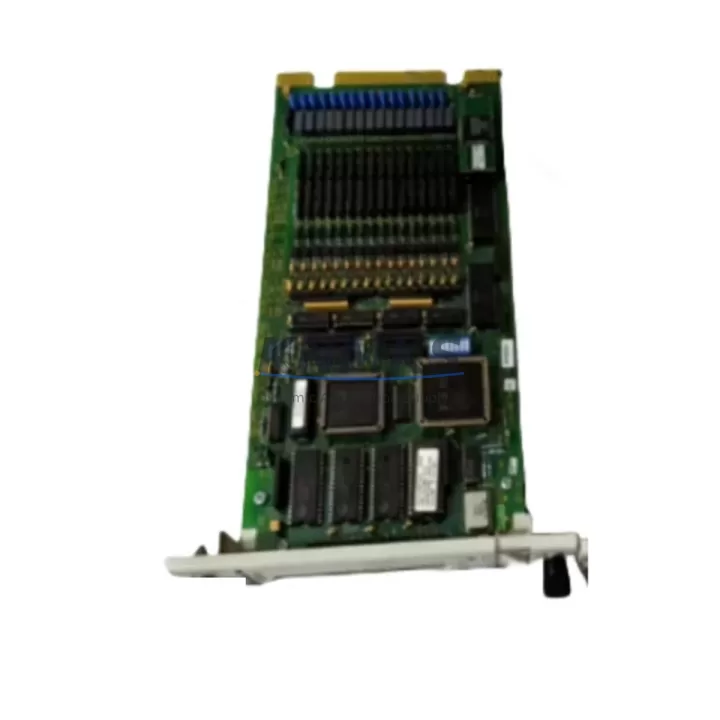
ABB SPSED01 Maintenance-Proven Spare Part for Factory Uptime
The ABB SPSED01 is a 16-channel 24VDC digital input module engineered for the AC500 S500 modular PLC platform — one of ABB’s most widely deployed automation architectures in process, manufacturing, and infrastructure applications. As a maintenance-proven original spare part, the SPSED01 is a critical component for maintenance engineers managing aging AC500 installations, executing planned shutdowns, or responding to unplanned line stoppages. Stocking a verified replacement unit of the SPSED01 is a foundational step in any spare parts strategy for facilities running ABB AC500-based control systems.
Whether you are conducting routine control cabinet inspections, performing annual overhauls, or isolating a fault during emergency recovery, the SPSED01 delivers the signal acquisition reliability that AC500 S500 backplane architectures depend on. Its compact S500 form factor ensures direct plug-in replacement without rewiring or firmware reconfiguration in most standard AC500 CPU configurations, minimizing mean time to repair (MTTR) and protecting production continuity.
Spare Maintenance Table
| Parameter | Specification |
|---|---|
| SKU / Part Number | SPSED01 |
| Brand | ABB |
| Series | AC500 S500 |
| Module Type | Digital Input Module |
| Number of Channels | 16 Channels |
| Input Voltage | 24VDC |
| Backplane Compatibility | AC500 S500 Backplane (TB5xx series) |
| Form Factor | S500 Plug-in Module |
| Application Environment | Industrial automation, process control, infrastructure |
| Origin | Germany (DE) |
| Support terms | 12 Months |
| Shipping | Global, tested before dispatch |
| Maintenance Recommendation | Inspect signal wiring, 24VDC supply, and backplane connector integrity at each scheduled maintenance interval |
Maintenance Planning for Continuous Operation
Effective maintenance planning for AC500 S500 systems requires a holistic view of the control cabinet ecosystem. When scheduling replacement or inspection of the SPSED01 digital input module, maintenance and procurement engineers should simultaneously evaluate the condition and availability of adjacent components that share the same electrical circuit and backplane infrastructure.
The 24VDC field supply powering the SPSED01 input channels is typically sourced from a dedicated power supply module such as the ABB CP502 or equivalent AC500 CPU power supply. Any degradation in supply voltage stability will directly affect input signal integrity and may cause false diagnostics. Verifying the power supply output under load is a mandatory step during any SPSED01 replacement procedure.
The S500 backplane — typically a TB5xx series terminal base — provides the mechanical and electrical interface between the SPSED01 and the AC500 CPU. Backplane connector wear, oxidation, or physical damage can cause intermittent communication faults that mimic module failure. Inspecting and, where necessary, replacing the terminal base as part of a planned SPSED01 swap is strongly recommended for systems with more than five years of continuous operation.
Field wiring terminations at the SPSED01 input channels should be inspected for loose connections, insulation degradation, and correct cable routing. In high-vibration environments, ferrule crimping and cable strain relief should be verified. Alongside the digital input module, procurement engineers should consider maintaining stock of ABB SPSDX11 or similar digital output modules within the same S500 rack, as mixed I/O faults are common during aging system diagnostics.
For facilities operating AC500 systems with communication-intensive configurations, the ABB CM572-DP PROFIBUS DP communication module or equivalent fieldbus interface should be included in the spare parts review. Communication module faults can mask underlying I/O issues and complicate fault isolation. Similarly, ABB CP600 series HMI panels connected to the AC500 CPU should be assessed for firmware compatibility when replacing core I/O modules.
Fuse protection for the 24VDC input circuit — typically implemented via Phoenix Contact or Weidmüller terminal-mounted fuse holders — should be inspected and replaced on a scheduled basis. A blown fuse on the input supply rail is frequently misdiagnosed as module failure, resulting in unnecessary module replacement and extended downtime. Including a fuse audit in the SPSED01 replacement workflow eliminates this diagnostic error.
Site Replacement Workflow
The SPSED01 is designed for tool-free plug-in replacement within the AC500 S500 backplane architecture, enabling rapid field swap without specialized equipment. The following workflow is recommended for maintenance engineers executing an on-site replacement:
Step 1 — Isolation: De-energize the 24VDC field supply to the affected S500 rack. Confirm zero voltage at the input terminals using a calibrated multimeter before proceeding.
Step 2 — Documentation: Record the current module slot position, wiring labels, and any active diagnostic codes displayed on the AC500 CPU or connected HMI. Photograph the wiring layout before disconnection.
Step 3 — Module Removal: Release the SPSED01 from the terminal base by pressing the module release latch and sliding the module upward out of the backplane connector. Inspect the backplane connector pins for damage or contamination.
Step 4 — Replacement Installation: Insert the new SPSED01 unit into the same slot position, ensuring full engagement with the terminal base connector. No address or DIP switch configuration is required for standard S500 slot-based addressing.
Step 5 — Verification: Re-energize the 24VDC supply and confirm module status via the AC500 CPU diagnostic interface or connected HMI. Verify all 16 input channels report correct signal states against field device status.
This plug-and-play replacement capability significantly reduces MTTR compared to legacy hardwired I/O architectures, making the SPSED01 an efficient choice for facilities prioritizing rapid line recovery and minimal production loss.
Spare Parts Support FAQ
Q1: Is the SPSED01 compatible with all AC500 S500 CPU variants?
The SPSED01 is designed for the AC500 S500 modular platform and is compatible with standard S500 terminal bases (TB5xx series). Compatibility with specific CPU variants (PM571, PM581, PM591, PM595) should be confirmed against the AC500 system configuration. In most standard configurations, the SPSED01 operates as a direct plug-in replacement without firmware changes.
Q2: What is the support terms coverage and how is it validated?
Each SPSED01 unit supplied by KNMKS carries a support terms confirmed by quotation from the date of shipment. All units undergo functional testing prior to dispatch. Support requests are supported with shipment documentation and test records. Contact admin@knmks.com for support terms registration and claim procedures.
Q3: Can KNMKS guarantee long-term supply availability for the SPSED01?
KNMKS maintains dedicated stock of AC500 S500 series spare parts to support long-lifecycle industrial installations. For procurement engineers managing multi-year maintenance contracts, bulk order arrangements and reserved stock agreements are available. Inquire at admin@knmks.com or call +86 18359268345 for supply continuity planning.
Q4: How should the SPSED01 be stored as a spare part before installation?
Store the SPSED01 in its original ESD-protective packaging in a dry, temperature-controlled environment (recommended: 0–55°C, <85% RH non-condensing). Avoid exposure to direct sunlight, corrosive atmospheres, or strong electromagnetic fields. Inspect the module and backplane connector contacts before installation if the unit has been stored for more than 12 months.
© 2026 KNMKS. All rights reserved.
Original Source: https://knmks.com
Contact: admin@knmks.com | +86 18359268345
Product Identification
- Brand / Ecosystem
-
ABB
ABB - Model / Series
-
SPSED01
AC500 Series - Product Family
- PLCs & Controllers
- Availability Status
- Available on request after model and quantity confirmation
- Inquiry Type
- B2B RFQ, replacement inquiry and project spare-part request
- Pre-Quote Check
- Exact SKU, brand, series, quantity, nameplate photos and destination country are checked before quotation
System Path
Where this product fits in the KNMKS automation structure.
Specification & Inquiry Focus
- Control platform
- PLC, PAC and modular controllers
- Common needs
- CPU, rack, power and I/O expansion
- Project support
- Replacement, cabinet build and maintenance
Buyer Confirmation
Information KNMKS checks before replying.
- Exact model
- SPSED01
- Brand / ecosystem
- ABB
- Product family
- PLCs & Controllers
- Application note
- Replacement, maintenance, project build or spare-part list
- Useful photos
- Nameplate, installed unit, cabinet layout or connector side
- Delivery details
- Quantity, destination country and target schedule
Document Support
Files and notes can be confirmed during quotation.
- Product photos or nameplate confirmation when available
- Packing and delivery notes before quotation confirmation
- Support scope and delivery terms confirmed per inquiry
- Export document coordination for qualified B2B requests
Inquiry Support
- Model cross-checking before quotation
- CPU, power, rack and expansion module matching
- Support for replacement and project inquiry
What to Send Us
- Brand and exact model number: ABB SPSED01
- Quantity and required delivery time
- Application, replacement requirement or nameplate photo
- Destination country and shipping preference
RFQ Preparation
This is a product inquiry page built for RFQ communication.
Fast Model Check
Send this model to KNMKS for confirmation.
Include quantity, destination country and photos if this is a maintenance replacement. The inquiry will be saved with a reference number after submission.
Brand & Compatibility Note
KNMKS displays automation product information for well-known industrial brand ecosystems and compatible replacement references. Brand names are used for product identification and compatibility reference only; final availability and commercial terms are confirmed per quotation.
 Manufacturing
 Machine Tools
 Packaging
 Energy & Power



 HMI & Displays
 Servo Systems
 Variable Frequency Drives
 Sensors