
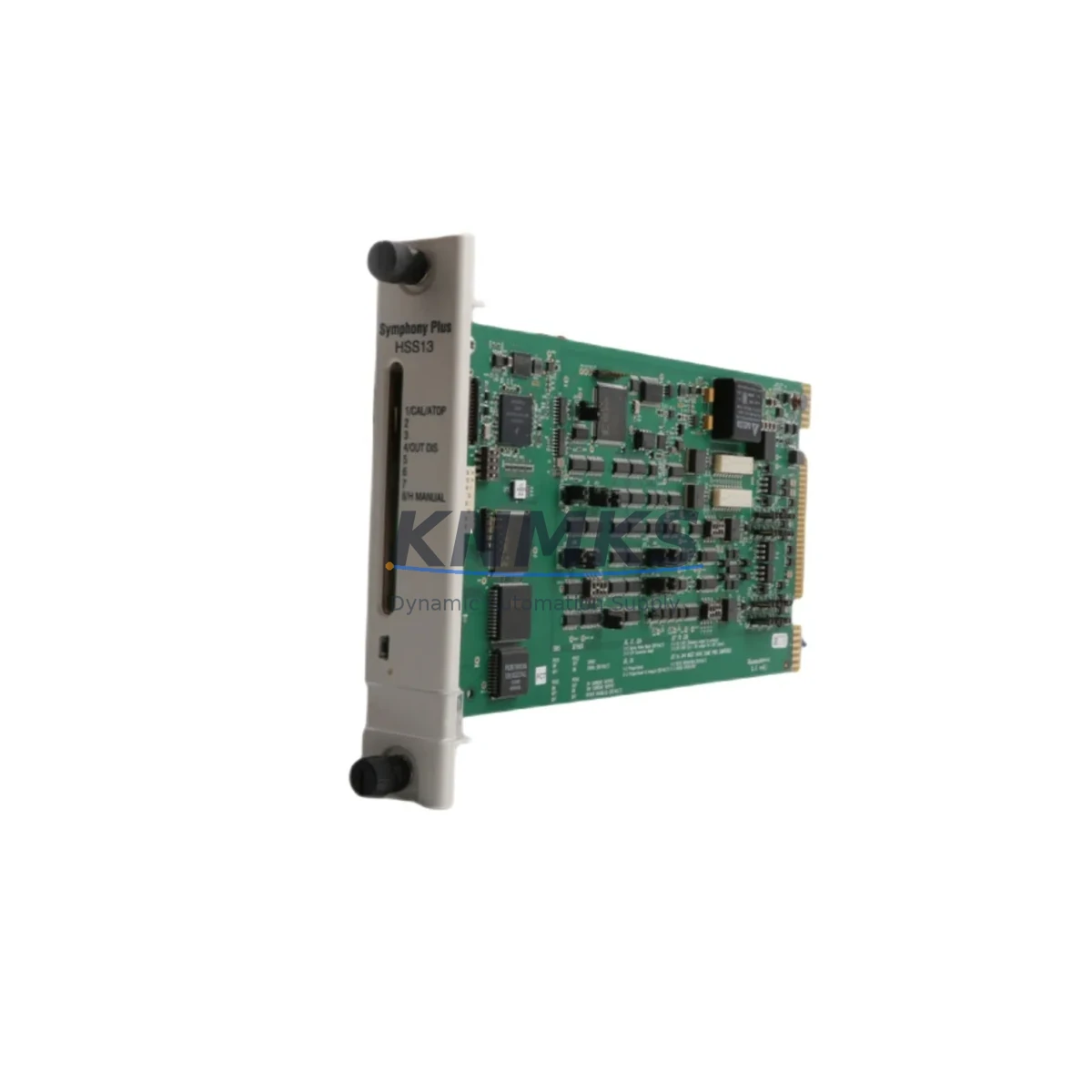
Overview
ABB SPSDI14 Maintenance-Proven Spare Part for Factory Uptime
The ABB SPSDI14 is a 14-channel Digital Input Module designed for the ABB SPS Series servo drive platform. As a critical interface component between field sensors, limit switches, and the servo drive controller, the SPSDI14 plays a direct role in maintaining accurate position feedback, safety interlock logic, and motion sequencing across automated production lines. When this module fails or degrades, the result is typically an unplanned line stop — making a verified, pre-tested replacement unit an essential item in any maintenance engineer’s spare parts inventory.
KNMKS supplies the ABB SPSDI14 as an original spare, sourced from authorized channels, pre-shipment tested, and backed by a support terms confirmed by quotation. Each unit is inspected for signal integrity, connector condition, and firmware compatibility before dispatch, ensuring that your replacement restores full system function without additional commissioning delays.
Spare Maintenance Table
| Parameter | Specification |
|---|---|
| Part Number | SPSDI14 |
| Brand | ABB |
| Series | SPS (Servo Drive Platform) |
| Module Type | Digital Input (DI) Module |
| Number of Channels | 14 DI Channels |
| Signal Type | 24 VDC Digital Input |
| Compatibility | ABB SPS Series Servo Drive Controllers |
| Mounting | Backplane / Rack-mount (SPS system rack) |
| Operating Temperature | 0°C to +55°C (standard industrial range) |
| Origin | Germany (DE) |
| Support terms | 12 Months — Tested Before Shipment |
| Condition | Original Spare / New Old Stock |
| Application | Servo Drive DI Interface, Safety Interlock, Motion Control |
| Maintenance Recommendation | Replace at first sign of intermittent DI faults; inspect connector pins and backplane contacts during annual overhaul |
Maintenance Planning for Continuous Operation
When replacing the ABB SPSDI14 in a live production environment, a structured inspection of the surrounding electrical circuit is essential to prevent repeat failures and ensure a clean restoration of servo drive function. Maintenance engineers should treat the SPSDI14 replacement as an opportunity to audit the full DI signal chain.
Begin by verifying the 24 VDC field power supply feeding the DI channels. A degraded or undersized power supply — such as an ABB CP series or equivalent DIN-rail PSU — can cause marginal input voltages that stress the module’s optocoupler inputs over time, leading to premature failure. Confirm that supply voltage is within the 20.4–28.8 VDC tolerance band under full load.
Next, inspect the terminal blocks and field wiring connected to the 14 DI channels. Loose terminations, corroded contacts, or undersized conductors are common root causes of intermittent DI faults that are often misdiagnosed as module failure. If the control cabinet uses Phoenix Contact or Weidmüller terminal strips, check for discoloration or oxidation at the screw terminals, particularly on channels connected to high-cycle limit switches or proximity sensors.
The backplane connector and rack slot should be cleaned and inspected before inserting the replacement SPSDI14. Bent or contaminated backplane pins are a frequent cause of communication errors between the DI module and the SPS drive controller. If the rack has been in service for more than five years, consider replacing the rack’s backplane bus connector as a preventive measure.
For systems using ABB SPS series communication modules — such as PROFIBUS-DP or DeviceNet interface cards installed in adjacent rack slots — verify that the fieldbus address and I/O mapping configuration in the drive controller matches the replacement module’s channel assignment. A mismatch here will cause the PLC or DCS to read incorrect input states, potentially triggering nuisance faults or unsafe machine behavior.
If the servo drive system interfaces with an ABB Panel 800 HMI or a third-party operator panel, confirm that the DI status display pages are functioning correctly after module replacement. HMI diagnostic screens that monitor DI channel states are a valuable commissioning tool and should be used to verify all 14 channels are reading correctly before returning the line to production.
Finally, review the fuse protection on the 24 VDC DI supply circuit. A correctly rated fuse — typically 2A fast-blow for a 14-channel DI module — protects the SPSDI14 from field wiring short circuits. If the existing fuse shows signs of thermal stress or has been replaced with an oversized substitute, correct this before commissioning the new module. Signal isolators or surge protection devices on long cable runs to field sensors should also be inspected, as transient overvoltages from inductive loads are a known cause of DI module damage in heavy industrial environments.
Site Replacement Workflow
Step 1 — Isolation: De-energize the servo drive cabinet and lock out / tag out (LOTO) the 24 VDC field power supply feeding the SPSDI14. Do not rely on the drive’s software disable alone — physically isolate the DI supply circuit at the fuse or circuit breaker.
Step 2 — Documentation: Photograph the existing wiring and terminal assignments on the SPSDI14 before removal. Record the channel-to-function mapping from the as-built drawings or the PLC I/O configuration. This step is critical for systems where field wiring labels have faded or been removed during previous maintenance.
Step 3 — Module Removal: Release the backplane locking mechanism and carefully extract the SPSDI14 from the rack slot. Inspect the backplane connector on the removed module for bent pins or burn marks — this information is useful for root cause analysis and should be recorded in the maintenance log.
Step 4 — Replacement Installation: Insert the new SPSDI14 into the same rack slot, ensuring the backplane connector is fully seated. Re-terminate all field wiring according to the documented channel mapping. Torque terminal screws to the manufacturer’s specification — typically 0.5–0.6 Nm for standard DIN terminal blocks.
Step 5 — Commissioning: Restore 24 VDC field power and energize the servo drive system. Use the HMI or drive commissioning software to verify that all 14 DI channels are reading the correct states. Cycle each connected field device (limit switches, proximity sensors, E-stop buttons) to confirm end-to-end signal integrity before releasing the line to production.
Step 6 — Documentation Update: Record the replacement in the equipment maintenance log, including the new module’s serial number, installation date, and the results of the commissioning check. Update the spare parts inventory to reflect the consumed unit and initiate a replenishment order to maintain minimum stock levels.
Spare Parts Support FAQ
Q1: Is the SPSDI14 compatible with all ABB SPS Series servo drive racks?
The SPSDI14 is designed for the ABB SPS Series servo drive platform. Compatibility depends on the specific rack generation and firmware version of the drive controller. KNMKS recommends providing your full system configuration — including the drive controller part number and firmware revision — when placing an order, so our technical team can confirm compatibility before shipment.
Q2: What does the support terms confirmed by quotation cover?
All SPSDI14 units supplied by KNMKS are covered by a support terms confirmed by quotation from the date of shipment. The support terms covers manufacturing defects and functional failures under normal operating conditions. Each unit is tested for signal integrity and backplane communication before dispatch. Support requests are supported by our technical team at admin@knmks.com.
Q3: Can KNMKS support long-term supply agreements for the SPSDI14?
Yes. KNMKS offers long-term supply agreements for critical spare parts including the SPSDI14, with contract terms of 12 to 36 months. This is particularly valuable for facilities operating legacy ABB SPS Series systems where OEM supply has been discontinued or lead times are unpredictable. Contact our procurement team to discuss volume pricing and scheduled delivery options.
Q4: How should the SPSDI14 be stored as a spare part?
The SPSDI14 should be stored in its original anti-static packaging in a dry, temperature-controlled environment (10°C to 40°C, relative humidity below 75% non-condensing). Avoid storing the module near strong magnetic fields or in areas subject to vibration. KNMKS recommends a functional test of long-stored spare modules before installation to confirm that storage conditions have not affected performance.
© 2026 KNMKS. All rights reserved.
Original Source: https://knmks.com
Contact: admin@knmks.com | +86 18359268345
Product Identification
- Brand / Ecosystem
-
ABB
ABB - Model / Series
- SPSDI14
- Product Family
- PLCs & Controllers
- Availability Status
- Available on request after model and quantity confirmation
- Inquiry Type
- B2B RFQ, replacement inquiry and project spare-part request
- Pre-Quote Check
- Exact SKU, brand, series, quantity, nameplate photos and destination country are checked before quotation
System Path
Where this product fits in the KNMKS automation structure.
Specification & Inquiry Focus
- Control platform
- PLC, PAC and modular controllers
- Common needs
- CPU, rack, power and I/O expansion
- Project support
- Replacement, cabinet build and maintenance
Buyer Confirmation
Information KNMKS checks before replying.
- Exact model
- SPSDI14
- Brand / ecosystem
- ABB
- Product family
- PLCs & Controllers
- Application note
- Replacement, maintenance, project build or spare-part list
- Useful photos
- Nameplate, installed unit, cabinet layout or connector side
- Delivery details
- Quantity, destination country and target schedule
Document Support
Files and notes can be confirmed during quotation.
- Product photos or nameplate confirmation when available
- Packing and delivery notes before quotation confirmation
- Support scope and delivery terms confirmed per inquiry
- Export document coordination for qualified B2B requests
Inquiry Support
- Model cross-checking before quotation
- CPU, power, rack and expansion module matching
- Support for replacement and project inquiry
What to Send Us
- Brand and exact model number: ABB SPSDI14
- Quantity and required delivery time
- Application, replacement requirement or nameplate photo
- Destination country and shipping preference
RFQ Preparation
This is a product inquiry page built for RFQ communication.
Fast Model Check
Send this model to KNMKS for confirmation.
Include quantity, destination country and photos if this is a maintenance replacement. The inquiry will be saved with a reference number after submission.
Brand & Compatibility Note
KNMKS displays automation product information for well-known industrial brand ecosystems and compatible replacement references. Brand names are used for product identification and compatibility reference only; final availability and commercial terms are confirmed per quotation.
 Manufacturing
 Machine Tools
 Packaging
 Energy & Power



 HMI & Displays
 Servo Systems
 Variable Frequency Drives
 Sensors