
Overview
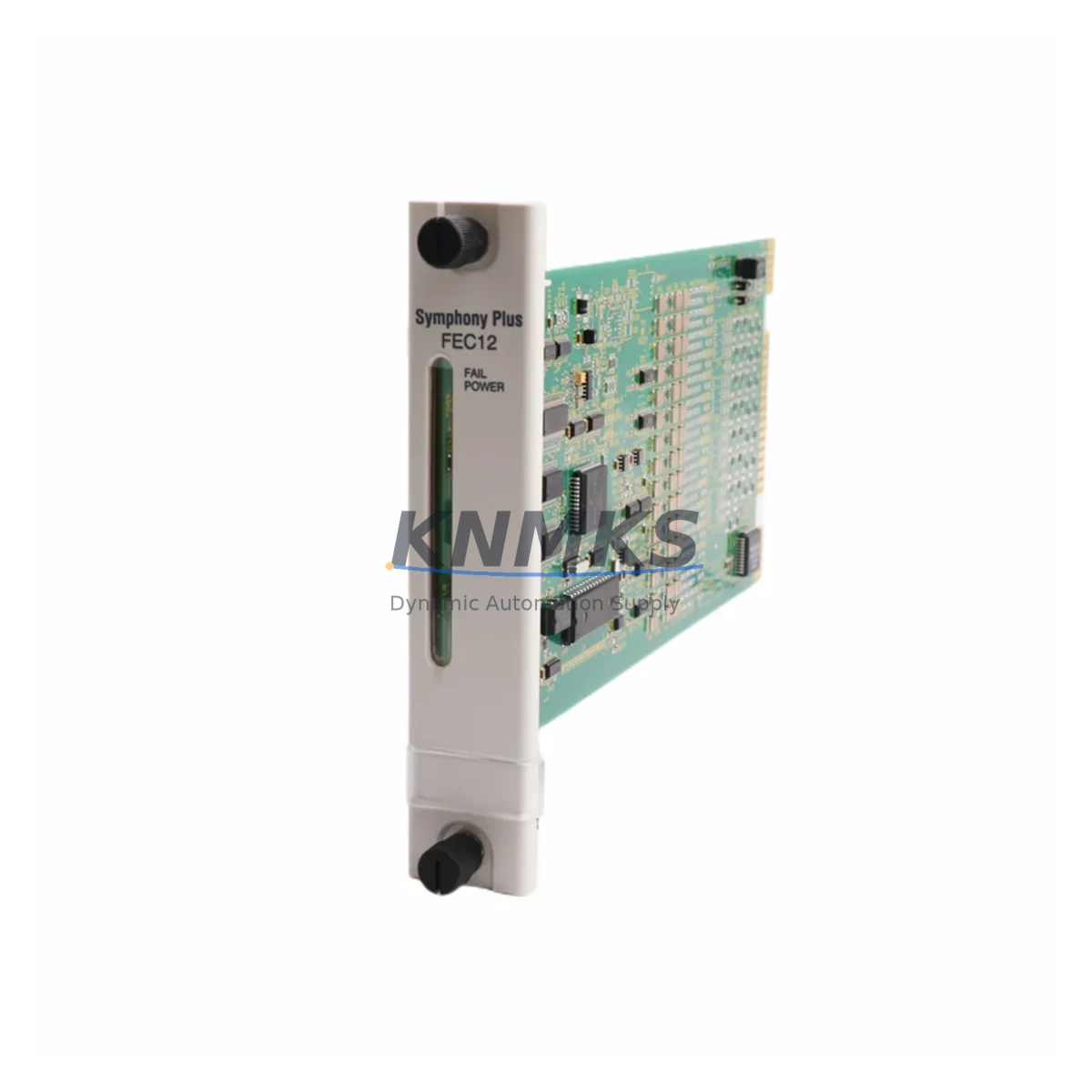
ABB SPFEC12 Maintenance-Proven Spare Part for Factory Uptime
The ABB SPFEC12 is an 8-channel analog input module engineered for the AC800F Fieldbus Controller platform — one of ABB’s most widely deployed DCS architectures in continuous process industries including oil & gas, chemical, pulp & paper, and power generation. As a maintenance-proven spare part, the SPFEC12 is a critical component in sustaining uninterrupted plant operations, supporting both planned annual shutdowns and emergency fault-isolation scenarios where rapid module swap-out is essential to minimizing production downtime.
For maintenance engineers managing aging AC800F control cabinets, the SPFEC12 represents a high-priority line item on any spare parts inventory list. Analog input modules are among the most failure-prone components in field-connected DCS systems due to continuous signal conditioning loads, thermal cycling, and exposure to electrical noise from adjacent drives and contactors. Stocking a verified original SPFEC12 — not a counterfeit or refurbished substitute — ensures that when a channel fault or module failure is detected during routine I/O diagnostics, the replacement can be executed within a single maintenance window rather than triggering an extended procurement delay.
From a procurement engineering perspective, sourcing the SPFEC12 through a reliable industrial spare parts supplier with documented testing protocols and a support terms confirmed by quotation is essential for risk control. Each unit shipped from our inventory undergoes functional verification prior to dispatch, with packaging designed to prevent ESD damage and mechanical stress during international freight. Long-term supply continuity is supported for legacy AC800F installations where ABB’s own spare parts availability may be constrained by product lifecycle status.
Spare Maintenance Table
| Parameter | Specification |
|---|---|
| SKU / Part Number | SPFEC12 |
| Brand | ABB |
| Series | AC800F / Freelance DCS |
| Module Type | Analog Input Module |
| Number of Channels | 8 Channels |
| Signal Type | 4–20 mA / 0–10 V (field configurable) |
| Resolution | 12-bit (typical for AC800F AI modules) |
| Isolation | Channel-to-bus isolation |
| Backplane Interface | AC800F I/O bus |
| Operating Temperature | 0°C to +60°C |
| Country of Origin | Germany |
| Compatibility | AC800F Controller, Freelance DCS cabinets |
| Installation | DIN rail / backplane slot mount |
| Support terms | 12 Months from shipment date |
| Pre-shipment Testing | Functional verification included |
| Condition | Original, unused or fully refurbished to OEM spec |
Maintenance Planning for Continuous Operation
Effective maintenance planning for an AC800F system goes well beyond replacing the SPFEC12 analog input module in isolation. When a field technician identifies a faulty SPFEC12 during a control cabinet inspection or I/O loop test, the root cause may extend to adjacent components that should be inspected or replaced concurrently to prevent repeat failures and ensure system stability after restart.
Begin by verifying the 24 VDC power supply feeding the I/O backplane. A degraded or undersized power module — such as the ABB SPFEC11 power supply unit used in AC800F configurations — can cause intermittent analog signal errors that mimic module faults. Confirm output voltage stability under load before commissioning the replacement SPFEC12.
Inspect the field wiring terminals and signal cables connected to the SPFEC12’s input channels. Corroded terminal blocks, loose ferrules, or damaged shielded cables introduce noise and offset errors into 4–20 mA loops. Replace any suspect terminal strips and verify cable shield grounding at a single point to eliminate common-mode interference.
Check the AC800F controller module itself — typically an AC800F CPU or communication controller — for firmware version compatibility with the SPFEC12 hardware revision. Mismatched firmware can cause configuration errors or channel mapping failures after module replacement. Confirm the system database reflects the correct module type before going live.
For cabinets with mixed I/O, also inspect adjacent digital output modules and relay output cards. A shorted field device connected to a DO channel can cause backplane voltage sags that affect analog input accuracy on the SPFEC12. Signal isolators or barriers installed between field instruments and the SPFEC12 inputs should be tested for correct output range and response time.
Communication modules handling PROFIBUS DP or FOUNDATION Fieldbus segments connected to the same AC800F node should be verified for bus integrity. A degraded fieldbus segment can cause the controller to flag analog input modules as faulted even when the SPFEC12 hardware is functional. Finally, inspect cabinet fuses and circuit breakers protecting the I/O power rails — a blown fuse on the analog supply rail is a common and easily overlooked cause of multi-channel input failure.
Site Replacement Workflow
Replacing the SPFEC12 on-site follows a structured procedure designed to minimize downtime and avoid configuration errors that could delay system restart:
Step 1 — Pre-replacement verification: Confirm the fault is isolated to the SPFEC12 by reviewing the AC800F diagnostic logs and performing a channel-by-channel loop test. Document which channels are active and their engineering unit ranges before removal.
Step 2 — Safe isolation: Place the affected I/O group in manual or safe state via the DCS operator station. De-energize the backplane slot if hot-swap is not supported by the installed firmware version. Follow site LOTO procedures for field-connected instruments.
Step 3 — Physical swap: Remove the faulty SPFEC12 by releasing the backplane locking mechanism. Insert the replacement module, ensuring correct slot position. The AC800F backplane uses keyed connectors — verify alignment before applying seating pressure.
Step 4 — Configuration restore: The AC800F controller should automatically recognize the replacement module if the hardware revision matches the system database entry. If a configuration download is required, use the Control Builder F engineering tool to push the correct I/O configuration to the module.
Step 5 — Loop verification: Perform a full 4–20 mA loop test on all 8 channels using a calibrated loop calibrator. Verify engineering unit scaling, alarm setpoints, and signal quality indicators in the DCS faceplate before returning the loop to automatic control.
Step 6 — Documentation: Record the replacement in the plant maintenance management system (CMMS), including the new module serial number, installation date, and post-replacement test results. Update the spare parts inventory to trigger replenishment of the consumed SPFEC12 unit.
Spare Parts Support FAQ
Q1: Is the SPFEC12 compatible with all AC800F controller revisions?
The SPFEC12 is designed for the AC800F / Freelance DCS platform. Compatibility with specific controller firmware versions should be confirmed against the ABB AC800F hardware compatibility matrix. Our technical team can assist with revision verification prior to shipment if you provide your controller firmware version and system database revision.
Q2: What does the support terms confirmed by quotation cover?
The support terms confirmed by quotation cover manufacturing defects and functional failures under normal operating conditions from the date of shipment. Each SPFEC12 is functionally tested before dispatch. The support terms does not cover damage resulting from incorrect installation, overvoltage events, or physical mishandling on-site.
Q3: How quickly can the SPFEC12 be shipped for emergency maintenance situations?
In-stock units are available for same-day or next-business-day dispatch depending on order confirmation time. Express international freight options are available for critical plant downtime situations. Contact our sales team directly at admin@knmks.com or +86 18359268345 to confirm stock availability and arrange priority shipment.
Q4: Can you supply SPFEC12 units for long-term maintenance contracts or annual shutdown kits?
Yes. We support bulk procurement for annual shutdown spare kits, multi-year maintenance contracts, and strategic inventory programs. Volume pricing and reserved stock arrangements are available for customers managing multiple AC800F installations. Long-term supply continuity is a core part of our service model for legacy DCS platforms.
© 2026 KNMKS. All rights reserved.
Original Source: https://knmks.com
Contact: admin@knmks.com | +86 18359268345
Product Identification
- Brand / Ecosystem
-
ABB
ABB - Model / Series
- SPFEC12
- Product Family
- PLCs & Controllers
- Availability Status
- Available on request after model and quantity confirmation
- Inquiry Type
- B2B RFQ, replacement inquiry and project spare-part request
- Pre-Quote Check
- Exact SKU, brand, series, quantity, nameplate photos and destination country are checked before quotation
System Path
Where this product fits in the KNMKS automation structure.
Specification & Inquiry Focus
- Control platform
- PLC, PAC and modular controllers
- Common needs
- CPU, rack, power and I/O expansion
- Project support
- Replacement, cabinet build and maintenance
Buyer Confirmation
Information KNMKS checks before replying.
- Exact model
- SPFEC12
- Brand / ecosystem
- ABB
- Product family
- PLCs & Controllers
- Application note
- Replacement, maintenance, project build or spare-part list
- Useful photos
- Nameplate, installed unit, cabinet layout or connector side
- Delivery details
- Quantity, destination country and target schedule
Document Support
Files and notes can be confirmed during quotation.
- Product photos or nameplate confirmation when available
- Packing and delivery notes before quotation confirmation
- Support scope and delivery terms confirmed per inquiry
- Export document coordination for qualified B2B requests
Inquiry Support
- Model cross-checking before quotation
- CPU, power, rack and expansion module matching
- Support for replacement and project inquiry
What to Send Us
- Brand and exact model number: ABB SPFEC12
- Quantity and required delivery time
- Application, replacement requirement or nameplate photo
- Destination country and shipping preference
RFQ Preparation
This is a product inquiry page built for RFQ communication.
Fast Model Check
Send this model to KNMKS for confirmation.
Include quantity, destination country and photos if this is a maintenance replacement. The inquiry will be saved with a reference number after submission.
Brand & Compatibility Note
KNMKS displays automation product information for well-known industrial brand ecosystems and compatible replacement references. Brand names are used for product identification and compatibility reference only; final availability and commercial terms are confirmed per quotation.
 Manufacturing
 Machine Tools
 Packaging
 Energy & Power



 HMI & Displays
 Servo Systems
 Variable Frequency Drives
 Sensors