
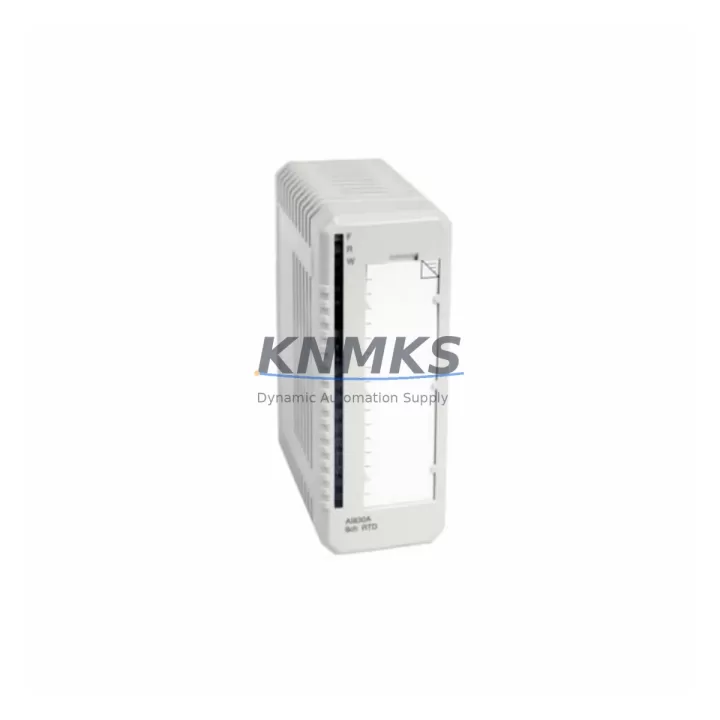
Overview
ABB SM812K01 Maintenance-Proven Spare Part for Factory Uptime
The ABB SM812K01 is the central safety CPU module of the AC500-S Safety PLC platform — a field-proven, SIL 3 / PLe certified controller widely deployed in machine safety, process interlocking, and emergency shutdown systems across automotive, oil & gas, chemical, and heavy manufacturing environments. When this module fails or reaches end-of-service life, every minute of unplanned downtime translates directly into production loss and safety compliance risk. Stocking a verified original SM812K01 spare is the most reliable strategy to restore system operation within a single maintenance window.
KNMKS supplies the SM812K01 as a genuine original spare, pre-tested before shipment, with full support terms confirmed by quotation coverage. Each unit is sourced through verified industrial channels, inspected for firmware compatibility, and dispatched with full traceability documentation to support your maintenance records and audit requirements.
Spare Maintenance Table
| SKU / Part Number | SM812K01 |
| Brand | ABB |
| Series | AC500-S Safety PLC |
| Product Type | Safety PLC CPU Module |
| Safety Certification | SIL 3 (IEC 61508), PLe / Cat. 4 (ISO 13849) |
| Supply Voltage | 24 V DC (via PM582 / PM592 Power & CPU base) |
| Communication Interfaces | PROFIBUS DP, CANopen, Modbus RTU (via CM modules) |
| Programming Standard | IEC 61131-3 (via Automation Builder / PS501) |
| Operating Temperature | 0 °C to +60 °C |
| Mounting | DIN rail, AC500-S backplane / terminal base |
| Origin | Germany |
| Compatibility | AC500-S Safety PLC system; pairs with TB521-ETH, TB541-ETH terminal bases and PM582/PM592 CPUs |
| Replacement Scope | Direct drop-in for SM812K01 in existing AC500-S racks; firmware version matching recommended |
| Application Environments | Machine safety, ESD systems, process interlocking, automotive assembly, chemical plant safety loops |
| Pre-Shipment Testing | Yes — functional and communication verification performed before dispatch |
| Support terms | 12 Months from date of shipment |
| Lead Time | availability confirmed by RFQ — rapid dispatch available |
Maintenance Planning for Continuous Operation
The SM812K01 does not operate in isolation. In a typical AC500-S safety cabinet, it works in close coordination with several interdependent components that maintenance engineers should inspect and consider stocking alongside the CPU module itself.
The PM582 or PM592 standard CPU paired with the SM812K01 handles non-safety logic and communication routing — a fault in either CPU can mask or trigger safety-related alarms, making it essential to verify both modules during any unplanned shutdown event. The TB521-ETH or TB541-ETH terminal bases provide the physical backplane connection for the SM812K01; corrosion, mechanical stress, or connector wear on these bases is a common root cause of intermittent CPU faults that are often misdiagnosed as module failure.
Communication integrity depends heavily on the CM589-PNIO or CM578-CN fieldbus communication modules installed in the same rack. During a safety CPU replacement, engineers should verify that fieldbus node addresses, baud rates, and network topology remain consistent — a misconfigured CM module after a CPU swap can prevent the safety system from reaching a safe operational state.
On the power side, the 24 V DC panel power supply feeding the AC500-S rack should be load-tested during any CPU maintenance event. Voltage ripple or transient dips during startup are a known cause of safety CPU initialization failures. Inline fuse protection and surge suppression on the 24 V rail should be inspected and replaced on a scheduled basis as part of the annual cabinet audit.
For facilities running mixed safety and standard I/O, the DA501 or DA502 digital I/O expansion modules connected to the SM812K01 safety domain should be verified for correct wiring polarity, channel diagnostics, and cross-circuit fault detection settings after any CPU replacement. Signal isolation barriers on safety-critical analog inputs are equally important — degraded isolation can introduce ground loops that compromise SIL 3 loop integrity.
Finally, the HMI panel (typically a CP600 or CP635 series) connected to the AC500-S system should be checked for communication timeout settings and alarm acknowledgment logic after a CPU module swap, as safety state transitions may generate unacknowledged alarms that require operator reset before the line can resume production.
Site Replacement Workflow
Step 1 — Pre-Replacement Verification: Before removing the SM812K01, export the current safety application project from ABB Automation Builder / PS501 Control Builder and confirm the firmware version on the installed module. Document all fieldbus node addresses, I/O channel assignments, and safety function parameters.
Step 2 — Safe State Confirmation: Place the safety system in a controlled safe state per your site LOTO procedure. Verify that all safety outputs are de-energized and that the ESD or interlock system has been bypassed through the approved maintenance bypass key switch.
Step 3 — Module Removal and Inspection: Remove the SM812K01 from the terminal base. Inspect the TB521/TB541 terminal base connector pins for oxidation or mechanical damage. Clean with contact cleaner if required. Do not reuse a terminal base with bent or corroded pins.
Step 4 — Spare Installation: Insert the replacement SM812K01 into the terminal base. Confirm the module is fully seated and the locking lever is engaged. Power up the rack and verify that the CPU status LED sequence matches the expected startup pattern (RUN / STOP / ERR indicators).
Step 5 — Application Download and Validation: Download the verified safety application project to the new SM812K01 via Automation Builder. Perform a full safety function test per your site validation checklist before releasing the system to production. Log the replacement in your CMMS with the new module serial number and support terms start date.
Step 6 — Return to Service: Remove the maintenance bypass, restore normal safety loop operation, and confirm all fieldbus communication nodes are online. Update your spare parts inventory record and initiate a reorder for the consumed SM812K01 spare to maintain buffer stock continuity.
Spare Parts Support FAQ
Q1: Is the SM812K01 supplied by KNMKS a genuine original ABB module?
Yes. All SM812K01 units are sourced through verified industrial supply channels as genuine original ABB components. Each module undergoes functional and communication testing before shipment. A support terms confirmed by quotation is provided from the date of dispatch, covering manufacturing defects and functional failures under normal operating conditions.
Q2: How do I confirm firmware compatibility before installing the replacement SM812K01?
Check the firmware version label on the installed module before removal, or read it via Automation Builder’s online device view. The replacement SM812K01 should carry the same or a higher compatible firmware version. If a firmware update is required, this must be performed using ABB’s official PS501 Control Builder tool following the site change management procedure. KNMKS can advise on firmware version availability for your specific application upon request.
Q3: What is the recommended spare parts buffer strategy for the SM812K01 in a high-availability plant?
For facilities with a single AC500-S safety system, a minimum of one SM812K01 spare is recommended on-site at all times. Plants operating multiple AC500-S racks or running 24/7 continuous processes should maintain two units in local stock, with a replenishment trigger set at one unit consumed. Given OEM lead times for safety-certified modules, a 12-month forward stock program significantly reduces the risk of extended downtime during supply disruptions.
Q4: Can the SM812K01 be used as a direct replacement for older AC500-S CPU revisions?
The SM812K01 is designed for backward compatibility within the AC500-S platform, but hardware revision changes may affect terminal base compatibility or require application project migration. Always verify the hardware revision of the installed terminal base (TB521-ETH or TB541-ETH) and confirm compatibility with the replacement module revision before installation. KNMKS technical support can assist with compatibility verification based on your existing system configuration.
© 2026 KNMKS. All rights reserved.
Original Source: https://knmks.com
Contact: admin@knmks.com | +86 18359268345
Product Identification
- Brand / Ecosystem
-
ABB
ABB - Model / Series
-
SM812K01
AC500 Series - Product Family
- PLCs & Controllers
- Availability Status
- Available on request after model and quantity confirmation
- Inquiry Type
- B2B RFQ, replacement inquiry and project spare-part request
- Pre-Quote Check
- Exact SKU, brand, series, quantity, nameplate photos and destination country are checked before quotation
System Path
Where this product fits in the KNMKS automation structure.
Specification & Inquiry Focus
- Control platform
- PLC, PAC and modular controllers
- Common needs
- CPU, rack, power and I/O expansion
- Project support
- Replacement, cabinet build and maintenance
Buyer Confirmation
Information KNMKS checks before replying.
- Exact model
- SM812K01
- Brand / ecosystem
- ABB
- Product family
- PLCs & Controllers
- Application note
- Replacement, maintenance, project build or spare-part list
- Useful photos
- Nameplate, installed unit, cabinet layout or connector side
- Delivery details
- Quantity, destination country and target schedule
Document Support
Files and notes can be confirmed during quotation.
- Product photos or nameplate confirmation when available
- Packing and delivery notes before quotation confirmation
- Support scope and delivery terms confirmed per inquiry
- Export document coordination for qualified B2B requests
Inquiry Support
- Model cross-checking before quotation
- CPU, power, rack and expansion module matching
- Support for replacement and project inquiry
What to Send Us
- Brand and exact model number: ABB SM812K01
- Quantity and required delivery time
- Application, replacement requirement or nameplate photo
- Destination country and shipping preference
RFQ Preparation
This is a product inquiry page built for RFQ communication.
Fast Model Check
Send this model to KNMKS for confirmation.
Include quantity, destination country and photos if this is a maintenance replacement. The inquiry will be saved with a reference number after submission.
Brand & Compatibility Note
KNMKS displays automation product information for well-known industrial brand ecosystems and compatible replacement references. Brand names are used for product identification and compatibility reference only; final availability and commercial terms are confirmed per quotation.
 Manufacturing
 Machine Tools
 Packaging
 Energy & Power



 HMI & Displays
 Servo Systems
 Variable Frequency Drives
 Sensors