
Overview
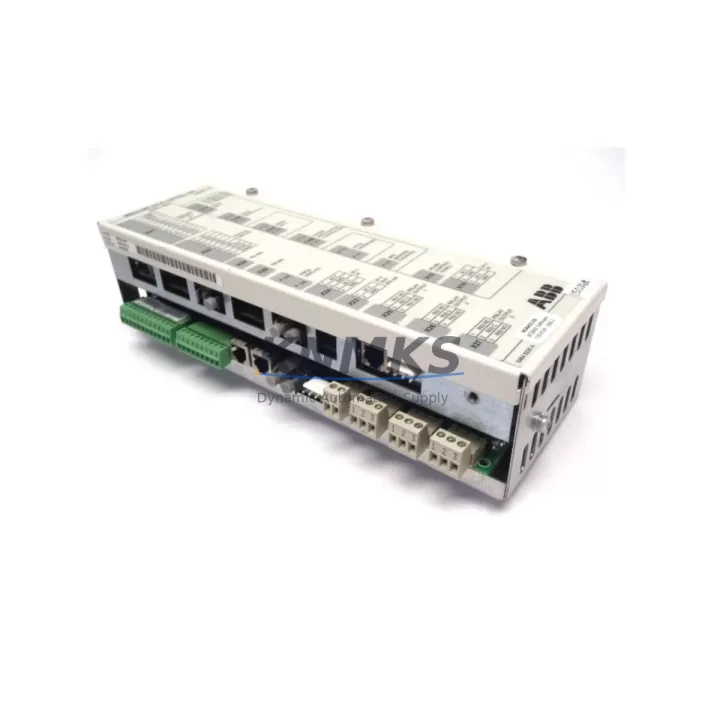
ABB SECG-01 3AAA0000051449 Migration-Ready Ethernet Gateway for Legacy Control Systems
The ABB SECG-01 (part number 3AAA0000051449) is a migration-ready Ethernet communication gateway engineered for the AC500 PLC platform. As legacy control architectures face increasing pressure from obsolescence, discontinued firmware support, and incompatible communication protocols, the SECG-01 provides a structured upgrade path that preserves existing program logic while enabling modern Ethernet-based supervisory connectivity. Whether you are replacing a failed communication module, upgrading a legacy Modbus RTU network to Modbus TCP/IP, or integrating an aging AC500 rack into a SCADA or DCS environment, the SECG-01 delivers the protocol bridging and physical interface compatibility required for a controlled, low-risk migration.
The SECG-01 mounts directly into the AC500 communication slot, eliminating the need for external protocol converters or additional panel space. Before installation, engineers should verify available backplane slot positions, confirm the CPU firmware version supports the SECG-01 module address assignment, and review the existing terminal wiring layout to ensure Ethernet port accessibility within the control cabinet. Power consumption from the backplane bus must be calculated against the PM5xx or PM5xx-ETH CPU’s available supply budget, particularly in dense racks that also host I/O expansion modules such as the DC532 digital input module or the AX522 analog output module.
Program compatibility is a critical checkpoint during any gateway replacement. The AC500 application built in Automation Builder must be reviewed to confirm that the communication function blocks referencing the original gateway’s node address and channel configuration remain valid after the SECG-01 is installed. If the legacy gateway used a proprietary fieldbus such as PROFIBUS DP or DeviceNet, the migration plan must account for re-mapping I/O data tables and updating HMI screen tag bindings in CP600 or CP620 operator panels. Downtime windows should be scheduled to allow for a full cold-start sequence, module address verification via the AC500 configuration tool, and end-to-end communication link testing before returning the line to production.
Migration Compatibility Table
| Parameter | Details |
|---|---|
| SKU / Part Number | SECG-01 / 3AAA0000051449 |
| Compatible Platform | ABB AC500 PLC Series (PM554, PM564, PM572, PM581, PM591, PM595) |
| Communication Interface | 10/100 Mbps Ethernet (RJ45), supports Modbus TCP/IP, EtherNet/IP |
| Backplane Interface | AC500 internal communication bus (CS31 compatible slot) |
| Installation Requirement | Direct slot mount; no external power supply required |
| Replaces / Upgrades | Legacy serial gateways, PROFIBUS DP adapters, proprietary fieldbus bridges |
| Firmware Compatibility | AC500 Automation Builder V2.x and above; verify CPU firmware ≥ V3.0 |
| HMI Integration | Compatible with CP600, CP620 panels via Ethernet tag server |
| Commissioning Tool | ABB Automation Builder, CODESYS-based configuration environment |
| Support terms | support terms confirmed by quotation | Pre-Shipment Tested | In-Stock for Immediate Dispatch |
Retrofit Planning for Existing Automation Systems
Successful integration of the SECG-01 into an existing AC500 control system requires a structured pre-installation audit. Begin by documenting the current rack configuration, including the CPU module type, occupied communication slots, and the I/O modules installed on the local and remote expansion racks. In systems using the TB521-ETH or TB541 terminal base units, confirm that the communication slot adjacent to the CPU is physically accessible and that no mechanical interference exists from cable trays or DIN rail accessories.
For sites migrating from a serial Modbus RTU topology, the SECG-01 eliminates the need for standalone RS-485 to Ethernet converters, consolidating protocol translation within the AC500 rack itself. This is particularly valuable in control cabinets where panel space is constrained and additional external devices would require a cabinet expansion. Engineers should also review the DC522 digital output module and AI523 analog input module configurations to ensure that I/O data addresses remain consistent after the gateway node address is reassigned in the Automation Builder project.
In multi-rack systems where remote I/O is connected via the CS31 fieldbus, the SECG-01 enables the supervisory Ethernet network to coexist with the existing CS31 I/O bus without requiring changes to the remote rack wiring or the TA521 bus terminal adapter settings. Signal isolators installed on analog loops should be verified for loop power compatibility if the SECG-01 introduces any change to the analog reference ground topology. Programming cables used during commissioning, such as the TK501 USB programming cable, should be available on-site to allow direct CPU access for firmware updates and project downloads independent of the Ethernet network.
Downtime Control During System Migration
Minimizing unplanned downtime during a gateway replacement requires a phased approach that separates the hardware swap from the software validation steps. In the first phase, the replacement SECG-01 should be pre-configured offline using a bench AC500 rack or a simulation environment in Automation Builder, with the target IP address, subnet mask, and Modbus TCP/IP slave address programmed and verified before the module reaches the production floor.
During the scheduled maintenance window, the existing gateway should be removed only after the AC500 CPU has been placed in STOP mode and the current application program has been backed up to a USB memory stick or the Automation Builder project archive. The SECG-01 can then be inserted into the communication slot, and the CPU restarted in RUN mode. Because the SECG-01 retains its configuration in non-volatile memory, the Ethernet link to the SCADA host or DCS gateway should be re-established within seconds of the CPU reaching RUN state, provided the IP configuration matches the host’s polling table.
HMI screens on CP600 or CP620 panels should be tested for tag communication immediately after the CPU reaches steady-state RUN mode. Any tags that reference the gateway’s communication channel by symbolic name rather than absolute address will survive the replacement without modification, reducing the risk of HMI display errors during the cutover. Field I/O continuity should be confirmed by cycling each output and verifying each input through the Automation Builder online monitoring view before releasing the system to the operators. The support terms confirmed by quotation and pre-shipment testing protocol applied to every SECG-01 unit shipped by KNMKS ensures that hardware defects are not a variable in the commissioning timeline.
Retrofit Support FAQ
Q: Is the SECG-01 (3AAA0000051449) a direct replacement for older ABB AC500 communication modules?
A: Yes. The SECG-01 is designed to occupy the standard AC500 communication slot and is compatible with the PM554 through PM595 CPU range. It replaces legacy serial gateways and proprietary fieldbus adapters, providing a modern Ethernet interface without requiring CPU replacement or rack modification.
Q: What pre-shipment testing is performed on each SECG-01 unit?
A: Every SECG-01 shipped by KNMKS undergoes functional power-on testing, Ethernet port link verification, and communication protocol response testing prior to dispatch. Units are shipped with a support terms confirmed by quotation covering manufacturing defects and functional failures under normal operating conditions.
Q: How do I verify firmware compatibility before installing the SECG-01?
A: Connect to the AC500 CPU using the TK501 USB programming cable and open the Automation Builder online device view. Confirm the CPU firmware version is V3.0 or higher. If the firmware requires an update, download the latest version from the ABB Library and apply it during the pre-installation phase to avoid compatibility issues during commissioning.
Q: Can the SECG-01 support simultaneous Modbus TCP/IP and EtherNet/IP communication?
A: The SECG-01 supports multiple Ethernet-based protocols depending on the firmware configuration loaded in Automation Builder. Consult the SECG-01 hardware manual (document 3ADR010278) to confirm the specific protocol combinations supported by your firmware version, and configure the protocol stack before the production cutover to avoid communication conflicts.
© 2026 KNMKS. All rights reserved.
Original Source: https://knmks.com
Contact: admin@knmks.com | +86 18359268345
Product Identification
- Brand / Ecosystem
-
ABB
ABB - Model / Series
-
SECG-01-3AAA0000051449
AC500 Series - Product Family
- PLCs & Controllers
- Availability Status
- Available on request after model and quantity confirmation
- Inquiry Type
- B2B RFQ, replacement inquiry and project spare-part request
- Pre-Quote Check
- Exact SKU, brand, series, quantity, nameplate photos and destination country are checked before quotation
System Path
Where this product fits in the KNMKS automation structure.
Specification & Inquiry Focus
- Control platform
- PLC, PAC and modular controllers
- Common needs
- CPU, rack, power and I/O expansion
- Project support
- Replacement, cabinet build and maintenance
Buyer Confirmation
Information KNMKS checks before replying.
- Exact model
- SECG-01-3AAA0000051449
- Brand / ecosystem
- ABB
- Product family
- PLCs & Controllers
- Application note
- Replacement, maintenance, project build or spare-part list
- Useful photos
- Nameplate, installed unit, cabinet layout or connector side
- Delivery details
- Quantity, destination country and target schedule
Document Support
Files and notes can be confirmed during quotation.
- Product photos or nameplate confirmation when available
- Packing and delivery notes before quotation confirmation
- Support scope and delivery terms confirmed per inquiry
- Export document coordination for qualified B2B requests
Inquiry Support
- Model cross-checking before quotation
- CPU, power, rack and expansion module matching
- Support for replacement and project inquiry
What to Send Us
- Brand and exact model number: ABB SECG-01-3AAA0000051449
- Quantity and required delivery time
- Application, replacement requirement or nameplate photo
- Destination country and shipping preference
RFQ Preparation
This is a product inquiry page built for RFQ communication.
Fast Model Check
Send this model to KNMKS for confirmation.
Include quantity, destination country and photos if this is a maintenance replacement. The inquiry will be saved with a reference number after submission.
Brand & Compatibility Note
KNMKS displays automation product information for well-known industrial brand ecosystems and compatible replacement references. Brand names are used for product identification and compatibility reference only; final availability and commercial terms are confirmed per quotation.
 Manufacturing
 Machine Tools
 Packaging
 Energy & Power



 HMI & Displays
 Servo Systems
 Variable Frequency Drives
 Sensors