
Overview
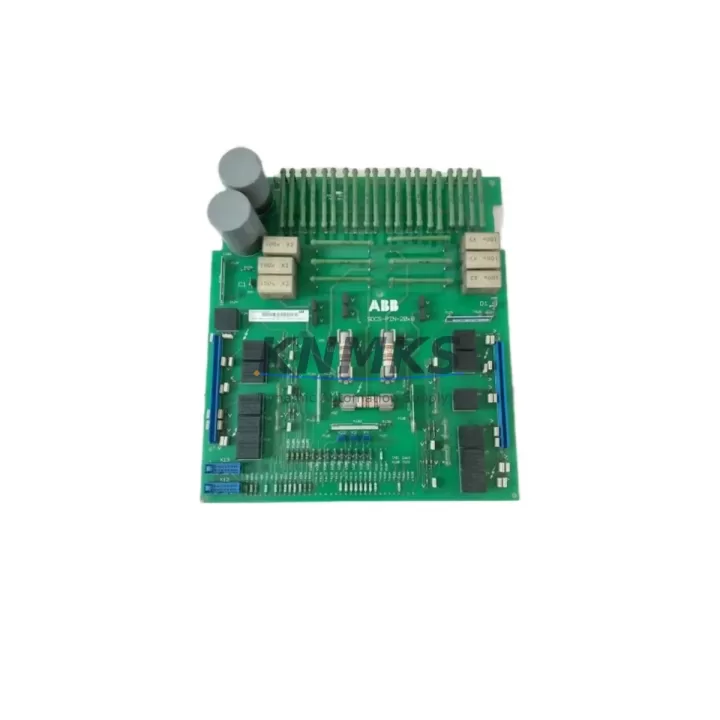
ABB SDCS-PIN-205B Maintenance-Proven Spare Part for Factory Uptime
The ABB SDCS-PIN-205B (Part No. 3ADT312500R0001) is an original power interface board engineered for the ABB DCS800 series DC drive platform. Designed to sustain continuous industrial operation, this board serves as a critical link between the drive’s control logic and its power conversion stage. For maintenance engineers managing legacy DC drive installations, having a verified SDCS-PIN-205B spare on the shelf is a direct investment in production continuity and unplanned downtime prevention.
In high-cycle manufacturing environments — including paper mills, metal processing lines, crane systems, and extruder drives — the DCS800 platform is frequently deployed for its robust torque control and field-proven reliability. When the SDCS-PIN-205B fails or shows signs of degradation, the entire drive axis is at risk of shutdown. Sourcing a pre-tested, original replacement from a reliable supply chain partner ensures that your maintenance team can execute a rapid board swap without extended lead times or compatibility uncertainty.
Every unit supplied by KNMKS is inspected, function-tested, and shipped with a support terms confirmed by quotation. Our global logistics network supports urgent dispatch to Europe, North America, and Asia-Pacific, with documentation packages available for regulated industries.
Spare Maintenance Table
| Part Number | SDCS-PIN-205B |
| Reference Number | 3ADT312500R0001 |
| Compatible Platform | ABB DCS800 Series DC Drive |
| Board Function | Power Interface Board — bridges control and power conversion stages |
| Drive Voltage Range | 400–690 V AC input (DCS800 platform dependent) |
| Signal Interface | Analog and digital I/O signal routing to SDCS-CON control board |
| Origin | Germany (ABB OEM) |
| Weight | 700 g |
| Installation Type | Direct board replacement — DCS800 drive cabinet |
| Compatibility Verification | Cross-reference via DCS800 hardware manual and drive nameplate |
| Pre-Shipment Testing | Function-tested before dispatch |
| Support terms | 12 Months |
| Typical Application | Paper, metal, crane, extruder, winder, and conveyor DC drive systems |
| Maintenance Interval | Inspect annually or after any drive fault event |
Maintenance Planning for Continuous Operation
When replacing the SDCS-PIN-205B during a scheduled or emergency maintenance event, a thorough inspection of the surrounding drive components is essential to prevent repeat failures and ensure full system restoration. Maintenance engineers should treat the board replacement as an opportunity to audit the complete DCS800 drive cabinet.
Begin with the SDCS-CON control board, which interfaces directly with the SDCS-PIN-205B. Any firmware mismatch or connector damage on the CON board can cause the replacement PIN board to fault immediately after installation. Verify firmware revision compatibility before powering up.
Inspect the SDCS-FEX field excitation module if the drive controls a separately excited DC motor. A degraded FEX module can produce irregular field current that stresses the power interface board and leads to premature failure. Check field current feedback signals and compare against motor nameplate values.
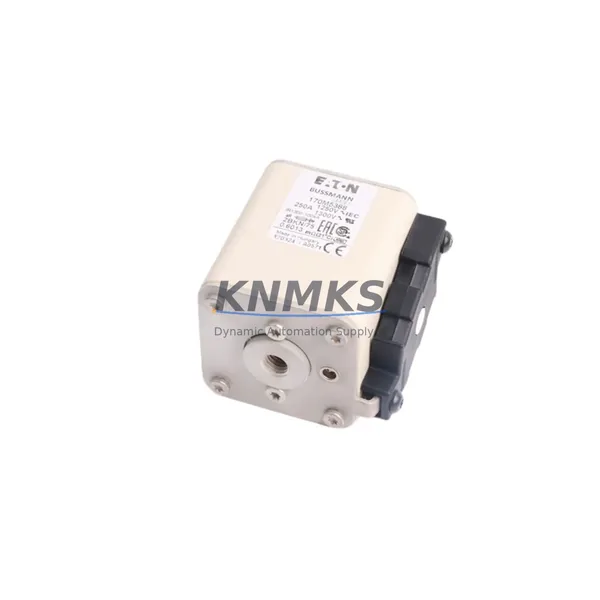
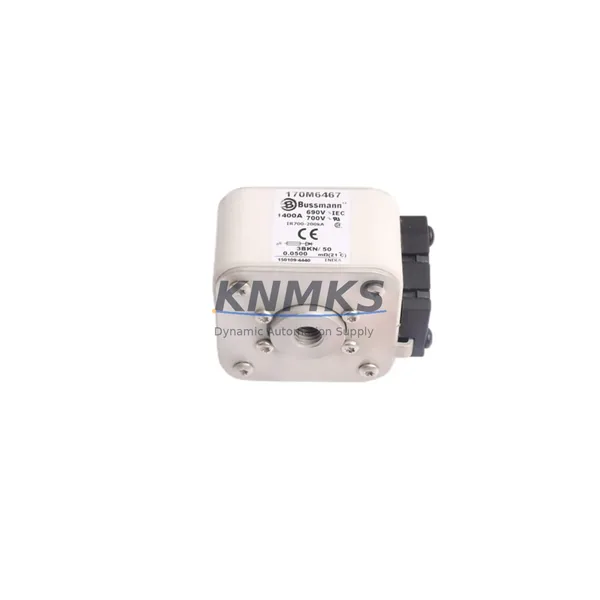
Review the DC bus fuses and AC input fuses within the drive cabinet. A blown or weakened fuse is often the root cause of power interface board damage. Replace any fuse showing signs of thermal stress or discoloration, and verify that fuse ratings match the drive’s current specification.
Check the SDCS-DSL fiber optic communication link between the drive and any upstream PLC or DCS controller. Signal integrity issues on the fiber link can cause erratic drive behavior that is misdiagnosed as a board fault. Clean fiber connectors and verify link status via the drive’s diagnostic menu.
Inspect terminal blocks and power wiring on the drive’s input and output terminals. Loose connections, oxidized terminals, or undersized cable cross-sections are common contributors to drive faults in high-vibration environments. Re-torque all terminals to specification and apply anti-oxidation compound where appropriate.
Finally, assess the drive’s cooling fan and heat sink condition. Overheating is a leading cause of power board degradation. Confirm that the fan operates at rated speed, that airflow paths are unobstructed, and that the heat sink fins are free of dust accumulation. In environments with high ambient temperatures, consider upgrading to forced-air cooling if not already installed.
Maintaining a minimum spare inventory of one SDCS-PIN-205B board per drive line — alongside matched SDCS-CON and SDCS-FEX modules — is a recognized best practice for facilities operating DCS800 drives in critical production roles.
Site Replacement Workflow
Step 1 — Isolate and de-energize: Follow your site’s lockout/tagout (LOTO) procedure. Confirm that the DC bus has fully discharged before opening the drive cabinet. Use a calibrated voltmeter to verify zero voltage on the DC bus terminals.
Step 2 — Document existing configuration: Record the drive’s parameter set via the ABB DriveWindow or CDP control panel before disconnecting any boards. This ensures that drive parameters can be restored after the board swap without reconfiguration errors.
Step 3 — Remove the faulty SDCS-PIN-205B: Disconnect all ribbon cables and connectors in the sequence specified in the DCS800 Hardware Manual (3ADW000379). Label each connector to prevent misrouting during reinstallation. Handle the board by its edges to avoid ESD damage.
Step 4 — Install the replacement board: Seat the new SDCS-PIN-205B firmly into its mounting position. Reconnect all cables in reverse removal order. Verify that all locking clips are fully engaged and that no cables are pinched or strained.
Step 5 — Power-up and verification: Restore power in stages per the DCS800 commissioning procedure. Monitor the drive’s fault log for any new fault codes. Verify that analog and digital I/O signals are reading correctly via the drive’s diagnostic interface before returning the drive to production service.
Step 6 — Update maintenance records: Log the replacement date, board serial number, and any associated fault codes in your CMMS. Schedule the next inspection interval based on your site’s preventive maintenance calendar.
Spare Parts Support FAQ
Q1: Is the SDCS-PIN-205B compatible with all DCS800 drive frame sizes?
The SDCS-PIN-205B is designed for specific DCS800 frame configurations. Always cross-reference the drive’s hardware manual and nameplate data to confirm compatibility before ordering. KNMKS technical support can assist with compatibility verification using your drive’s serial number and firmware version.
Q2: How is the board tested before shipment?
Each SDCS-PIN-205B unit undergoes functional testing prior to dispatch. Testing covers signal interface continuity, power rail integrity, and connector condition. A test report is available upon request for quality-controlled procurement processes.
Q3: What is the recommended spare inventory strategy for DCS800 installations?
For facilities with two or more DCS800 drives in critical service, we recommend maintaining at least one SDCS-PIN-205B in local stock. For single-drive installations, a consignment or rapid-dispatch arrangement with a verified supplier reduces exposure to extended lead times. KNMKS supports long-term supply agreements with guaranteed stock reservation.
Q4: What support terms and after-sales support does KNMKS provide?
All SDCS-PIN-205B units supplied by KNMKS carry a support terms confirmed by quotation covering manufacturing defects and functional failures under normal operating conditions. Our after-sales team provides technical support for installation queries, compatibility confirmation, and support requests. Contact us at admin@knmks.com or +86 18359268345 for assistance.
© 2026 KNMKS. All rights reserved.
Original Source: https://knmks.com
Contact: admin@knmks.com | +86 18359268345
Product Identification
- Brand / Ecosystem
-
ABB
ABB - Model / Series
-
SDCS-PIN-205B-3ADT312500R0001
S800 Series - Product Family
- Variable Frequency Drives
- Availability Status
- Available on request after model and quantity confirmation
- Inquiry Type
- B2B RFQ, replacement inquiry and project spare-part request
- Pre-Quote Check
- Exact SKU, brand, series, quantity, nameplate photos and destination country are checked before quotation
System Path
Where this product fits in the KNMKS automation structure.
Specification & Inquiry Focus
- Drive range
- AC drives, VFDs and accessories
- Common needs
- Voltage, kW/HP and load type
- Project support
- Motor control, energy saving and spares
Buyer Confirmation
Information KNMKS checks before replying.
- Exact model
- SDCS-PIN-205B-3ADT312500R0001
- Brand / ecosystem
- ABB
- Product family
- Variable Frequency Drives
- Application note
- Replacement, maintenance, project build or spare-part list
- Useful photos
- Nameplate, installed unit, cabinet layout or connector side
- Delivery details
- Quantity, destination country and target schedule
Document Support
Files and notes can be confirmed during quotation.
- Product photos or nameplate confirmation when available
- Packing and delivery notes before quotation confirmation
- Support scope and delivery terms confirmed per inquiry
- Export document coordination for qualified B2B requests
Inquiry Support
- Input/output voltage and kW/HP confirmation
- Energy-saving motor control inquiry
- Accessory and spare-unit support
What to Send Us
- Brand and exact model number: ABB SDCS-PIN-205B-3ADT312500R0001
- Quantity and required delivery time
- Application, replacement requirement or nameplate photo
- Destination country and shipping preference
RFQ Preparation
This is a product inquiry page built for RFQ communication.
Fast Model Check
Send this model to KNMKS for confirmation.
Include quantity, destination country and photos if this is a maintenance replacement. The inquiry will be saved with a reference number after submission.
Brand & Compatibility Note
KNMKS displays automation product information for well-known industrial brand ecosystems and compatible replacement references. Brand names are used for product identification and compatibility reference only; final availability and commercial terms are confirmed per quotation.
 Manufacturing
 Machine Tools
 Packaging
 Energy & Power
 PLCs & Controllers
 HMI & Displays
 Servo Systems
 Sensors