
Overview
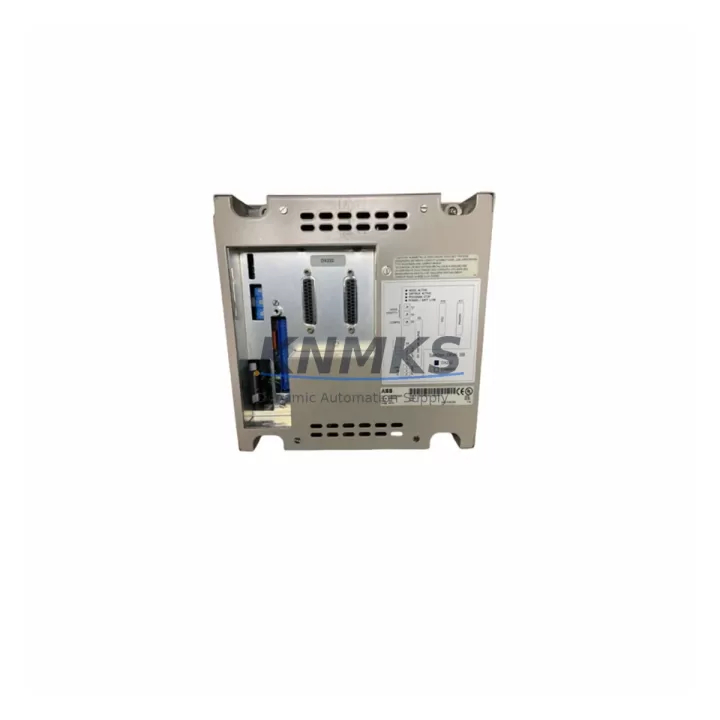
ABB SC0P45 Maintenance-Proven Spare Part for Factory Uptime
The ABB SC0P45 is a compact operator interface panel designed for integration with the ABB AC500 PLC series — one of the most widely deployed modular automation platforms in process control, discrete manufacturing, and utility infrastructure. As a maintenance-proven spare part, the SC0P45 delivers reliable on-site HMI functionality for engineers who need fast fault acknowledgment, parameter adjustment, and system status visibility without relying on a full SCADA workstation. Whether you are managing a planned annual shutdown, responding to an unscheduled line stoppage, or building a strategic spare parts inventory for a multi-year maintenance contract, the SC0P45 is a critical component to have on hand.
Original ABB SC0P45 units sourced through verified supply channels are pre-shipment tested against factory electrical and communication specifications. Each unit ships with a support terms confirmed by quotation covering manufacturing defects and functional failures under normal operating conditions. Global dispatch is available with lead times suitable for both emergency replacement and scheduled procurement cycles.
Spare Maintenance Table
| SKU / Part Number | SC0P45 |
| Brand | ABB |
| Series | AC500 PLC Platform |
| Product Type | HMI Operator Interface Panel |
| Display | Compact monochrome/graphic operator panel |
| Communication Interface | Serial / proprietary AC500 bus interface |
| Supply Voltage | 24 V DC (via AC500 CPU or dedicated rail) |
| Mounting | Panel-mount, front-face installation |
| Operating Temperature | 0 °C to +55 °C |
| Protection Rating | IP20 (rear), IP65 (front panel, typical) |
| Weight | 450 g (approx.) |
| Country of Origin | Germany |
| Compatibility | ABB AC500 CPU modules (PM554, PM564, PM573, PM583 series) |
| Application Environment | Process control panels, discrete manufacturing, utilities, water treatment |
| Maintenance Recommendation | Inspect connector pins and display integrity every 12 months; replace if backlight degradation or communication errors are observed |
| Support terms | 12 Months — covers manufacturing defects and functional failures under normal use |
| Pre-Shipment Testing | Yes — power-on, display, and communication interface verified before dispatch |
Maintenance Planning for Continuous Operation
When the SC0P45 operator interface is flagged for replacement during a control cabinet inspection or fault-driven shutdown, experienced maintenance engineers know that the HMI panel is rarely the only component under stress. A systematic review of the surrounding electrical environment is essential to prevent repeat failures and ensure a clean return to production.
Begin with the AC500 CPU module (such as the PM554 or PM564) that the SC0P45 interfaces with — verify firmware version compatibility and check for any logged communication faults that may have contributed to the HMI failure. Inspect the 24 V DC power supply rail feeding the control cabinet; voltage ripple or transient spikes are a common root cause of HMI display corruption and communication dropouts. If the cabinet uses an ABB CP600 or CP400 series HMI as a primary operator station, confirm that the SC0P45 is correctly configured as a secondary local panel and not conflicting with the primary HMI’s communication polling cycle.
Check the I/O expansion modules connected to the AC500 backplane — particularly any DC532 digital I/O modules or AI523 analog input modules — for loose terminal connections or signal drift that may have triggered the alarm condition leading to the HMI replacement. Inspect terminal blocks and wiring harnesses in the operator panel section for insulation wear, especially in high-vibration environments. Review the status of any communication modules such as the CM572-DP PROFIBUS module or CM589-PNIO PROFINET module if the AC500 system is integrated into a wider plant network — a degraded fieldbus connection can cause the SC0P45 to display persistent communication error codes that are misdiagnosed as HMI hardware failure.
Finally, verify the integrity of the panel-mount fuse or circuit breaker protecting the 24 V DC HMI supply branch, and confirm that the AC500 system SD card or memory module retains the correct application program and HMI configuration data, which will need to be reloaded after the SC0P45 is replaced if the unit does not retain non-volatile memory independently.
Site Replacement Workflow
Replacing the ABB SC0P45 on-site is a structured process that, when followed correctly, minimizes downtime and eliminates the risk of configuration loss or communication conflicts with the AC500 CPU.
Step 1 — Isolate and document: Before removing the SC0P45, capture a photograph of the existing wiring and connector orientation. Note the current HMI configuration parameters if accessible via the panel menu. If the AC500 CPU is running a live process, coordinate a controlled stop with the operations team.
Step 2 — Power down the HMI supply branch: Switch off the 24 V DC branch circuit feeding the SC0P45. Do not rely on the AC500 CPU power-down alone — verify with a multimeter that the HMI connector pins are de-energized before disconnecting.
Step 3 — Remove and inspect: Disconnect the communication cable and power connector from the SC0P45. Inspect the connector pins on both the panel and the cable for corrosion, bent contacts, or debris. Clean if necessary before installing the replacement unit.
Step 4 — Install the replacement SC0P45: Mount the new unit into the panel cutout, reconnect the communication interface and power supply in the correct sequence (communication first, then power), and restore the 24 V DC supply. Confirm that the unit powers on and establishes communication with the AC500 CPU within the expected initialization time.
Step 5 — Restore and verify: Reload the HMI configuration if required. Verify all operator functions — alarm acknowledgment, parameter display, and any local control inputs — before returning the system to automatic operation. Log the replacement in the site maintenance record with the date, replaced part number, and technician name.
This workflow is compatible with both like-for-like SC0P45 replacements and migration scenarios where an older ABB operator panel is being upgraded to the SC0P45 as part of a control system life extension program.
Spare Parts Support FAQ
Q1: Is the SC0P45 compatible with all AC500 CPU variants?
The SC0P45 is designed for the ABB AC500 platform and is compatible with the PM554, PM564, PM573, and PM583 CPU families. Compatibility with older AC500 V1 CPUs should be verified against the ABB AC500 system compatibility matrix, as firmware versions may affect HMI communication behavior. Contact our technical team with your CPU part number for confirmation before ordering.
Q2: What is included in the support terms confirmed by quotation?
The support terms confirmed by quotation cover manufacturing defects and functional failures under normal operating conditions, including display failure, communication interface faults, and power input failures. It does not cover damage caused by incorrect installation voltage, physical impact, or exposure to environments outside the rated operating temperature range. Support requests are processed with return shipment support.
Q3: How is the SC0P45 tested before shipment?
Every SC0P45 unit undergoes a pre-shipment test protocol that includes power-on verification, display function check, and communication interface continuity testing. Units that do not pass all test criteria are not dispatched. A test report is available upon request for customers with quality assurance documentation requirements.
Q4: Can you support long-term or blanket purchase orders for the SC0P45?
Yes. For maintenance contractors, OEMs, and plant engineering teams managing multi-site AC500 installations, we support scheduled delivery agreements and reserved stock arrangements. Long-term supply planning for the SC0P45 is available with lead time guarantees and price stability for 6–12 month procurement windows. Contact admin@knmks.com to discuss your inventory requirements.
© 2026 KNMKS. All rights reserved.
Original Source: https://knmks.com
Contact: admin@knmks.com | +86 18359268345
Product Identification
- Brand / Ecosystem
-
ABB
ABB - Model / Series
-
SC0P45
AC500 Series - Product Family
- PLCs & Controllers
- Availability Status
- Available on request after model and quantity confirmation
- Inquiry Type
- B2B RFQ, replacement inquiry and project spare-part request
- Pre-Quote Check
- Exact SKU, brand, series, quantity, nameplate photos and destination country are checked before quotation
System Path
Where this product fits in the KNMKS automation structure.
Specification & Inquiry Focus
- Control platform
- PLC, PAC and modular controllers
- Common needs
- CPU, rack, power and I/O expansion
- Project support
- Replacement, cabinet build and maintenance
Buyer Confirmation
Information KNMKS checks before replying.
- Exact model
- SC0P45
- Brand / ecosystem
- ABB
- Product family
- PLCs & Controllers
- Application note
- Replacement, maintenance, project build or spare-part list
- Useful photos
- Nameplate, installed unit, cabinet layout or connector side
- Delivery details
- Quantity, destination country and target schedule
Document Support
Files and notes can be confirmed during quotation.
- Product photos or nameplate confirmation when available
- Packing and delivery notes before quotation confirmation
- Support scope and delivery terms confirmed per inquiry
- Export document coordination for qualified B2B requests
Inquiry Support
- Model cross-checking before quotation
- CPU, power, rack and expansion module matching
- Support for replacement and project inquiry
What to Send Us
- Brand and exact model number: ABB SC0P45
- Quantity and required delivery time
- Application, replacement requirement or nameplate photo
- Destination country and shipping preference
RFQ Preparation
This is a product inquiry page built for RFQ communication.
Fast Model Check
Send this model to KNMKS for confirmation.
Include quantity, destination country and photos if this is a maintenance replacement. The inquiry will be saved with a reference number after submission.
Brand & Compatibility Note
KNMKS displays automation product information for well-known industrial brand ecosystems and compatible replacement references. Brand names are used for product identification and compatibility reference only; final availability and commercial terms are confirmed per quotation.
 Manufacturing
 Machine Tools
 Packaging
 Energy & Power



 HMI & Displays
 Servo Systems
 Variable Frequency Drives
 Sensors