
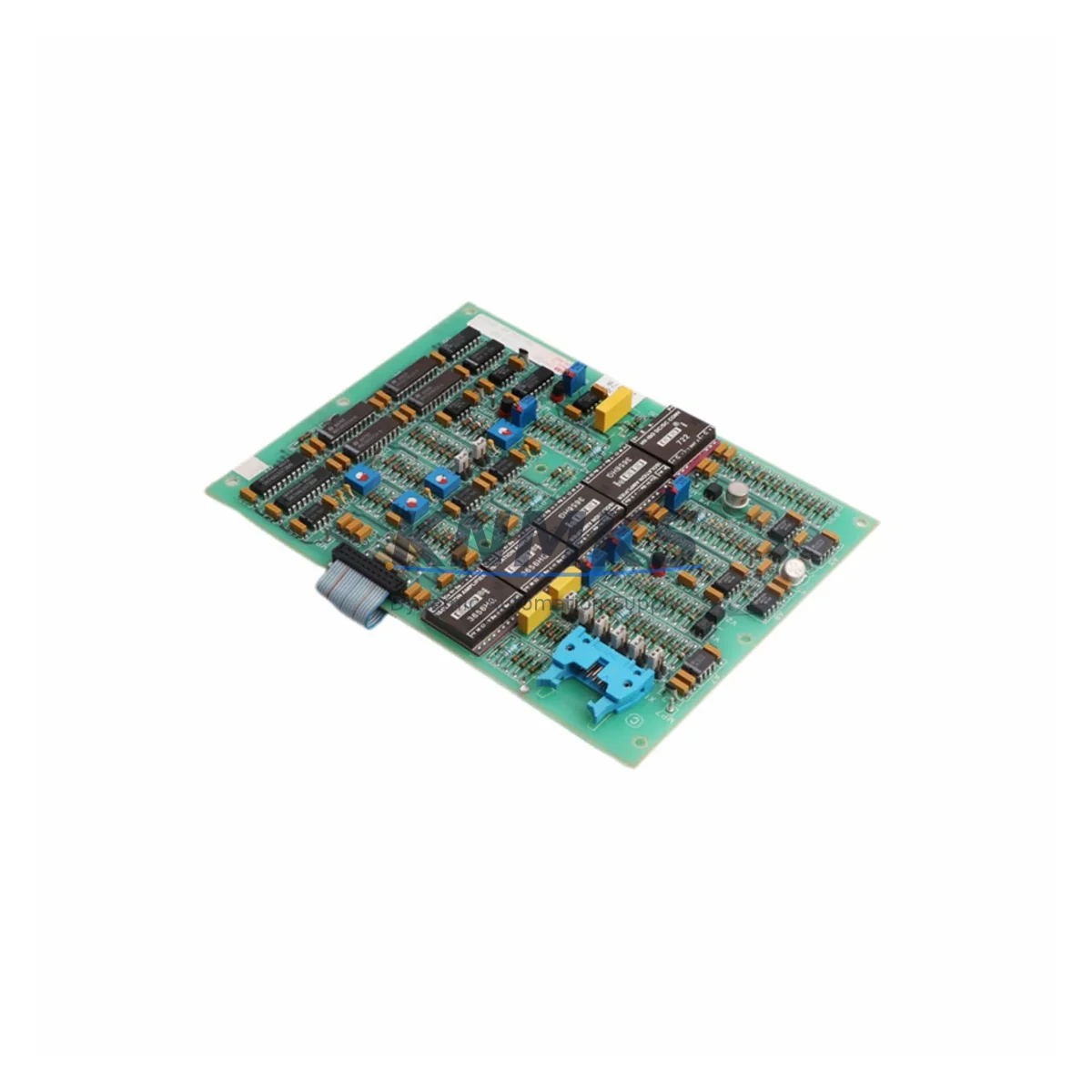
Overview
ABB SAFT164ALO Retrofit-Ready Analog I/O for SAFT 164: Legacy System Migration & Compatible Upgrade
The ABB SAFT164ALO is an analog input/output module originally designed for the ABB SAFT 164 drive control platform — a series widely deployed across industrial motor drive systems, process automation lines, and legacy DCS architectures throughout the 1990s and 2000s. As original equipment reaches end-of-life and OEM support is discontinued, the SAFT164ALO has become a critical spare for engineers managing brownfield retrofits, control cabinet upgrades, and production continuity on aging automation infrastructure.
This listing supplies verified SAFT164ALO units — sourced from authorized channels and tested prior to shipment — to support direct replacement of failed or degraded analog I/O modules in existing SAFT 164 drive systems. Each unit ships with a support terms confirmed by quotation covering manufacturing defects and functional performance under rated operating conditions.
Whether you are managing a planned system migration, responding to an unplanned module failure, or building a strategic spare inventory ahead of a scheduled shutdown, the SAFT164ALO provides a terminal-compatible, firmware-matched solution that minimizes engineering rework and reduces total downtime exposure.
Migration Compatibility Table
| Parameter | Detail |
|---|---|
| Module Designation | SAFT164ALO |
| Platform Compatibility | ABB SAFT 164 Drive Control Board Series |
| Module Function | Analog Input / Output (I/O) |
| Direct Replacement For | SAFT 164 AIO (legacy analog I/O variant) |
| Terminal Wiring | Terminal-matched to original SAFT 164 wiring harness; no re-termination required under standard replacement |
| Backplane Interface | Compatible with SAFT 164 drive backplane slot assignments |
| Communication Protocol | Parallel analog signal bus; verify drive firmware version for signal scaling compatibility |
| Installation Footprint | Same form factor as original SAFT164ALO; confirm cabinet rail clearance before installation |
| Firmware Compatibility | Verify SAFT 164 drive firmware revision; signal range parameters may require re-confirmation via drive commissioning tool |
| Power Supply Requirement | Powered via SAFT 164 drive internal bus; confirm PSU capacity when replacing multiple modules simultaneously |
| Commissioning Requirement | Re-confirm analog channel scaling, zero/span calibration, and I/O address mapping after module swap |
| Support terms | 12 months from date of shipment — covers manufacturing defects and functional performance |
| Pre-Shipment Testing | Functional test performed on each unit prior to dispatch |
| Origin | Germany (DE) |
Retrofit Planning for Existing Automation Systems
Replacing the SAFT164ALO within a live or recently decommissioned SAFT 164 drive system requires a structured approach to avoid cascading failures and unnecessary downtime. The SAFT 164 platform typically operates as part of a broader drive and motor control architecture, where the analog I/O module interfaces directly with process sensors, actuators, and supervisory control signals. Before initiating a module swap, engineers should document all existing terminal assignments, verify the drive’s internal power supply capacity — particularly if the SAFT164PSU or equivalent power module is already operating near rated load — and confirm that the SAFT 164 backplane slot addressing has not been modified from the original factory configuration.
In systems where the SAFT 164 drive communicates upstream to a DCS or SCADA platform via a SAFT164COM communication module or equivalent fieldbus adapter, it is essential to verify that the analog signal scaling configured in the communication layer matches the replacement module’s default channel parameters. Mismatched scaling between the SAFT164ALO and the upstream controller can result in process variable errors that are difficult to diagnose without access to the original commissioning documentation.
For control cabinets that also house SAFT164DIO digital I/O modules or SAFT164CPU control processor boards, the replacement sequence should be planned to avoid simultaneous multi-module outages. Where possible, replace the SAFT164ALO as a standalone operation, restore drive function, and validate analog channel performance before proceeding with any additional module replacements or firmware updates. If the cabinet also includes third-party signal isolators between the SAFT 164 analog outputs and field instrumentation, verify isolator input range compatibility with the replacement module’s output specifications.
In retrofit scenarios where the SAFT 164 platform is being partially migrated to a newer ABB drive or control architecture, the SAFT164ALO may serve as a bridging component — maintaining analog I/O continuity on legacy motor circuits while the broader control system is progressively upgraded. This approach is common in phased modernization projects where full system replacement is not operationally or financially feasible within a single maintenance window.
Downtime Control During System Migration
Minimizing downtime during a SAFT164ALO replacement begins with pre-staging. Before the maintenance window opens, confirm that the replacement module has been received, functionally tested, and physically verified against the installed unit’s label and revision marking. Prepare a terminal wiring diagram based on the existing installation — photograph or document all terminal connections before disconnecting any wiring, as SAFT 164 analog I/O wiring configurations can vary between drive revisions and site-specific engineering modifications.
During the swap, power down the SAFT 164 drive in accordance with the site’s lockout/tagout procedure. Remove the failed SAFT164ALO, install the replacement unit into the same backplane slot, and re-terminate all analog signal wiring to the documented terminal positions. After power restoration, use the drive’s commissioning interface — or the ABB DriveWindow / equivalent programming tool — to verify that all analog channels are reading correctly and that I/O address mapping matches the original configuration stored in the drive’s parameter set.
Where the SAFT 164 drive is integrated into a larger control loop — for example, controlling a motor that feeds a continuous process line — coordinate the maintenance window with the process control team to ensure that upstream and downstream process buffers are adequate to absorb the planned outage. If the drive’s control program includes analog-dependent interlocks or safety functions, verify that these are correctly restored and tested before returning the drive to automatic operation. Keeping a backup copy of the drive’s parameter file, exported prior to the module swap, provides a recovery baseline if commissioning reveals unexpected behavior after the replacement.
Retrofit Support FAQ
Q: Is the SAFT164ALO a direct drop-in replacement for the original SAFT 164 AIO module?
A: In most standard SAFT 164 drive configurations, yes. The SAFT164ALO is terminal-compatible and backplane-matched to the original SAFT 164 AIO slot. However, you should verify the drive’s firmware revision and confirm that analog channel scaling parameters are consistent with the replacement module’s factory defaults before returning the drive to service.
Q: What commissioning steps are required after installing the SAFT164ALO?
A: After installation, power up the SAFT 164 drive and use the drive’s commissioning tool to verify analog channel assignments, zero/span calibration, and I/O address mapping. If the drive communicates with an upstream DCS or SCADA system, confirm that process variable readings at the supervisory level match expected values before releasing the drive to automatic control.
Q: Do you provide pre-shipment testing and a support terms on the SAFT164ALO?
A: Yes. Every SAFT164ALO unit is functionally tested prior to dispatch. All units are supplied with a support terms confirmed by quotation covering manufacturing defects and functional performance under rated operating conditions. Contact admin@knmks.com for support requests or technical support.
Q: What is your typical lead time and do you maintain stock of the SAFT164ALO?
A: We maintain inventory of the SAFT164ALO to support urgent replacement requirements. Lead time varies by quantity and destination. Contact admin@knmks.com or call +86 18359268345 for current stock availability and shipping timelines.
© 2026 KNMKS. All rights reserved.
Original Source: https://knmks.com
Contact: admin@knmks.com | +86 18359268345
Product Identification
- Brand / Ecosystem
-
ABB
ABB - Model / Series
- SAFT164ALO
- Product Family
- PLCs & Controllers
- Availability Status
- Available on request after model and quantity confirmation
- Inquiry Type
- B2B RFQ, replacement inquiry and project spare-part request
- Pre-Quote Check
- Exact SKU, brand, series, quantity, nameplate photos and destination country are checked before quotation
System Path
Where this product fits in the KNMKS automation structure.
Specification & Inquiry Focus
- Control platform
- PLC, PAC and modular controllers
- Common needs
- CPU, rack, power and I/O expansion
- Project support
- Replacement, cabinet build and maintenance
Buyer Confirmation
Information KNMKS checks before replying.
- Exact model
- SAFT164ALO
- Brand / ecosystem
- ABB
- Product family
- PLCs & Controllers
- Application note
- Replacement, maintenance, project build or spare-part list
- Useful photos
- Nameplate, installed unit, cabinet layout or connector side
- Delivery details
- Quantity, destination country and target schedule
Document Support
Files and notes can be confirmed during quotation.
- Product photos or nameplate confirmation when available
- Packing and delivery notes before quotation confirmation
- Support scope and delivery terms confirmed per inquiry
- Export document coordination for qualified B2B requests
Inquiry Support
- Model cross-checking before quotation
- CPU, power, rack and expansion module matching
- Support for replacement and project inquiry
What to Send Us
- Brand and exact model number: ABB SAFT164ALO
- Quantity and required delivery time
- Application, replacement requirement or nameplate photo
- Destination country and shipping preference
RFQ Preparation
This is a product inquiry page built for RFQ communication.
Fast Model Check
Send this model to KNMKS for confirmation.
Include quantity, destination country and photos if this is a maintenance replacement. The inquiry will be saved with a reference number after submission.
Brand & Compatibility Note
KNMKS displays automation product information for well-known industrial brand ecosystems and compatible replacement references. Brand names are used for product identification and compatibility reference only; final availability and commercial terms are confirmed per quotation.
 Manufacturing
 Machine Tools
 Packaging
 Energy & Power



 HMI & Displays
 Servo Systems
 Variable Frequency Drives
 Sensors