
Overview
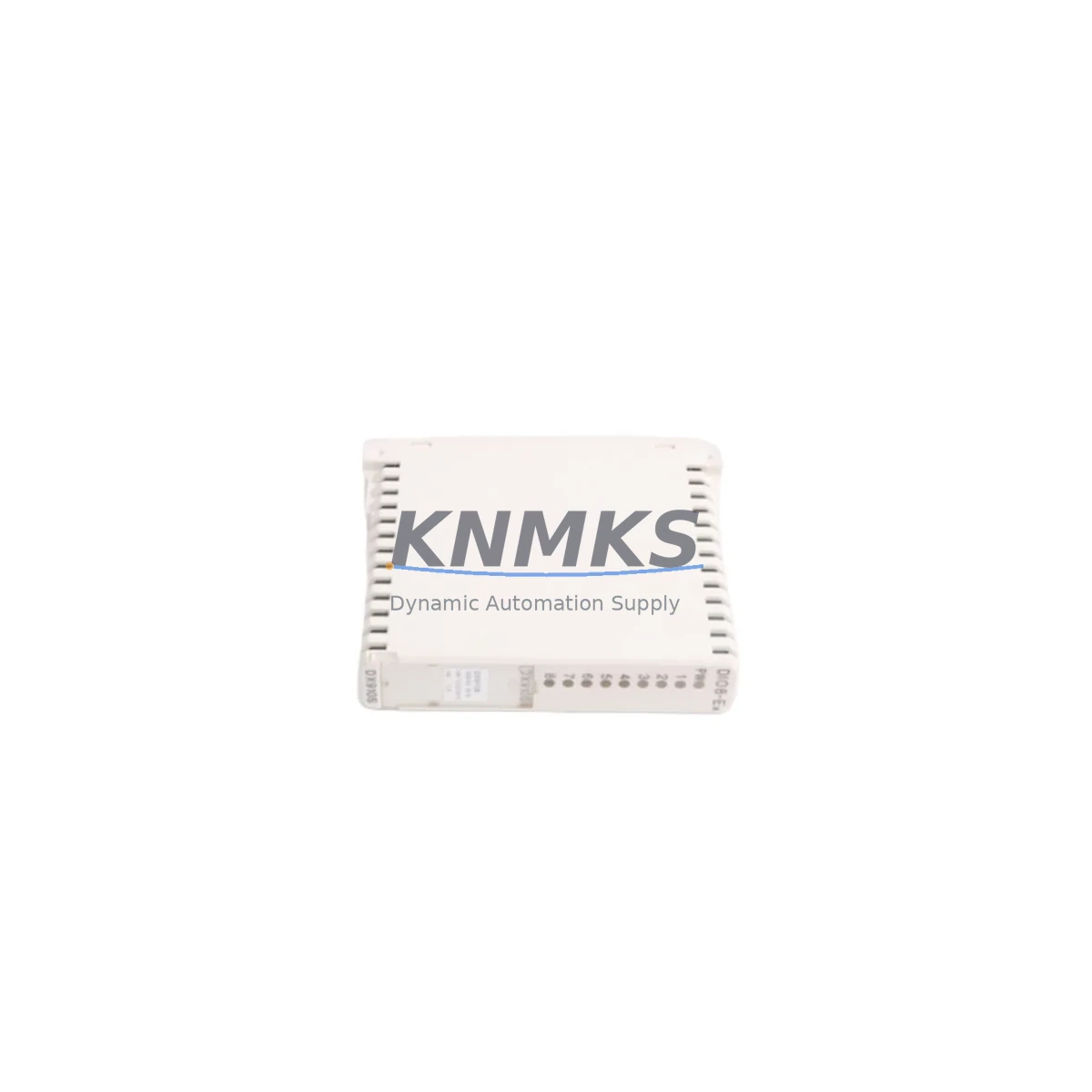
ABB S900 DX910S Maintenance-Proven Spare Part for Factory Uptime
The ABB S900 DX910S is a digital combination I/O module designed for the S900 Remote I/O system — a distributed I/O platform widely deployed in process automation, chemical, oil & gas, and power generation facilities. For maintenance engineers managing aging DCS or PLC architectures, holding a verified DX910S spare is a direct line of defense against unplanned downtime. This module handles both digital input and digital output channels within a single compact housing, reducing cabinet footprint while maintaining full compatibility with the S900 backplane and S900 field bus coupler infrastructure.
At KNMKS, every ABB S900 DX910S unit is sourced from authorized supply chains, pre-shipment tested against ABB electrical specifications, and dispatched with a support terms confirmed by quotation. Whether you are replenishing a critical spare parts inventory, executing an emergency replacement during a production stoppage, or planning a scheduled annual overhaul, the DX910S is available for immediate dispatch with full traceability documentation.
Spare Maintenance Table
| Parameter | Specification |
|---|---|
| SKU / Part Number | S900 DX910S |
| Brand | ABB |
| Series | S900 Remote I/O |
| Module Type | Digital Combination I/O Module |
| Origin | Germany (DE) |
| Compatible System | ABB S900 Remote I/O, AC800M, AC800F, Symphony Plus DCS |
| Backplane Compatibility | S900 I/O Station Backplane |
| Communication Interface | S900 Field Bus Coupler (PROFIBUS DP / Modbus) |
| Operating Voltage | 24 V DC (nominal) |
| Operating Temperature | -20°C to +60°C |
| Protection Class | IP20 (cabinet-mounted) |
| Mounting | DIN Rail / S900 I/O Station |
| Pre-Shipment Testing | Yes — functional and electrical verification |
| Support terms | 12 Months |
| Condition | Original / New / Refurbished-Tested (as stocked) |
| Lead Time | In-stock: same-day dispatch; sourced: 3–7 business days |
Maintenance Planning for Continuous Operation
When replacing or inspecting the ABB S900 DX910S in the field, a disciplined maintenance workflow extends well beyond the module itself. The DX910S operates within an S900 I/O station that depends on a healthy ecosystem of interconnected components — each of which should be evaluated during the same maintenance window to prevent repeat failures and maximize mean time between interventions.
Begin with the S900 Field Bus Coupler (e.g., DC905 or DC910) — the communication gateway between the S900 I/O station and the host DCS or PLC. A degraded coupler can cause intermittent channel faults that are frequently misdiagnosed as I/O module failures. Verify coupler firmware version and bus termination integrity before condemning the DX910S.
Next, inspect the S900 Power Supply Module (PS900 series) feeding the I/O station. Voltage sag or ripple on the 24 V DC rail is a leading cause of digital I/O module resets and false channel trips. Use a calibrated multimeter or power quality analyzer to confirm rail stability under load before installing the replacement DX910S.
Check all field wiring terminals and I/O terminal blocks connected to the DX910S channel assignments. Corroded or loose terminals on digital input circuits introduce signal bounce that can trigger nuisance alarms or mask genuine process faults. Re-torque terminal screws to manufacturer specification and apply contact protection spray where corrosion is present.
For installations where the S900 system interfaces with an ABB AC800M or AC800F controller, verify that the controller’s I/O configuration database reflects the correct module type and channel mapping for the DX910S slot. A mismatch between the hardware configuration and the controller’s I/O table will prevent the replacement module from coming online, even if the module itself is fully functional.
If the S900 station includes analog I/O modules (AI910S, AO910S) in adjacent slots, inspect the shared backplane connectors for mechanical damage or contamination. Backplane connector degradation affects all modules in the station and is often overlooked during single-module replacements.
Finally, review the cabinet-level fusing and surge protection on digital output circuits driven by the DX910S. Blown fuses or degraded surge suppressors on output field circuits are a common root cause of module damage — replacing the DX910S without addressing the downstream fault will result in repeat failures. Ensure all protective devices are rated correctly for the connected field loads.
Site Replacement Workflow
Step 1 — Isolation: Place the affected S900 I/O station in maintenance mode via the host DCS or PLC engineering workstation. Confirm that all digital output channels on the DX910S are de-energized and that process interlocks dependent on the module’s input channels are bypassed or held in a safe state.
Step 2 — Documentation: Record the existing module’s slot position, channel wiring labels, and any LED status indicators before removal. Photograph the terminal wiring for reference during reinstallation.
Step 3 — Module Swap: Remove the faulty DX910S by releasing the module locking mechanism and sliding it clear of the backplane connector. Insert the replacement S900 DX910S, ensuring full engagement with the backplane. The module is hot-swappable in most S900 configurations — confirm this with the site’s system documentation before proceeding without a full station power-down.
Step 4 — Configuration Verification: After insertion, the host controller should automatically recognize the replacement module if the hardware configuration is unchanged. Verify channel-by-channel I/O status on the engineering workstation. Force-test critical digital input and output channels against known field conditions before returning the station to automatic control.
Step 5 — Return to Service: Remove process bypasses and interlocks in the correct sequence per the site’s management of change procedure. Log the replacement in the plant maintenance management system (CMMS) with the new module’s serial number and installation date to support future support requests and lifecycle tracking.
Spare Parts Support FAQ
Q1: Is the S900 DX910S compatible with both PROFIBUS DP and Modbus-based S900 field bus couplers?
The DX910S digital combination I/O module is compatible with the S900 I/O station backplane regardless of the field bus coupler protocol variant installed. Communication protocol selection is managed at the coupler level (DC905 for PROFIBUS DP, DC910 for Modbus), not at the I/O module level. The DX910S will operate correctly with either coupler type provided the host controller’s I/O configuration is correctly defined.
Q2: What is included in KNMKS pre-shipment testing for the DX910S?
Each S900 DX910S unit undergoes functional power-on verification, digital channel continuity testing, and visual inspection for connector and housing integrity before dispatch. Units that do not pass all test criteria are quarantined and not shipped. A test record is available upon request for quality-critical procurement processes.
Q3: Can KNMKS support long-term supply agreements for the S900 DX910S?
Yes. KNMKS supports 12–36 month supply agreements for the S900 DX910S and related S900 series components. Long-term agreements include reserved stock allocation, priority dispatch, and fixed pricing to protect against market volatility on legacy ABB spare parts. Contact admin@knmks.com to discuss volume and lead time requirements.
Q4: What is the support terms coverage and claim process for the S900 DX910S?
All S900 DX910S units supplied by KNMKS carry a support terms confirmed by quotation from the date of dispatch, covering manufacturing defects and functional failures under normal operating conditions. Support requests are processed via admin@knmks.com with the original invoice number and a brief fault description. Replacement units are dispatched within 3 business days of claim approval.
© 2026 KNMKS. All rights reserved.
Original Source: https://knmks.com
Contact: admin@knmks.com | +86 18359268345
Product Identification
- Brand / Ecosystem
-
ABB
ABB - Model / Series
- S900 DX910S
- Product Family
- PLCs & Controllers
- Availability Status
- Available on request after model and quantity confirmation
- Inquiry Type
- B2B RFQ, replacement inquiry and project spare-part request
- Pre-Quote Check
- Exact SKU, brand, series, quantity, nameplate photos and destination country are checked before quotation
System Path
Where this product fits in the KNMKS automation structure.
Specification & Inquiry Focus
- Control platform
- PLC, PAC and modular controllers
- Common needs
- CPU, rack, power and I/O expansion
- Project support
- Replacement, cabinet build and maintenance
Buyer Confirmation
Information KNMKS checks before replying.
- Exact model
- S900 DX910S
- Brand / ecosystem
- ABB
- Product family
- PLCs & Controllers
- Application note
- Replacement, maintenance, project build or spare-part list
- Useful photos
- Nameplate, installed unit, cabinet layout or connector side
- Delivery details
- Quantity, destination country and target schedule
Document Support
Files and notes can be confirmed during quotation.
- Product photos or nameplate confirmation when available
- Packing and delivery notes before quotation confirmation
- Support scope and delivery terms confirmed per inquiry
- Export document coordination for qualified B2B requests
Inquiry Support
- Model cross-checking before quotation
- CPU, power, rack and expansion module matching
- Support for replacement and project inquiry
What to Send Us
- Brand and exact model number: ABB S900 DX910S
- Quantity and required delivery time
- Application, replacement requirement or nameplate photo
- Destination country and shipping preference
RFQ Preparation
This is a product inquiry page built for RFQ communication.
Fast Model Check
Send this model to KNMKS for confirmation.
Include quantity, destination country and photos if this is a maintenance replacement. The inquiry will be saved with a reference number after submission.
Brand & Compatibility Note
KNMKS displays automation product information for well-known industrial brand ecosystems and compatible replacement references. Brand names are used for product identification and compatibility reference only; final availability and commercial terms are confirmed per quotation.
 Manufacturing
 Machine Tools
 Packaging
 Energy & Power



 HMI & Displays
 Servo Systems
 Variable Frequency Drives
 Sensors