
Overview
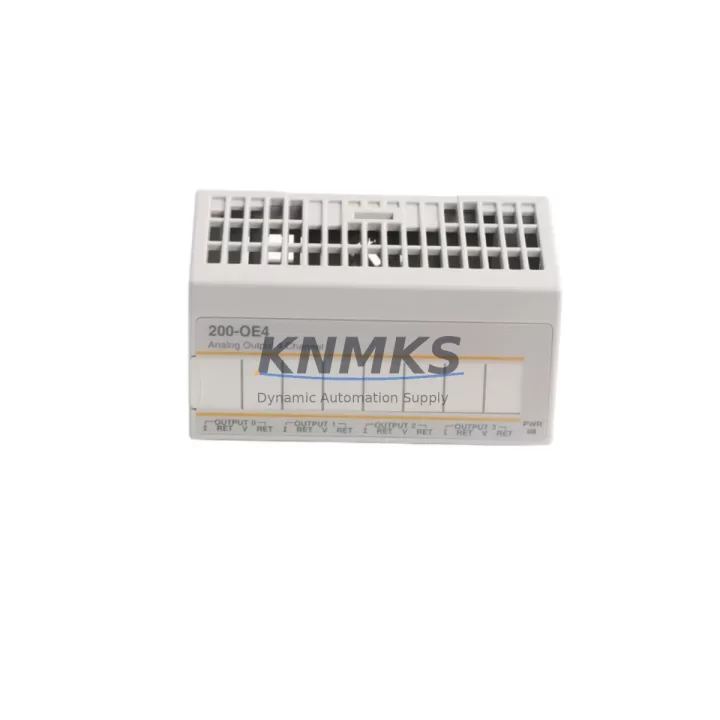
ABB S200-OE4 Migration-Ready Analog Output for Legacy Control Systems
The ABB S200-OE4 is a 4-channel analog output module engineered for the ABB AC500 PLC platform, purpose-built to serve as a direct replacement in legacy control system modernization projects. Whether you are retiring an aging S200 I/O rack, upgrading a distributed control cabinet, or restoring a discontinued automation line, the S200-OE4 delivers the signal fidelity, backplane compatibility, and wiring continuity that retrofit engineers demand.
Sourced from verified supply channels and pre-tested before dispatch, each unit ships with a support terms confirmed by quotation and full traceability documentation. For industrial facilities managing long-lifecycle automation assets — including process control, utilities, and discrete manufacturing — the S200-OE4 represents a low-risk, high-confidence path to extending operational continuity without a full platform migration.
When planning a retrofit around the S200-OE4, engineers must verify several critical parameters before installation. Power supply capacity on the existing AC500 rack must be confirmed against the aggregate draw of all installed I/O modules; the S200-OE4 draws from the backplane bus, and an undersized AC500 PM582 or PM592 CPU power budget can cause instability if not recalculated. Terminal wiring from the legacy module should be mapped against the S200-OE4’s channel-to-terminal assignment to confirm signal polarity and loop resistance compatibility for 4–20 mA or 0–10 V output modes.
Backplane slot addressing must be re-confirmed in the Automation Builder project file. If the original module occupied a specific rack position, the hardware configuration tree must reflect the S200-OE4’s GSD or device profile to avoid address conflicts with adjacent modules such as the S200-AI4 analog input or S200-DO16 digital output modules sharing the same I/O bus segment. Program logic referencing the outgoing module’s symbolic addresses should be audited for any hardcoded channel offsets before the replacement is commissioned.
Communication link integrity is equally important. In AC500 systems using PROFIBUS DP or Modbus RTU for distributed I/O, the S200-OE4’s node address and baud rate settings must match the master configuration. If the legacy system used a TB521 or TB541 communication interface module for fieldbus bridging, verify that the replacement module’s firmware revision is compatible with the installed interface version. Firmware mismatches between the CPU and I/O modules are a common source of initialization faults during retrofit commissioning.
Physical installation space should be confirmed before ordering. The S200-OE4 follows the standard S200 form factor and mounts directly onto the AC500 backplane rail, but cabinet depth, DIN rail clearance, and cable management routing must be assessed — particularly in retrofit scenarios where the original wiring harness was routed for a different module depth or connector orientation. Downtime planning should account for a cold-swap procedure: power down the rack, remove the legacy module, seat the S200-OE4, restore power, and execute a forced I/O scan from the CPU before resuming process control.
Migration Compatibility Table
| Parameter | Detail |
|---|---|
| SKU / Part Number | S200-OE4 |
| Brand / Manufacturer | ABB |
| Series | AC500 S200 I/O |
| Module Type | 4-Channel Analog Output |
| Output Signal | 4–20 mA / 0–10 V (configurable per channel) |
| Backplane Interface | AC500 S200 I/O bus (direct backplane mount) |
| Communication Compatibility | PROFIBUS DP, Modbus RTU (via TB5xx interface modules) |
| Compatible CPUs | PM571, PM581, PM582, PM591, PM592, PM595 |
| Installation Format | DIN rail, S200 backplane slot |
| Replacement Suitability | Direct drop-in for same-series S200-OE4 units; verify firmware revision |
| Commissioning Tool | ABB Automation Builder (IEC 61131-3) |
| Country of Origin | Germany |
| Support terms | 12 Months — covers manufacturing defects and functional failure under normal operating conditions |
Retrofit Planning for Existing Automation Systems
A successful S200-OE4 retrofit begins well before the module arrives on-site. Start by auditing the existing rack configuration: document every module in the AC500 backplane, including the S200-AI4 analog input modules, any installed S200-DI16 digital input cards, and the TB521 PROFIBUS interface if present. This inventory forms the baseline for your hardware configuration file in Automation Builder and ensures that the replacement module’s slot address is correctly assigned without disrupting adjacent I/O.
Power budget recalculation is non-negotiable. The AC500 PM582 CPU and its associated power supply module must be able to sustain the combined current draw of all backplane-mounted I/O. Adding or replacing analog output modules changes the load profile, and an undersized supply will cause intermittent faults that are difficult to diagnose under live process conditions. If the existing supply is marginal, consider upgrading to a higher-capacity unit before the retrofit window opens.
For systems using Modbus RTU over RS-485, confirm that the S200-OE4’s node address does not conflict with other devices on the segment. In multi-drop configurations, address collisions cause silent data corruption that may not surface until the system is under full production load. Use the Automation Builder diagnostic tools to scan the bus and verify node uniqueness before closing the cabinet.
If the control system includes an ABB CP600 or CP620 HMI panel, review all analog output tag bindings that reference the outgoing module’s channel addresses. HMI screens displaying valve position, flow setpoint, or drive speed references may need tag remapping if the new module’s symbolic address differs from the original. This step is frequently overlooked and can result in operator interface errors that delay production restart after the retrofit.
Finally, prepare a pre-tested spare: bench-test the S200-OE4 against a known-good AC500 rack with a representative program before the scheduled maintenance window. This confirms firmware compatibility, validates channel calibration, and eliminates the risk of discovering a configuration issue during a live cutover.
Downtime Control During System Migration
Minimizing unplanned downtime during an S200-OE4 swap requires a structured cutover plan. Begin by exporting and archiving the current Automation Builder project, including all hardware configuration files, symbol tables, and HMI tag databases. This backup is your recovery baseline if the retrofit encounters an unexpected compatibility issue.
Schedule the physical swap during a planned maintenance window with process isolation confirmed upstream and downstream. Before powering down the rack, record all active analog output values from the SCADA or HMI historian — these setpoints will need to be re-entered or verified after the replacement module initializes. Cold-swap the module with the rack de-energized, reseat the backplane connector firmly, and restore power in a controlled sequence.
On power-up, force a full I/O scan from the CPU and monitor the diagnostic buffer in Automation Builder for any initialization faults. Common issues at this stage include firmware version mismatches between the S200-OE4 and the installed CPU, backplane connector seating faults, and address conflicts with adjacent modules. Each of these can be resolved without additional hardware if identified promptly during the commissioning phase.
Once the module passes the I/O scan, perform a channel-by-channel output verification using a calibrated loop tester or multimeter before reconnecting field devices. Confirm that each channel produces the correct mA or voltage output at 0%, 50%, and 100% of the programmed range. Only after this verification is complete should field wiring be reconnected and the process returned to automatic control. This disciplined approach consistently reduces retrofit-related downtime to under two hours for a single-module replacement in a well-documented AC500 system.
Retrofit Support FAQ
Q: Is the S200-OE4 a direct replacement for an existing S200-OE4 unit in my AC500 rack?
A: Yes, the S200-OE4 is a direct slot-compatible replacement for same-series units. Verify that the firmware revision of the replacement module is compatible with your installed CPU version in Automation Builder before commissioning. No hardware configuration changes are required if the slot address remains the same.
Q: What wiring changes are needed when replacing the S200-OE4?
A: In most cases, no wiring changes are required. The S200-OE4 uses the same terminal block layout as the original module. However, confirm channel-to-terminal mapping against your as-built drawings, particularly if the original module was installed with a non-standard wiring scheme or if field cables were labeled by terminal number rather than channel function.
Q: How do I verify compatibility with my existing PROFIBUS or Modbus network?
A: Use the Automation Builder hardware configuration tool to confirm that the S200-OE4’s GSD profile matches the installed firmware version. For PROFIBUS systems, verify the DP slave address and baud rate settings. For Modbus RTU systems, confirm the node address and parity settings match the master configuration. Run a bus diagnostic scan before reconnecting field devices.
Q: What does the support terms confirmed by quotation cover, and how is it supported?
A: The support terms confirmed by quotation cover manufacturing defects and functional failure under normal operating conditions from the date of shipment. Each unit is pre-tested before dispatch and ships with traceability documentation. For support requests or technical support during commissioning, contact admin@knmks.com or call +86 18359268345. Replacement units are dispatched from verified stock with priority handling for production-critical applications.
© 2026 KNMKS. All rights reserved.
Original Source: https://knmks.com
Contact: admin@knmks.com | +86 18359268345
Product Identification
- Brand / Ecosystem
-
ABB
ABB - Model / Series
-
S200-OE4
AC500 Series - Product Family
- PLCs & Controllers
- Availability Status
- Available on request after model and quantity confirmation
- Inquiry Type
- B2B RFQ, replacement inquiry and project spare-part request
- Pre-Quote Check
- Exact SKU, brand, series, quantity, nameplate photos and destination country are checked before quotation
System Path
Where this product fits in the KNMKS automation structure.
Specification & Inquiry Focus
- Control platform
- PLC, PAC and modular controllers
- Common needs
- CPU, rack, power and I/O expansion
- Project support
- Replacement, cabinet build and maintenance
Buyer Confirmation
Information KNMKS checks before replying.
- Exact model
- S200-OE4
- Brand / ecosystem
- ABB
- Product family
- PLCs & Controllers
- Application note
- Replacement, maintenance, project build or spare-part list
- Useful photos
- Nameplate, installed unit, cabinet layout or connector side
- Delivery details
- Quantity, destination country and target schedule
Document Support
Files and notes can be confirmed during quotation.
- Product photos or nameplate confirmation when available
- Packing and delivery notes before quotation confirmation
- Support scope and delivery terms confirmed per inquiry
- Export document coordination for qualified B2B requests
Inquiry Support
- Model cross-checking before quotation
- CPU, power, rack and expansion module matching
- Support for replacement and project inquiry
What to Send Us
- Brand and exact model number: ABB S200-OE4
- Quantity and required delivery time
- Application, replacement requirement or nameplate photo
- Destination country and shipping preference
RFQ Preparation
This is a product inquiry page built for RFQ communication.
Fast Model Check
Send this model to KNMKS for confirmation.
Include quantity, destination country and photos if this is a maintenance replacement. The inquiry will be saved with a reference number after submission.
Brand & Compatibility Note
KNMKS displays automation product information for well-known industrial brand ecosystems and compatible replacement references. Brand names are used for product identification and compatibility reference only; final availability and commercial terms are confirmed per quotation.
 Manufacturing
 Machine Tools
 Packaging
 Energy & Power



 HMI & Displays
 Servo Systems
 Variable Frequency Drives
 Sensors