
Overview
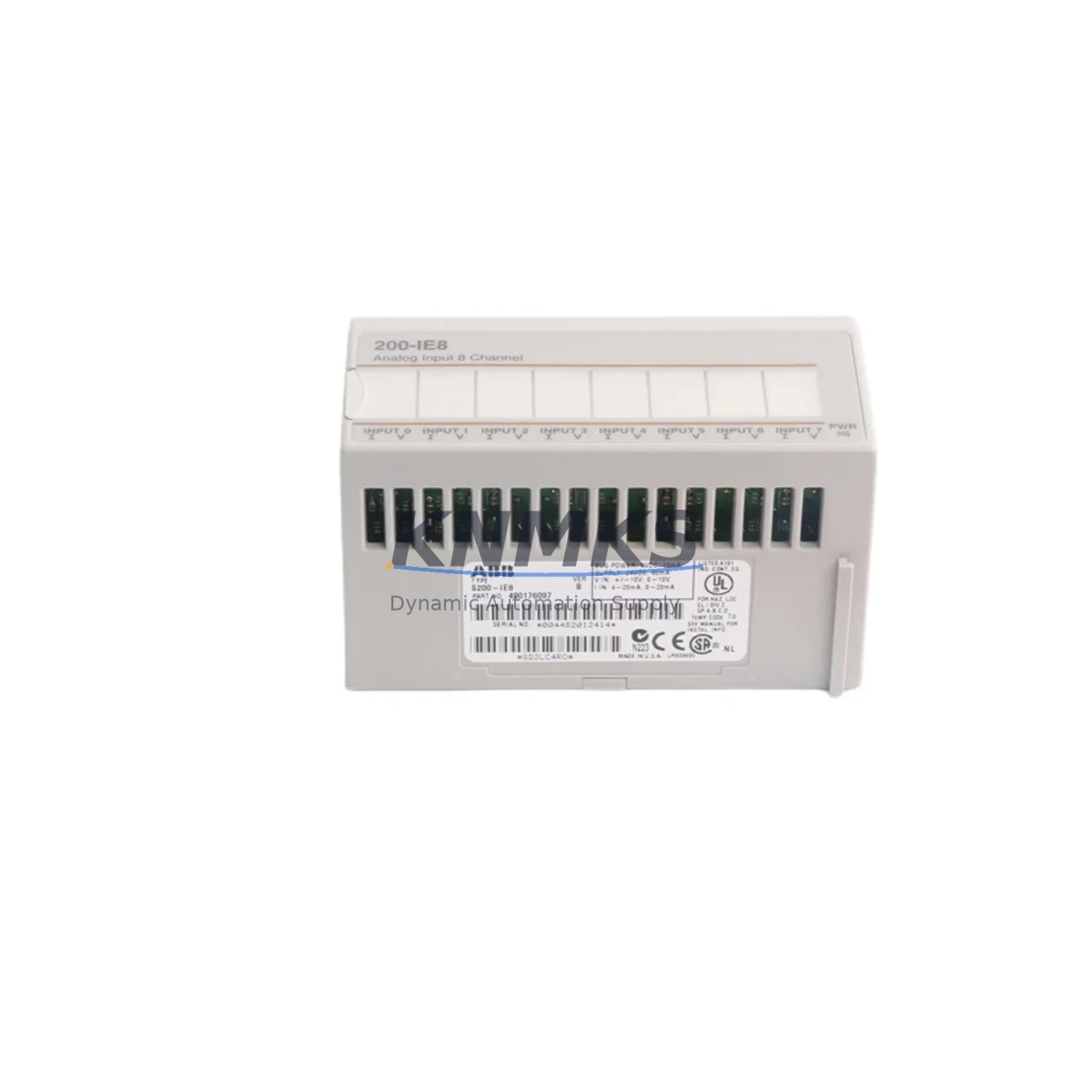
ABB S200-IE8 Maintenance-Proven Spare Part for Factory Uptime
The ABB S200-IE8 is an 8-channel analog input module engineered for ABB’s S200 distributed I/O platform, widely deployed across process automation, discrete manufacturing, and utility control systems. For maintenance engineers managing aging DCS or PLC infrastructure, keeping a verified S200-IE8 spare on the shelf is one of the most cost-effective strategies to eliminate unplanned downtime. Whether you are responding to a channel fault alarm, executing a scheduled annual overhaul, or building a strategic spare parts inventory for a multi-line facility, the S200-IE8 delivers the signal accuracy, form-factor compatibility, and long-term availability your operation demands.
Each unit supplied by KNMKS is sourced from authorized distribution channels, individually inspected, and function-tested prior to shipment. All S200-IE8 modules are covered by a support terms confirmed by quotation and ship with full documentation support. We maintain standing stock to support both emergency same-day dispatch and scheduled procurement cycles.
Spare Maintenance Table
| Parameter | Specification |
|---|---|
| Part Number / SKU | S200-IE8 |
| Brand / Manufacturer | ABB |
| Series | S200 Distributed I/O |
| Module Type | 8-Channel Analog Input Module |
| Input Signal Range | 4–20 mA / 0–10 V (configurable per channel) |
| Number of Channels | 8 (differential or single-ended) |
| Resolution | 16-bit |
| Communication Interface | S200 backplane bus (PROFIBUS / PROFINET compatible rack) |
| Supply Voltage | 24 V DC (via backplane) |
| Operating Temperature | 0 °C to +55 °C |
| Protection Rating | IP20 |
| Country of Origin | Germany |
| Mounting | DIN rail / S200 backplane slot |
| Compatibility | ABB S200 series backplanes, AC500 PLC I/O expansion, Symphony Plus DCS field I/O |
| Certifications | CE, UL (series-level) |
| Support terms | 12 Months — KNMKS Verified |
| Condition | New / Original |
| Lead Time | availability confirmed by RFQ — ships within 1–3 business days |
Maintenance Planning for Continuous Operation
When an S200-IE8 analog input channel degrades or fails, the fault rarely exists in isolation. Experienced maintenance engineers know that a thorough site inspection should accompany any module swap. Before reinstalling or commissioning a replacement S200-IE8, verify the integrity of the 24 V DC backplane power supply — a marginal supply voltage is a leading cause of premature analog module failure and intermittent channel errors. Check the S200 backplane itself for bent connector pins, oxidation, or mechanical damage that could cause poor contact with the new module.
Inspect all field wiring terminals and shielded signal cables connected to the analog input channels. In high-EMI environments typical of motor control centers and variable frequency drive (VFD) cabinets, unshielded or improperly grounded signal cables introduce noise that masks real process values. If the S200-IE8 is receiving 4–20 mA signals from field transmitters, confirm that the transmitters themselves — such as pressure, temperature, or flow transmitters — are within calibration and not contributing to the fault condition.
For systems where the S200-IE8 feeds data into an ABB AC500 PLC or a Symphony Plus DCS controller, validate the I/O configuration in the engineering tool after module replacement to ensure channel addressing and scaling parameters are correctly restored. If your control cabinet also houses S200-OE8 analog output modules or S200-DI16 / S200-DO16 digital I/O modules, include them in your inspection checklist — shared backplane faults can affect multiple module types simultaneously.
Signal isolation is another critical consideration. Where the S200-IE8 interfaces with third-party field devices or crosses electrical isolation boundaries, signal isolators or loop-powered barriers should be inspected for drift or failure. Additionally, check the fuse protection on the 24 V field supply rail and any surge protection devices (SPDs) installed on analog signal lines — these are consumable protective components that are often overlooked during routine maintenance cycles.
Finally, if your facility operates an ABB CP600 or CP400 series HMI connected to the same control network, verify that analog trend displays and alarm setpoints are functioning correctly after the module swap, as a misconfigured I/O address can silently corrupt process visualization without triggering a hard fault alarm.
Site Replacement Workflow
Step 1 — Isolate and document: Before removing the faulty S200-IE8, record all channel configurations, tag numbers, and wiring labels. Take a photograph of the terminal connections. Isolate the affected I/O loop at the field device and confirm the process is in a safe state or manual control mode.
Step 2 — Power down the backplane slot: Follow ABB’s hot-swap guidance for the S200 platform. If the backplane does not support hot-swap for analog modules in your specific configuration, de-energize the relevant backplane segment before extraction to avoid transient signals on shared bus lines.
Step 3 — Install the replacement S200-IE8: Seat the new module firmly into the backplane slot. Reconnect field wiring in the exact terminal sequence documented in Step 1. Verify shield grounding continuity.
Step 4 — Restore and validate: Re-energize the backplane and confirm the module is recognized by the controller. In the PLC or DCS engineering environment, force-read each channel and compare live values against known reference signals or calibrated loop calibrators. Confirm all 8 channels are within expected accuracy before returning the loop to automatic control.
Step 5 — Update maintenance records: Log the replacement date, module serial number, and any observations about the failed unit. Return the faulty module for failure analysis if root cause investigation is required. Update your spare parts inventory to trigger reorder of a replacement S200-IE8 to maintain minimum stock levels.
This workflow minimizes mean time to repair (MTTR), preserves system compatibility, and ensures the replacement module is validated before production resumes — reducing the risk of a secondary fault event caused by an installation error.
Spare Parts Support FAQ
Q1: Is the S200-IE8 supplied by KNMKS a new, original ABB module?
Yes. All S200-IE8 units are new, original ABB modules sourced through verified supply channels. Each unit undergoes incoming inspection and functional testing before dispatch. A support terms confirmed by quotation is included with every order, covering manufacturing defects and operational failures under normal use conditions.
Q2: How do I confirm compatibility between the S200-IE8 and my existing S200 backplane revision?
The S200-IE8 is designed for use across the S200 distributed I/O backplane family. To confirm compatibility with your specific backplane revision and firmware version, provide your backplane part number and controller type (AC500 PLC or Symphony Plus DCS) when placing your order. Our technical team will cross-reference the ABB compatibility matrix and confirm fit before shipment.
Q3: What is the lead time for emergency orders, and can KNMKS support long-term supply agreements?
For in-stock S200-IE8 modules, standard lead time is 1–3 business days with express shipping options available for critical downtime situations. For facilities with recurring maintenance needs or annual overhaul schedules, KNMKS offers long-term supply agreements with reserved stock allocation, priority dispatch, and fixed pricing — contact our sales team to discuss your requirements.
Q4: What testing is performed before the S200-IE8 ships?
Each module is powered up and subjected to channel-level functional verification, including signal input simulation across the 4–20 mA and 0–10 V ranges, communication bus response testing, and visual inspection for physical integrity. Test records are available upon request for quality-critical procurement processes.
© 2026 KNMKS. All rights reserved.
Original Source: https://knmks.com
Contact: admin@knmks.com | +86 18359268345
Product Identification
- Brand / Ecosystem
-
ABB
ABB - Model / Series
- S200-IE8
- Product Family
- PLCs & Controllers
- Availability Status
- Available on request after model and quantity confirmation
- Inquiry Type
- B2B RFQ, replacement inquiry and project spare-part request
- Pre-Quote Check
- Exact SKU, brand, series, quantity, nameplate photos and destination country are checked before quotation
System Path
Where this product fits in the KNMKS automation structure.
Specification & Inquiry Focus
- Control platform
- PLC, PAC and modular controllers
- Common needs
- CPU, rack, power and I/O expansion
- Project support
- Replacement, cabinet build and maintenance
Buyer Confirmation
Information KNMKS checks before replying.
- Exact model
- S200-IE8
- Brand / ecosystem
- ABB
- Product family
- PLCs & Controllers
- Application note
- Replacement, maintenance, project build or spare-part list
- Useful photos
- Nameplate, installed unit, cabinet layout or connector side
- Delivery details
- Quantity, destination country and target schedule
Document Support
Files and notes can be confirmed during quotation.
- Product photos or nameplate confirmation when available
- Packing and delivery notes before quotation confirmation
- Support scope and delivery terms confirmed per inquiry
- Export document coordination for qualified B2B requests
Inquiry Support
- Model cross-checking before quotation
- CPU, power, rack and expansion module matching
- Support for replacement and project inquiry
What to Send Us
- Brand and exact model number: ABB S200-IE8
- Quantity and required delivery time
- Application, replacement requirement or nameplate photo
- Destination country and shipping preference
RFQ Preparation
This is a product inquiry page built for RFQ communication.
Fast Model Check
Send this model to KNMKS for confirmation.
Include quantity, destination country and photos if this is a maintenance replacement. The inquiry will be saved with a reference number after submission.
Brand & Compatibility Note
KNMKS displays automation product information for well-known industrial brand ecosystems and compatible replacement references. Brand names are used for product identification and compatibility reference only; final availability and commercial terms are confirmed per quotation.
 Manufacturing
 Machine Tools
 Packaging
 Energy & Power



 HMI & Displays
 Servo Systems
 Variable Frequency Drives
 Sensors