
Overview
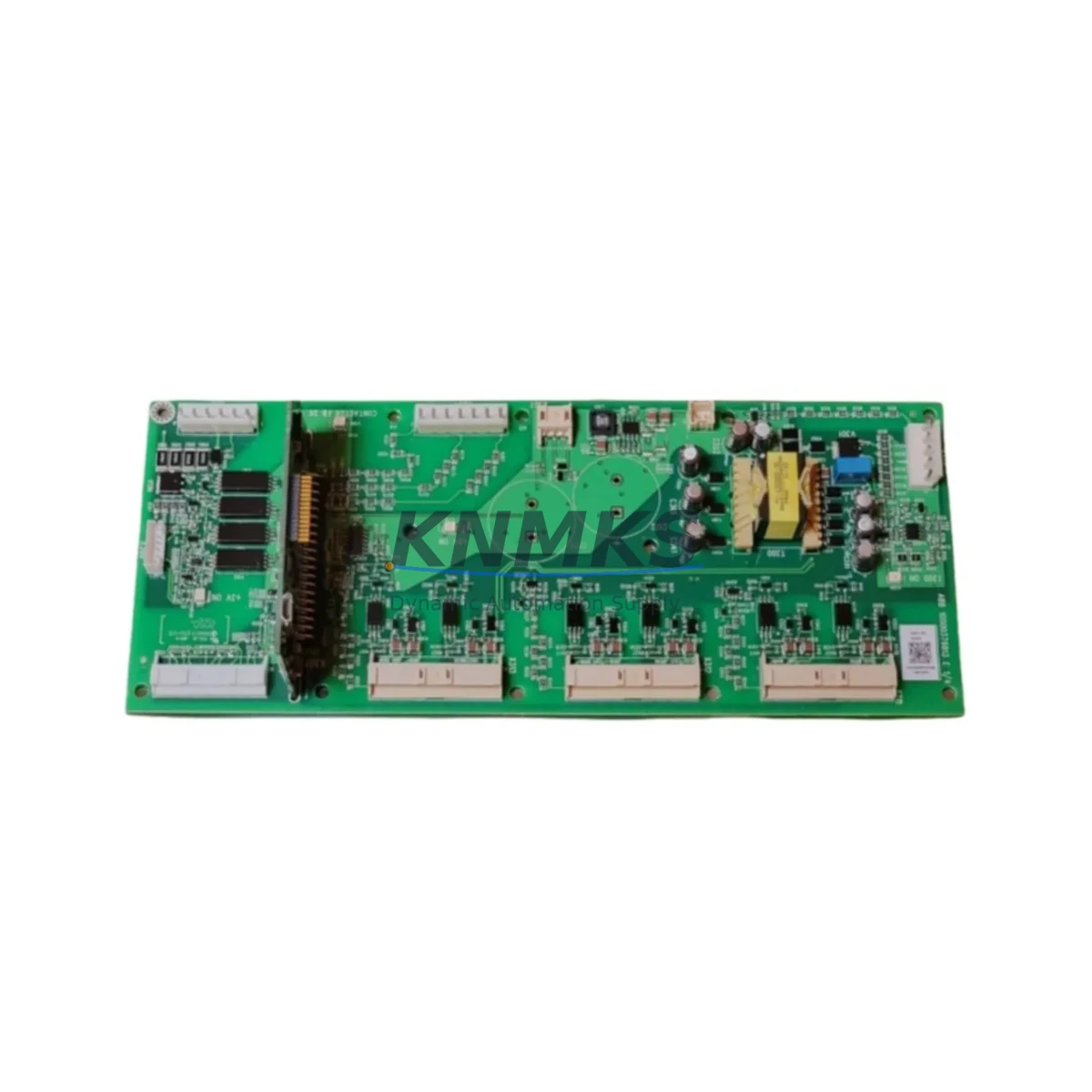
ABB QINT-781 Maintenance-Proven Spare Part for Factory Uptime
The ABB QINT-781 is an original INSUM fieldbus communication module engineered for continuous-duty industrial motor control environments. Designed to integrate seamlessly within ABB’s INSUM (Intelligent Motor Control) system architecture, the QINT-781 serves as the critical communication bridge between motor protection relays, soft starters, and the supervisory fieldbus network — typically PROFIBUS DP or DeviceNet. For maintenance engineers managing aging motor control centers (MCCs), keeping a verified QINT-781 spare on the shelf is a non-negotiable element of any serious uptime strategy.
At KNMKS, every QINT-781 unit is sourced from authorized channels, subjected to pre-shipment functional testing, and backed by a support terms confirmed by quotation. We maintain multi-region stock to support both emergency breakdown orders and planned annual maintenance procurement cycles.
Spare Maintenance Table
| Parameter | Specification |
|---|---|
| Part Number / SKU | QINT-781 |
| Brand | ABB |
| Series | INSUM (Intelligent Motor Control) |
| Product Type | Fieldbus Communication Module |
| Fieldbus Protocol | PROFIBUS DP / DeviceNet (INSUM architecture) |
| Compatible Systems | ABB INSUM MCC, UMC100, PST/PSTB Soft Starters, MNS MCC Panels |
| Origin | Germany (DE) |
| Installation | DIN rail / MCC backplane slot mount |
| Operating Temperature | 0°C to +55°C (standard industrial enclosure) |
| Application Environment | Motor control centers, process automation panels, utility substations |
| Maintenance Recommendation | Inspect communication LEDs, verify bus termination, check connector seating during annual MCC inspection |
| Support terms | 12 Months — covers functional defects under normal operating conditions |
| Pre-Shipment Testing | Yes — communication link and power-up verification performed before dispatch |
| Lead Time | availability confirmed by RFQ — same-day or next-business-day dispatch available |
Maintenance Planning for Continuous Operation
When a QINT-781 fieldbus communication module fails or degrades, the impact extends well beyond a single device. The INSUM system relies on continuous, low-latency communication between the module and the motor protection relay network. A communication fault can trigger nuisance trips, mask real motor faults, or cause the supervisory SCADA system to lose visibility over entire motor groups. Effective maintenance planning therefore requires a holistic review of the surrounding electrical circuit whenever the QINT-781 is replaced.
During a scheduled QINT-781 replacement, maintenance engineers should simultaneously inspect the ABB UMC100 Universal Motor Controller for firmware version compatibility and parameter backup integrity — the UMC100 stores motor protection settings that must be re-verified after any communication module swap. The ABB PST/PSTB soft starter connected downstream should be checked for correct fieldbus node address configuration, as address conflicts are a common post-replacement commissioning error.
On the power supply side, verify that the 24 VDC auxiliary power supply feeding the INSUM communication bus is within tolerance (typically ±10%). A marginal power supply is a frequent root cause of intermittent fieldbus communication errors that are misdiagnosed as module failure. If the MCC panel uses a dedicated PROFIBUS DP repeater or bus coupler, inspect termination resistors and cable shielding continuity at both ends of the segment.
I/O integrity checks should cover the digital input/output terminal blocks associated with motor run, fault, and ready signals. Loose or corroded terminals on the I/O wiring harness can introduce signal noise that corrupts fieldbus data frames. For panels operating in high-vibration environments, consider replacing terminal block ferrules as part of the same maintenance window.
If the installation includes signal isolators or galvanic separators on the fieldbus segment, verify isolation resistance and check for ground loop conditions — these are particularly common in older MCC installations where cable routing was not originally designed for fieldbus protocols. Finally, inspect any panel-mounted fuses or miniature circuit breakers (MCBs) protecting the 24 VDC bus; a slow-blow fuse that has partially degraded may pass continuity testing but fail under load, causing intermittent resets of the QINT-781 module.
For facilities running extended production campaigns, we recommend maintaining a minimum of one QINT-781 spare per MCC lineup, with a secondary spare held at the central maintenance warehouse. Blanket purchase orders covering 12–24 months of anticipated consumption are available through KNMKS to lock in pricing and ensure supply continuity for long-lifecycle INSUM installations.
Site Replacement Workflow
Step 1 — Pre-Replacement Preparation: Download and archive the current INSUM system configuration and UMC100 parameter sets using ABB’s INSUM Tool or Drive Composer software. Confirm the replacement QINT-781 unit matches the original hardware revision where applicable.
Step 2 — Safe Isolation: Follow site LOTO (Lockout/Tagout) procedures. De-energize the MCC section, verify absence of voltage on both the main bus and the 24 VDC auxiliary circuit, and discharge any residual bus capacitance.
Step 3 — Module Removal: Disconnect the fieldbus connector (DB9 or M12, depending on installation variant) and the 24 VDC power connector. Release the DIN rail or backplane locking tab and remove the QINT-781. Note the physical condition of connectors and housing for failure analysis records.
Step 4 — Installation of Replacement Unit: Seat the new QINT-781 firmly on the DIN rail or backplane slot. Reconnect power and fieldbus connectors. Verify that bus termination is correctly set if this module is at a segment endpoint.
Step 5 — Commissioning and Verification: Re-energize the auxiliary 24 VDC circuit. Observe the QINT-781 status LEDs — a steady green RUN indicator and no active BUS FAULT LED confirms successful communication establishment. Verify all motor protection relay nodes are visible on the PROFIBUS master or DeviceNet scanner. Restore archived parameter sets to the UMC100 if required.
Step 6 — Documentation: Record the replacement in the MCC maintenance log, including the new unit’s serial number, installation date, and post-replacement test results. Update the spare parts inventory system to trigger reorder of the consumed spare.
This workflow minimizes MCC downtime to typically under 60 minutes for a prepared maintenance team, preserving production continuity and avoiding the cascading costs of extended motor group outages.
Spare Parts Support FAQ
Q1: Is the KNMKS-supplied QINT-781 an original ABB component?
Yes. All QINT-781 units supplied by KNMKS are original ABB components sourced through authorized distribution and industrial surplus channels. Each unit undergoes pre-shipment power-up and communication link testing. A support terms confirmed by quotation covering functional defects under normal operating conditions is included with every shipment.
Q2: How do I verify compatibility between the QINT-781 and my existing INSUM system version?
Compatibility is primarily determined by the INSUM system generation and the fieldbus protocol variant (PROFIBUS DP vs. DeviceNet). Check the existing module’s label for the hardware revision code and compare against your INSUM system documentation. If you are unsure, provide your MCC panel nameplate data and existing module part number to our technical team at admin@knmks.com — we will confirm compatibility before shipment.
Q3: What is your lead time and can you support emergency breakdown orders?
KNMKS maintains in-stock inventory of the QINT-781 across multiple warehouse locations. Standard orders ship within 1 business day. For verified emergency breakdown situations, same-day dispatch is available for orders confirmed before the daily cutoff. Contact us directly at +86 18359268345 for urgent requirements.
Q4: Can KNMKS support long-term supply for INSUM spare parts beyond a single order?
Yes. We offer blanket purchase agreements and annual supply contracts for customers managing large INSUM MCC fleets or operating in regions with extended procurement lead times. Long-term supply arrangements include price protection, reserved stock allocation, and priority dispatch. Contact admin@knmks.com to discuss your annual consumption requirements and establish a supply framework agreement.
© 2026 KNMKS. All rights reserved.
Original Source: https://knmks.com
Contact: admin@knmks.com | +86 18359268345
Product Identification
- Brand / Ecosystem
-
ABB
ABB - Model / Series
- QINT-781
- Product Family
- PLCs & Controllers
- Availability Status
- Available on request after model and quantity confirmation
- Inquiry Type
- B2B RFQ, replacement inquiry and project spare-part request
- Pre-Quote Check
- Exact SKU, brand, series, quantity, nameplate photos and destination country are checked before quotation
System Path
Where this product fits in the KNMKS automation structure.
Specification & Inquiry Focus
- Control platform
- PLC, PAC and modular controllers
- Common needs
- CPU, rack, power and I/O expansion
- Project support
- Replacement, cabinet build and maintenance
Buyer Confirmation
Information KNMKS checks before replying.
- Exact model
- QINT-781
- Brand / ecosystem
- ABB
- Product family
- PLCs & Controllers
- Application note
- Replacement, maintenance, project build or spare-part list
- Useful photos
- Nameplate, installed unit, cabinet layout or connector side
- Delivery details
- Quantity, destination country and target schedule
Document Support
Files and notes can be confirmed during quotation.
- Product photos or nameplate confirmation when available
- Packing and delivery notes before quotation confirmation
- Support scope and delivery terms confirmed per inquiry
- Export document coordination for qualified B2B requests
Inquiry Support
- Model cross-checking before quotation
- CPU, power, rack and expansion module matching
- Support for replacement and project inquiry
What to Send Us
- Brand and exact model number: ABB QINT-781
- Quantity and required delivery time
- Application, replacement requirement or nameplate photo
- Destination country and shipping preference
RFQ Preparation
This is a product inquiry page built for RFQ communication.
Fast Model Check
Send this model to KNMKS for confirmation.
Include quantity, destination country and photos if this is a maintenance replacement. The inquiry will be saved with a reference number after submission.
Brand & Compatibility Note
KNMKS displays automation product information for well-known industrial brand ecosystems and compatible replacement references. Brand names are used for product identification and compatibility reference only; final availability and commercial terms are confirmed per quotation.
 Manufacturing
 Machine Tools
 Packaging
 Energy & Power



 HMI & Displays
 Servo Systems
 Variable Frequency Drives
 Sensors