
Overview
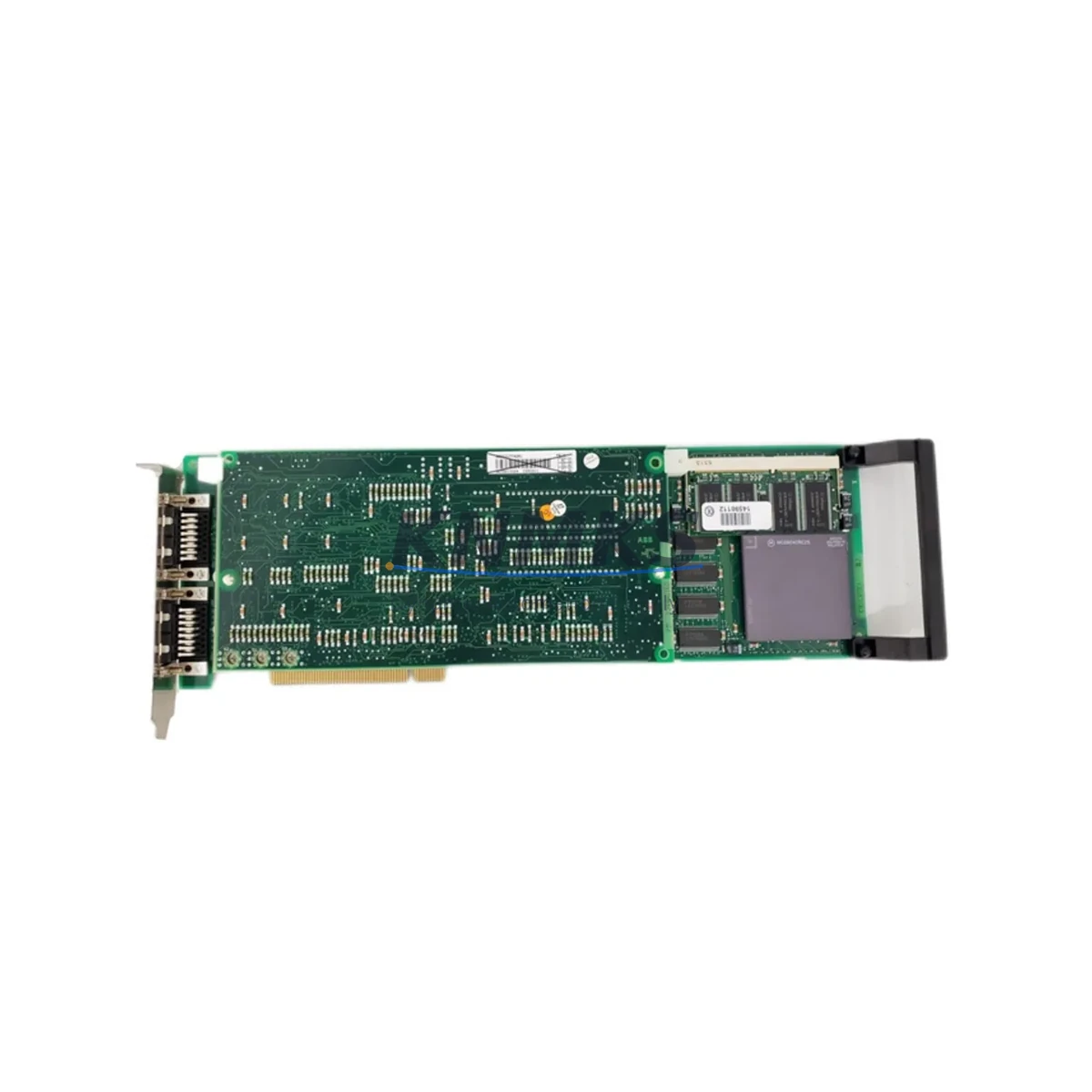
ABB PU514 Maintenance-Proven Spare Part for Factory Uptime
The ABB PU514 is a central processor module designed for ABB’s PROCONTROL P13 and P14 distributed control systems — a platform widely deployed across power generation, chemical processing, pulp and paper, and heavy industrial facilities. As these systems age into their second and third decades of operation, maintaining a verified stock of the PU514 processor module becomes a critical element of any plant’s spare parts strategy and unplanned downtime prevention program.
At KNMKS, every ABB PU514 unit is sourced from verified supply channels, individually inspected, and function-tested prior to shipment. Each module ships with a support terms confirmed by quotation and full traceability documentation, giving maintenance engineers and procurement teams the confidence to deploy directly into live control cabinets or hold in reserve for emergency response.
The PU514 executes the core control logic of the PROCONTROL architecture — managing I/O polling cycles, inter-module communication, and real-time process regulation. A failure or degradation of this module can halt an entire control loop, triggering process shutdowns that cascade across production lines. Keeping a tested spare on-site is not optional for facilities running continuous or semi-continuous processes.
Spare Maintenance Table
| Parameter | Specification / Detail |
|---|---|
| Part Number | PU514 |
| Brand | ABB |
| Series | PROCONTROL P13 / P14 |
| Module Type | DCS Central Processor Module |
| Country of Origin | Germany |
| Application | Power generation, chemical, pulp & paper, heavy industry |
| Compatibility | ABB PROCONTROL P13, P14 control system backplanes |
| Communication | Internal PROCONTROL bus; inter-module data exchange |
| Installation | Rack-mount, direct backplane insertion |
| Condition | Original, function-tested, verified spare |
| Support terms | 12 months from date of shipment |
| Lead Time | In-stock; ships within 2–5 business days |
| Maintenance Interval | Inspect annually; replace on fault code or performance degradation |
| Long-Term Supply | Available; contact KNMKS for volume and blanket orders |
Maintenance Planning for Continuous Operation
When a PU514 processor module is flagged for replacement — whether during a scheduled annual shutdown, a fault-code-triggered isolation event, or an emergency response — the replacement workflow should extend beyond the module itself. Experienced maintenance engineers treat a processor swap as an opportunity to audit the surrounding control cabinet for latent faults that could cause a repeat failure or a secondary incident shortly after restart.
Begin by verifying the integrity of the PROCONTROL backplane into which the PU514 is seated. Backplane connector corrosion, bent pins, or intermittent contact can cause processor faults that are incorrectly attributed to the module itself. If the backplane shows signs of wear or thermal stress, plan its replacement alongside the PU514.
Next, inspect the power supply modules feeding the processor rack. ABB PROCONTROL systems typically use dedicated 24 VDC rack power supplies; a supply operating near its rated load or showing output ripple outside specification can cause processor resets that mimic module failure. Replacing the PU514 without addressing a marginal power supply will result in repeat faults within weeks.
Review the I/O modules connected to the processor — particularly any AI (analog input), AO (analog output), DI (digital input), and DO (digital output) cards that share the same rack or communication segment. A shorted field device or a failed I/O module can place abnormal load on the processor bus. Isolate and test each I/O card before returning the system to service.
Communication modules and inter-controller links should also be verified. In PROCONTROL architectures, the processor module coordinates with communication interface cards that handle plant-wide data exchange. Confirm that these modules — including any serial or fieldbus communication cards — are operating within specification and that their firmware versions are compatible with the replacement PU514.
Signal isolators and terminal blocks in the field wiring circuits connected to this processor segment deserve inspection as well. Degraded signal isolators can introduce noise or offset errors that stress the processor’s analog processing routines. Fuse holders and protection fuses in the I/O circuits should be checked for continuity and rated correctly for the connected field devices.
Finally, if the facility operates an HMI or operator workstation connected to this PROCONTROL segment, verify that the HMI communication link re-establishes cleanly after the processor swap and that all process variables are reading correctly before signing off on the maintenance work order.
Site Replacement Workflow
Step 1 — Pre-Replacement Verification: Confirm the replacement PU514 part number matches the installed unit. Cross-reference the module label, the system documentation, and the PROCONTROL rack configuration drawing. Verify firmware compatibility if the system has been partially upgraded.
Step 2 — Safe Isolation: Follow your facility’s lockout/tagout procedure for the affected control cabinet. Place the PROCONTROL system in manual or safe-state mode as required by your process safety plan. Document the current system status and any active alarms before powering down the rack.
Step 3 — Module Removal: Release the PU514 from the backplane using the module ejector levers. Handle the module by its front panel only — avoid contact with the PCB or backplane connector. Place the removed module in an anti-static bag for evaluation or return.
Step 4 — Replacement Installation: Insert the new PU514 into the correct rack slot, ensuring full backplane engagement. Secure the module retaining screws or locking levers as specified in the PROCONTROL hardware manual.
Step 5 — Power-Up and Verification: Restore rack power and observe the module’s status LEDs through the initialization sequence. Confirm that the processor reaches its normal run state, that all I/O modules are recognized, and that communication links are re-established. Verify process variable readings at the HMI before returning the loop to automatic control.
Step 6 — Documentation: Record the replacement in the plant maintenance management system, including the removed module’s serial number, the replacement module’s serial number, and the date of installation. Retain the KNMKS shipment documentation for support terms reference.
Spare Parts Support FAQ
Q: How do I confirm the PU514 is compatible with my specific PROCONTROL system version?
A: The PU514 is designed for ABB PROCONTROL P13 and P14 architectures. Compatibility depends on your rack configuration and firmware baseline. Share your system documentation or rack layout with our technical team at admin@knmks.com and we will confirm compatibility before shipment.
Q: What testing does KNMKS perform before shipping the PU514?
A: Each PU514 unit undergoes visual inspection, connector integrity check, and functional verification on compatible test equipment. A test report is available upon request. All units ship with a support terms confirmed by quotation covering manufacturing defects and functional failure under normal operating conditions.
Q: Can KNMKS support long-term or blanket purchase orders for the PU514?
A: Yes. KNMKS maintains ongoing sourcing relationships to support facilities that require multiple units for fleet maintenance or multi-site spare parts programs. Contact us to discuss volume pricing, reserved stock arrangements, and scheduled delivery programs.
Q: What is the recommended spare parts holding strategy for the PU514?
A: For facilities running continuous processes on PROCONTROL P13/P14 systems, we recommend holding a minimum of one verified PU514 spare on-site at all times. Facilities with multiple PROCONTROL racks or critical process loops should consider a two-unit minimum. Annual review of spare parts consumption and system age should inform restocking decisions.
© 2026 KNMKS. All rights reserved.
Original Source: https://knmks.com
Contact: admin@knmks.com | +86 18359268345
Product Identification
- Brand / Ecosystem
-
ABB
ABB - Model / Series
- PU514
- Product Family
- PLCs & Controllers
- Availability Status
- Available on request after model and quantity confirmation
- Inquiry Type
- B2B RFQ, replacement inquiry and project spare-part request
- Pre-Quote Check
- Exact SKU, brand, series, quantity, nameplate photos and destination country are checked before quotation
System Path
Where this product fits in the KNMKS automation structure.
Specification & Inquiry Focus
- Control platform
- PLC, PAC and modular controllers
- Common needs
- CPU, rack, power and I/O expansion
- Project support
- Replacement, cabinet build and maintenance
Buyer Confirmation
Information KNMKS checks before replying.
- Exact model
- PU514
- Brand / ecosystem
- ABB
- Product family
- PLCs & Controllers
- Application note
- Replacement, maintenance, project build or spare-part list
- Useful photos
- Nameplate, installed unit, cabinet layout or connector side
- Delivery details
- Quantity, destination country and target schedule
Document Support
Files and notes can be confirmed during quotation.
- Product photos or nameplate confirmation when available
- Packing and delivery notes before quotation confirmation
- Support scope and delivery terms confirmed per inquiry
- Export document coordination for qualified B2B requests
Inquiry Support
- Model cross-checking before quotation
- CPU, power, rack and expansion module matching
- Support for replacement and project inquiry
What to Send Us
- Brand and exact model number: ABB PU514
- Quantity and required delivery time
- Application, replacement requirement or nameplate photo
- Destination country and shipping preference
RFQ Preparation
This is a product inquiry page built for RFQ communication.
Fast Model Check
Send this model to KNMKS for confirmation.
Include quantity, destination country and photos if this is a maintenance replacement. The inquiry will be saved with a reference number after submission.
Brand & Compatibility Note
KNMKS displays automation product information for well-known industrial brand ecosystems and compatible replacement references. Brand names are used for product identification and compatibility reference only; final availability and commercial terms are confirmed per quotation.
 Manufacturing
 Machine Tools
 Packaging
 Energy & Power



 HMI & Displays
 Servo Systems
 Variable Frequency Drives
 Sensors