
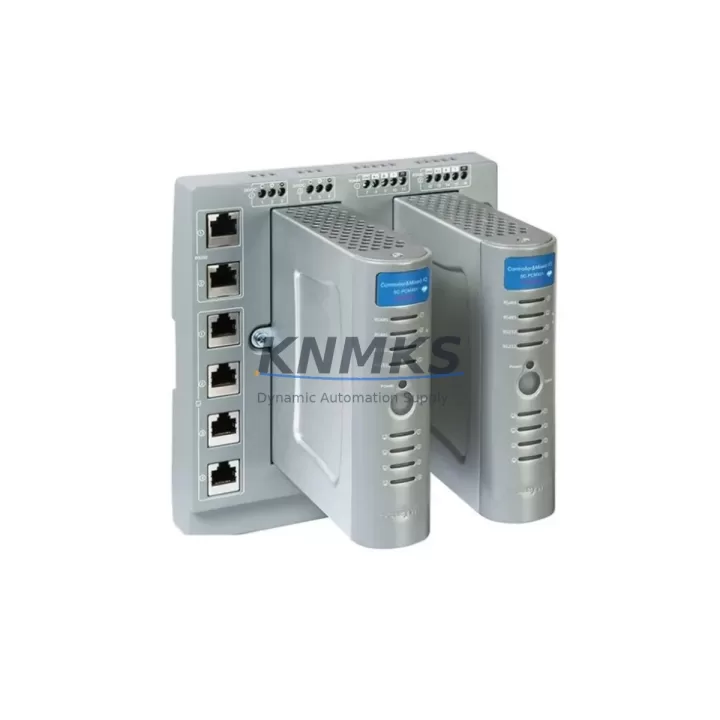
Overview
ABB PM867K01 Migration-Ready CPU for Legacy Control Systems
The ABB PM867K01 is a high-performance CPU module engineered for the AC500 programmable logic controller platform, purpose-built to address the growing demand for legacy system migration, discontinued module replacement, and control cabinet modernization across industrial automation environments. As OEM production lifecycles shorten and spare part availability for older AC500 variants becomes increasingly constrained, the PM867K01 provides a validated, migration-ready pathway that preserves existing program logic, minimizes engineering rework, and reduces unplanned downtime during system transitions.
Facilities operating legacy AC500 installations — including those originally built around earlier CPU generations such as the PM564, PM572, or PM581 — will find the PM867K01 a structurally compatible successor. The module slots into standard AC500 backplane racks without mechanical modification, retaining the same DIN-rail mounting footprint and terminal block orientation that field engineers expect during a controlled retrofit. Before installation, engineers should confirm backplane slot addressing, verify that the existing power supply module — typically a CP-E series unit — can sustain the PM867K01’s current draw profile, and review firmware version compatibility between the CPU and any co-installed communication modules such as the CM572-DP PROFIBUS master or CM589-PNIO PROFINET interface card.
Program migration from legacy CPU variants is supported through ABB’s Automation Builder engineering environment. Existing IEC 61131-3 structured text, function block diagram, and ladder logic programs can be imported, validated, and recompiled for the PM867K01 target without requiring full rewrite. Engineers should audit task cycle times, memory allocation maps, and any hardware-specific function blocks tied to the original CPU before final download. HMI screen bindings — particularly those referencing CP600 or CP620 operator panels — should be re-verified against the updated variable address table to prevent display mismatches after cutover.
Communication link continuity is a critical checkpoint during migration. The PM867K01 supports onboard Ethernet for Modbus TCP and CS31 bus communication, and its COM port configuration must be reviewed if the legacy system relied on serial RS-232 or RS-485 links to field devices, drives, or remote I/O stations. Where the original control architecture included SM560-S safety modules or TU515 terminal units for distributed I/O, wiring continuity and module address assignments must be confirmed prior to energizing the upgraded rack. Signal isolators installed upstream of analog input modules should also be checked for compatibility with the PM867K01’s input impedance specifications.
Migration Compatibility Table
| Parameter | Detail |
|---|---|
| SKU | PM867K01 |
| Brand / Series | ABB / AC500 |
| Product Type | PLC CPU Module |
| Replaces / Upgrades | PM564, PM572, PM581 (legacy AC500 CPU variants) |
| Backplane Compatibility | AC500 standard backplane racks (TB521, TB541, TB561) |
| Mounting | DIN-rail, same footprint as predecessor modules |
| Communication Interfaces | Ethernet (Modbus TCP, CS31), COM port (RS-232/RS-485) |
| Compatible Comm Modules | CM572-DP (PROFIBUS), CM589-PNIO (PROFINET) |
| Power Supply Compatibility | CP-E series; verify current draw before installation |
| Programming Environment | ABB Automation Builder (IEC 61131-3) |
| Firmware Verification | Required — confirm version match with co-installed modules |
| Installation Space | Standard AC500 slot; no mechanical modification required |
| Origin | Germany (DE) |
| Support terms | 12 Months — covers manufacturing defects, functional failure |
| Pre-Shipment Testing | Yes — functional verification performed before dispatch |
| Stock Status | availability confirmed by RFQ — rapid dispatch available |
Retrofit Planning for Existing Automation Systems
A structured retrofit plan is essential when integrating the PM867K01 into an existing control cabinet. Begin by auditing the full rack assembly: identify all installed I/O modules — including digital input/output cards and analog signal modules — and document their slot positions and configured addresses. If the legacy system used TU515 or TU516 terminal units for field wiring termination, these can typically be retained during the CPU swap, reducing rewiring time significantly.
Power budget verification is a non-negotiable step. The CP-E series power supply modules used in AC500 installations must be confirmed capable of supporting the PM867K01’s load alongside all co-installed modules. Where power margins are tight, engineers may need to redistribute modules across racks or introduce an additional CP-E unit. Backplane bus current limits should be reviewed in the system engineering documentation before finalizing the rack layout.
For systems that include CM572-DP PROFIBUS master modules, the DP network configuration — including station addresses, baud rate settings, and GSD file assignments — must be exported from the legacy project and re-imported into the new Automation Builder project targeting the PM867K01. Similarly, if CM589-PNIO PROFINET interface cards are present, device name assignments and IP address configurations must be preserved to avoid communication loss with downstream field devices, variable frequency drives, or remote I/O stations after cutover.
Where the control system interfaces with CP600 or CP620 HMI panels, the operator panel project should be reviewed for any CPU-specific variable bindings or communication driver settings that reference the legacy module type. Updating the HMI project in parallel with the PLC program migration reduces the risk of screen errors or alarm suppression during the first live run after upgrade. Programming cables and USB-to-serial adapters used for on-site firmware updates or diagnostic access should also be confirmed compatible with the PM867K01’s port configuration before the maintenance window begins.
Downtime Control During System Migration
Minimizing production interruption during a CPU migration requires disciplined pre-work. Before the maintenance window opens, the complete PLC program — including all data blocks, retain variable values, and hardware configuration — should be backed up from the legacy CPU using Automation Builder’s project archive function. A second backup copy should be stored offline on a separate device as a recovery fallback.
Where process conditions allow, a parallel simulation run using the PM867K01 in a bench test environment — connected to a representative I/O load or simulation module — provides confidence that program execution, scan times, and communication response are within acceptable bounds before the module is installed in the live cabinet. This step is particularly valuable when the legacy system controls continuous processes where an unexpected fault during cutover could trigger a safety interlock or process shutdown.
During the physical swap, field wiring connected to TU515 or TU516 terminal units remains undisturbed, limiting the risk of wiring errors. After the PM867K01 is seated and powered, the program download should be performed with the system in stop mode, followed by a controlled first-run sequence that verifies each I/O channel, communication link, and HMI display before returning the line to automatic operation. Documenting the as-found and as-left states of all module parameters supports post-migration audit requirements and simplifies future maintenance cycles.
Retrofit Support FAQ
Q1: Is the PM867K01 a direct drop-in replacement for the PM572 or PM581?
The PM867K01 is mechanically compatible with standard AC500 backplane racks and can replace earlier CPU variants including the PM572 and PM581. Program migration is required using ABB Automation Builder; direct firmware carry-over from legacy CPUs is not supported. Hardware configuration must be rebuilt for the PM867K01 target, and all I/O module addresses should be verified before the first program download.
Q2: What commissioning steps are required after installation?
After physical installation, confirm backplane slot addressing, verify power supply current margins, and download the migrated program in stop mode. Perform a channel-by-channel I/O verification, check all communication links (Ethernet, PROFIBUS, PROFINET as applicable), and validate HMI screen data before switching to run mode. On-site firmware version confirmation is recommended prior to the maintenance window.
Q3: How is wiring compatibility handled during the CPU swap?
Field wiring connected through TU515 or TU516 terminal units does not require modification during the CPU replacement. Signal wiring to analog and digital I/O modules remains in place. Only backplane-level connections are affected by the CPU swap. Verify terminal block torque settings and inspect for any corrosion or loose connections as part of the retrofit inspection.
Q4: What does the support terms confirmed by quotation cover, and is pre-shipment testing performed?
Every PM867K01 unit is functionally tested prior to dispatch to verify operational integrity. The support terms confirmed by quotation cover manufacturing defects and functional failures under normal operating conditions from the date of shipment. In-stock units are available for rapid dispatch to support urgent replacement and system recovery requirements. Contact admin@knmks.com or +86 18359268345 for availability confirmation and lead-time details.
© 2026 KNMKS. All rights reserved.
Original Source: https://knmks.com
Contact: admin@knmks.com | +86 18359268345
Product Identification
- Brand / Ecosystem
-
ABB
ABB - Model / Series
-
PM867K01
AC500 Series - Product Family
- PLCs & Controllers
- Availability Status
- Available on request after model and quantity confirmation
- Inquiry Type
- B2B RFQ, replacement inquiry and project spare-part request
- Pre-Quote Check
- Exact SKU, brand, series, quantity, nameplate photos and destination country are checked before quotation
System Path
Where this product fits in the KNMKS automation structure.
Specification & Inquiry Focus
- Control platform
- PLC, PAC and modular controllers
- Common needs
- CPU, rack, power and I/O expansion
- Project support
- Replacement, cabinet build and maintenance
Buyer Confirmation
Information KNMKS checks before replying.
- Exact model
- PM867K01
- Brand / ecosystem
- ABB
- Product family
- PLCs & Controllers
- Application note
- Replacement, maintenance, project build or spare-part list
- Useful photos
- Nameplate, installed unit, cabinet layout or connector side
- Delivery details
- Quantity, destination country and target schedule
Document Support
Files and notes can be confirmed during quotation.
- Product photos or nameplate confirmation when available
- Packing and delivery notes before quotation confirmation
- Support scope and delivery terms confirmed per inquiry
- Export document coordination for qualified B2B requests
Inquiry Support
- Model cross-checking before quotation
- CPU, power, rack and expansion module matching
- Support for replacement and project inquiry
What to Send Us
- Brand and exact model number: ABB PM867K01
- Quantity and required delivery time
- Application, replacement requirement or nameplate photo
- Destination country and shipping preference
RFQ Preparation
This is a product inquiry page built for RFQ communication.
Fast Model Check
Send this model to KNMKS for confirmation.
Include quantity, destination country and photos if this is a maintenance replacement. The inquiry will be saved with a reference number after submission.
Brand & Compatibility Note
KNMKS displays automation product information for well-known industrial brand ecosystems and compatible replacement references. Brand names are used for product identification and compatibility reference only; final availability and commercial terms are confirmed per quotation.
 Manufacturing
 Machine Tools
 Packaging
 Energy & Power



 HMI & Displays
 Servo Systems
 Variable Frequency Drives
 Sensors