
Overview
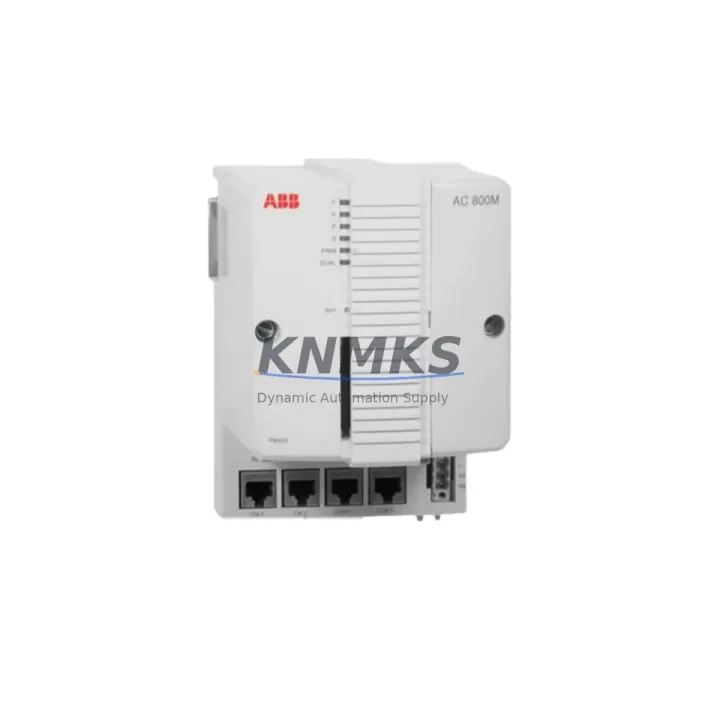
ABB PM851AK01 3BSE066485R1 Maintenance-Proven Spare Part for Factory Uptime
The ABB PM851AK01 (catalog reference 3BSE066485R1) is a central processing unit module designed for the ABB AC500 programmable logic controller platform — one of the most widely deployed automation architectures in process manufacturing, utilities, material handling, and discrete production environments. Maintaining an in-stock spare of the PM851AK01 is a foundational element of any credible maintenance strategy for facilities running AC500-based control systems. Unplanned CPU failures without a verified replacement on hand routinely translate into multi-shift or multi-day production stoppages, with downstream costs that far exceed the cost of a single spare module.
At KNMKS, every PM851AK01 3BSE066485R1 unit is sourced from authorized supply channels, individually inspected, and tested prior to dispatch. Each unit ships with a support terms confirmed by quotation covering manufacturing defects and functional integrity, giving maintenance engineers and procurement teams a reliable, low-risk procurement path for both emergency replacement and planned inventory replenishment.
Spare Maintenance Table
| Parameter | Specification / Detail |
|---|---|
| SKU / Part Number | PM851AK01 / 3BSE066485R1 |
| Brand | ABB |
| Series | AC500 PLC Platform |
| Module Type | CPU Module (Central Processing Unit) |
| Product Type | PLC CPU Module |
| Communication Interface | PROFINET, Ethernet (onboard) |
| Programming Standard | IEC 61131-3 (LD, FBD, ST, IL, SFC) |
| Compatibility | ABB AC500 backplane, TB511, TB521, TB541 terminal bases |
| Operating Voltage | 24 VDC (supplied via terminal base) |
| Operating Temperature | 0°C to +60°C (standard); -25°C to +70°C (extended variants) |
| Protection Rating | IP20 (panel-mount installation) |
| Origin | Germany (DE) |
| Pre-Shipment Testing | Yes — functional test performed before dispatch |
| Support terms | 12 Months from date of shipment |
| Typical Application | Process automation, utilities, discrete manufacturing, material handling |
| Maintenance Classification | Critical spare — recommend minimum 1 unit on-site stock |
Maintenance Planning for Continuous Operation
When a PM851AK01 CPU module is flagged for replacement — whether during a scheduled annual overhaul, a fault-isolation routine, or an emergency shutdown — experienced maintenance engineers treat the CPU swap as a trigger for a broader control cabinet inspection. The CPU does not operate in isolation; its performance and longevity are directly tied to the health of the surrounding components in the AC500 rack and the wider electrical panel.
Begin with the TB511 or TB521 terminal base that the PM851AK01 seats into. Inspect the connector pins for oxidation, mechanical deformation, or contamination from dust or condensation. A degraded terminal base can cause intermittent communication faults that are frequently misdiagnosed as CPU failures. Next, audit the CM572-DP or CM577-ETH communication modules installed in adjacent slots — these handle PROFIBUS DP or Ethernet/PROFINET field communication respectively, and their firmware versions must remain compatible with the replacement CPU’s firmware build.
The 24 VDC power supply module feeding the AC500 rack — commonly a CP604 or equivalent industrial DIN-rail PSU — should be load-tested and its output ripple measured. An aging or undersized power supply is a leading cause of premature CPU module failure and unexplained resets. Verify that the supply voltage remains within the ±5% tolerance band under full rack load.
I/O expansion modules connected to the CPU via the internal bus — including digital input modules such as the DC532 or DC522 and analog input modules such as the AI531 — should be checked for correct addressing and channel integrity. A single shorted I/O channel can generate fault codes that mask the true source of a system alarm. Signal isolators or barriers installed between field sensors and I/O modules should also be verified for correct loop current and isolation resistance.
For facilities using CP635 or CP651 HMI panels connected to the AC500 CPU via Ethernet, confirm that the HMI project file version matches the CPU program version after replacement. A version mismatch will not prevent the CPU from running but will generate communication alarms and may cause incorrect status displays at the operator station.
Finally, inspect the fuse and circuit protection elements in the control cabinet — particularly the 24 VDC branch fuses protecting individual I/O loops and the main supply fuse for the PLC rack. Replacing a CPU without auditing the protection circuit leaves the new module exposed to the same fault conditions that may have damaged the original unit.
Site Replacement Workflow
The PM851AK01 3BSE066485R1 is a direct plug-in replacement for the PM851AK01 within the AC500 platform. No hardware modification to the backplane or terminal base is required. The replacement procedure follows a structured sequence to minimize downtime and eliminate configuration errors:
Step 1 — Pre-replacement backup: Using ABB Automation Builder or PS501 Control Builder Plus, export the current CPU program, hardware configuration, and retain data to a secure engineering workstation. Confirm the backup file integrity before proceeding.
Step 2 — Safe de-energization: Follow site LOTO (Lockout/Tagout) procedures. Remove the 24 VDC supply to the rack. Allow capacitors to discharge for a minimum of 30 seconds before handling the module.
Step 3 — Module extraction and inspection: Remove the PM851AK01 from the terminal base. Inspect the terminal base connector and the cabinet interior for signs of overheating, moisture ingress, or contamination. Address any findings before installing the replacement.
Step 4 — Replacement installation: Seat the new PM851AK01 3BSE066485R1 firmly into the terminal base until the locking tab engages. Restore 24 VDC power. Observe the module LED indicators during boot — a solid green RUN LED confirms normal startup.
Step 5 — Program restore and verification: Download the backed-up program to the replacement CPU. Perform a full I/O force test to confirm all field signals are reading correctly. Verify communication status on all connected CM modules and HMI panels before returning the system to automatic operation.
This workflow is compatible with hot-standby and redundant AC500 configurations. For redundant systems, consult the ABB AC500 redundancy application note before initiating any CPU swap to avoid unintended switchover events.
Spare Parts Support FAQ
Q1: Is the PM851AK01 3BSE066485R1 compatible with all AC500 terminal bases?
The PM851AK01 is designed for use with ABB AC500 terminal bases including the TB511, TB521, and TB541 series. Compatibility with specific terminal base variants depends on the AC500 hardware generation installed at your site. KNMKS recommends confirming the terminal base part number before ordering to ensure a direct fit. Our technical team can assist with compatibility verification prior to purchase.
Q2: What testing is performed before shipment, and what does the support terms confirmed by quotation cover?
Every PM851AK01 3BSE066485R1 unit dispatched by KNMKS undergoes a pre-shipment functional test to verify power-on behavior, communication interface integrity, and basic I/O bus response. The support terms confirmed by quotation cover manufacturing defects and functional failures under normal operating conditions. It does not cover damage resulting from incorrect installation, overvoltage events, or environmental conditions outside the module’s rated specification.
Q3: Can KNMKS support long-term or blanket order supply for the PM851AK01?
Yes. KNMKS maintains multi-region stock of the PM851AK01 3BSE066485R1 to support both emergency single-unit orders and planned blanket purchase agreements. For facilities operating multiple AC500 systems or managing a centralized spare parts inventory across several sites, blanket orders provide price stability and guaranteed allocation. Contact our sales team to discuss volume pricing and lead time commitments.
Q4: How should the PM851AK01 be stored as a long-term spare?
Store the module in its original anti-static packaging in a dry, temperature-controlled environment between -25°C and +70°C with relative humidity below 95% non-condensing. Avoid storage near strong electromagnetic fields or corrosive atmospheres. Inspect the module annually for any signs of physical degradation. Modules stored correctly within the confirmed support period remain covered under the support terms confirmed by quotation from the original shipment date.
© 2026 KNMKS. All rights reserved.
Original Source: https://knmks.com
Contact: admin@knmks.com | +86 18359268345
Product Identification
- Brand / Ecosystem
-
ABB
ABB - Model / Series
-
PM851AK01 3BSE066485R1
AC500 Series - Product Family
- PLCs & Controllers
- Availability Status
- Available on request after model and quantity confirmation
- Inquiry Type
- B2B RFQ, replacement inquiry and project spare-part request
- Pre-Quote Check
- Exact SKU, brand, series, quantity, nameplate photos and destination country are checked before quotation
System Path
Where this product fits in the KNMKS automation structure.
Specification & Inquiry Focus
- Control platform
- PLC, PAC and modular controllers
- Common needs
- CPU, rack, power and I/O expansion
- Project support
- Replacement, cabinet build and maintenance
Buyer Confirmation
Information KNMKS checks before replying.
- Exact model
- PM851AK01 3BSE066485R1
- Brand / ecosystem
- ABB
- Product family
- PLCs & Controllers
- Application note
- Replacement, maintenance, project build or spare-part list
- Useful photos
- Nameplate, installed unit, cabinet layout or connector side
- Delivery details
- Quantity, destination country and target schedule
Document Support
Files and notes can be confirmed during quotation.
- Product photos or nameplate confirmation when available
- Packing and delivery notes before quotation confirmation
- Support scope and delivery terms confirmed per inquiry
- Export document coordination for qualified B2B requests
Inquiry Support
- Model cross-checking before quotation
- CPU, power, rack and expansion module matching
- Support for replacement and project inquiry
What to Send Us
- Brand and exact model number: ABB PM851AK01 3BSE066485R1
- Quantity and required delivery time
- Application, replacement requirement or nameplate photo
- Destination country and shipping preference
RFQ Preparation
This is a product inquiry page built for RFQ communication.
Fast Model Check
Send this model to KNMKS for confirmation.
Include quantity, destination country and photos if this is a maintenance replacement. The inquiry will be saved with a reference number after submission.
Brand & Compatibility Note
KNMKS displays automation product information for well-known industrial brand ecosystems and compatible replacement references. Brand names are used for product identification and compatibility reference only; final availability and commercial terms are confirmed per quotation.
 Manufacturing
 Machine Tools
 Packaging
 Energy & Power



 HMI & Displays
 Servo Systems
 Variable Frequency Drives
 Sensors