
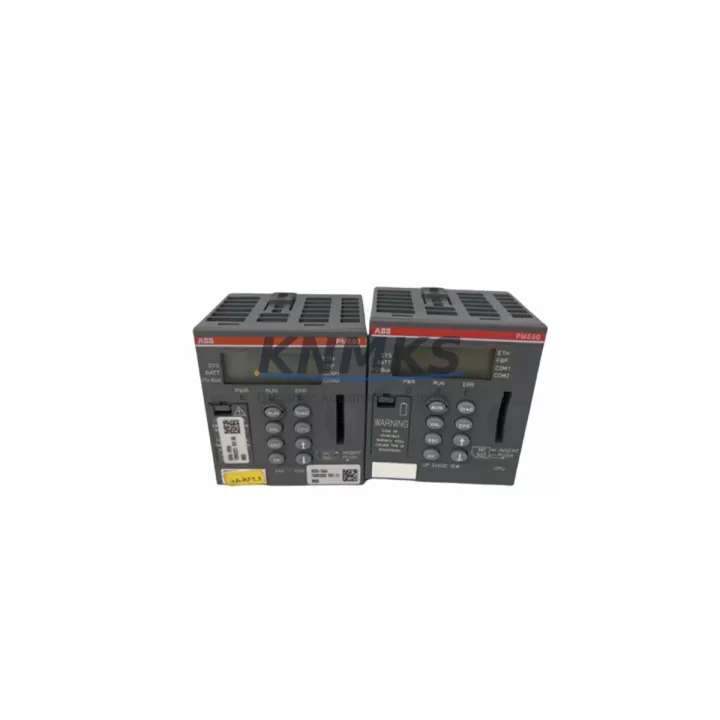
Overview
ABB PM590-ETH 1SAP150000R0271 Migration-Ready CPU for AC500: Legacy Control System Retrofit & Compatibility Upgrade
The ABB PM590-ETH (1SAP150000R0271) is a high-performance CPU module designed for the ABB AC500 programmable logic controller platform. As legacy AC500 installations age and original PM590 units reach end-of-life, the PM590-ETH serves as the primary migration-ready replacement — offering native Ethernet connectivity, expanded memory, and full backward compatibility with existing AC500 rack configurations. Whether you are managing an emergency spare parts replacement, a planned control cabinet upgrade, or a phased DCS-to-PLC migration, the PM590-ETH provides the processing headroom and communication flexibility required for modern industrial automation environments.
This unit is sourced from verified supply channels, pre-shipment tested against ABB factory specifications, and backed by a support terms confirmed by quotation. Global dispatch is available with typical lead times of 3–7 business days for in-stock units.
Migration Compatibility Table
| Parameter | Details |
|---|---|
| SKU / Part Number | PM590-ETH / 1SAP150000R0271 |
| Platform | ABB AC500 PLC Series |
| Replaces / Upgrades From | PM590 (1SAP150000R0270), PM564, PM572, PM581 |
| Backplane Interface | AC500 standard backplane (TB511, TB521, TB541 compatible) |
| Communication Ports | 2× Ethernet (10/100 Mbps), 1× RS-232, 1× RS-485 |
| Supported Protocols | Modbus TCP, Modbus RTU, CS31, IEC 60870-5-101/104, PROFIBUS DP (via CM572-DP) |
| Program Memory | 4 MB (user program + data) |
| Power Supply Compatibility | 24 VDC nominal; verify PS501 or PS502 power supply capacity before swap |
| Installation Form Factor | Standard AC500 CPU slot; no mechanical modification required |
| Firmware Compatibility | Requires PS501 Control Builder Plus v2.x or later; verify project firmware version before upload |
| I/O Expansion | Supports S500 I/O modules via TB511/TB521 terminal base |
| Commissioning Tool | ABB PS501 Control Builder Plus (IEC 61131-3) |
| Support terms | 12 months from date of shipment |
| Pre-Shipment Testing | Yes — functional and communication verification performed |
| Origin | Germany (DE) |
Retrofit Planning for Existing Automation Systems
Replacing a PM590 or upgrading from an earlier AC500 CPU such as the PM564 or PM572 requires a structured pre-migration checklist to avoid configuration drift and unplanned downtime. Before removing the existing CPU, engineers should document the current rack layout, including the terminal base model (TB511, TB521, or TB541), the installed S500 I/O modules (such as DC532, AI523, or AO523 analog output modules), and the active communication modules — particularly if a CM572-DP PROFIBUS master or CM589-PNIO PROFINET adapter is in use.
Power supply capacity is a critical verification step. The PM590-ETH draws slightly more current than the base PM590 due to its dual Ethernet interface. Confirm that the installed PS501 or PS502 power supply module can sustain the combined load of the CPU, I/O modules, and any communication expansion cards. If the existing power budget is marginal, a PS502 upgrade may be required in parallel with the CPU swap.
Terminal wiring on the S500 I/O modules does not need to be disturbed during a CPU-only replacement, as the wiring connects to the terminal base rather than the CPU itself. However, if the retrofit also involves replacing aging DC532 digital I/O modules or expanding with additional AI523 analog input modules, plan for terminal re-labeling and signal verification during commissioning. Address mapping for all I/O channels should be exported from the existing PS501 Control Builder Plus project before the swap and validated against the new configuration after upload.
For installations using the CM589-PNIO PROFINET communication module or integrating with an ABB CP600 HMI panel, verify that the HMI project’s PLC variable bindings remain consistent with the new CPU’s memory map. HMI screen updates may be required if the original project used absolute memory addressing rather than symbolic variable names. Communication link continuity — particularly for Modbus TCP supervisory connections to SCADA systems — should be tested immediately after CPU replacement using a loopback ping and register read sequence before returning the line to production.
Downtime Control During System Migration
Minimizing production interruption during a CPU swap on an AC500 system requires preparation at three levels: program backup, hardware staging, and communication re-establishment. Before initiating the replacement, use PS501 Control Builder Plus to export a full project backup including the program logic, hardware configuration, and variable symbol table. Store this backup on an isolated engineering workstation — not on the CPU’s internal memory card alone — to ensure recovery capability if the new unit requires a firmware update before accepting the project upload.
Hardware staging involves pre-configuring the PM590-ETH on a bench setup where possible, loading the project, verifying I/O simulation, and confirming Ethernet port assignments before installation in the live cabinet. This approach reduces in-cabinet commissioning time to under 30 minutes for straightforward CPU replacements. For systems where bench staging is not feasible, ensure that the replacement unit’s firmware version matches the project’s target firmware before the maintenance window begins — a firmware mismatch is the most common cause of extended downtime during AC500 CPU replacements.
Once the PM590-ETH is installed and the project is uploaded, perform a structured I/O force test on critical output channels before releasing the system to automatic mode. Verify that all Modbus TCP connections to upstream SCADA or DCS nodes are re-established and that the CP600 HMI (if present) is displaying live data correctly. Document the commissioning results and retain the pre-swap program backup for a minimum of 12 months as part of your maintenance records.
Retrofit Support FAQ
Q1: Is the PM590-ETH a direct drop-in replacement for the PM590 (1SAP150000R0270)?
Yes. The PM590-ETH occupies the same CPU slot on all AC500 terminal bases (TB511, TB521, TB541) and is mechanically and electrically compatible. The primary difference is the addition of a second Ethernet port and expanded onboard memory. Your existing PS501 project can be uploaded without structural modification, though a firmware version check is recommended before the swap.
Q2: What commissioning steps are required after installing the PM590-ETH?
After physical installation, connect to the CPU via PS501 Control Builder Plus, upload the backed-up project, and perform a full download to the CPU. Verify I/O module recognition in the hardware configuration tree, confirm Ethernet IP address assignment, and test all active communication links (Modbus TCP, PROFIBUS via CM572-DP if applicable). Run a supervised automatic cycle before releasing to production.
Q3: Can the PM590-ETH communicate with legacy CS31 field devices?
Yes. The PM590-ETH supports the CS31 serial bus protocol via its RS-485 port, maintaining backward compatibility with legacy ABB CS31 remote I/O stations. No additional communication module is required for CS31 connectivity, which simplifies migration from older AC31 or AC500 installations that relied on CS31 field wiring.
Q4: What does the support terms confirmed by quotation cover, and is pre-shipment testing included?
Every PM590-ETH unit shipped by KNMKS undergoes functional pre-shipment testing covering power-on verification, Ethernet port communication, and basic I/O scan cycle confirmation. The support terms confirmed by quotation cover manufacturing defects and functional failures under normal operating conditions. Units are dispatched with test documentation available on request. For support requests or technical support, contact admin@knmks.com.
© 2026 KNMKS. All rights reserved.
Original Source: https://knmks.com
Contact: admin@knmks.com | +86 18359268345
Product Identification
- Brand / Ecosystem
-
ABB
ABB - Model / Series
-
PM590-ETH 1SAP150000R0271
AC500 Series - Product Family
- PLCs & Controllers
- Availability Status
- Available on request after model and quantity confirmation
- Inquiry Type
- B2B RFQ, replacement inquiry and project spare-part request
- Pre-Quote Check
- Exact SKU, brand, series, quantity, nameplate photos and destination country are checked before quotation
System Path
Where this product fits in the KNMKS automation structure.
Specification & Inquiry Focus
- Control platform
- PLC, PAC and modular controllers
- Common needs
- CPU, rack, power and I/O expansion
- Project support
- Replacement, cabinet build and maintenance
Buyer Confirmation
Information KNMKS checks before replying.
- Exact model
- PM590-ETH 1SAP150000R0271
- Brand / ecosystem
- ABB
- Product family
- PLCs & Controllers
- Application note
- Replacement, maintenance, project build or spare-part list
- Useful photos
- Nameplate, installed unit, cabinet layout or connector side
- Delivery details
- Quantity, destination country and target schedule
Document Support
Files and notes can be confirmed during quotation.
- Product photos or nameplate confirmation when available
- Packing and delivery notes before quotation confirmation
- Support scope and delivery terms confirmed per inquiry
- Export document coordination for qualified B2B requests
Inquiry Support
- Model cross-checking before quotation
- CPU, power, rack and expansion module matching
- Support for replacement and project inquiry
What to Send Us
- Brand and exact model number: ABB PM590-ETH 1SAP150000R0271
- Quantity and required delivery time
- Application, replacement requirement or nameplate photo
- Destination country and shipping preference
RFQ Preparation
This is a product inquiry page built for RFQ communication.
Fast Model Check
Send this model to KNMKS for confirmation.
Include quantity, destination country and photos if this is a maintenance replacement. The inquiry will be saved with a reference number after submission.
Brand & Compatibility Note
KNMKS displays automation product information for well-known industrial brand ecosystems and compatible replacement references. Brand names are used for product identification and compatibility reference only; final availability and commercial terms are confirmed per quotation.
 Manufacturing
 Machine Tools
 Packaging
 Energy & Power



 HMI & Displays
 Servo Systems
 Variable Frequency Drives
 Sensors