
Overview
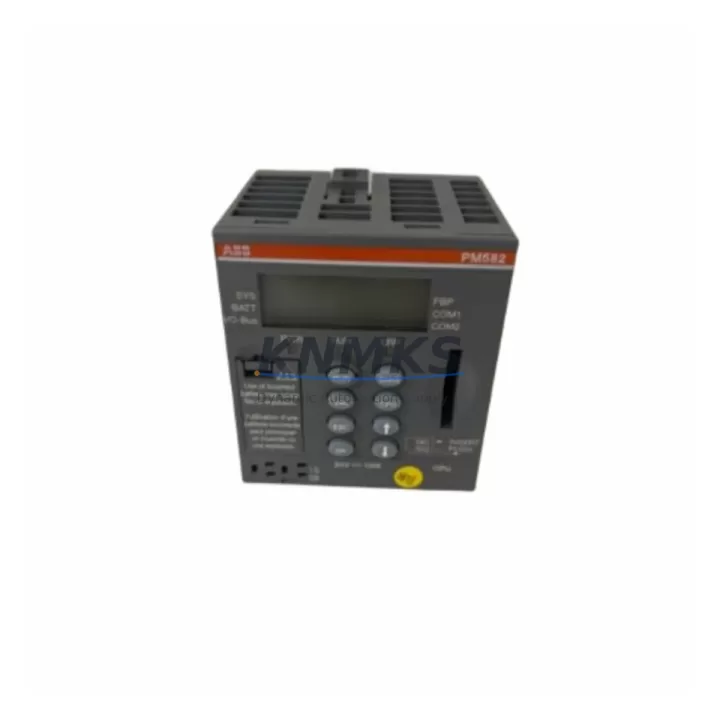
ABB PM582 1SAP140200R0201 Maintenance-Proven Spare Part for Factory Uptime
The ABB PM582 (Order No. 1SAP140200R0201) is a high-performance CPU module from ABB’s AC500 PLC series — one of the most widely deployed programmable logic controller platforms in industrial automation, process control, and critical infrastructure applications worldwide. Designed for demanding factory environments, the PM582 delivers robust processing power, flexible I/O expansion, and seamless integration with ABB’s AC500 ecosystem, making it an essential spare part for maintenance engineers managing continuous production lines, utilities, and automated assembly systems.
For maintenance and procurement engineers, holding a verified, tested PM582 spare in your parts inventory is a direct investment in factory uptime. Unplanned CPU failures in PLC-controlled systems can halt entire production lines within minutes. With an original ABB PM582 on the shelf, your team can execute a controlled swap, restore the control program from backup, and return the line to operation — often within a single shift. This page provides full technical reference, a structured replacement workflow, and maintenance planning guidance to support your spare parts strategy.
Spare Maintenance Table
| Parameter | Specification |
|---|---|
| Part Number | PM582 |
| Order Number | 1SAP140200R0201 |
| Brand | ABB |
| Series | AC500 |
| Product Type | PLC CPU Module |
| Origin | Germany (DE) |
| Program Memory | 512 KB (expandable via SD card) |
| Communication Ports | 2× Ethernet (PROFINET/Modbus TCP), 1× RS-232/RS-485 COM port |
| Supported Fieldbus | PROFIBUS DP, CANopen, Modbus RTU/TCP, PROFINET (via CM modules) |
| I/O Expansion | Up to 10 I/O modules via S500 I/O bus |
| Operating Voltage | 24 V DC (via PS501/PS502 power supply module) |
| Operating Temperature | -25 °C to +60 °C |
| Protection Rating | IP20 |
| Mounting | DIN rail (TB521 or TB541 terminal base required) |
| Programming Standard | IEC 61131-3 (via ABB Automation Builder / CoDeSys) |
| Compatibility | AC500 S500 I/O modules, TB521, TB541, CM572, CM577, CM589 |
| Weight | Approx. 400 g |
| Support terms | 12 Months from shipment date |
| Pre-shipment Testing | Yes — powered-on functional verification before dispatch |
| Condition | Original, unused or fully refurbished to OEM specification |
Maintenance Planning for Continuous Operation
When a PM582 CPU failure is identified during routine inspection or emergency fault isolation, the replacement process rarely involves the CPU alone. Experienced maintenance engineers know that a CPU fault can be symptomatic of upstream power issues, communication faults, or degraded I/O modules that stress the processor. A thorough site assessment during the replacement window will prevent repeat failures and extend system life.
Power Supply Verification: Before installing a replacement PM582, verify the output voltage and ripple of the ABB PS501-MC or PS502-MC power supply module feeding the CPU terminal base. An under-voltage or noisy DC rail is a leading cause of premature CPU failure in AC500 systems. Replace the power supply module if output deviates more than ±5% from 24 V DC nominal.
Terminal Base Inspection: The PM582 mounts onto a TB521 or TB541 terminal base. Inspect the base connector for oxidation, bent pins, or mechanical damage before seating the new CPU. A damaged terminal base will cause intermittent communication faults that are difficult to diagnose after the CPU swap.
I/O Module Audit: During the maintenance window, audit all connected S500 I/O modules (digital input DI581, digital output DO581, analog input AI531, analog output AO531, etc.) for error LEDs, loose wiring, and terminal block integrity. A single shorted I/O channel can generate excessive bus load that degrades CPU performance over time.
Communication Module Check: If the system uses fieldbus communication, inspect the CM572-DP (PROFIBUS DP master/slave) or CM577-ETHCAT (EtherCAT master) modules seated alongside the PM582. Communication module firmware should be verified for compatibility with the replacement CPU firmware version using ABB Automation Builder.
Signal Isolation and Fusing: For analog signal circuits connected to AI/AO modules, check signal isolators and inline fuses on the 4–20 mA loops. Degraded signal isolation can introduce ground loops that corrupt analog readings and generate spurious CPU interrupts. Replace any blown fuses and verify isolator output with a calibrated loop tester before restarting the line.
HMI and SCADA Reconnection: After CPU replacement and program restore, verify communication re-establishment with the plant HMI panel (e.g., ABB CP600 series) and any SCADA system connected via Modbus TCP or OPC-UA. Confirm all tag mappings are live and alarm states are correctly reflected before releasing the line to production.
Maintaining a minimum spare inventory of one PM582 CPU, one PS501/PS502 power supply, and one set of critical I/O modules is recommended for any facility running AC500-based control systems on continuous or semi-continuous production processes.
Site Replacement Workflow
The following workflow is designed to minimize downtime during an unplanned PM582 CPU replacement and ensure full system recovery with verified compatibility.
Step 1 — Controlled Shutdown: Coordinate with the operations team to bring the affected line to a safe stop state. Use the HMI or SCADA system to confirm all outputs are de-energized and actuators are in their safe positions before opening the control cabinet.
Step 2 — Program Backup Confirmation: Confirm that the latest PLC program backup is available on the engineering laptop or SD card. ABB Automation Builder project files should be version-controlled and stored off the CPU. If the SD card in the failed PM582 is accessible and undamaged, copy the project files before removing the module.
Step 3 — CPU Removal: Power down the cabinet. Disconnect the terminal base from the DIN rail if necessary. Release the PM582 from the TB521/TB541 terminal base by pressing the release lever and sliding the module upward. Label and photograph all wiring before disconnection.
Step 4 — Replacement CPU Installation: Seat the new PM582 onto the terminal base, ensuring the connector is fully engaged. Restore all wiring per the labeled photograph. Verify DIN rail mounting is secure and the terminal base ground connection is intact.
Step 5 — Program Download and Verification: Power up the cabinet. Connect the engineering laptop via Ethernet to the PM582’s built-in port. Download the verified program using ABB Automation Builder. Confirm CPU status LED shows RUN state and no fault LEDs are active on I/O modules.
Step 6 — Functional Test Before Line Release: Perform a dry-run functional test: cycle all digital outputs manually via the HMI force function, verify analog input readings against field instruments, and confirm fieldbus communication status on all connected devices. Document the replacement in the maintenance log with the new module serial number and firmware version.
This structured workflow reduces average replacement time and eliminates the most common post-swap issues: missed wiring reconnections, program version mismatches, and unverified communication links.
Spare Parts Support FAQ
Q1: Is this PM582 (1SAP140200R0201) compatible with my existing AC500 S500 I/O modules and terminal bases?
Yes. The PM582 is fully compatible with all ABB S500 series I/O modules and TB521/TB541 terminal bases within the AC500 platform. Ensure your Automation Builder project firmware version matches the CPU firmware shipped. We provide firmware version documentation with each unit and can advise on compatibility for specific project versions upon request.
Q2: What pre-shipment testing is performed on each PM582 spare?
Every PM582 unit is powered on and functionally verified before dispatch. Testing includes CPU boot verification, Ethernet port communication check, and I/O bus initialization confirmation. A test report is available upon request. Units are packed in anti-static ESD packaging with protective foam to prevent transit damage.
Q3: What is the support terms coverage and what does it include?
All PM582 units supplied by KNMKS carry a support terms confirmed by quotation from the shipment date. The support terms covers manufacturing defects and functional failures under normal operating conditions. It does not cover damage caused by incorrect installation, overvoltage events, or physical impact. Support requests are processed with a replacement unit dispatched upon fault confirmation — no extended RMA delays.
Q4: Can you support long-term supply for PM582 and related AC500 components?
Yes. KNMKS maintains ongoing sourcing relationships for ABB AC500 series components including PM582, PM564, PM572, PS501, PS502, CM572-DP, CM577-ETHCAT, and S500 I/O modules. For facilities managing aging AC500 installations, we recommend establishing a blanket order or annual supply agreement to ensure availability as the product approaches end-of-life. Contact our team to discuss volume pricing and reserved stock arrangements.
© 2026 KNMKS. All rights reserved.
Original Source: https://knmks.com
Contact: admin@knmks.com | +86 18359268345
Product Identification
- Brand / Ecosystem
-
ABB
ABB - Model / Series
-
PM582 1SAP140200R0201
AC500 Series - Product Family
- PLCs & Controllers
- Availability Status
- Available on request after model and quantity confirmation
- Inquiry Type
- B2B RFQ, replacement inquiry and project spare-part request
- Pre-Quote Check
- Exact SKU, brand, series, quantity, nameplate photos and destination country are checked before quotation
System Path
Where this product fits in the KNMKS automation structure.
Specification & Inquiry Focus
- Control platform
- PLC, PAC and modular controllers
- Common needs
- CPU, rack, power and I/O expansion
- Project support
- Replacement, cabinet build and maintenance
Buyer Confirmation
Information KNMKS checks before replying.
- Exact model
- PM582 1SAP140200R0201
- Brand / ecosystem
- ABB
- Product family
- PLCs & Controllers
- Application note
- Replacement, maintenance, project build or spare-part list
- Useful photos
- Nameplate, installed unit, cabinet layout or connector side
- Delivery details
- Quantity, destination country and target schedule
Document Support
Files and notes can be confirmed during quotation.
- Product photos or nameplate confirmation when available
- Packing and delivery notes before quotation confirmation
- Support scope and delivery terms confirmed per inquiry
- Export document coordination for qualified B2B requests
Inquiry Support
- Model cross-checking before quotation
- CPU, power, rack and expansion module matching
- Support for replacement and project inquiry
What to Send Us
- Brand and exact model number: ABB PM582 1SAP140200R0201
- Quantity and required delivery time
- Application, replacement requirement or nameplate photo
- Destination country and shipping preference
RFQ Preparation
This is a product inquiry page built for RFQ communication.
Fast Model Check
Send this model to KNMKS for confirmation.
Include quantity, destination country and photos if this is a maintenance replacement. The inquiry will be saved with a reference number after submission.
Brand & Compatibility Note
KNMKS displays automation product information for well-known industrial brand ecosystems and compatible replacement references. Brand names are used for product identification and compatibility reference only; final availability and commercial terms are confirmed per quotation.
 Manufacturing
 Machine Tools
 Packaging
 Energy & Power



 HMI & Displays
 Servo Systems
 Variable Frequency Drives
 Sensors