
Overview
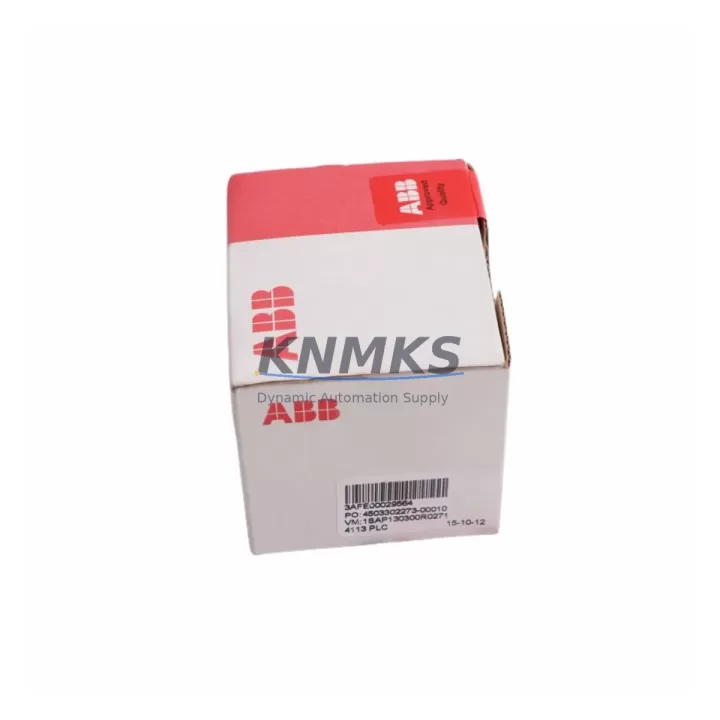
ABB PM573-ETH Maintenance-Proven Spare Part for Factory Uptime
The ABB PM573-ETH is a high-performance CPU module within the AC500 PLC platform, engineered for demanding industrial automation environments including process control, machine automation, and infrastructure management. As a maintenance-proven spare part, the PM573-ETH is stocked to support rapid field replacement, emergency recovery, and planned annual overhaul cycles. Each unit is sourced as an original ABB component, pre-shipment tested under load conditions, and backed by a support terms confirmed by quotation — ensuring that maintenance engineers and procurement teams can act with confidence when system continuity is at stake.
The AC500 series is widely deployed across energy, water treatment, pulp and paper, and discrete manufacturing sectors. When a PM573-ETH fails or degrades, the impact on production uptime is immediate. Having a verified spare on the shelf — or access to a reliable supplier with confirmed stock — is the single most effective strategy for minimizing mean time to repair (MTTR). This listing provides exactly that: a ready-to-ship, compatibility-verified PM573-ETH CPU module with full documentation support.
Spare Maintenance Table
| Parameter | Specification |
|---|---|
| Part Number | PM573-ETH |
| SKU | ABB-CPU-AC500 |
| Brand | ABB |
| Series | AC500 |
| Module Type | PLC CPU Module with Ethernet |
| Communication Interface | Ethernet (RJ45), RS-232, RS-485 |
| Program Memory | Up to 512 KB (application dependent) |
| Supported I/O Expansion | S500 I/O modules via S-Bus |
| Operating Voltage | 24 VDC (via backplane / power supply module) |
| Operating Temperature | -25°C to +60°C |
| Protection Rating | IP20 |
| Mounting | DIN rail via AC500 backplane (TB5xx series) |
| Country of Origin | Germany |
| Compatibility | AC500 V2/V3 backplanes; S500 I/O expansion modules |
| Condition | Original, unused or refurbished-to-spec |
| Pre-Shipment Testing | Yes — functional load test performed |
| Support terms | 12 Months |
| Dispatch | Global express; typically 3–7 business days |
Maintenance Planning for Continuous Operation
Replacing a PM573-ETH CPU module in an AC500 control cabinet is rarely an isolated task. Experienced maintenance engineers know that a CPU fault often signals stress across adjacent components in the same electrical circuit and communication backbone. Before returning the system to service, a thorough inspection of the surrounding hardware is essential to prevent repeat failures and ensure long-term stability.
Start with the AC500 power supply module (such as the CP502 or CP503 series) that feeds the CPU backplane. A degraded or undersized power supply is a common root cause of CPU instability and should be load-tested or replaced as part of the same maintenance window. Next, inspect the TB5xx backplane on which the PM573-ETH is seated — check for oxidized contacts, mechanical damage, or loose module retention clips, as backplane faults can cause intermittent CPU communication errors that are difficult to diagnose remotely.
The PM573-ETH’s Ethernet port connects it to SCADA, HMI, and engineering workstations. If the CPU has been replaced due to a communication fault, verify the integrity of the Ethernet switch or managed switch port serving the control network, and inspect patch cables for continuity. For serial communication loops using RS-485, check the CM572-DP or CM577-ETHCAT communication modules if PROFIBUS or EtherCAT fieldbus connectivity is part of the system architecture — these modules interact directly with the CPU and can mask or amplify CPU-level faults.
On the I/O side, review the S500 digital and analog I/O modules connected via the S-Bus expansion. A shorted or overloaded I/O channel can generate fault codes that appear CPU-originated. Inspect terminal blocks and field wiring for insulation breakdown, especially in high-vibration or high-humidity environments. Signal isolators between field instruments and I/O modules should also be checked — degraded isolation can introduce ground loops that corrupt analog readings and trigger CPU watchdog resets.
Finally, review the 24 VDC distribution fuses and circuit breakers within the control cabinet. A nuisance trip or slow-blow fuse degradation can cause brownout conditions that stress the CPU without triggering a hard fault. Replacing fuses as part of a scheduled annual inspection is low-cost insurance against unplanned downtime.
Site Replacement Workflow
The PM573-ETH is designed for straightforward field replacement within the AC500 platform, but a structured workflow ensures the swap is completed safely and without data loss:
Step 1 — Backup: Before powering down, use ABB Automation Builder or PS501 Control Builder Plus to export the current PLC program, configuration, and IP address settings. Store the backup on a local engineering laptop and a network share. Confirm the firmware version currently running on the CPU.
Step 2 — Power Down: Follow the site lockout/tagout (LOTO) procedure. Isolate the 24 VDC supply to the AC500 backplane. Confirm zero energy state with a calibrated multimeter before touching any module.
Step 3 — Module Removal: Release the PM573-ETH retention latch and slide the module out of the backplane slot. Note the slot position — the CPU must be reinstalled in the same designated CPU slot (typically slot 0 or slot 1 depending on backplane model).
Step 4 — Inspection: Inspect the backplane connector pins for damage or contamination. Clean with isopropyl alcohol if required. Inspect the replacement PM573-ETH for shipping damage before installation.
Step 5 — Installation and Configuration: Seat the new PM573-ETH firmly into the backplane slot. Restore power. Use Automation Builder to download the backed-up program and configuration. Verify IP address assignment, fieldbus node addresses, and I/O module recognition before releasing the system to production.
Step 6 — Functional Verification: Run a full I/O scan, verify communication with HMI and SCADA, and confirm all process values are within expected ranges. Document the replacement in the site maintenance log with the new module serial number and date.
Spare Parts Support FAQ
Q1: Is this PM573-ETH compatible with both AC500 V2 and V3 backplanes?
The PM573-ETH is compatible with the AC500 V2 platform backplanes (TB5xx series). Compatibility with V3 hardware should be verified against the specific backplane model and firmware revision in use at your site. Our technical team can assist with compatibility confirmation prior to shipment — contact us with your backplane model number and current firmware version.
Q2: What pre-shipment testing is performed on each unit?
Every PM573-ETH unit undergoes a functional load test prior to dispatch. This includes power-on verification, communication port testing (Ethernet and serial), and a basic program execution check. A test report is available upon request. Units that do not pass testing are not shipped.
Q3: What is the support terms coverage and what does it include?
All units are covered by a support terms confirmed by quotation from the date of shipment. The support terms covers manufacturing defects and functional failures under normal operating conditions. It does not cover damage caused by incorrect installation, overvoltage events, or physical mishandling. Support requests are processed with a replacement unit dispatched upon fault confirmation.
Q4: Can you support long-term or blanket purchase orders for ongoing AC500 maintenance programs?
Yes. We support scheduled delivery agreements, blanket POs, and annual maintenance stock programs for the PM573-ETH and related AC500 components. Long-term supply arrangements help maintenance teams maintain buffer stock without capital lock-up. Contact our sales team to discuss volume pricing, lead time commitments, and consignment options.
© 2026 KNMKS. All rights reserved.
Original Source: https://knmks.com
Contact: admin@knmks.com | +86 18359268345
Product Identification
- Brand / Ecosystem
-
ABB
ABB - Model / Series
-
ABB-CPU-AC500
AC500 Series - Product Family
- PLCs & Controllers
- Availability Status
- Available on request after model and quantity confirmation
- Inquiry Type
- B2B RFQ, replacement inquiry and project spare-part request
- Pre-Quote Check
- Exact SKU, brand, series, quantity, nameplate photos and destination country are checked before quotation
System Path
Where this product fits in the KNMKS automation structure.
Specification & Inquiry Focus
- Control platform
- PLC, PAC and modular controllers
- Common needs
- CPU, rack, power and I/O expansion
- Project support
- Replacement, cabinet build and maintenance
Buyer Confirmation
Information KNMKS checks before replying.
- Exact model
- ABB-CPU-AC500
- Brand / ecosystem
- ABB
- Product family
- PLCs & Controllers
- Application note
- Replacement, maintenance, project build or spare-part list
- Useful photos
- Nameplate, installed unit, cabinet layout or connector side
- Delivery details
- Quantity, destination country and target schedule
Document Support
Files and notes can be confirmed during quotation.
- Product photos or nameplate confirmation when available
- Packing and delivery notes before quotation confirmation
- Support scope and delivery terms confirmed per inquiry
- Export document coordination for qualified B2B requests
Inquiry Support
- Model cross-checking before quotation
- CPU, power, rack and expansion module matching
- Support for replacement and project inquiry
What to Send Us
- Brand and exact model number: ABB ABB-CPU-AC500
- Quantity and required delivery time
- Application, replacement requirement or nameplate photo
- Destination country and shipping preference
RFQ Preparation
This is a product inquiry page built for RFQ communication.
Fast Model Check
Send this model to KNMKS for confirmation.
Include quantity, destination country and photos if this is a maintenance replacement. The inquiry will be saved with a reference number after submission.
Brand & Compatibility Note
KNMKS displays automation product information for well-known industrial brand ecosystems and compatible replacement references. Brand names are used for product identification and compatibility reference only; final availability and commercial terms are confirmed per quotation.
 Manufacturing
 Machine Tools
 Packaging
 Energy & Power



 HMI & Displays
 Servo Systems
 Variable Frequency Drives
 Sensors