
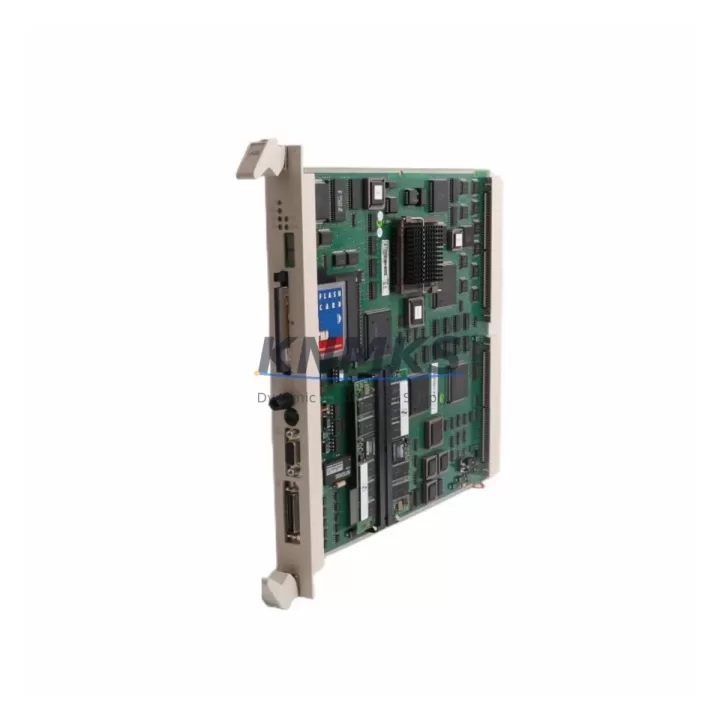
Overview
ABB PM511V16 Maintenance-Ready Spare for AC500 Automation
The ABB PM511V16 is a high-performance CPU module within the AC500 programmable logic controller family, engineered for demanding industrial automation environments where continuous uptime is non-negotiable. As a maintenance-proven spare part, the PM511V16 delivers the processing reliability and I/O coordination capacity that maintenance engineers depend on during scheduled overhauls, emergency replacements, and long-term system lifecycle extensions. Sourced as an original ABB component, each unit is verified for authenticity, tested prior to shipment, and backed by a support terms confirmed by quotation — giving procurement engineers the confidence to stock it as a primary or secondary spare in critical control cabinet inventories.
The AC500 platform is widely deployed across power generation, water treatment, manufacturing lines, and process automation facilities. When a PM511V16 fails or reaches end-of-service life, the impact on production can be immediate and severe. Having a validated replacement on hand — or being able to source one rapidly from a reliable supplier — is the cornerstone of any effective spare parts management strategy. KNMKS maintains ready stock of the PM511V16 to support fast dispatch and minimize mean time to repair (MTTR) for facilities operating on tight production schedules.
Spare Maintenance Table
| Parameter | Specification |
|---|---|
| Part Number | PM511V16 |
| Brand | ABB |
| Series | AC500 |
| Product Type | PLC CPU Module |
| Program Memory | 16 MB |
| Country of Origin | Germany (DE) |
| Compatibility | ABB AC500 PLC system; drop-in replacement for PM511V16 installations |
| Communication Interfaces | Ethernet, serial (CS31 bus), optional fieldbus via CM modules |
| Operating Voltage | 24 VDC (via TB521 or TB541 terminal base) |
| Operating Temperature | -25°C to +60°C |
| Protection Rating | IP20 |
| Installation | DIN rail mount via AC500 terminal base (TB521/TB541) |
| Pre-shipment Testing | Yes — functional verification before dispatch |
| Support terms | 12 Months |
| Condition | Original New / Surplus New |
| Delivery | Fast global dispatch; express options available |
Maintenance Planning for Continuous Operation
Replacing a PM511V16 in the field is rarely an isolated task. Experienced maintenance engineers understand that a CPU module failure often signals stress across adjacent components in the same control cabinet or electrical loop. When planning a PM511V16 swap, a thorough site inspection should include the following associated components:
Terminal Base (TB521 / TB541): The PM511V16 mounts directly onto an AC500 terminal base. Inspect the terminal base for contact wear, corrosion, or mechanical damage before installing the replacement CPU. A degraded terminal base can cause intermittent faults even with a new module installed.
Power Supply Module (PS501 / PS502): Verify that the 24 VDC supply feeding the AC500 rack is within specification. An undersized or aging power supply module is a common root cause of CPU resets and memory corruption. Replace or load-test the PS501 or PS502 alongside the PM511V16 if the supply has not been serviced recently.
Communication Modules (CM572-DP / CM577-ETHCAT): If the AC500 system uses PROFIBUS-DP or EtherCAT fieldbus, inspect the corresponding communication module for firmware compatibility with the replacement PM511V16. Mismatched firmware versions can prevent the system from coming online after a CPU swap.
Digital and Analog I/O Modules (DA501 / AI523): During the replacement window, perform a visual and functional check of installed I/O modules. Loose terminal connections, blown input protection fuses, or failed analog signal conditioning on modules such as the AI523 can mask themselves as CPU faults and reappear after the new PM511V16 is commissioned.
Signal Isolators and Relay Output Modules: For process lines where the AC500 drives relay outputs or interfaces with signal isolators, verify isolation integrity and relay contact condition. Welded relay contacts or degraded isolators can introduce ground loops that stress the new CPU’s I/O circuitry.
Backup Battery and Memory Card: The PM511V16 supports program retention via an SD memory card. Confirm that the memory card is readable and that the program backup is current before powering down the old module. A failed or missing backup can extend downtime significantly during recommissioning.
Incorporating these checks into a standard PM511V16 replacement procedure reduces the risk of repeat failures and supports a faster, more reliable return to production.
Site Replacement Workflow
The PM511V16 is designed as a drop-in replacement for existing AC500 CPU installations, minimizing the engineering effort required during an emergency or planned swap. Follow this field-proven workflow to ensure a smooth transition:
Step 1 — Pre-replacement Backup: Export the current PLC program from the existing PM511V16 using ABB Automation Builder or the onboard SD card. Confirm the backup is complete and verify the program version against your maintenance records.
Step 2 — Power Down and Isolation: De-energize the AC500 rack following your site’s lockout/tagout (LOTO) procedure. Confirm 24 VDC supply is isolated at the PS501/PS502 before handling the CPU module.
Step 3 — Module Removal and Inspection: Remove the PM511V16 from the terminal base. Inspect the terminal base connector pins and the backplane for contamination or mechanical damage. Clean as required before installing the replacement.
Step 4 — Install Replacement PM511V16: Seat the new PM511V16 firmly onto the terminal base. Ensure the module locking mechanism is fully engaged. Transfer the SD memory card from the old module if it is in good condition, or use a freshly programmed card.
Step 5 — Power-Up and Commissioning: Restore 24 VDC supply and observe the CPU status LEDs. The PM511V16 should boot, load the program from the SD card, and enter RUN mode. Verify all I/O modules are recognized and communication links are established.
Step 6 — Functional Verification: Perform a loop check on critical I/O channels and confirm fieldbus communication with downstream devices. Document the replacement in your maintenance management system (CMMS) and update the spare parts inventory record.
This workflow is compatible with both emergency unplanned replacements and scheduled annual maintenance windows, and is applicable to AC500 installations across all supported terminal base variants.
Spare Parts Support FAQ
Q1: Is the PM511V16 available as a new original part, and what does the support terms confirmed by quotation cover?
A: Yes. KNMKS supplies the PM511V16 as original new or surplus new stock sourced from authorized channels. The support terms confirmed by quotation cover manufacturing defects and functional failures under normal operating conditions. Each unit undergoes pre-shipment functional testing. Support requests are supported with direct technical assistance and replacement dispatch.
Q2: How do I confirm compatibility between a replacement PM511V16 and my existing AC500 system?
A: The PM511V16 is compatible with all standard AC500 terminal bases (TB521, TB541) and is supported by ABB Automation Builder for program upload and configuration. Confirm your existing firmware version and Automation Builder release before commissioning. If your system uses optional communication modules (CM572-DP, CM577-ETHCAT), verify firmware compatibility as part of the pre-replacement checklist.
Q3: What is the recommended spare parts stocking strategy for the PM511V16 in a multi-line facility?
A: For facilities operating three or more AC500-based control systems, maintaining at least one PM511V16 as a cold standby spare is recommended. For high-criticality lines with zero-tolerance downtime requirements, a hot standby configuration using ABB’s redundancy options should be evaluated. Procurement engineers should also consider stocking the associated PS501 power supply module and a pre-programmed SD memory card to enable the fastest possible swap.
Q4: Can KNMKS support long-term or repeat supply of the PM511V16 for ongoing maintenance programs?
A: Yes. KNMKS supports long-term supply agreements for the PM511V16 and other AC500 series components. We maintain inventory buffers for high-demand industrial spare parts and can provide scheduled delivery to align with your annual maintenance calendar. Contact our team at admin@knmks.com or +86 18359268345 to discuss volume pricing, lead times, and consignment stocking options.
© 2026 KNMKS. All rights reserved.
Original Source: https://knmks.com
Contact: admin@knmks.com | +86 18359268345
Product Identification
- Brand / Ecosystem
-
ABB
ABB - Model / Series
-
PM511V16
AC500 Series - Product Family
- PLCs & Controllers
- Availability Status
- Available on request after model and quantity confirmation
- Inquiry Type
- B2B RFQ, replacement inquiry and project spare-part request
- Pre-Quote Check
- Exact SKU, brand, series, quantity, nameplate photos and destination country are checked before quotation
System Path
Where this product fits in the KNMKS automation structure.
Specification & Inquiry Focus
- Control platform
- PLC, PAC and modular controllers
- Common needs
- CPU, rack, power and I/O expansion
- Project support
- Replacement, cabinet build and maintenance
Buyer Confirmation
Information KNMKS checks before replying.
- Exact model
- PM511V16
- Brand / ecosystem
- ABB
- Product family
- PLCs & Controllers
- Application note
- Replacement, maintenance, project build or spare-part list
- Useful photos
- Nameplate, installed unit, cabinet layout or connector side
- Delivery details
- Quantity, destination country and target schedule
Document Support
Files and notes can be confirmed during quotation.
- Product photos or nameplate confirmation when available
- Packing and delivery notes before quotation confirmation
- Support scope and delivery terms confirmed per inquiry
- Export document coordination for qualified B2B requests
Inquiry Support
- Model cross-checking before quotation
- CPU, power, rack and expansion module matching
- Support for replacement and project inquiry
What to Send Us
- Brand and exact model number: ABB PM511V16
- Quantity and required delivery time
- Application, replacement requirement or nameplate photo
- Destination country and shipping preference
RFQ Preparation
This is a product inquiry page built for RFQ communication.
Fast Model Check
Send this model to KNMKS for confirmation.
Include quantity, destination country and photos if this is a maintenance replacement. The inquiry will be saved with a reference number after submission.
Brand & Compatibility Note
KNMKS displays automation product information for well-known industrial brand ecosystems and compatible replacement references. Brand names are used for product identification and compatibility reference only; final availability and commercial terms are confirmed per quotation.
 Manufacturing
 Machine Tools
 Packaging
 Energy & Power



 HMI & Displays
 Servo Systems
 Variable Frequency Drives
 Sensors