
Overview
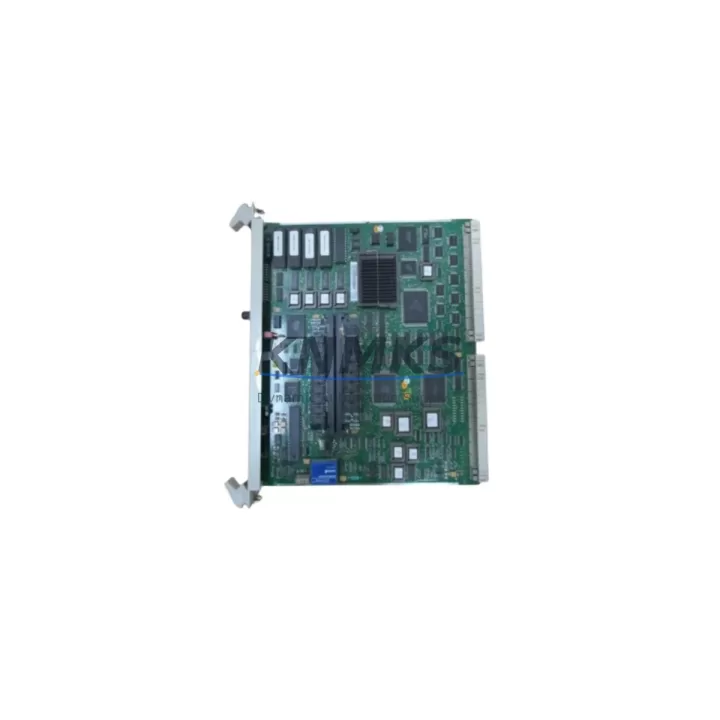
ABB PM510V16 3BSE008358R1 Migration-Ready CPU Module for Legacy Control Systems
The ABB PM510V16 (part number 3BSE008358R1) is a high-performance CPU module designed for the AC500 programmable logic controller platform. As legacy AC500 installations approach end-of-life or face discontinued spare parts availability, the PM510V16 serves as a verified migration-ready replacement for aging control infrastructure. Whether you are managing a planned retrofit, responding to an unplanned failure, or building a strategic spare parts buffer, the PM510V16 delivers the processing power, communication flexibility, and backward compatibility required to maintain operational continuity in demanding industrial environments.
This module is widely deployed in manufacturing automation, process control, energy management, building automation, and water treatment facilities. Its compatibility with the AC500 backplane architecture means that in most retrofit scenarios, existing terminal wiring, I/O expansion modules, and communication links can be preserved — significantly reducing downtime and re-engineering costs during system migration.
Migration Compatibility Table
| Parameter | Details |
|---|---|
| Compatible Platform | ABB AC500 PLC Series |
| Replaces / Upgrades From | PM510V16 legacy units, earlier AC500 CPU revisions |
| Backplane Interface | AC500 standard backplane — direct slot-in replacement |
| Communication Protocols | PROFIBUS DP, Modbus RTU/TCP, CANopen, Ethernet (model-dependent) |
| I/O Expansion | Compatible with AC500 S500 I/O modules (DI, DO, AI, AO) |
| Power Supply Requirement | 24 VDC nominal — verify existing PS501 or PS560 power supply capacity before installation |
| Programming Environment | ABB Automation Builder / PS501 Control Builder Plus |
| Firmware Compatibility | Verify firmware version alignment with existing I/O and communication modules |
| Installation Space | Standard AC500 rack slot — confirm rack model (TB521, TB541, TB561) clearance |
| Terminal Wiring | No rewiring required for direct CPU slot replacement; verify I/O terminal blocks if expanding |
| Commissioning Requirement | Program upload/download via USB or Ethernet; HMI screen mapping verification recommended |
| Support terms | support terms confirmed by quotation — all units tested prior to shipment |
Retrofit Planning for Existing Automation Systems
Successful migration of an AC500-based control system requires careful pre-engineering to avoid surprises during the cutover window. Before installing the PM510V16, engineers should audit the existing control cabinet for power supply headroom. The ABB PS501-ETH or PS560 power supply modules must be verified to deliver sufficient current for the CPU plus all connected S500 I/O modules — particularly if the retrofit includes adding new digital input (DI) or analog output (AO) expansion cards to address updated process requirements.
Backplane and rack selection is equally critical. The PM510V16 is compatible with AC500 rack variants including the TB521, TB541, and TB561 series. If the existing rack is damaged or at capacity, a replacement rack must be sourced and pre-wired before the scheduled maintenance window. In parallel, all S500 I/O modules — including digital input modules such as the DI524 and analog input modules such as the AI523 — should be inventoried and their firmware versions recorded to ensure compatibility with the replacement CPU firmware.
Communication link continuity is another key planning element. If the legacy system uses PROFIBUS DP for field device communication, the PM510V16’s onboard or plug-in communication interface must be configured to match the existing baud rate, station address, and GSD file assignments. For systems migrating toward Ethernet-based protocols such as Modbus TCP or PROFINET, this retrofit presents an opportunity to upgrade the communication module — for example, replacing an older CM572-DP PROFIBUS module with a CM579-PNIO PROFINET interface — while retaining the existing field wiring and I/O architecture.
HMI screen mapping should be validated before go-live. If the facility uses an ABB CP600 or CP400 operator panel, the variable address mapping between the HMI project and the PLC program must be re-verified after the CPU swap, especially if the program has been modified or if the new CPU firmware introduces any tag structure changes. Signal isolators installed between the CPU I/O and field instruments should also be checked for loop integrity during pre-commissioning.
For sites using programming cables such as the TK501 USB programming cable, ensure the cable driver is compatible with the commissioning laptop’s operating system before the maintenance window begins. Having a pre-tested, pre-loaded program backup on a USB drive or engineering laptop eliminates one of the most common sources of extended downtime during CPU replacement.
Downtime Control During System Migration
Minimizing production downtime during a CPU migration requires a structured cutover plan. The recommended approach is to perform a full program backup from the existing PM510V16 unit before any hardware is disturbed. Using ABB Automation Builder, the complete project — including POU logic, variable declarations, hardware configuration, and communication settings — should be archived and stored in at least two independent locations.
Where process conditions allow, a hot-standby simulation should be performed: the replacement PM510V16 is configured and program-loaded on the bench, then tested against a simulated I/O environment before being brought to site. This bench validation step can reduce on-site commissioning time from several hours to under 30 minutes in straightforward replacement scenarios.
During the physical swap, the control cabinet should be de-energized in a controlled sequence — field instruments first, then I/O modules, then the CPU — to protect both personnel and equipment. After the new PM510V16 is seated in the backplane and the rack is re-energized, the program is downloaded and the system is brought up in a monitored manual mode before returning to automatic operation. This staged restart approach protects the original process logic and allows operators to verify each control loop before resuming full production.
For critical continuous-process applications where even brief interruptions are unacceptable, a parallel-run strategy — where the new CPU is configured and validated alongside the running system before cutover — should be considered. All units supplied are pre-tested and shipped with a support terms confirmed by quotation, reducing the risk of infant-failure events during the critical post-cutover period.
Retrofit Support FAQ
Q1: Is the PM510V16 (3BSE008358R1) a direct drop-in replacement for my existing AC500 CPU?
In most AC500 installations, yes. The PM510V16 uses the standard AC500 backplane interface and occupies a single CPU slot in compatible TB521, TB541, or TB561 racks. However, you should verify the firmware version of your existing I/O and communication modules to confirm compatibility with the replacement unit’s firmware before installation.
Q2: Do I need to rewire my terminal blocks or I/O modules when replacing the CPU?
No rewiring of I/O terminal blocks is required for a direct CPU slot replacement. The S500 I/O modules remain in place and reconnect through the backplane. Rewiring is only necessary if the retrofit scope includes adding new I/O expansion modules or reconfiguring field instrument connections as part of a broader system upgrade.
Q3: How do I verify communication protocol compatibility before installation?
Document the existing communication module type (e.g., CM572-DP for PROFIBUS, CM577-ETH for Ethernet), baud rate settings, station addresses, and any GSD or EDS files used for field device configuration. These parameters must be replicated in the replacement CPU’s hardware configuration within Automation Builder. Our technical team can assist with pre-shipment configuration verification upon request.
Q4: What does the support terms confirmed by quotation cover, and how are units tested before shipment?
All PM510V16 units are functionally tested prior to shipment, including power-on verification, communication port checks, and basic I/O diagnostics where applicable. The support terms confirmed by quotation cover manufacturing defects and functional failures under normal operating conditions. Units are shipped with appropriate ESD-protective packaging to prevent transit damage. For support requests or technical support, contact admin@knmks.com.
© 2026 KNMKS. All rights reserved.
Original Source: https://knmks.com
Contact: admin@knmks.com | +86 18359268345
Product Identification
- Brand / Ecosystem
-
ABB
ABB - Model / Series
-
PM510V16 3BSE008358R1
AC500 Series - Product Family
- PLCs & Controllers
- Availability Status
- Available on request after model and quantity confirmation
- Inquiry Type
- B2B RFQ, replacement inquiry and project spare-part request
- Pre-Quote Check
- Exact SKU, brand, series, quantity, nameplate photos and destination country are checked before quotation
System Path
Where this product fits in the KNMKS automation structure.
Specification & Inquiry Focus
- Control platform
- PLC, PAC and modular controllers
- Common needs
- CPU, rack, power and I/O expansion
- Project support
- Replacement, cabinet build and maintenance
Buyer Confirmation
Information KNMKS checks before replying.
- Exact model
- PM510V16 3BSE008358R1
- Brand / ecosystem
- ABB
- Product family
- PLCs & Controllers
- Application note
- Replacement, maintenance, project build or spare-part list
- Useful photos
- Nameplate, installed unit, cabinet layout or connector side
- Delivery details
- Quantity, destination country and target schedule
Document Support
Files and notes can be confirmed during quotation.
- Product photos or nameplate confirmation when available
- Packing and delivery notes before quotation confirmation
- Support scope and delivery terms confirmed per inquiry
- Export document coordination for qualified B2B requests
Inquiry Support
- Model cross-checking before quotation
- CPU, power, rack and expansion module matching
- Support for replacement and project inquiry
What to Send Us
- Brand and exact model number: ABB PM510V16 3BSE008358R1
- Quantity and required delivery time
- Application, replacement requirement or nameplate photo
- Destination country and shipping preference
RFQ Preparation
This is a product inquiry page built for RFQ communication.
Fast Model Check
Send this model to KNMKS for confirmation.
Include quantity, destination country and photos if this is a maintenance replacement. The inquiry will be saved with a reference number after submission.
Brand & Compatibility Note
KNMKS displays automation product information for well-known industrial brand ecosystems and compatible replacement references. Brand names are used for product identification and compatibility reference only; final availability and commercial terms are confirmed per quotation.
 Manufacturing
 Machine Tools
 Packaging
 Energy & Power



 HMI & Displays
 Servo Systems
 Variable Frequency Drives
 Sensors