
Overview
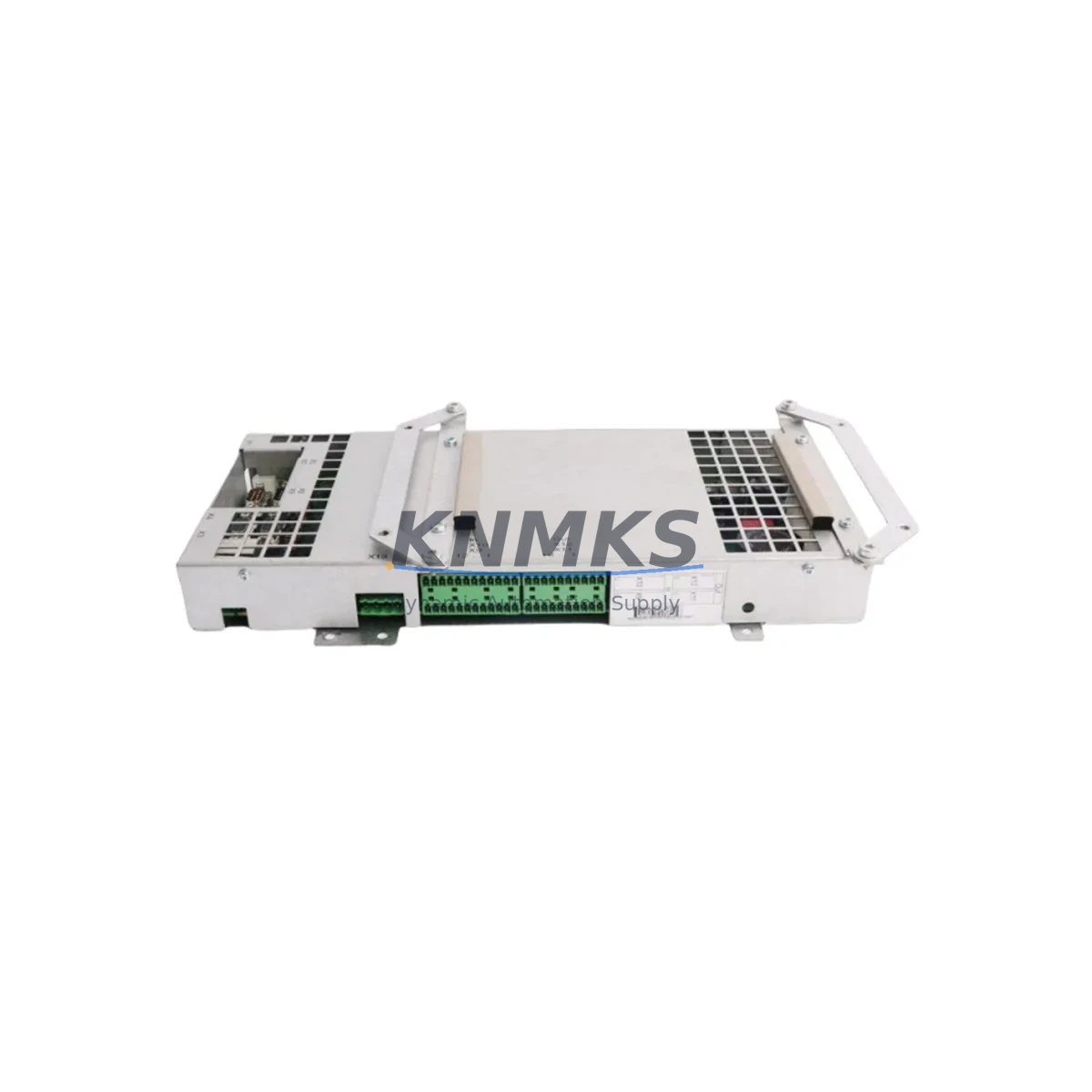
ABB PDQ22 1SAJ240200R0050 Maintenance-Proven Spare Part for Factory Uptime
The ABB PDQ22 (part number 1SAJ240200R0050) is an original PROFIBUS DP-V0/V1 FieldBusPlug communication module engineered for continuous industrial operation. Designed for DIN-rail mounting within motor control centers, drive panels, and distributed I/O cabinets, the PDQ22 serves as the critical PROFIBUS network interface for ABB drives, soft starters, and field devices across process and discrete manufacturing environments. Maintenance engineers and spare parts procurement teams rely on this module to sustain fieldbus communication integrity, eliminate unplanned downtime, and extend the operational life of legacy and current-generation ABB automation systems.
Sourced directly from verified supply channels and pre-shipment tested against ABB factory specifications, every PDQ22 unit shipped by KNMKS carries a support terms confirmed by quotation and full traceability documentation. Whether you are executing a planned annual shutdown, responding to an emergency communication fault, or building a strategic spare parts buffer for a multi-site ABB installation, the PDQ22 1SAJ240200R0050 is a ready-to-deploy replacement that requires no firmware reconfiguration when substituting a like-for-like unit.
Spare Maintenance Table
| Part Number | 1SAJ240200R0050 |
| Model | PDQ22 |
| Brand | ABB |
| Series | FieldBusPlug PDQ Series |
| Protocol | PROFIBUS DP-V0 / DP-V1 |
| Ports | Quad-port (4 × PROFIBUS connections) |
| Mounting | DIN-rail (35 mm) |
| Supply Voltage | 24 V DC (bus-powered via FieldBusPlug interface) |
| Baud Rate | Up to 12 Mbit/s |
| Operating Temperature | -10 °C to +55 °C |
| Protection Class | IP20 |
| Country of Origin | Germany |
| Compatibility | ABB ACS drives series, ABB PSR/PST/PSTB soft starters, ABB CI840 / CI854 communication interfaces, ABB S800 I/O modules |
| Application | Motor control centers, distributed I/O panels, process automation cabinets, PLC/DCS fieldbus segments |
| Maintenance Interval | Inspect annually; replace on communication fault or segment degradation |
| Support terms | 12 Months — KNMKS pre-shipment tested |
Maintenance Planning for Continuous Operation
When a PROFIBUS segment fault is traced to a failed or degraded PDQ22, experienced maintenance engineers know that the communication module is rarely the only component requiring attention. A thorough site inspection should encompass the entire fieldbus loop and associated power infrastructure to prevent repeat failures and ensure a stable return to production.
Begin by verifying the 24 V DC bus supply feeding the FieldBusPlug rail. A failing or under-specified SITOP or ABB CP-series DIN-rail power supply unit can cause intermittent PDQ22 resets that mimic module failure. Inspect the PROFIBUS cable termination resistors at both segment ends — improper termination is a leading cause of communication errors that accelerate plug wear. Check the DB9 or M12 PROFIBUS connectors for pin corrosion, particularly in humid or chemically aggressive environments.
Within the same control cabinet, audit the ABB CI854A or CI840A communication interface modules that bridge the PROFIBUS segment to the DCS or PLC backplane. These modules share the same fieldbus segment as the PDQ22 and should be inspected for firmware currency and connector integrity. If the installation includes ABB S800 I/O modules — such as the AI810, AO810, or DI810 — verify that their FieldBusPlug connections are fully seated and that no address conflicts exist on the segment.
For motor-side devices, confirm that the ABB ACS580 or ACS880 drive PROFIBUS adapter boards (RPBA-01 or FPBA-01) are correctly parameterized and that the drive’s fieldbus watchdog timeout settings align with the PLC scan cycle. Relay output modules and contactor control wiring within the MCC should also be checked for insulation degradation, as ground faults on the power side can induce noise on the PROFIBUS segment. Where signal isolation is required between the fieldbus segment and analog I/O loops, inspect any installed signal isolators or repeaters for proper power supply and grounding.
Finally, review the fuse protection on the 24 V DC rail supplying the FieldBusPlug bus. A correctly rated fuse — typically 2 A to 4 A for a standard PDQ22 segment — protects both the replacement module and the connected field devices. Documenting these checks in your CMMS as part of the PDQ22 replacement work order ensures that the root cause is addressed, not just the symptom.
Site Replacement Workflow
The PDQ22 1SAJ240200R0050 is designed for tool-free plug-and-play replacement on a live or de-energized DIN rail, making it one of the fastest fieldbus module swaps in the ABB ecosystem. Follow this sequence to minimize downtime:
1. Pre-replacement verification: Confirm the replacement unit’s part number (1SAJ240200R0050) matches the installed module label. Note the PROFIBUS node address configured on the outgoing module — the PDQ22 stores address settings in hardware switches accessible from the front face.
2. Safe isolation: Place the affected PROFIBUS segment in safe state via the PLC or DCS. For ABB System 800xA or AC500 PLC installations, use the engineering tool to set the segment to offline mode before physical removal.
3. Module extraction: Disconnect the PROFIBUS cable connectors and release the DIN-rail locking tab. Slide the PDQ22 free from the rail without disturbing adjacent modules.
4. Replacement installation: Clip the new PDQ22 onto the DIN rail, set the node address switches to match the previous configuration, and reconnect the PROFIBUS cables in the correct port sequence.
5. Segment restoration: Bring the segment back online from the PLC/DCS engineering station. Verify all slave devices return to cyclic data exchange (green status LEDs on the PDQ22 and connected drives or I/O modules).
6. Documentation: Record the replacement date, new module serial number, and post-replacement diagnostic results in your maintenance management system. This supports support terms tracking and future lifecycle planning.
This workflow is compatible with legacy ABB Freelance DCS, AC500 PLC, and System 800xA installations, ensuring the PDQ22 replacement integrates without requiring software changes or re-commissioning of the fieldbus segment.
Spare Parts Support FAQ
Q1: Is the PDQ22 1SAJ240200R0050 compatible with both DP-V0 and DP-V1 PROFIBUS masters?
Yes. The PDQ22 supports both PROFIBUS DP-V0 (cyclic data exchange) and DP-V1 (acyclic parameter access), making it compatible with a wide range of PLC and DCS masters including Siemens S7, ABB AC500, and Schneider Modicon platforms operating on the same segment.
Q2: How is each unit tested before shipment?
Every PDQ22 1SAJ240200R0050 dispatched by KNMKS undergoes pre-shipment functional verification including power-on self-test, PROFIBUS communication handshake, and visual inspection for connector and housing integrity. A test report is available on request. All units are covered by a support terms confirmed by quotation from the date of shipment.
Q3: Can KNMKS support long-term supply agreements for the PDQ22?
Yes. KNMKS offers 12–36 month supply agreements for the PDQ22 and associated ABB FieldBusPlug series components, including scheduled delivery schedules aligned with your planned maintenance windows. Contact admin@knmks.com to discuss volume pricing and consignment stock options.
Q4: What should I do if the replacement PDQ22 does not restore PROFIBUS communication?
If communication is not restored after module replacement, verify the node address switch settings, check PROFIBUS cable termination at both segment ends, and confirm that the 24 V DC bus supply is within specification (20.4–28.8 V DC). If the issue persists, KNMKS technical support can assist with remote diagnostic guidance. Do not return the module without first contacting admin@knmks.com, as the fault may reside in the cable, terminator, or master configuration rather than the module itself.
© 2026 KNMKS. All rights reserved.
Original Source: https://knmks.com
Contact: admin@knmks.com | +86 18359268345
Product Identification
- Brand / Ecosystem
-
ABB
ABB - Model / Series
- PDQ22 1SAJ240200R0050
- Product Family
- PLCs & Controllers
- Availability Status
- Available on request after model and quantity confirmation
- Inquiry Type
- B2B RFQ, replacement inquiry and project spare-part request
- Pre-Quote Check
- Exact SKU, brand, series, quantity, nameplate photos and destination country are checked before quotation
System Path
Where this product fits in the KNMKS automation structure.
Specification & Inquiry Focus
- Control platform
- PLC, PAC and modular controllers
- Common needs
- CPU, rack, power and I/O expansion
- Project support
- Replacement, cabinet build and maintenance
Buyer Confirmation
Information KNMKS checks before replying.
- Exact model
- PDQ22 1SAJ240200R0050
- Brand / ecosystem
- ABB
- Product family
- PLCs & Controllers
- Application note
- Replacement, maintenance, project build or spare-part list
- Useful photos
- Nameplate, installed unit, cabinet layout or connector side
- Delivery details
- Quantity, destination country and target schedule
Document Support
Files and notes can be confirmed during quotation.
- Product photos or nameplate confirmation when available
- Packing and delivery notes before quotation confirmation
- Support scope and delivery terms confirmed per inquiry
- Export document coordination for qualified B2B requests
Inquiry Support
- Model cross-checking before quotation
- CPU, power, rack and expansion module matching
- Support for replacement and project inquiry
What to Send Us
- Brand and exact model number: ABB PDQ22 1SAJ240200R0050
- Quantity and required delivery time
- Application, replacement requirement or nameplate photo
- Destination country and shipping preference
RFQ Preparation
This is a product inquiry page built for RFQ communication.
Fast Model Check
Send this model to KNMKS for confirmation.
Include quantity, destination country and photos if this is a maintenance replacement. The inquiry will be saved with a reference number after submission.
Brand & Compatibility Note
KNMKS displays automation product information for well-known industrial brand ecosystems and compatible replacement references. Brand names are used for product identification and compatibility reference only; final availability and commercial terms are confirmed per quotation.
 Manufacturing
 Machine Tools
 Packaging
 Energy & Power



 HMI & Displays
 Servo Systems
 Variable Frequency Drives
 Sensors