
Overview
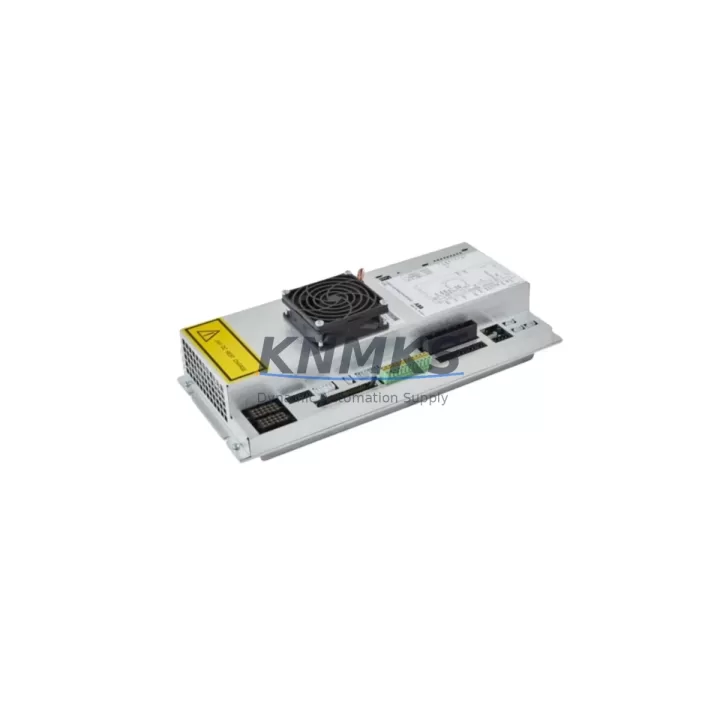
ABB PDB-02 3HNA023093-001 Migration-Ready Thermocouple Input for Legacy Control Systems
The ABB PDB-02 (3HNA023093-001) is a thermocouple input module designed for ABB IRC5 and S4C+ robot controller platforms. As legacy automation lines face end-of-life support challenges, this module serves as a verified drop-in replacement for aging or discontinued thermocouple measurement boards within the same controller family. Whether you are upgrading a paint shop robot cell, retrofitting a spot-welding line, or restoring a decommissioned IRC5 cabinet, the PDB-02 provides the signal conditioning and I/O interface required to maintain process continuity without rewriting core motion programs.
When planning a thermocouple input replacement, engineers must confirm several critical parameters before committing to a swap. The PDB-02 occupies a standard IRC5 axis computer backplane slot, so verifying available slot positions in the existing DSQC cabinet is the first step. Terminal block wiring must be mapped against the original I/O configuration — thermocouple type (typically Type J or Type K), cold junction compensation settings, and channel-to-signal assignments must all be preserved or remapped in the robot controller’s configuration files. If the legacy system used an older DSQC-series board with a different connector pitch, an adapter harness may be required to maintain the existing field wiring without re-termination.
On the software side, the ABB RobotWare configuration must reflect the new module address. In IRC5 systems, this is managed through the I/O configuration in RobotStudio or directly via the FlexPendant teach pendant. Engineers should export and archive the existing system parameters before the swap, particularly the EIO.cfg and SYS.cfg files, to enable rapid rollback if commissioning reveals unexpected signal offsets. Firmware compatibility between the PDB-02 and the installed RobotWare version should be confirmed — modules shipped for RobotWare 5.x installations may require a firmware update when integrated into RobotWare 6.x environments.
The PDB-02 is commonly deployed alongside the DSQC 662 I/O module for digital signal expansion, the DSQC 609 power supply unit for cabinet power budgeting, and the DSQC 679 FlexPendant interface board when HMI screen layouts reference thermocouple channel status. In multi-axis cells where the IRC5 controller manages both motion and process temperature monitoring, the PDB-02 works in conjunction with the DSQC 633 axis computer board and the DSQC 652 digital I/O module to form a complete process control node. For systems migrating from S4C+ to IRC5 architecture, the DSQC 503 communication board may also need to be evaluated for DeviceNet or Profibus protocol continuity.
Migration Compatibility Table
| Parameter | Details |
|---|---|
| Compatible Platforms | ABB IRC5, S4C+ |
| Part Number | 3HNA023093-001 |
| Module Type | Thermocouple Input Module |
| Backplane Interface | IRC5 axis computer backplane slot |
| Thermocouple Types Supported | Type J, Type K (verify per system config) |
| Communication Compatibility | DeviceNet, Profibus (via associated comm board) |
| Firmware Requirement | Confirm RobotWare 5.x / 6.x compatibility before installation |
| Replacement Recommendation | Direct replacement for legacy PDB-series thermocouple boards in IRC5/S4C+ cabinets |
| Commissioning Notes | Export EIO.cfg and SYS.cfg before swap; remap I/O addresses post-installation |
| Support terms | support terms confirmed by quotation included |
Retrofit Planning for Existing Automation Systems
A successful PDB-02 retrofit begins with a full audit of the existing IRC5 or S4C+ cabinet. Identify all occupied backplane slots and document the current module addresses to avoid address conflicts after installation. The DSQC 609 power supply should be load-checked to confirm it can support the additional draw of the replacement module — thermocouple input boards have low power consumption, but aging power supplies in legacy cabinets may already be operating near capacity.
Field wiring connected to the original thermocouple input board should be photographed and labeled before disconnection. In older S4C+ installations, wiring may use non-standard color codes or undocumented field modifications accumulated over years of maintenance. Retaining the original terminal block assignments and transferring them directly to the PDB-02 connector reduces the risk of channel inversion or signal loss during commissioning.
For cells where the IRC5 controller interfaces with a third-party SCADA or DCS system via the DSQC 503 or a Profibus gateway, the thermocouple channel data mapping in the upstream system must also be updated to reflect any address changes introduced by the new module. HMI screens built on the ABB Panel Builder or third-party SCADA platforms that display thermocouple readings will require tag remapping if the I/O address changes. Coordinating this update with the controls engineer before the maintenance window prevents extended downtime caused by HMI alarm floods or missing process values after restart.
Downtime Control During System Migration
Minimizing downtime during a PDB-02 replacement requires preparation before the maintenance window opens. All configuration files — including EIO.cfg, SYS.cfg, and any RAPID program modules that reference thermocouple input signals — should be backed up to a USB drive or network share. A cold spare of the PDB-02 should be bench-tested and confirmed functional before the production unit is removed, reducing the risk of discovering a DOA module during a live maintenance window.
The physical swap itself is straightforward: power down the IRC5 cabinet following the standard LOTO procedure, remove the legacy thermocouple board, seat the PDB-02 in the same backplane slot, and reconnect field wiring per the documented terminal map. On power-up, the IRC5 controller will perform a hardware scan — if the module address is correctly configured, the system will recognize the PDB-02 without requiring a full system restore. A signal verification routine using the FlexPendant I/O monitor should be run immediately after restart to confirm all thermocouple channels are reading within expected ranges before releasing the cell to production.
For facilities with strict OEE targets, staging the PDB-02 replacement during a scheduled preventive maintenance interval rather than a reactive breakdown repair is strongly recommended. Pre-staging the module, pre-labeling the wiring, and pre-configuring the I/O address in a RobotStudio offline simulation can reduce the actual cabinet downtime to under 60 minutes for an experienced controls technician.
Retrofit Support FAQ
Q: Is the ABB PDB-02 3HNA023093-001 a direct replacement for the original thermocouple input board in my IRC5 cabinet?
A: Yes, the PDB-02 is designed as a compatible replacement for the original thermocouple input module in ABB IRC5 and S4C+ controller platforms. Verify the backplane slot type and RobotWare version before installation to confirm full compatibility with your specific cabinet revision.
Q: What wiring changes are required when installing the PDB-02 in a legacy S4C+ system?
A: In most cases, existing field wiring can be transferred directly to the PDB-02 terminal block without modification, provided the original wiring documentation is available. If the legacy board used a different connector type, a short adapter harness may be needed. Always photograph and label all wiring before disconnection.
Q: How do I verify the PDB-02 is correctly recognized by the IRC5 controller after installation?
A: After power-up, use the FlexPendant I/O monitor to confirm the module appears at the expected address and all thermocouple channels are active. If the module is not recognized, check the I/O configuration in EIO.cfg and confirm the module address matches the physical slot assignment. A RobotWare restart may be required after configuration changes.
Q: What support terms and pre-shipment testing does the PDB-02 come with?
A: Every PDB-02 3HNA023093-001 unit is function-tested before shipment and covered by a support terms confirmed by quotation against manufacturing defects. Units are sourced from verified inventory and shipped with documentation. Contact admin@knmks.com for stock availability and lead time confirmation.
© 2026 KNMKS. All rights reserved.
Original Source: https://knmks.com
Contact: admin@knmks.com | +86 18359268345
Product Identification
- Brand / Ecosystem
-
ABB
ABB - Model / Series
-
PDB-02 3HNA023093-001
IRC5 Series - Product Family
- PLCs & Controllers
- Availability Status
- Available on request after model and quantity confirmation
- Inquiry Type
- B2B RFQ, replacement inquiry and project spare-part request
- Pre-Quote Check
- Exact SKU, brand, series, quantity, nameplate photos and destination country are checked before quotation
System Path
Where this product fits in the KNMKS automation structure.
Specification & Inquiry Focus
- Control platform
- PLC, PAC and modular controllers
- Common needs
- CPU, rack, power and I/O expansion
- Project support
- Replacement, cabinet build and maintenance
Buyer Confirmation
Information KNMKS checks before replying.
- Exact model
- PDB-02 3HNA023093-001
- Brand / ecosystem
- ABB
- Product family
- PLCs & Controllers
- Application note
- Replacement, maintenance, project build or spare-part list
- Useful photos
- Nameplate, installed unit, cabinet layout or connector side
- Delivery details
- Quantity, destination country and target schedule
Document Support
Files and notes can be confirmed during quotation.
- Product photos or nameplate confirmation when available
- Packing and delivery notes before quotation confirmation
- Support scope and delivery terms confirmed per inquiry
- Export document coordination for qualified B2B requests
Inquiry Support
- Model cross-checking before quotation
- CPU, power, rack and expansion module matching
- Support for replacement and project inquiry
What to Send Us
- Brand and exact model number: ABB PDB-02 3HNA023093-001
- Quantity and required delivery time
- Application, replacement requirement or nameplate photo
- Destination country and shipping preference
RFQ Preparation
This is a product inquiry page built for RFQ communication.
Fast Model Check
Send this model to KNMKS for confirmation.
Include quantity, destination country and photos if this is a maintenance replacement. The inquiry will be saved with a reference number after submission.
Brand & Compatibility Note
KNMKS displays automation product information for well-known industrial brand ecosystems and compatible replacement references. Brand names are used for product identification and compatibility reference only; final availability and commercial terms are confirmed per quotation.
 Manufacturing
 Machine Tools
 Packaging
 Energy & Power



 HMI & Displays
 Servo Systems
 Variable Frequency Drives
 Sensors