
Overview
ABB P-HC-BRC-40000000 Migration-Ready Bridge Controller for Legacy Control Systems
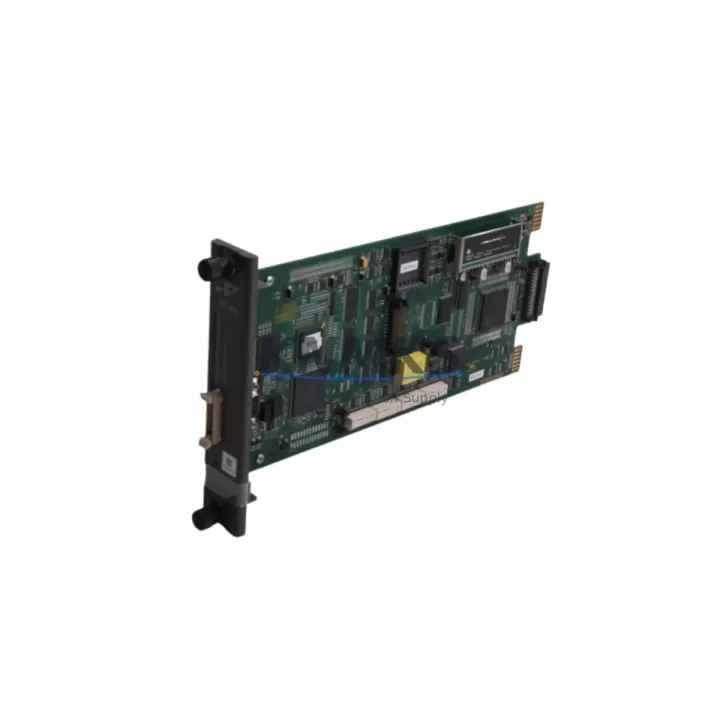
The ABB P-HC-BRC-40000000 (also referenced as PHCBRC40000000) is a bridge controller module designed for the ABB AC500 PLC platform, purpose-built to serve as a migration-ready replacement in aging distributed control architectures. As industrial facilities accelerate the retirement of legacy fieldbus networks and first-generation PLC backplanes, this module provides a validated upgrade path that preserves existing program logic, minimizes rewiring effort, and reduces unplanned downtime during system changeover.
For maintenance engineers and automation integrators managing end-of-life control panels, the P-HC-BRC-40000000 addresses the most critical retrofit challenges: protocol translation between legacy and modern communication layers, physical compatibility with existing AC500 rack slots, and firmware alignment with current CPU firmware revisions. Whether you are replacing a discontinued bridge interface, extending the service life of a production line controller, or consolidating multiple fieldbus segments under a unified communication backbone, this module delivers the interoperability and reliability required for mission-critical retrofit projects.
Each unit is pre-shipment tested against ABB AC500 platform specifications, supplied with a support terms confirmed by quotation, and dispatched from verified global stock to support urgent maintenance windows and planned turnaround schedules alike.
Migration Compatibility Table
| Parameter | Specification / Retrofit Guidance |
|---|---|
| Module SKU | P-HC-BRC-40000000 / PHCBRC40000000 |
| Platform Compatibility | ABB AC500 PLC series (PM5xx, PM5xx-ETH CPU families) |
| Rack / Backplane Interface | AC500 standard backplane slot; verify slot addressing against existing rack configuration before installation |
| Communication Protocols | PROFIBUS DP, Modbus RTU/TCP, EtherNet/IP — confirm active protocol mapping in legacy program before swap |
| Power Supply Requirement | Supplied via AC500 backplane; verify PS501 or equivalent power supply capacity covers added module load |
| Terminal / Wiring Compatibility | Standard AC500 connector footprint; inspect existing field wiring for insulation condition prior to reconnection |
| Firmware Compatibility | Align CPU firmware version with module firmware; update via Automation Builder before commissioning |
| Installation Space | Single-slot AC500 module; confirm available rack positions in existing control cabinet |
| Replacement Scope | Direct replacement for discontinued or end-of-life AC500 bridge interface modules |
| Commissioning Requirement | Module address configuration via Automation Builder; HMI screen variable mapping verification recommended |
| Pre-Shipment Testing | Functional test completed; unit verified against AC500 platform prior to dispatch |
| Support terms | 12 months from date of shipment |
| Country of Origin | Germany |
| Stock Status | Available — global warehouse dispatch |
Retrofit Planning for Existing Automation Systems
A successful retrofit using the P-HC-BRC-40000000 requires a structured pre-installation review of the surrounding control architecture. Begin by auditing the existing AC500 rack assembly: confirm the number of occupied backplane slots, the installed CPU module variant (such as the PM564-T or PM591-ETH), and the current power budget delivered by the rack power supply module. If the existing PS501 power supply is operating near capacity, adding the bridge controller may require either load redistribution across the rack or installation of a supplementary power supply unit.
Terminal wiring from legacy fieldbus segments — particularly PROFIBUS DP trunk cables and Modbus RS-485 shielded pairs — must be inspected for continuity and insulation integrity before reconnection to the replacement module. In control cabinets where the original bridge interface has been in service for more than a decade, terminal block corrosion and cable jacket degradation are common findings that should be addressed during the retrofit window rather than deferred.
For systems that include distributed I/O expansion via AC500 remote I/O modules such as the DC532 digital I/O module or AI523 analog input module, verify that the bridge controller’s updated protocol configuration does not alter the I/O module address map. Any address conflict introduced during the swap will require corresponding updates in the PLC program and, where applicable, in the HMI tag database — particularly if the facility operates CP600 or CP635 HMI panels linked to the AC500 CPU via internal Ethernet.
Communication module dependencies should also be reviewed: if the legacy system uses a CM572-DP PROFIBUS master module or a CM589-PNIO PROFINET interface module in the same rack, confirm that the bridge controller’s updated firmware does not introduce bus timing conflicts. In multi-rack configurations connected via TB521-ETH or TB511 terminal base assemblies, the module slot addressing scheme must be re-validated in Automation Builder after the replacement is seated.
Signal isolation requirements for analog loops connected through the bridge layer should be assessed using the original I/O wiring schedule. Where signal isolators are present between field instruments and the AC500 I/O tier, their loop power and signal range settings must remain unchanged to avoid process variable drift during the commissioning phase following the retrofit.
Downtime Control During System Migration
Minimizing production downtime during a bridge controller replacement on an active AC500 system requires preparation that begins well before the maintenance window opens. The most effective approach is to export and archive the complete PLC project from Automation Builder — including all program organization units, hardware configuration, and communication parameter sets — before any physical module removal takes place. This archived project serves as both a rollback baseline and the source configuration for programming the replacement P-HC-BRC-40000000.
Where the production process permits a hot-standby arrangement, staging the replacement module in a parallel test rack and validating its communication behavior against a mirrored CPU configuration allows the field swap to be reduced to a physical installation and address confirmation step, rather than a full commissioning cycle. This approach is particularly valuable in continuous process environments — chemical dosing lines, conveyor control systems, and HVAC automation panels — where even brief interruptions carry significant operational cost.
During the physical swap, retain all original terminal wiring labels and photograph the existing connector positions before disconnection. Reconnect field wiring in the same sequence documented in the original panel drawings, and perform a point-to-point continuity check before powering the rack. After power-up, use Automation Builder’s online diagnostic view to confirm that the bridge controller is recognized by the CPU, that all configured communication channels report active status, and that I/O module data is updating correctly in the program data table.
HMI screens linked to process variables routed through the bridge layer should be monitored during the first production cycle following the retrofit to confirm that all tag values are updating within expected scan cycle times. Any anomalies in HMI display refresh or communication timeout alarms should be investigated at the bridge controller’s diagnostic log before resuming full production throughput. With proper pre-staging and a disciplined commissioning sequence, total downtime for a P-HC-BRC-40000000 replacement can typically be contained within a planned four-hour maintenance window.
Retrofit Support FAQ
Q1: Is the P-HC-BRC-40000000 a direct drop-in replacement for the discontinued AC500 bridge interface modules?
Yes. The P-HC-BRC-40000000 is designed to occupy the same AC500 backplane slot as the original bridge interface module it replaces. Physical dimensions, connector footprint, and backplane signaling are compatible with the standard AC500 rack. However, firmware version alignment between the replacement module and the installed CPU must be confirmed in Automation Builder before the module is placed into service. Where the CPU firmware predates the module’s supported firmware range, a CPU firmware update may be required as part of the retrofit procedure.
Q2: What commissioning steps are required after installing the replacement module?
After seating the module and reconnecting field wiring, open the existing PLC project in Automation Builder and perform a hardware configuration download to the CPU. Confirm that the bridge controller appears in the rack configuration tree with the correct slot address. Verify all configured communication channels — PROFIBUS, Modbus, or EtherNet/IP as applicable — show active status in the online diagnostic view. If HMI panels are connected, confirm that all process variable tags linked through the bridge layer are updating correctly. A full I/O force test on critical output channels is recommended before returning the system to automatic mode.
Q3: How is pre-shipment testing conducted, and what does the support terms confirmed by quotation cover?
Each P-HC-BRC-40000000 unit undergoes functional testing against ABB AC500 platform specifications prior to dispatch. Testing confirms backplane communication, protocol channel initialization, and module self-diagnostic status. The support terms confirmed by quotation cover manufacturing defects and functional failures under normal operating conditions from the date of shipment. Units that exhibit failure within the confirmed support period are eligible for replacement or repair subject to inspection. Support requests should be initiated through the sales contact provided below.
Q4: Is stock available for immediate dispatch, and can the module be sourced for planned maintenance schedules?
Yes. The P-HC-BRC-40000000 is maintained in verified global warehouse stock and is available for both urgent dispatch to support unplanned failures and scheduled delivery aligned to planned maintenance windows. Lead time and shipping options can be confirmed at the time of order. For facilities managing multi-unit retrofit programs or long-term spare parts buffer strategies, volume availability and forward allocation can be discussed with the sales team directly.
© 2026 KNMKS. All rights reserved.
Original Source: https://knmks.com
Contact: admin@knmks.com | +86 18359268345
Product Identification
- Brand / Ecosystem
-
ABB
ABB - Model / Series
-
P-HC-BRC-40000000 PHCBRC40000000
AC500 Series - Product Family
- PLCs & Controllers
- Availability Status
- Available on request after model and quantity confirmation
- Inquiry Type
- B2B RFQ, replacement inquiry and project spare-part request
- Pre-Quote Check
- Exact SKU, brand, series, quantity, nameplate photos and destination country are checked before quotation
System Path
Where this product fits in the KNMKS automation structure.
Specification & Inquiry Focus
- Control platform
- PLC, PAC and modular controllers
- Common needs
- CPU, rack, power and I/O expansion
- Project support
- Replacement, cabinet build and maintenance
Buyer Confirmation
Information KNMKS checks before replying.
- Exact model
- P-HC-BRC-40000000 PHCBRC40000000
- Brand / ecosystem
- ABB
- Product family
- PLCs & Controllers
- Application note
- Replacement, maintenance, project build or spare-part list
- Useful photos
- Nameplate, installed unit, cabinet layout or connector side
- Delivery details
- Quantity, destination country and target schedule
Document Support
Files and notes can be confirmed during quotation.
- Product photos or nameplate confirmation when available
- Packing and delivery notes before quotation confirmation
- Support scope and delivery terms confirmed per inquiry
- Export document coordination for qualified B2B requests
Inquiry Support
- Model cross-checking before quotation
- CPU, power, rack and expansion module matching
- Support for replacement and project inquiry
What to Send Us
- Brand and exact model number: ABB P-HC-BRC-40000000 PHCBRC40000000
- Quantity and required delivery time
- Application, replacement requirement or nameplate photo
- Destination country and shipping preference
RFQ Preparation
This is a product inquiry page built for RFQ communication.
Fast Model Check
Send this model to KNMKS for confirmation.
Include quantity, destination country and photos if this is a maintenance replacement. The inquiry will be saved with a reference number after submission.
Brand & Compatibility Note
KNMKS displays automation product information for well-known industrial brand ecosystems and compatible replacement references. Brand names are used for product identification and compatibility reference only; final availability and commercial terms are confirmed per quotation.
 Manufacturing
 Machine Tools
 Packaging
 Energy & Power



 HMI & Displays
 Servo Systems
 Variable Frequency Drives
 Sensors