
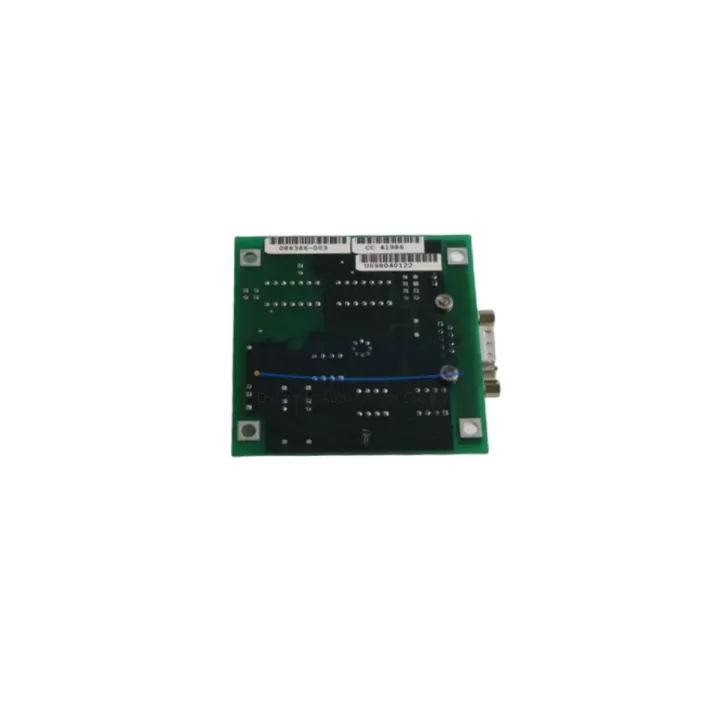
Overview
ABB P-HB-AIN-2200C100 Migration-Ready Analog Input Module: Legacy System Retrofit & Compatibility Upgrade
The ABB P-HB-AIN-2200C100 is a high-density analog input module designed for the ABB AC500 PLC platform, widely deployed in process automation, machine control, and utility infrastructure. As legacy control architectures approach end-of-life, the P-HB-AIN-2200C100 serves as a verified drop-in replacement and migration-ready upgrade path for engineers managing aging distributed control systems, obsolete I/O racks, and discontinued analog signal conditioning hardware. Whether you are replacing a failed module in a running production line or executing a planned retrofit of an older AC500 configuration, this module provides the signal accuracy, backplane compatibility, and firmware alignment required for seamless integration without full system redesign.
Each unit is sourced from authorized supply channels, pre-shipment tested under load conditions, and backed by a support terms confirmed by quotation covering manufacturing defects and functional failures. Stock is maintained for immediate dispatch to support unplanned downtime recovery and scheduled maintenance windows alike.
Migration Compatibility Table
| Parameter | Details |
|---|---|
| Module SKU | P-HB-AIN-2200C100 |
| Brand / Series | ABB / AC500 |
| Module Type | Analog Input Module |
| Origin | Germany (DE) |
| Backplane Interface | AC500 S500 I/O bus — compatible with TB511, TB521, TB541 terminal bases |
| Signal Types Supported | 4–20 mA, 0–10 V, thermocouple, RTD (configuration-dependent) |
| Communication Compatibility | PROFIBUS DP, Modbus RTU, CANopen via AC500 CPU coupling |
| Replacement Candidates | Earlier AC500 analog input variants; legacy S500 I/O analog modules |
| Installation Requirement | Snap-fit onto compatible terminal base; no additional wiring adapter required for direct replacement |
| Firmware Compatibility | Compatible with AC500 V2.x and V3.x firmware environments; verify CPU firmware revision before hot-swap |
| Commissioning Note | Module address re-assignment may be required if replacing a non-identical variant; verify I/O list in Automation Builder |
| Support terms | 12 months from shipment date — covers manufacturing defects and functional failures |
| Pre-Shipment Test | Yes — functional verification under signal load prior to dispatch |
Retrofit Planning for Existing Automation Systems
Integrating the P-HB-AIN-2200C100 into an existing AC500 installation requires a structured approach to avoid signal mapping errors and unplanned process interruptions. Begin by auditing the current I/O configuration in ABB Automation Builder: confirm the terminal base model (TB511-ETH, TB521, or TB541 are common in mid-range AC500 deployments), verify the slot address assigned to the outgoing module, and export the current hardware configuration file before making any physical changes.
On the power side, confirm that the AC500 power supply module — typically a PS501 or PS502 — has sufficient current headroom to support the analog input module’s consumption. Analog modules with active signal conditioning draw more current than discrete I/O, and an undersized power supply is a common cause of intermittent faults after retrofit. If the existing rack is already near capacity, a supplementary power supply or rack expansion may be required before the new module is installed.
Terminal wiring should be transferred from the old module’s terminal base to the new one with care. Label each wire before disconnection, photograph the existing wiring layout, and verify signal polarity for 4–20 mA loops. For RTD or thermocouple inputs, confirm the sensor type matches the channel configuration in the software — a mismatch here will produce incorrect process values without triggering a hardware fault. If the installation uses a CI501 or CI502 communication interface module for PROFIBUS DP connectivity, verify that the GSD file version in the master configuration matches the module’s firmware revision to avoid bus initialization failures after restart.
For systems that include an HMI panel — such as an ABB CP600 or CP620 operator panel — review all analog tag bindings before going live. If the replacement module occupies a different logical address than its predecessor, HMI trend displays, alarm limits, and PID loop references will need to be updated in the panel project. This step is frequently overlooked during emergency replacements and results in incorrect process visualization after restart.
Where the control system includes signal isolators or loop-powered transmitters feeding into the analog input channels, verify that the isolator output range matches the module’s configured input range. A 0–10 V isolator output feeding a channel configured for 4–20 mA will produce a zero-scale reading and may be misdiagnosed as a sensor fault. Confirm all channel configurations in Automation Builder match the field wiring before energizing the module.
If the retrofit involves expanding the I/O count beyond the existing rack capacity, the AC500 S500 I/O system supports extension via additional terminal bases and field bus couplers. Planning the physical rack layout — including DIN rail space, cable duct clearance, and grounding continuity — before ordering additional modules avoids installation delays and ensures the final configuration meets the original panel design intent.
Downtime Control During System Migration
Minimizing production downtime during an analog input module replacement requires preparation that begins well before the maintenance window opens. The most effective approach is to pre-configure the replacement P-HB-AIN-2200C100 offline: load the hardware configuration from Automation Builder onto a laptop, verify the module parameters match the outgoing unit’s settings, and confirm the firmware version is compatible with the installed CPU before the scheduled outage begins.
Where process conditions allow, consider placing the affected analog loops in manual mode at the DCS or SCADA level before disconnecting the module. This prevents PID controllers from driving outputs to rail during the signal interruption and protects downstream actuators from unexpected movement. Document the current output states and setpoints so that manual operation can maintain process stability during the swap.
The physical replacement itself — removing the old module from the terminal base and snapping in the P-HB-AIN-2200C100 — takes only minutes when the terminal base remains in place. The wiring stays connected to the base, eliminating the risk of miswiring during the swap. After installation, power up the rack and verify that the module’s status LED indicates normal operation before returning the loops to automatic control.
Post-installation verification should include a channel-by-channel signal check: inject a known reference signal at each input and confirm the value read in Automation Builder matches the expected engineering unit. For 4–20 mA loops, a loop calibrator is the fastest tool for this step. For RTD inputs, a decade resistance box allows simulation of specific temperature values without disconnecting the sensor. Complete this verification before releasing the process to automatic control to confirm that no channel configuration errors were introduced during the replacement.
Maintaining a spare P-HB-AIN-2200C100 in the site stores — alongside compatible terminal bases and a current backup of the Automation Builder project — is the most reliable way to reduce mean time to repair for future analog input failures. Given the support terms confirmed by quotation coverage and the module’s role in continuous process monitoring, stocking one or two units as critical spares is standard practice for facilities operating AC500-based control systems in high-availability environments.
Retrofit Support FAQ
Q: Is the P-HB-AIN-2200C100 a direct replacement for older AC500 analog input modules?
A: In most cases, yes — provided the terminal base model is compatible and the channel configuration in Automation Builder is updated to match the new module’s parameter set. Verify the hardware configuration file before installation to confirm slot addressing and signal type assignments are correct for your specific application.
Q: What commissioning steps are required after installing the replacement module?
A: After physical installation, download the updated hardware configuration to the CPU, verify module status in Automation Builder’s online view, and perform a channel-by-channel signal verification using a loop calibrator or signal simulator. If the module address has changed, update all HMI tag references and PID loop inputs before returning to automatic control.
Q: Can this module be used in a system running an older AC500 firmware version?
A: The P-HB-AIN-2200C100 is compatible with AC500 V2.x and V3.x firmware environments. If your CPU is running a firmware version below V2.4, a firmware update may be required to ensure full feature support and stable bus communication. Always verify firmware compatibility in the ABB AC500 hardware compatibility matrix before deployment.
Q: What does the support terms confirmed by quotation cover, and is pre-shipment testing included?
A: Every P-HB-AIN-2200C100 unit is functionally tested under signal load conditions before dispatch. The support terms confirmed by quotation cover manufacturing defects and functional failures from the shipment date. Units that fail during the confirmed support period are replaced or refunded. Contact admin@knmks.com with your order reference and fault description to initiate a support terms claim.
© 2026 KNMKS. All rights reserved.
Original Source: https://knmks.com
Contact: admin@knmks.com | +86 18359268345
Product Identification
- Brand / Ecosystem
-
ABB
ABB - Model / Series
-
P-HB-AIN-2200C100
AC500 Series - Product Family
- PLCs & Controllers
- Availability Status
- Available on request after model and quantity confirmation
- Inquiry Type
- B2B RFQ, replacement inquiry and project spare-part request
- Pre-Quote Check
- Exact SKU, brand, series, quantity, nameplate photos and destination country are checked before quotation
System Path
Where this product fits in the KNMKS automation structure.
Specification & Inquiry Focus
- Control platform
- PLC, PAC and modular controllers
- Common needs
- CPU, rack, power and I/O expansion
- Project support
- Replacement, cabinet build and maintenance
Buyer Confirmation
Information KNMKS checks before replying.
- Exact model
- P-HB-AIN-2200C100
- Brand / ecosystem
- ABB
- Product family
- PLCs & Controllers
- Application note
- Replacement, maintenance, project build or spare-part list
- Useful photos
- Nameplate, installed unit, cabinet layout or connector side
- Delivery details
- Quantity, destination country and target schedule
Document Support
Files and notes can be confirmed during quotation.
- Product photos or nameplate confirmation when available
- Packing and delivery notes before quotation confirmation
- Support scope and delivery terms confirmed per inquiry
- Export document coordination for qualified B2B requests
Inquiry Support
- Model cross-checking before quotation
- CPU, power, rack and expansion module matching
- Support for replacement and project inquiry
What to Send Us
- Brand and exact model number: ABB P-HB-AIN-2200C100
- Quantity and required delivery time
- Application, replacement requirement or nameplate photo
- Destination country and shipping preference
RFQ Preparation
This is a product inquiry page built for RFQ communication.
Fast Model Check
Send this model to KNMKS for confirmation.
Include quantity, destination country and photos if this is a maintenance replacement. The inquiry will be saved with a reference number after submission.
Brand & Compatibility Note
KNMKS displays automation product information for well-known industrial brand ecosystems and compatible replacement references. Brand names are used for product identification and compatibility reference only; final availability and commercial terms are confirmed per quotation.
 Manufacturing
 Machine Tools
 Packaging
 Energy & Power



 HMI & Displays
 Servo Systems
 Variable Frequency Drives
 Sensors