
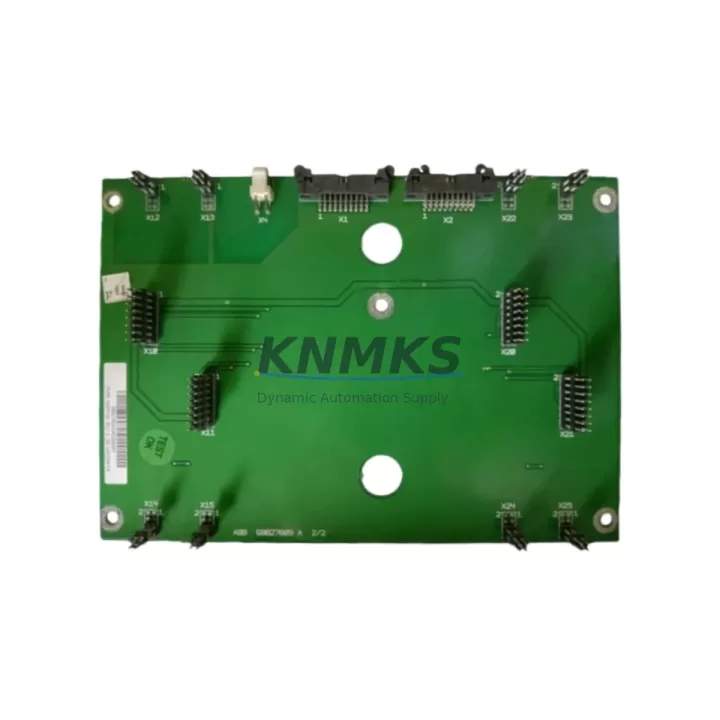
Overview
ABB NXPP-05 Maintenance-Proven Spare Part for Factory Uptime
The ABB NXPP-05 is an original digital input module engineered for the ABB AC500 and S500 PLC platform — one of the most widely deployed automation architectures in energy, petrochemical, water treatment, and discrete manufacturing facilities worldwide. When a digital input channel fails or a module reaches end-of-service life, unplanned downtime can cascade across an entire production line. Stocking a verified NXPP-05 spare is a proven strategy for maintenance engineers who need to restore control system integrity within a single shift.
KNMKS supplies the NXPP-05 as a tested, original-source spare with a support terms confirmed by quotation, pre-shipment functional verification, and long-term supply commitment — critical requirements for facilities operating legacy AC500 systems where OEM lead times may extend beyond acceptable downtime windows.
Spare Maintenance Table
| Parameter | Specification |
|---|---|
| Part Number / SKU | NXPP-05 |
| Brand | ABB |
| Series | AC500 / S500 |
| Module Type | Digital Input Module |
| Product Type | PLC Digital Input Module |
| Compatible Systems | ABB AC500, S500 PLC Backplane |
| Input Channels | Per AC500 S500 platform standard configuration |
| Signal Type | Digital Input (DI), 24 VDC nominal |
| Installation | DIN rail / AC500 backplane slot mount |
| Operating Temperature | 0°C to +60°C (industrial environment) |
| Origin | Germany (DE) |
| Support terms | 12 Months |
| Pre-Shipment Test | Functional verification included |
| Availability | In-stock; long-term supply supported |
| Contact | admin@knmks.com | +86 18359268345 |
Maintenance Planning for Continuous Operation
Replacing the NXPP-05 in an AC500 control cabinet is rarely an isolated task. Experienced maintenance engineers treat a digital input module failure as a trigger for a broader cabinet inspection. Before returning the system to service, verify the condition of the AC500 CPU module (e.g., PM573 or PM591 series) to confirm no upstream logic faults have been masked by the failed input channel. Check the 24 VDC power supply module feeding the I/O bus — an under-voltage condition is a common root cause of intermittent digital input failures and will damage a replacement module if left uncorrected.
Inspect all terminal blocks and field wiring connected to the NXPP-05 input channels. Loose terminations, corroded contacts, or undersized conductors can generate false input signals that accelerate module wear. If the cabinet includes signal isolators or signal conditioners between field sensors and the PLC input, verify their output voltage levels are within the NXPP-05’s rated input range before commissioning the replacement.
For facilities running mixed I/O configurations, also inspect adjacent digital output modules (such as the ABB NXPP-04 or equivalent DO modules in the S500 range) and any analog input modules sharing the same backplane segment. A backplane communication fault can present as a single-module failure when the root cause is a degraded backplane connector or bus terminator. Replacing the NXPP-05 without inspecting the backplane seating and bus integrity risks repeat failures within weeks.
Where the AC500 system communicates via PROFIBUS, Modbus RTU, or EtherNet/IP, confirm that the communications module (e.g., CM572-DP or CM589-PNIO) is reporting no bus errors after the module swap. A newly seated NXPP-05 will trigger a configuration change event on the fieldbus; the PLC program should be reloaded and I/O mapping verified against the original engineering documentation. Maintaining a spare SD memory card with the last validated PLC program image is strongly recommended for AC500 installations to accelerate recovery.
Annual maintenance schedules for AC500-based control systems should include the NXPP-05 as a recommended stocking item alongside CPU modules, power supply units, and communication modules. KNMKS supports long-term procurement planning with stable pricing, consistent availability, and support terms confirmed by quotation coverage on every unit shipped.
Site Replacement Workflow
Step 1 — Isolate and de-energize: Follow site LOTO (Lockout/Tagout) procedures. De-energize the 24 VDC I/O supply to the affected backplane segment before removing the NXPP-05.
Step 2 — Document channel mapping: Record or photograph the existing field wiring terminations on the module’s terminal block. Cross-reference against the I/O list in the engineering documentation to confirm channel assignments before disconnection.
Step 3 — Remove and inspect: Extract the NXPP-05 from its backplane slot. Inspect the backplane connector pins for corrosion, bent contacts, or debris. Clean with appropriate contact cleaner if required.
Step 4 — Install replacement: Seat the new NXPP-05 firmly into the backplane slot until the locking tab engages. Reconnect field wiring per the documented channel map. Verify terminal torque to manufacturer specification.
Step 5 — Power-up and verify: Re-energize the I/O supply. Observe the module status LED — a solid green indicates normal operation. From the AC500 programming environment (Automation Builder or PS501), confirm all input channels are reading correctly against known field signal states.
Step 6 — Update maintenance records: Log the replacement date, module serial number, and any observations from the cabinet inspection. Update the spare parts inventory to trigger reorder of a replacement NXPP-05 unit to maintain minimum stock levels.
This workflow supports a target replacement time of under 60 minutes for trained maintenance personnel, minimizing production downtime and ensuring system compatibility is maintained without requiring PLC program modifications.
Spare Parts Support FAQ
Q1: Is the NXPP-05 supplied by KNMKS an original ABB part?
Yes. KNMKS sources the NXPP-05 as an original ABB spare part. Each unit undergoes pre-shipment functional verification and is covered by a support terms confirmed by quotation from the date of delivery.
Q2: How do I confirm compatibility with my existing AC500 system before ordering?
The NXPP-05 is designed for the ABB AC500 and S500 PLC backplane platform. To confirm compatibility, provide your CPU module part number and backplane configuration to admin@knmks.com. Our technical team will verify slot compatibility and firmware requirements before shipment.
Q3: What is KNMKS’s lead time and can I secure long-term supply?
In-stock units ship within 3–5 business days. For facilities requiring scheduled annual procurement or multi-unit blanket orders, KNMKS supports long-term supply agreements with price stability and priority allocation. Contact +86 18359268345 to discuss your inventory strategy.
Q4: What testing is performed before the NXPP-05 is shipped?
Every NXPP-05 unit is functionally tested prior to dispatch to verify digital input channel operation, backplane interface integrity, and LED status indication. A test report is available upon request. Units are packaged in anti-static protective packaging to prevent transit damage.
© 2026 KNMKS. All rights reserved.
Original Source: https://knmks.com
Contact: admin@knmks.com | +86 18359268345
Product Identification
- Brand / Ecosystem
-
ABB
ABB - Model / Series
-
NXPP-05
AC500 Series - Product Family
- PLCs & Controllers
- Availability Status
- Available on request after model and quantity confirmation
- Inquiry Type
- B2B RFQ, replacement inquiry and project spare-part request
- Pre-Quote Check
- Exact SKU, brand, series, quantity, nameplate photos and destination country are checked before quotation
System Path
Where this product fits in the KNMKS automation structure.
Specification & Inquiry Focus
- Control platform
- PLC, PAC and modular controllers
- Common needs
- CPU, rack, power and I/O expansion
- Project support
- Replacement, cabinet build and maintenance
Buyer Confirmation
Information KNMKS checks before replying.
- Exact model
- NXPP-05
- Brand / ecosystem
- ABB
- Product family
- PLCs & Controllers
- Application note
- Replacement, maintenance, project build or spare-part list
- Useful photos
- Nameplate, installed unit, cabinet layout or connector side
- Delivery details
- Quantity, destination country and target schedule
Document Support
Files and notes can be confirmed during quotation.
- Product photos or nameplate confirmation when available
- Packing and delivery notes before quotation confirmation
- Support scope and delivery terms confirmed per inquiry
- Export document coordination for qualified B2B requests
Inquiry Support
- Model cross-checking before quotation
- CPU, power, rack and expansion module matching
- Support for replacement and project inquiry
What to Send Us
- Brand and exact model number: ABB NXPP-05
- Quantity and required delivery time
- Application, replacement requirement or nameplate photo
- Destination country and shipping preference
RFQ Preparation
This is a product inquiry page built for RFQ communication.
Fast Model Check
Send this model to KNMKS for confirmation.
Include quantity, destination country and photos if this is a maintenance replacement. The inquiry will be saved with a reference number after submission.
Brand & Compatibility Note
KNMKS displays automation product information for well-known industrial brand ecosystems and compatible replacement references. Brand names are used for product identification and compatibility reference only; final availability and commercial terms are confirmed per quotation.
 Manufacturing
 Machine Tools
 Packaging
 Energy & Power



 HMI & Displays
 Servo Systems
 Variable Frequency Drives
 Sensors