
Overview
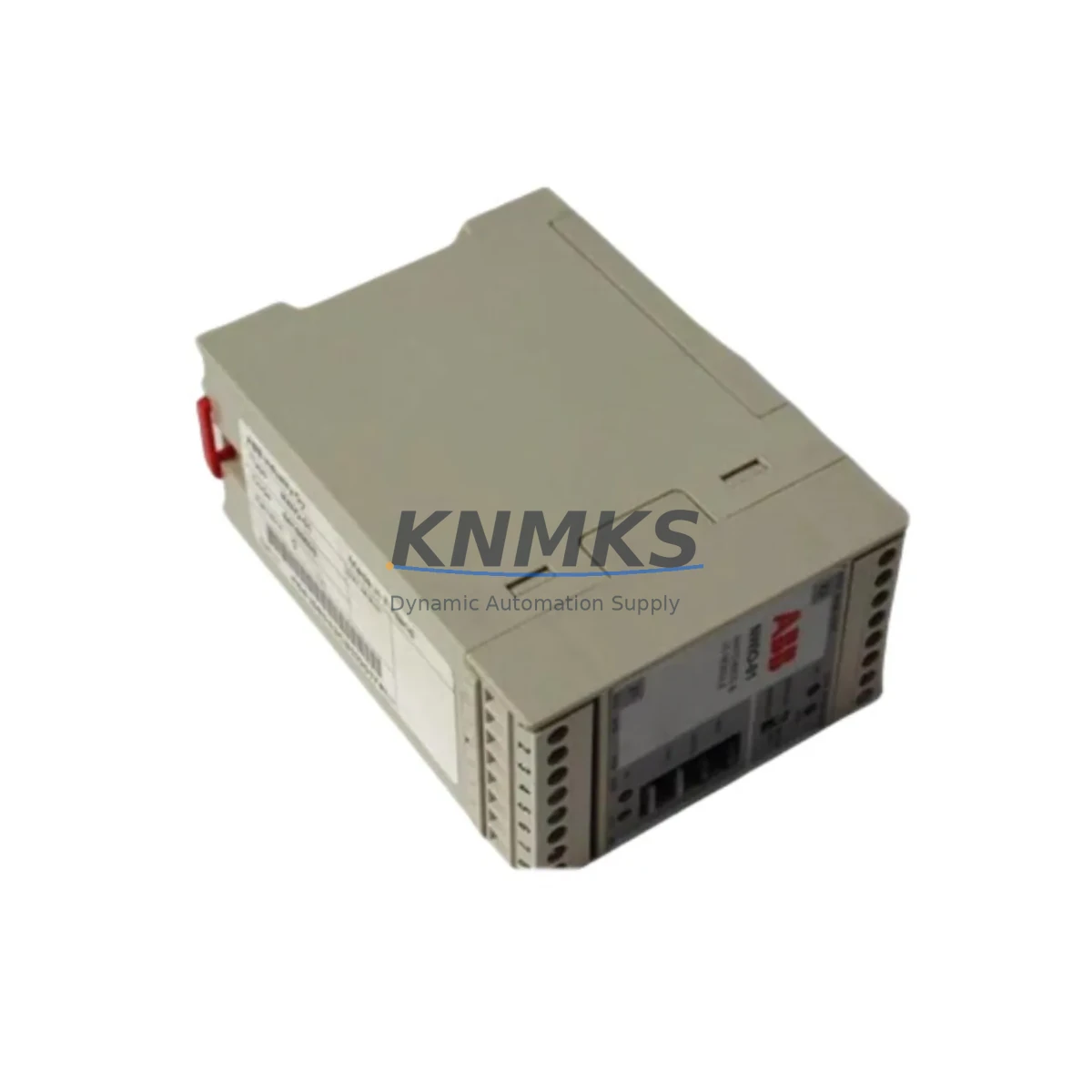
ABB NWPM-01 Migration-Ready Modbus RTU Adapter for Legacy Control Systems
The ABB NWPM-01 is a Modbus RTU fieldbus adapter module designed for seamless integration with ABB ACS series variable frequency drives, including the ACS550, ACS800, and ACS880 platforms. As legacy control architectures face end-of-life pressures and discontinued firmware support, the NWPM-01 provides a verified, drop-in migration path for engineers managing aging automation infrastructure. Whether you are replacing a failed communication module, upgrading a legacy drive network to a standardized Modbus RTU topology, or consolidating a multi-vendor control cabinet, the NWPM-01 delivers the protocol compatibility and physical form factor required for a low-risk retrofit.
For facilities running older ABB drives on proprietary fieldbus protocols such as DDCS or CDI, migrating to Modbus RTU via the NWPM-01 eliminates the need for costly gateway hardware and simplifies PLC integration. The module slots directly into the drive’s option slot, preserving the existing drive parameter set and avoiding full drive replacement. Engineers should confirm the target drive’s option slot type (slot 1 or slot 2), firmware revision, and parameter group 51 settings before installation to ensure full Modbus RTU master compatibility.
Migration Compatibility Table
| Parameter | Details |
|---|---|
| Compatible Drive Series | ABB ACS550, ACS800, ACS880, ACS580 |
| Communication Protocol | Modbus RTU (RS-485) |
| Installation Interface | Drive Option Slot (Slot 1 / Slot 2) |
| Baud Rate Support | 1200 – 115200 bps |
| Node Address Range | 1 – 247 |
| Power Supply | Supplied by host drive (no external power required) |
| Terminal Wiring | RS-485 two-wire or four-wire; confirm shield grounding at one end |
| Firmware Compatibility | Verify drive firmware version supports NWPM-01 option module recognition |
| Replacement Recommendation | Direct replacement for failed or discontinued Modbus adapter in ACS series |
| Commissioning Focus | Parameter group 51 (Modbus), node address DIP switch or software setting |
| Support terms | support terms confirmed by quotation — tested and verified before shipment |
Retrofit Planning for Existing Automation Systems
Successful retrofit of the NWPM-01 into an existing control system requires a structured pre-installation audit. Begin by documenting the current drive’s option slot occupancy — if an RAIO-01 analog I/O extension module or an RDIO-01 digital I/O module is already installed in the target slot, a slot reassignment plan must be developed before the NWPM-01 can be fitted. In multi-drive panels, the Modbus RTU network typically originates from a Siemens S7-300 or S7-1200 PLC serial port or a dedicated Modbus master card; confirm the master’s polling cycle and timeout settings to avoid communication faults during the first power-on after module installation.
Wiring adaptation is a common source of commissioning delay. The NWPM-01 uses a standard RS-485 terminal block; however, legacy cabinets may have been wired for a four-wire full-duplex configuration that must be re-terminated to two-wire half-duplex. Verify cable shielding continuity and ensure the termination resistor (typically 120 Ω) is enabled only at the physical ends of the RS-485 bus segment. If the control cabinet also houses an RPBA-01 PROFIBUS adapter or an RCAN-01 CANopen module on adjacent drives, confirm that the Modbus segment is electrically isolated to prevent cross-protocol interference.
For facilities using ABB’s DriveStudio or Drive Composer commissioning software, the NWPM-01 is recognized automatically once the drive is powered and the option module is seated correctly. Parameter group 51 must be configured to set the node address, baud rate, and parity before the Modbus master begins polling. If the upstream SCADA or DCS — such as a Honeywell Experion PKS or Emerson DeltaV system — uses a Modbus TCP-to-RTU gateway, confirm the gateway’s serial port settings match the NWPM-01 configuration to avoid silent communication failures. HMI screens mapped to drive speed reference and status word registers should be validated against the NWPM-01’s Modbus register map before returning the line to production.
Downtime Control During System Migration
Minimizing unplanned downtime during a Modbus adapter retrofit requires a phased commissioning approach. Before removing the legacy module, export the full drive parameter set using Drive Composer or a parameter backup file stored on the ACS drive’s memory unit (if equipped). This backup preserves motor control parameters, ramp times, and I/O configurations that would otherwise require manual re-entry after the module swap.
Schedule the physical module replacement during a planned maintenance window. The NWPM-01 can be installed and removed with the drive powered down in under five minutes, but the subsequent Modbus configuration and network verification typically requires 30 to 60 minutes per drive, depending on the complexity of the upstream PLC or SCADA polling logic. For multi-drive lines, stagger the commissioning sequence drive by drive rather than replacing all modules simultaneously, allowing production to continue on unaffected sections of the line.
After installation, perform a live Modbus poll test from the PLC or SCADA master before reconnecting the motor load. Verify that the drive’s status word, speed actual, and fault register are readable and that the speed reference write command produces the expected drive response in manual mode. Only after this verification should the drive be returned to automatic control. This sequence protects the original program logic, maintains field control continuity, and reduces the risk of a process upset during the first production run post-retrofit. All NWPM-01 units supplied by KNMKS are pre-tested and shipped with a support terms confirmed by quotation, reducing the risk of a repeat outage caused by a defective replacement module.
Retrofit Support FAQ
Q1: Is the NWPM-01 a direct drop-in replacement for a failed Modbus adapter in an ACS800 drive?
Yes. The NWPM-01 is compatible with the ACS800 option slot and uses the same Modbus RTU protocol and register structure. After installation, reconfigure parameter group 51 to match the original node address and baud rate settings. No drive firmware update is required in most cases, but verify the drive firmware version supports the NWPM-01 option module ID.
Q2: What wiring changes are needed when replacing a legacy fieldbus adapter with the NWPM-01?
The NWPM-01 uses a standard RS-485 two-wire interface. If the existing wiring was configured for a four-wire full-duplex protocol, re-terminate to two-wire half-duplex and confirm the 120 Ω termination resistor is correctly placed at the bus endpoints. Shield grounding should be maintained at one end only to prevent ground loops.
Q3: Can the NWPM-01 be used with a Siemens S7 PLC as the Modbus RTU master?
Yes. The NWPM-01 operates as a Modbus RTU slave and is compatible with any standard Modbus RTU master, including Siemens S7-300, S7-400, and S7-1200 series PLCs using a CM 1241 or equivalent serial communication module. Configure the PLC’s Modbus function block with the correct node address, baud rate, and register mapping as defined in the NWPM-01 user manual.
Q4: What does the support terms confirmed by quotation cover, and how is stock availability managed?
Every NWPM-01 unit supplied by KNMKS is tested for communication function and option slot interface integrity before shipment. The support terms confirmed by quotation cover manufacturing defects and functional failures under normal operating conditions. KNMKS maintains regional stock to support urgent replacement orders with short lead times. Contact admin@knmks.com or +86 18359268345 for current availability and expedited shipping options.
© 2026 KNMKS. All rights reserved.
Original Source: https://knmks.com
Contact: admin@knmks.com | +86 18359268345
Product Identification
- Brand / Ecosystem
-
ABB
ABB - Model / Series
- NWPM-01
- Product Family
- PLCs & Controllers
- Availability Status
- Available on request after model and quantity confirmation
- Inquiry Type
- B2B RFQ, replacement inquiry and project spare-part request
- Pre-Quote Check
- Exact SKU, brand, series, quantity, nameplate photos and destination country are checked before quotation
System Path
Where this product fits in the KNMKS automation structure.
Specification & Inquiry Focus
- Control platform
- PLC, PAC and modular controllers
- Common needs
- CPU, rack, power and I/O expansion
- Project support
- Replacement, cabinet build and maintenance
Buyer Confirmation
Information KNMKS checks before replying.
- Exact model
- NWPM-01
- Brand / ecosystem
- ABB
- Product family
- PLCs & Controllers
- Application note
- Replacement, maintenance, project build or spare-part list
- Useful photos
- Nameplate, installed unit, cabinet layout or connector side
- Delivery details
- Quantity, destination country and target schedule
Document Support
Files and notes can be confirmed during quotation.
- Product photos or nameplate confirmation when available
- Packing and delivery notes before quotation confirmation
- Support scope and delivery terms confirmed per inquiry
- Export document coordination for qualified B2B requests
Inquiry Support
- Model cross-checking before quotation
- CPU, power, rack and expansion module matching
- Support for replacement and project inquiry
What to Send Us
- Brand and exact model number: ABB NWPM-01
- Quantity and required delivery time
- Application, replacement requirement or nameplate photo
- Destination country and shipping preference
RFQ Preparation
This is a product inquiry page built for RFQ communication.
Fast Model Check
Send this model to KNMKS for confirmation.
Include quantity, destination country and photos if this is a maintenance replacement. The inquiry will be saved with a reference number after submission.
Brand & Compatibility Note
KNMKS displays automation product information for well-known industrial brand ecosystems and compatible replacement references. Brand names are used for product identification and compatibility reference only; final availability and commercial terms are confirmed per quotation.
 Manufacturing
 Machine Tools
 Packaging
 Energy & Power



 HMI & Displays
 Servo Systems
 Variable Frequency Drives
 Sensors