
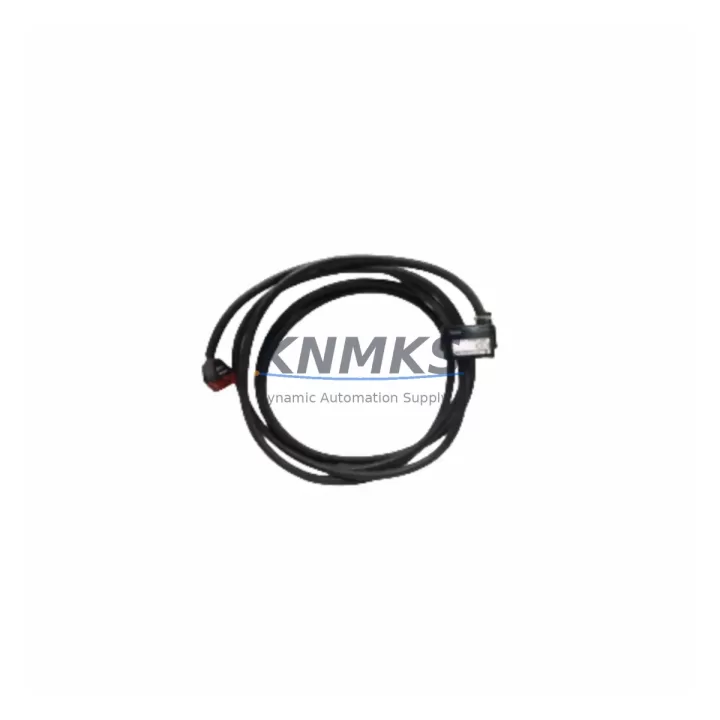
Overview
ABB NKAS01-15 Maintenance-Proven Spare Part for Factory Uptime
The ABB NKAS01-15 is an original analog terminal unit cable designed for use with the ABB AC500 PLC platform — one of the most widely deployed programmable logic controller families in process automation, discrete manufacturing, and utility infrastructure. Maintaining a verified stock of the NKAS01-15 is a proven strategy for reducing unplanned downtime, accelerating fault isolation, and sustaining continuous production across aging and active AC500 installations alike.
For maintenance engineers managing control cabinets with AC500 CPUs, analog I/O modules, and terminal unit assemblies, the NKAS01-15 represents a critical interface component. Its role in connecting analog signal modules to field wiring means that a degraded or failed cable can disrupt entire I/O channels, trigger nuisance alarms, or cause loss of process visibility. Keeping a pre-tested, support terms-backed spare on the shelf eliminates the lead-time risk associated with sourcing this component reactively during an outage.
This listing covers an original ABB NKAS01-15 unit, sourced from authorized supply channels, pre-shipment tested, and backed by a support terms confirmed by quotation. Multi-region stock is maintained to support fast global dispatch for both emergency replacements and scheduled annual maintenance windows.
Spare Maintenance Table
| Parameter | Specification / Value |
|---|---|
| Part Number | NKAS01-15 |
| Brand | ABB |
| Series | AC500 |
| Product Type | Analog Terminal Unit Cable |
| Function | Connects AC500 analog I/O modules to terminal unit field wiring |
| Compatible Modules | AC500 analog I/O modules (AI/AO series), S500 terminal units |
| Connector Type | Pre-terminated, keyed plug — module-side and terminal-unit-side |
| Cable Length | 15 cm (standard short-run cabinet configuration) |
| Signal Type | Analog (voltage/current, per connected I/O module) |
| Operating Temperature | -25°C to +70°C (per AC500 platform specification) |
| Installation Environment | Control cabinet, DIN-rail mounted AC500 backplane assemblies |
| Origin | Germany (DE) |
| Condition | Original, new — pre-shipment tested |
| Support terms | 12 months from date of shipment |
| Dispatch | Multi-region stock — fast global dispatch available |
Maintenance Planning for Continuous Operation
When scheduling preventive maintenance or responding to an analog I/O fault on an AC500 system, the NKAS01-15 cable should be inspected alongside the broader signal chain. A complete cabinet inspection in this context typically includes the following components:
The AC500 analog input/output modules (such as the AI523 or AO523 series) should be checked for channel-level faults and calibration drift — a degraded NKAS01-15 cable can mask or mimic module-level failures. The S500 terminal units that the cable connects to should be inspected for oxidized contacts, loose field wiring, and mechanical wear on the connector housing. AC500 power supply modules (PS501 or PS502 series) supplying the I/O backplane should be verified for output voltage stability, as undervoltage conditions can cause intermittent analog signal errors that are incorrectly attributed to cabling.
Signal integrity in analog loops also depends on the condition of signal isolators and barriers installed between field instruments and the AC500 I/O. These components should be tested for loop resistance and isolation integrity during any cable replacement event. Terminal blocks and DIN-rail mounted fuse holders protecting analog input circuits are frequently overlooked during fault isolation — corroded terminals or blown fuses can produce symptoms identical to a failed NKAS01-15. Additionally, the AC500 CPU module (PM573 or PM583 series) should be checked for firmware currency and diagnostic log entries that may indicate recurring I/O communication errors predating the cable fault.
For sites running AC500 communication modules (such as CM572-DP for PROFIBUS or CM589-PNIO for PROFINET), verifying that analog data is correctly mapped and transmitted after a cable replacement is an essential commissioning step before returning the system to automatic control.
Site Replacement Workflow
Step 1 — Isolate and document. Before removing the NKAS01-15, record the current analog channel configuration in the AC500 engineering tool (Automation Builder). Note channel assignments, scaling parameters, and any active alarms on the affected I/O module. This baseline is essential for post-replacement verification.
Step 2 — De-energize safely. Follow site LOTO (Lockout/Tagout) procedures. The AC500 backplane and associated terminal units must be de-energized before disconnecting the NKAS01-15 cable. Confirm with a calibrated voltage tester before proceeding.
Step 3 — Remove and inspect. Disconnect the existing NKAS01-15 from both the analog module and the terminal unit. Inspect the connector housings for cracking, pin damage, or contamination. If the terminal unit connector shows wear, plan for terminal unit replacement in the same maintenance window.
Step 4 — Install the replacement. Seat the new NKAS01-15 firmly at both connection points. Verify the keying alignment before applying insertion force. Incorrect seating is the most common cause of post-replacement analog errors.
Step 5 — Re-energize and verify. Restore power and confirm analog channel readings in Automation Builder or the site SCADA/DCS. Compare live values against the pre-maintenance baseline. Verify that no new diagnostic alarms are present on the AC500 CPU or I/O modules.
Step 6 — Update maintenance records. Log the replacement date, part number, and technician ID in the site CMMS. Schedule the next inspection interval per the AC500 preventive maintenance plan — typically 12–24 months for cable and connector assemblies in climate-controlled cabinets.
Spare Parts Support FAQ
Q: Is the NKAS01-15 compatible with all AC500 analog I/O modules?
A: The NKAS01-15 is designed for use with AC500 S500 analog I/O modules and their corresponding terminal units. Compatibility depends on the specific module and terminal unit combination in your installation. Always verify the module part number and terminal unit type against the ABB AC500 system catalog before ordering. Our technical team can assist with compatibility confirmation prior to shipment.
Q: How is the NKAS01-15 tested before shipment?
A: Each unit undergoes pre-shipment electrical continuity and connector integrity testing. Units that do not pass inspection are not dispatched. A support terms confirmed by quotation is provided from the date of shipment, covering manufacturing defects and premature failure under normal operating conditions.
Q: Can you support long-term or blanket purchase orders for the NKAS01-15?
A: Yes. Long-term supply agreements and scheduled release orders are available for maintenance teams managing multi-site AC500 installations or annual shutdown spares programs. Contact our sales team to discuss volume pricing, lead-time commitments, and consignment stock options.
Q: What is the recommended spare holding quantity for a typical AC500 installation?
A: For installations with 4–8 analog I/O modules, a minimum of 2–4 NKAS01-15 cables is recommended as on-hand stock. Sites with higher analog I/O density, extended lead times from local distributors, or critical process applications should consider holding 6–10 units to cover emergency replacement scenarios without impacting scheduled maintenance budgets.
© 2026 KNMKS. All rights reserved.
Original Source: https://knmks.com
Contact: admin@knmks.com | +86 18359268345
Product Identification
- Brand / Ecosystem
-
ABB
ABB - Model / Series
-
NKAS01-15
AC500 Series - Product Family
- PLCs & Controllers
- Availability Status
- Available on request after model and quantity confirmation
- Inquiry Type
- B2B RFQ, replacement inquiry and project spare-part request
- Pre-Quote Check
- Exact SKU, brand, series, quantity, nameplate photos and destination country are checked before quotation
System Path
Where this product fits in the KNMKS automation structure.
Specification & Inquiry Focus
- Control platform
- PLC, PAC and modular controllers
- Common needs
- CPU, rack, power and I/O expansion
- Project support
- Replacement, cabinet build and maintenance
Buyer Confirmation
Information KNMKS checks before replying.
- Exact model
- NKAS01-15
- Brand / ecosystem
- ABB
- Product family
- PLCs & Controllers
- Application note
- Replacement, maintenance, project build or spare-part list
- Useful photos
- Nameplate, installed unit, cabinet layout or connector side
- Delivery details
- Quantity, destination country and target schedule
Document Support
Files and notes can be confirmed during quotation.
- Product photos or nameplate confirmation when available
- Packing and delivery notes before quotation confirmation
- Support scope and delivery terms confirmed per inquiry
- Export document coordination for qualified B2B requests
Inquiry Support
- Model cross-checking before quotation
- CPU, power, rack and expansion module matching
- Support for replacement and project inquiry
What to Send Us
- Brand and exact model number: ABB NKAS01-15
- Quantity and required delivery time
- Application, replacement requirement or nameplate photo
- Destination country and shipping preference
RFQ Preparation
This is a product inquiry page built for RFQ communication.
Fast Model Check
Send this model to KNMKS for confirmation.
Include quantity, destination country and photos if this is a maintenance replacement. The inquiry will be saved with a reference number after submission.
Brand & Compatibility Note
KNMKS displays automation product information for well-known industrial brand ecosystems and compatible replacement references. Brand names are used for product identification and compatibility reference only; final availability and commercial terms are confirmed per quotation.
 Manufacturing
 Machine Tools
 Packaging
 Energy & Power



 HMI & Displays
 Servo Systems
 Variable Frequency Drives
 Sensors