
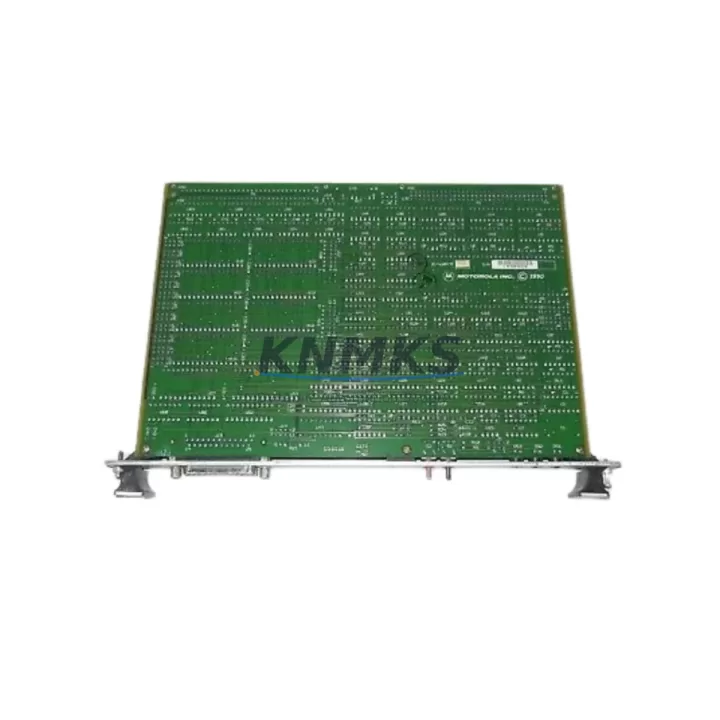
Overview
ABB MDO32BNS Maintenance-Proven Spare Part for Factory Uptime
The ABB MDO32BNS is a 32-channel 24 VDC transistor digital output module engineered for the ABB AC500 PLC platform. In industrial automation environments where production continuity is non-negotiable, maintaining a verified spare of the MDO32BNS in your control cabinet inventory is a foundational element of any credible maintenance strategy. Whether you are managing a discrete manufacturing line, a process automation cell, or a legacy system that has been in continuous service for over a decade, the MDO32BNS delivers the output density and signal reliability that field engineers depend on during both planned shutdowns and emergency fault recovery.
From a maintenance engineering perspective, the MDO32BNS occupies a critical position in the AC500 I/O architecture. Its 32 transistor outputs — each rated at 24 VDC with short-circuit protection — drive actuators, solenoid valves, motor starters, and indicator circuits across a wide range of industrial applications. When a channel fault or module failure is detected during routine point-check or live diagnostics, the ability to swap in a pre-tested MDO32BNS without waiting on OEM lead times is the difference between a two-hour recovery and a two-week production loss.
For procurement engineers, sourcing the MDO32BNS through a stocking distributor with pre-shipment functional testing and a documented support terms confirmed by quotation eliminates the risk associated with grey-market or untested inventory. Every unit we supply undergoes electrical verification prior to dispatch, and full traceability documentation is available upon request.
Spare Maintenance Table
| Parameter | Specification |
|---|---|
| Part Number | MDO32BNS |
| Brand | ABB |
| Series | AC500 |
| Module Type | 32-Channel Transistor Digital Output |
| Output Voltage | 24 VDC |
| Output Current (per channel) | 0.5 A (typical) |
| Number of Outputs | 32 |
| Output Protection | Short-circuit and overload protected |
| Backplane Interface | AC500 S500 I/O bus |
| Compatible CPUs | PM571, PM581, PM591, PM595 and AC500 eCo series |
| Mounting | DIN rail via AC500 terminal base (TB523 or equivalent) |
| Operating Temperature | 0 °C to +60 °C |
| Protection Class | IP20 |
| Country of Origin | Germany |
| Weight | Approx. 220 g |
| Support terms | 12 Months — covers manufacturing defects and functional failure under normal operating conditions |
| Shipment Condition | Pre-shipment functional test completed; ESD-safe packaging |
Maintenance Planning for Continuous Operation
When the MDO32BNS is identified as a fault point during a control cabinet inspection or a PLC diagnostic scan, experienced maintenance engineers know that the module itself is rarely the only component requiring attention. A systematic inspection of the surrounding electrical circuit is essential to prevent repeat failures and to restore the system to full operational confidence.
Begin by verifying the 24 VDC supply rail feeding the output module. The ABB CP604 or CP605 power supply modules commonly used in AC500 panels should be checked for output voltage stability and ripple — a degraded power supply can cause intermittent output faults that are misdiagnosed as module failures. Inspect the AC500 terminal base (TB523) for corrosion, loose contacts, or mechanical damage before seating the replacement MDO32BNS, as a compromised terminal base will cause the new module to exhibit the same fault symptoms.
Review the MDI32B or MDI16B digital input modules in the same I/O rack. In many control architectures, input and output modules share a common 24 VDC field power bus; a wiring fault or blown fuse on the input side can mask an output module fault during initial diagnostics. Check the inline fuse holders and 24 VDC branch circuit fuses protecting each output group — these are frequently overlooked during emergency fault response and are a common root cause of partial output loss.
For systems using ABB CM572-DP PROFIBUS or CM577-ETHCAT EtherCAT communication modules, confirm that the communication bus is stable and that the CPU is not reporting a bus fault that could be misinterpreted as an I/O module hardware failure. In distributed I/O configurations, a communication module fault will cause all downstream output modules to de-energize simultaneously, which can be confused with a hardware failure of the MDO32BNS itself.
Finally, inspect any signal isolators or relay output expansion modules connected to the MDO32BNS output channels. Transistor output modules driving inductive loads without adequate flyback suppression are subject to accelerated wear; if the field wiring includes solenoid valves or relay coils, verify that suppression diodes or RC snubbers are correctly installed at the load terminals.
Site Replacement Workflow
Replacing the MDO32BNS on a live AC500 system follows a structured sequence designed to minimize downtime and eliminate configuration errors. Before removing the faulty module, use the AC500 engineering tool (Automation Builder or PS501 Control Builder Plus) to export the current I/O configuration and confirm the module address assignment. This step is critical when replacing a module in a multi-rack configuration where address conflicts can cause the CPU to reject the new module at startup.
Power down the field supply to the affected output group — do not rely solely on the CPU stop command to de-energize outputs, as some output configurations may hold state during a controlled stop. Remove the MDO32BNS from the terminal base by releasing the locking tab, and inspect the terminal base connector pins for deformation or contamination before inserting the replacement unit.
After seating the new MDO32BNS, restore field power and perform a forced output test from the engineering tool to verify each channel individually before returning the system to automatic mode. Document the replacement in the maintenance log with the module serial number, date, and technician ID. For systems approaching end-of-life or operating beyond the original design service interval, this replacement event is an appropriate trigger to review the broader AC500 spare parts inventory and identify additional modules — such as the MDI32B input module or the AI523 analog input module — that may be approaching their mean time between failures threshold.
Spare Parts Support FAQ
Q1: Is the MDO32BNS compatible with all AC500 CPU variants?
The MDO32BNS is designed for the ABB AC500 S500 I/O platform and is compatible with the full range of AC500 CPUs including PM571, PM581, PM591, and PM595, as well as AC500 eCo variants. Compatibility with specific firmware versions should be confirmed against the ABB AC500 system manual for your installed CPU revision. We recommend providing your CPU part number and firmware version when placing an order so that compatibility can be verified prior to shipment.
Q2: What does the support terms confirmed by quotation cover?
The support terms confirmed by quotation cover manufacturing defects and functional failure under normal operating conditions from the date of shipment. It does not cover damage resulting from incorrect installation, overvoltage events, or physical impact. In the event of a support terms claim, we require the original invoice number and a brief fault description. Replacement or credit is processed within five business days of receiving the returned unit.
Q3: How is the MDO32BNS tested before shipment?
Each MDO32BNS unit undergoes a pre-shipment functional test that verifies output channel continuity, short-circuit protection response, and backplane communication integrity. Units are packed in ESD-safe anti-static bags with foam cushioning to prevent transit damage. A test report is available upon request for customers with incoming inspection requirements.
Q4: Can you support long-term supply agreements for the MDO32BNS?
Yes. For customers managing multi-site AC500 installations or operating under a planned maintenance schedule, we offer forward stock agreements that guarantee unit availability over a 12- to 36-month horizon. This is particularly relevant for systems where the MDO32BNS has been discontinued or placed on extended OEM lead time. Contact our technical sales team to discuss volume pricing, buffer stock arrangements, and consignment options.
© 2026 KNMKS. All rights reserved.
Original Source: https://knmks.com
Contact: admin@knmks.com | +86 18359268345
Product Identification
- Brand / Ecosystem
-
ABB
ABB - Model / Series
-
MDO32BNS
AC500 Series - Product Family
- PLCs & Controllers
- Availability Status
- Available on request after model and quantity confirmation
- Inquiry Type
- B2B RFQ, replacement inquiry and project spare-part request
- Pre-Quote Check
- Exact SKU, brand, series, quantity, nameplate photos and destination country are checked before quotation
System Path
Where this product fits in the KNMKS automation structure.
Specification & Inquiry Focus
- Control platform
- PLC, PAC and modular controllers
- Common needs
- CPU, rack, power and I/O expansion
- Project support
- Replacement, cabinet build and maintenance
Buyer Confirmation
Information KNMKS checks before replying.
- Exact model
- MDO32BNS
- Brand / ecosystem
- ABB
- Product family
- PLCs & Controllers
- Application note
- Replacement, maintenance, project build or spare-part list
- Useful photos
- Nameplate, installed unit, cabinet layout or connector side
- Delivery details
- Quantity, destination country and target schedule
Document Support
Files and notes can be confirmed during quotation.
- Product photos or nameplate confirmation when available
- Packing and delivery notes before quotation confirmation
- Support scope and delivery terms confirmed per inquiry
- Export document coordination for qualified B2B requests
Inquiry Support
- Model cross-checking before quotation
- CPU, power, rack and expansion module matching
- Support for replacement and project inquiry
What to Send Us
- Brand and exact model number: ABB MDO32BNS
- Quantity and required delivery time
- Application, replacement requirement or nameplate photo
- Destination country and shipping preference
RFQ Preparation
This is a product inquiry page built for RFQ communication.
Fast Model Check
Send this model to KNMKS for confirmation.
Include quantity, destination country and photos if this is a maintenance replacement. The inquiry will be saved with a reference number after submission.
Brand & Compatibility Note
KNMKS displays automation product information for well-known industrial brand ecosystems and compatible replacement references. Brand names are used for product identification and compatibility reference only; final availability and commercial terms are confirmed per quotation.
 Manufacturing
 Machine Tools
 Packaging
 Energy & Power



 HMI & Displays
 Servo Systems
 Variable Frequency Drives
 Sensors