
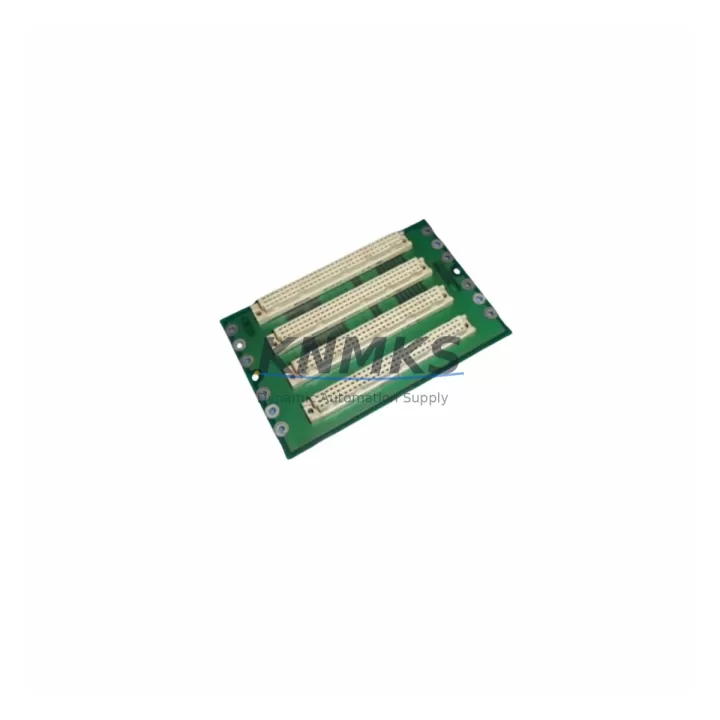
Overview
ABB MDI64BNS Maintenance-Proven Spare Part for Factory Uptime
The ABB MDI64BNS is a 64-channel digital input module engineered for the ABB AC500 S500 PLC platform — one of the most widely deployed modular control architectures in process automation, machine control, and critical infrastructure. Sourced as an original ABB component, the MDI64BNS is held in multi-region stock to support emergency replacements, scheduled outages, and annual maintenance cycles without lead-time risk.
For maintenance engineers managing aging AC500 installations, the MDI64BNS represents a direct, firmware-compatible replacement for failed or degraded digital input channels. Its 64-channel density makes it a high-value spare: a single module failure can take down an entire I/O rack segment, halting production lines or triggering safety shutdowns. Keeping a verified spare on the shelf — pre-tested and ready to install — is the most effective way to contain mean time to repair (MTTR) and protect factory uptime.
Procurement engineers sourcing MDI64BNS replacements should confirm module revision compatibility with the installed AC500 CPU generation (PM571, PM581, PM591, PM595 series) and verify that the S500 backplane bus version supports the module’s firmware. All units shipped by KNMKS are pre-shipment tested against ABB factory acceptance criteria and dispatched with a support terms confirmed by quotation.
Spare Maintenance Table
| Parameter | Specification |
|---|---|
| Part Number / SKU | MDI64BNS |
| Brand | ABB |
| Series | AC500 S500 |
| Module Type | 64-Channel Digital Input Module |
| Input Channels | 64 DI (configurable in groups) |
| Input Signal | 24 V DC (IEC 61131-2 Type 1/3) |
| Bus Interface | S500 I/O Bus (AC500 backplane) |
| Compatible CPUs | PM571, PM581, PM591, PM595 (AC500 V2/V3) |
| Mounting | S500 I/O rail, DIN rail via TB5xx terminal base |
| Operating Temperature | -25 °C to +60 °C |
| Protection Class | IP20 |
| Origin | Germany (DE) |
| Product Category | Industrial Automation > PLC I/O Modules > Digital Input |
| Pre-Shipment Testing | Yes — functional I/O channel verification |
| Support terms | 12 Months from dispatch date |
| Stock Availability | Multi-region; available for immediate dispatch |
Maintenance Planning for Continuous Operation
When replacing the MDI64BNS in an AC500 S500 rack, a thorough site inspection of the surrounding control cabinet is essential to prevent repeat failures and ensure a clean restoration. Maintenance engineers should begin by verifying the 24 V DC field power supply feeding the digital input channels — a degraded or undersized power supply is a common root cause of intermittent DI faults that are misdiagnosed as module failures. Check the TB523 or TB524 terminal base for corrosion, loose field wiring, or damaged connector pins before seating the new MDI64BNS.
Inspect the S500 backplane bus connector and adjacent modules in the rack. If the installation includes communication modules such as the CI502-PNIO (PROFINET I/O adapter) or CI504-PNIO, confirm that the bus termination resistors are correctly installed and that no bus errors are logged in the AC500 diagnostic buffer. A corrupted bus segment can cause the replacement module to appear faulty immediately after installation.
Review the AC500 CPU (PM581 or PM591) diagnostic log for any persistent I/O configuration errors. If the MDI64BNS was replaced due to channel drift or partial failure, also inspect the MDO16B or MDO32B digital output modules in the same rack — shared field wiring faults can stress both input and output modules simultaneously. For installations with mixed analog and digital I/O, check the MAI08-EI analog input module for signal isolation integrity, particularly in environments with high electromagnetic interference.
Fuse protection for the 24 V DC input circuit should be verified at the field terminal level. Blown or degraded 2A miniature fuses on the input commons are frequently overlooked during emergency replacements. Finally, if the control cabinet includes an HMI panel (CP600 series) connected via the AC500 CPU, confirm that the HMI tag mapping for the affected DI channels is restored and validated after module swap to avoid operator alarm suppression.
Site Replacement Workflow
Step 1 — Isolation: Place the AC500 CPU in STOP mode via the programming tool (Automation Builder) or the CPU keyswitch. Isolate the 24 V DC field supply to the affected I/O rack segment. Do not remove the module under live bus power.
Step 2 — Module Removal: Disconnect the terminal base field wiring connectors (if TB5xx plug-in type). Release the module locking lever and slide the MDI64BNS out of the terminal base. Label all field wiring connectors before removal to prevent rewiring errors.
Step 3 — Inspection: Inspect the terminal base contacts and backplane bus connector for contamination or mechanical damage. Clean with isopropyl alcohol if required. Do not install the replacement module into a damaged terminal base.
Step 4 — Module Installation: Seat the replacement MDI64BNS into the terminal base until the locking lever clicks. Reconnect field wiring connectors in the correct sequence. Restore 24 V DC field power.
Step 5 — Configuration Restore: In Automation Builder, perform an online comparison to confirm the module configuration matches the project. If the replacement module has a different firmware revision, update the hardware catalog entry and re-download the I/O configuration to the CPU.
Step 6 — Functional Verification: Force-test each DI channel group from the field device side. Confirm all 64 channels report correct ON/OFF states in the CPU I/O monitor. Clear the diagnostic buffer and return the CPU to RUN mode.
Step 7 — Documentation: Record the replacement date, module serial number, and firmware version in the site maintenance log. Update the spare parts inventory to trigger reorder of the consumed MDI64BNS unit.
Spare Parts Support FAQ
Q1: Is the MDI64BNS compatible with both AC500 V2 and V3 CPU generations?
The MDI64BNS is designed for the S500 I/O bus and is compatible with AC500 V2 CPUs (PM571, PM581, PM591) and AC500 V3 CPUs (PM595). Firmware revision compatibility should be confirmed in the ABB Automation Builder hardware catalog before installation. KNMKS can advise on revision matching for your specific CPU generation upon request.
Q2: How does KNMKS verify MDI64BNS units before shipment?
All MDI64BNS units undergo functional pre-shipment testing that includes I/O channel verification, bus interface check, and visual inspection for connector and PCB integrity. Units that do not pass testing are not dispatched. Each unit is shipped with a test record and is covered by a support terms confirmed by quotation from the dispatch date.
Q3: What is the recommended spare holding quantity for an AC500 S500 installation?
For installations with more than four MDI64BNS modules in service, a minimum of one spare unit on-site is recommended. For critical process lines or installations in remote locations with long logistics lead times, holding two spares is advisable. KNMKS supports long-term supply agreements to ensure consistent availability without repeated spot-buy risk.
Q4: Can the MDI64BNS replace older ABB S500 digital input modules with fewer channels?
Direct slot-for-slot replacement requires the same terminal base type. If the existing installation uses a 16-channel or 32-channel DI module on a compatible TB5xx terminal base, the MDI64BNS can be installed in the same slot, but the CPU project configuration must be updated to reflect the new channel count. KNMKS recommends consulting the ABB AC500 system manual and confirming the terminal base compatibility before ordering a channel-count upgrade.
© 2026 KNMKS. All rights reserved.
Original Source: https://knmks.com
Contact: admin@knmks.com | +86 18359268345
Product Identification
- Brand / Ecosystem
-
ABB
ABB - Model / Series
-
MDI64BNS
AC500 Series - Product Family
- PLCs & Controllers
- Availability Status
- Available on request after model and quantity confirmation
- Inquiry Type
- B2B RFQ, replacement inquiry and project spare-part request
- Pre-Quote Check
- Exact SKU, brand, series, quantity, nameplate photos and destination country are checked before quotation
System Path
Where this product fits in the KNMKS automation structure.
Specification & Inquiry Focus
- Control platform
- PLC, PAC and modular controllers
- Common needs
- CPU, rack, power and I/O expansion
- Project support
- Replacement, cabinet build and maintenance
Buyer Confirmation
Information KNMKS checks before replying.
- Exact model
- MDI64BNS
- Brand / ecosystem
- ABB
- Product family
- PLCs & Controllers
- Application note
- Replacement, maintenance, project build or spare-part list
- Useful photos
- Nameplate, installed unit, cabinet layout or connector side
- Delivery details
- Quantity, destination country and target schedule
Document Support
Files and notes can be confirmed during quotation.
- Product photos or nameplate confirmation when available
- Packing and delivery notes before quotation confirmation
- Support scope and delivery terms confirmed per inquiry
- Export document coordination for qualified B2B requests
Inquiry Support
- Model cross-checking before quotation
- CPU, power, rack and expansion module matching
- Support for replacement and project inquiry
What to Send Us
- Brand and exact model number: ABB MDI64BNS
- Quantity and required delivery time
- Application, replacement requirement or nameplate photo
- Destination country and shipping preference
RFQ Preparation
This is a product inquiry page built for RFQ communication.
Fast Model Check
Send this model to KNMKS for confirmation.
Include quantity, destination country and photos if this is a maintenance replacement. The inquiry will be saved with a reference number after submission.
Brand & Compatibility Note
KNMKS displays automation product information for well-known industrial brand ecosystems and compatible replacement references. Brand names are used for product identification and compatibility reference only; final availability and commercial terms are confirmed per quotation.
 Manufacturing
 Machine Tools
 Packaging
 Energy & Power



 HMI & Displays
 Servo Systems
 Variable Frequency Drives
 Sensors