
Overview
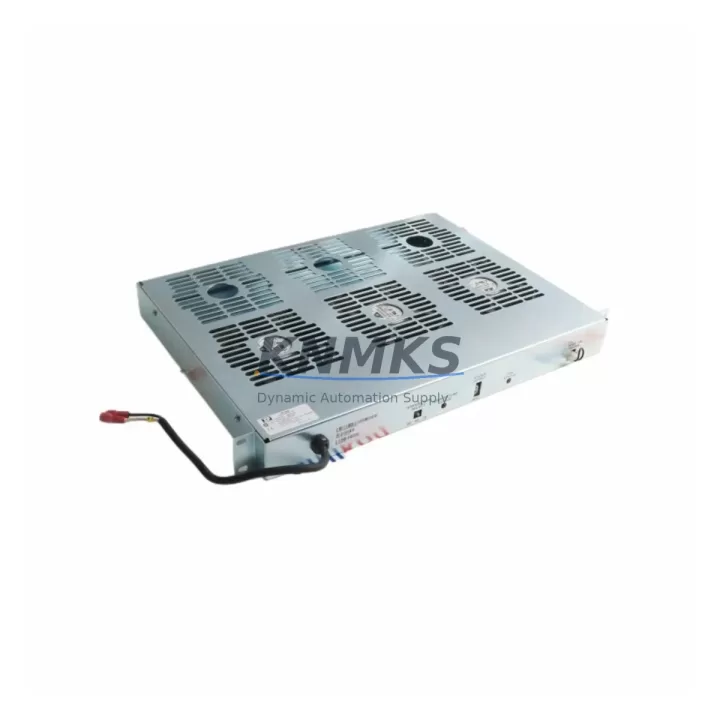
ABB IPFAN12 Migration-Ready Cooling Fan for AC500 Legacy Control Systems
The ABB IPFAN12 is a dedicated cooling fan module engineered for the AC500 PLC platform, widely deployed across industrial automation systems in process control, machine building, and infrastructure applications. As legacy AC500 installations age and original thermal management components reach end-of-life, the IPFAN12 provides a verified drop-in replacement path that preserves rack integrity, maintains backplane airflow geometry, and eliminates the need for control cabinet redesign. For maintenance engineers managing aging automation assets, sourcing a reliable IPFAN12 replacement is a critical step in extending system service life and avoiding unplanned downtime caused by thermal faults.
The IPFAN12 is designed to mount directly into the AC500 CPU rack without modification to the existing backplane slot arrangement. Its airflow direction, connector pinout, and physical envelope match the original factory specification, which means no rewiring of terminal blocks, no changes to cabinet ventilation baffles, and no firmware updates to the PM5xx or PM5xx-ETH CPU modules that govern system operation. This compatibility is especially valuable during emergency replacements where minimizing mean time to repair (MTTR) is the primary objective.
Migration Compatibility Table
| Parameter | Detail |
|---|---|
| Compatible Platform | ABB AC500 PLC Series (PM554, PM564, PM573, PM583, PM591, PM592, PM595) |
| Mounting Interface | Direct backplane slot insertion – no adapter required |
| Connector Pinout | Matches original IPFAN12 factory specification |
| Airflow Direction | Front-to-back, consistent with AC500 rack thermal design |
| Power Supply Compatibility | Compatible with AC500 internal 24 VDC bus; verify PS501 or PS502 power supply capacity before installation |
| Communication Impact | None – fan module is passive to CPU logic and fieldbus (PROFIBUS, Modbus, CANopen, EtherNet/IP) |
| Firmware Requirement | No firmware change required on CPU or I/O modules |
| Installation Space | Standard AC500 rack slot; confirm available slot position in TB521, TB541, or TB561 terminal base configurations |
| Replacement Recommendation | Direct replacement for failed or degraded IPFAN12 units; inspect adjacent I/O modules (TA521, DC532, AX522) for heat-related wear during replacement |
| Pre-Shipment Testing | Each unit function-tested prior to dispatch |
| Support terms | 12 months from date of shipment |
Retrofit Planning for Existing Automation Systems
A successful IPFAN12 retrofit begins with a thorough audit of the existing AC500 rack assembly. Before removing the failed fan module, document the slot position within the rack and verify that the PS501 or PS502 power supply module has sufficient residual capacity to sustain the replacement unit under full I/O load. In installations where the rack also houses high-density digital I/O modules such as the DC532 or DA501, thermal load calculations should be revisited to confirm that a single IPFAN12 replacement is sufficient or whether supplementary cabinet ventilation is warranted.
Terminal block wiring on adjacent TB521 or TB541 terminal bases does not need to be disturbed during a fan module swap, which significantly reduces the risk of introducing wiring errors into the live control circuit. However, it is good practice to photograph the terminal layout and label any field cables before beginning work, particularly in systems where the original wiring documentation has not been maintained.
For sites running PROFIBUS DP or Modbus RTU communication through a CM572-DP or CM575-DN communication module, the fieldbus network remains fully operational during a fan module replacement because the IPFAN12 has no logical address on the backplane and does not participate in the CPU’s I/O scan cycle. This means the replacement can be performed during a scheduled maintenance window without requiring a full system shutdown or a PLC program reload from the programming tool.
In control cabinets where the AC500 rack is installed alongside an HMI panel such as the CP600 series, the HMI display will continue to reflect live process values throughout the fan replacement procedure, provided the CPU remains powered. Engineers should confirm that the HMI project’s alarm configuration does not include a fan fault interlock that would trigger a controlled shutdown before proceeding with a hot-swap approach. If such an interlock exists in the application program, coordinate with the control system programmer to temporarily suppress the alarm output before removing the IPFAN12.
Sites migrating from older AC500 V1 hardware to AC500 V2 or AC500-eCo platforms should note that the IPFAN12 is compatible with V1 rack configurations. For V2 rack assemblies, verify the exact fan module part number against the rack variant before ordering, as the backplane connector geometry differs between generations. In mixed-generation installations, it is common to find both a legacy AX522 analog I/O module and a newer DC532 digital I/O module sharing the same rack, and the IPFAN12 serves both configurations without modification.
Downtime Control During System Migration
Controlling downtime during an IPFAN12 replacement requires preparation before the maintenance window opens. The most effective approach is to pre-stage the replacement unit on-site, verify its physical condition and connector integrity, and have the installation procedure reviewed by the responsible engineer before the production line is stopped. With the IPFAN12 pre-positioned and the rack slot location confirmed, the physical swap can typically be completed in under fifteen minutes, which is well within the tolerance of most planned maintenance intervals.
To protect the original program logic during the replacement, ensure that the CPU’s battery-backed memory or SD card retains the current application program. ABB AC500 CPUs with onboard SD card slots, such as the PM591 and PM595, store the application program in non-volatile memory that is unaffected by a brief power interruption. If the replacement requires a momentary power cycle to reseat the fan module, the CPU will reload the application automatically on restart, and the fieldbus network will re-establish communication with remote I/O stations without manual intervention.
For continuous-process applications where even a brief interruption is unacceptable, consider scheduling the IPFAN12 replacement during a natural process break or shift changeover. In redundant CPU configurations, the standby CPU can maintain control output continuity while the primary rack undergoes maintenance, provided the redundancy switchover has been tested and validated prior to the maintenance event. After reinstalling the IPFAN12, monitor cabinet temperature via the CPU’s diagnostic interface for the first hour of operation to confirm that airflow has been restored to the design specification.
Retrofit Support FAQ
Q: Is the IPFAN12 a direct replacement for the original ABB AC500 cooling fan, or does it require an adapter bracket?
A: The IPFAN12 is a direct drop-in replacement for the original factory-installed cooling fan in AC500 racks. No adapter bracket, wiring modification, or backplane rework is required. The unit slots into the existing fan position and connects via the original backplane connector.
Q: Will replacing the IPFAN12 affect the PLC program or require a program reload?
A: No. The IPFAN12 has no logical presence on the AC500 backplane and is not addressed by the CPU’s I/O configuration. Replacing the fan module does not alter the application program, force a CPU restart, or require a program download from the programming workstation.
Q: What pre-shipment testing is performed on the IPFAN12 before dispatch?
A: Each IPFAN12 unit is function-tested prior to shipment to verify motor operation, connector integrity, and airflow performance. Units that do not meet specification are quarantined and not dispatched. A support terms confirmed by quotation from the date of shipment covers defects in materials and workmanship under normal operating conditions.
Q: What is the lead time and stock availability for the IPFAN12?
A: The IPFAN12 is held availability confirmed by RFQ for immediate dispatch. For urgent maintenance requirements, same-day or next-business-day shipping is available upon order confirmation. Contact admin@knmks.com or call +86 18359268345 to confirm current inventory levels and delivery options for your location.
© 2026 KNMKS. All rights reserved.
Original Source: https://knmks.com
Contact: admin@knmks.com | +86 18359268345
Product Identification
- Brand / Ecosystem
-
ABB
ABB - Model / Series
-
IPFAN12
AC500 Series - Product Family
- PLCs & Controllers
- Availability Status
- Available on request after model and quantity confirmation
- Inquiry Type
- B2B RFQ, replacement inquiry and project spare-part request
- Pre-Quote Check
- Exact SKU, brand, series, quantity, nameplate photos and destination country are checked before quotation
System Path
Where this product fits in the KNMKS automation structure.
Specification & Inquiry Focus
- Control platform
- PLC, PAC and modular controllers
- Common needs
- CPU, rack, power and I/O expansion
- Project support
- Replacement, cabinet build and maintenance
Buyer Confirmation
Information KNMKS checks before replying.
- Exact model
- IPFAN12
- Brand / ecosystem
- ABB
- Product family
- PLCs & Controllers
- Application note
- Replacement, maintenance, project build or spare-part list
- Useful photos
- Nameplate, installed unit, cabinet layout or connector side
- Delivery details
- Quantity, destination country and target schedule
Document Support
Files and notes can be confirmed during quotation.
- Product photos or nameplate confirmation when available
- Packing and delivery notes before quotation confirmation
- Support scope and delivery terms confirmed per inquiry
- Export document coordination for qualified B2B requests
Inquiry Support
- Model cross-checking before quotation
- CPU, power, rack and expansion module matching
- Support for replacement and project inquiry
What to Send Us
- Brand and exact model number: ABB IPFAN12
- Quantity and required delivery time
- Application, replacement requirement or nameplate photo
- Destination country and shipping preference
RFQ Preparation
This is a product inquiry page built for RFQ communication.
Fast Model Check
Send this model to KNMKS for confirmation.
Include quantity, destination country and photos if this is a maintenance replacement. The inquiry will be saved with a reference number after submission.
Brand & Compatibility Note
KNMKS displays automation product information for well-known industrial brand ecosystems and compatible replacement references. Brand names are used for product identification and compatibility reference only; final availability and commercial terms are confirmed per quotation.
 Manufacturing
 Machine Tools
 Packaging
 Energy & Power



 HMI & Displays
 Servo Systems
 Variable Frequency Drives
 Sensors